

The Moments Parents Worry About Most

My child is separated from me in a crowded mall and cannot clearly describe where they are.

My child notices someone following them and feels unsafe speaking out loud. I may not hear a clear explanation.

My child gets into a ride alone and realizes the route is wrong . They need to reach me right away, but they feel it's too dangerous to speak.

Get Instant Alerts and Know Locations During Emergencies

Get Instant Alerts

Even if your phone is on silent or other focus modes, you can receive loud alerts instantly.

  • Be alerted in 5s when your child presses the SOS button on their phone — unless they cancel it first.
  • An SOS alert has a different loud siren than a regular notification.
  • Reach you immediately even when your phone is in Silent, Do Not Disturb, Sleep, or Focus mode.
  • Stay active for up to 15 seconds unless manually dismissed.
Get Instant Alerts

Receive Real-Time Location

An SOS alert lets you see your child's real-time location and follow up immediately.

  • See your child's real-time location the moment you receive SOS alerts.
  • Check location history to better understand where they have been.
  • Continue the follow-up without switching apps.
Receive Real-Time Location

Hear 15 Seconds of Surrounding Audio

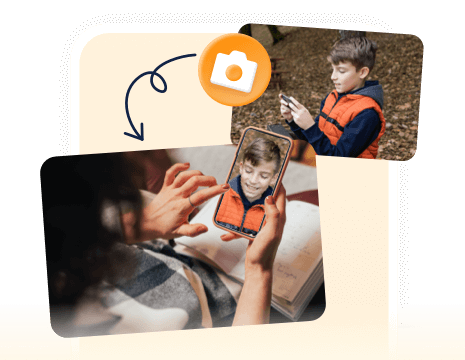
You can hear 15 seconds of real surrounding audio to better understand what is happening when you get SOS alerts. The audio is only activated during an SOS emergency.

  • Hear what is happening around your child in the moment.
  • Pick up real sounds that the location alone cannot show.
  • A 5-second countdown makes each SOS alert feel more serious.
Hear 15 Seconds of Surrounding Audio

FAQs & Hot Topics

FAQs Hot Topics
What happens when my child triggers SOS?
When SOS is triggered, you receive an alert designed to stand out, along with your child's location and 15 seconds of real surrounding audio. From there, you can respond right away with AirDroid Parental Control's built-in chat by call, text, or voice.
What if SOS is triggered by mistake?
SOS is designed to be easier to use in a real emergency and harder to trigger by accident. A clear SOS entry helps children find it quickly, while a 5-second countdown helps reduce accidental activation before the alert is sent.
How is SOS different from calling or messaging?
A call or message still depends on your child being able to speak, explain, or wait to be answered. SOS is designed for moments when that may be harder. It helps you notice something may be wrong and gives you more context right away.
What's the best way to contact my child after an SOS alert?
That depends on the situation. In some moments, your child may not be able to talk freely, so starting with a text or voice message may feel more appropriate than calling right away. Family Chat inside AirDroid Parental Control gives you flexible ways to follow up, so you can choose the form of contact that best fits the moment.
What if my child doesn't answer calls or messages?
If your child doesn't answer, AirDroid Parental Control also offers helpful tools such as Remote Camera, One-way Audio, Real-time location, and Geofencing. These features can help you check in more calmly and understand more before deciding what to do next.
How much does AirDroid Parental Control cost?
AirDroid Parental Control is so affordable. Premium is $9.99/month, $19.99/quarter, or $59.99/year. Only $0.16 per day for the yearly plan, is way less than the price of your daily coffee! See pricing >>>

AirDroid--Your Best Companion

  • Download and Install

    Download and Install

    Download AirDroid Parental Control on the parent's phone.

  • Sign Up and Sign In

    Sign Up and Sign In

    Register an AirDroid account and sign in on the parent's device.

  • Bind Child's Device

    Bind Child's Device

    Install the AirDroid Kids on the kid's phone and input the binding code to connect both devices.

Your Trusted Digital Parenting Assistant

4.7 on App Store

4.6 on Play Store

14,426,101 parents have downloaded it!

Dude hygge

I absolutely love this app… It helps me keep track of my kids anywhere with the added bonus of being able to see any notifications that come to their phones. And the fact that the app and icon physically disappear from the phone that your tracking is A++ in my book… 😇😉👍

Michelle Morrice

I am impressed by the AirDroid Parental Control. It is easy to use and budget-friendly. It took me a few minutes to set up the app, and I could set screen time limits, website schedule, and geofence for my kids. Highly recommended!

CH ABDULRAHMAN

Wow! Great achievement. So simple and easy to use. Fully functional to track kid's social media activities. It also provides me access to the messages on my kid's phone and helps me know his activities. Being in the office I have no worries about kids! I can track their location anytime I want. Best App for parents I have ever used.

Miguel Almond

AirDroid Parental Control is much better than other parental monitoring apps I used previously. It's cost-efficient, has more features, and allows me to block games, apps, and websites that are not good for my child in one click.

Get Instant SOS Alerts — Anytime, Anywhere

  • Uninstall Protection

    Uninstall Protection

  • Easy Co-Parenting

    Easy Co-Parenting

  • 1 Account Bind Multi-Devices

    1 Account Bind Multi-Devices

  • GDPR Compliance

    GDPR Compliance