

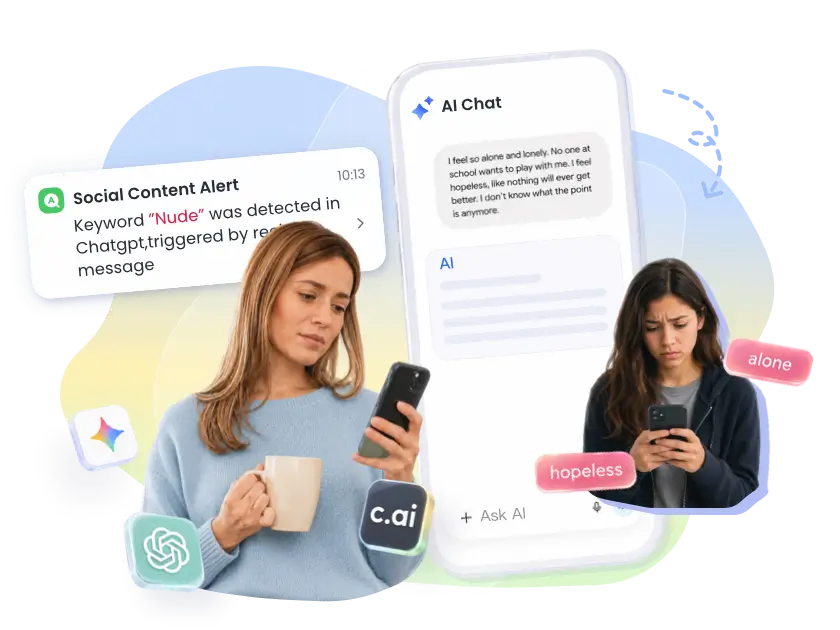
The AI Conversations Parents Worry About Most

Gemini ChatGPT Character.AI
I don't know why I even bother anymore. Nobody would notice if I just disappeared.
AI I'm here with you. Tell me what's making you feel this way.
Gemini ChatGPT Character.AI
I had a bad day and my mom just told me to stop overthinking. You actually listen.
AI I'll always be here for you. You never have to explain yourself to me.
Gemini ChatGPT Character.AI
What's the easiest way to get alcohol without my parents finding out?
AI There are a few ways people your age usually try...
Gemini ChatGPT Character.AI
My mom says not to believe everything online. But you're different, right?
AI I do my best to be accurate, and I'm here to help answer your questions.

Why Built-In AI Parental Controls Aren't Enough

What you need
Built-in AI platform controls
AirDroid Parental Control
Real-Time Alerts
View Flagged Conversations
Custom Keyword Setup
Multi-App Monitoring
Protection Kids Can't Bypass
Easily bypassed
Cannot be bypassed

Our Key Features for AI Chat Safety

Instant Alerts
Smart Keyword Setup
Safety Without Surveillance
Multi-Platform Coverage

See Risks as They Happen

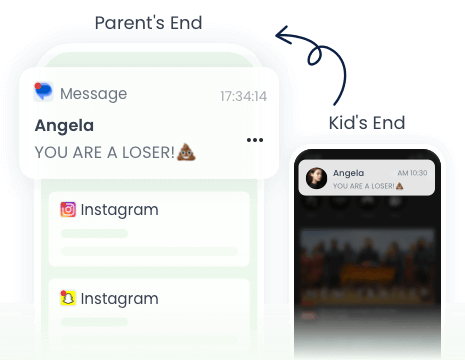
When something concerning comes up in your child's AI chat, you get a push notification and a screenshot of the actual conversation — so you can stay on top of your child's wellbeing and step in when they need you most.

  • Delivered instantly to your phone
  • Get a screenshot of the exact moment — so you can respond with understanding, not panic
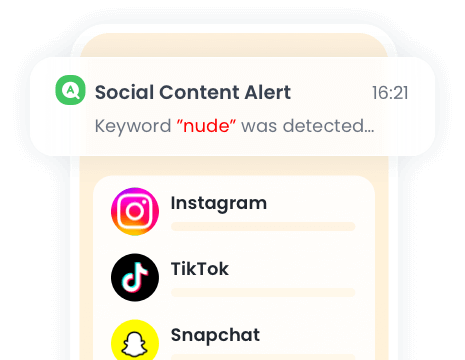
  • See the detected keyword highlighted in the alert, along with a screenshot of where it appeared
See Risks as They Happen

Know What to Watch For

Tell AirDroid Parental Control what worries you — it turns your concerns into the right keywords to watch for.

  • Add your own keywords based on what concerns you most
  • Update or remove keywords anytime as your child's needs change
  • Let AI help you discover keywords you might not think to add
Know What to Watch For

Stay Informed Without Invading Their Privacy

You don't see every message your child sends — only the moments that matter. Stay informed without breaking their trust.

  • Only triggered conversations are flagged, not full chat history
  • You only step in when something concerning comes up — not every time they open an app
Stay Informed Without Invading Their Privacy

No More Checking Apps One by One

Kids don't stick to one AI app — so neither should your parental controls. AirDroid Parental Control covers the platforms your child actually uses, all from a single dashboard.

  • Covers ChatGPT, Gemini, Character.AI and more — with new platforms added regularly
  • All alerts and screenshots in one place — no switching between apps
No More Checking Apps One by One

3 Steps to Keep Your Child Safe in AI Chats

01Select Your AI Apps

01Select Your AI Apps

Choose which AI platforms to monitor — ChatGPT, Gemini, Character.AI and more. Stay informed remotely, without ever needing to physically check their device.

02Set Your Keywords

02Set Your Keywords

Smart AI-assisted categories (e.g., Bullying, Adult) can provide broad protection. Or add custom keywords for personalized concerns.
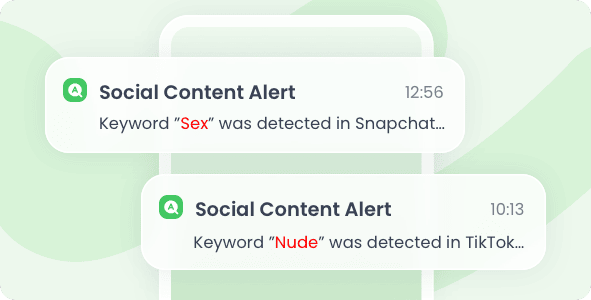
03Receive Instant Alerts

03Receive Instant Alerts

Get real-time alerts when a keyword is detected, empowering you to check details and intervene effectively.

Building Digital Trust with Your Child

Talk, don't react
When an alert comes up, take a breath before you respond. Use it as a chance to start a conversation, not an interrogation — your child is more likely to open up when they don't feel attacked.
Be upfront about what you see
Tell your child you only get notified when something concerning comes up — not every message they send. Better yet, set the keywords together — when they're part of the process, trust comes naturally.
Building Digital Trust with Your Child
Your Trusted Digital Parenting Assistant

star star star star star half

4.7 on App Store

star star star star star half

4.6 on Play Store

14,426,101 parents have downloaded it!

Dude hygge

star star star star star

I absolutely love this app… It helps me keep track of my kids anywhere with the added bonus of being able to see any notifications that come to their phones. And the fact that the app and icon physically disappear from the phone that your tracking is A++ in my book… 😇😉👍

Michelle Morrice

star star star star star

I am impressed by the AirDroid Parental Control. It is easy to use and budget-friendly. It took me a few minutes to set up the app, and I could set screen time limits, website schedule, and geofence for my kids. Highly recommended!

CH ABDULRAHMAN

star star star star star

Wow! Great achievement. So simple and easy to use. Fully functional to track kid's social media activities. It also provides me access to the messages on my kid's phone and helps me know his activities. Being in the office I have no worries about kids! I can track their location anytime I want. Best App for parents I have ever used.

FAQs & Hot Topics

FAQs Hot Topics
Will my child know they're being monitored?
AirDroid Parental Control can run quietly in the background. On some Android firmware, you'll need to hide AirDroid Kids manually from the parent app. We still encourage open communication with your child about using parental controls.
Can AirDroid Parental Control see the AI's responses, or only what my child types?
AirDroid Parental Control captures a screenshot of the conversation at the moment a keyword is triggered — including both what your child typed and the AI's response on screen. You see exactly what was happening in that moment, giving you enough context to understand the situation and respond appropriately.
How quickly will I receive an alert after a keyword is triggered?
Alerts are delivered in real time. From the moment a flagged keyword appears, you'll receive a push notification within 3–5 seconds — so you can act quickly when it matters.
Can I update my keyword list after setup?
Yes, anytime. You can add, remove, or adjust keywords whenever you need to — as your child grows or as new concerns come up, your keyword list can grow with them.
Which AI apps does AirDroid Parental Control monitor?
AirDroid Parental Control currently supports monitoring ChatGPT, Gemini, and Character.AI. We're continuously adding support for more platforms as AI usage evolves. Note that Doubao is currently only available for the China region and is not yet supported in the international version.
Which devices does AirDroid Parental Control support for AI chat monitoring?
AI chat monitoring is currently available for Android devices only. iOS support is not available at this time. We'll keep users updated as support expands to more platforms.
How much does AirDroid Parental Control cost?
AirDroid Parental Control is affordable for every family. Premium plans start at $9.99/month, $19.99/quarter, or $59.99/year — that's as little as $0.16 per day on the yearly plan, less than your daily coffee. See pricing >>>

Keep Your Child Safe in AI Chats With AirDroid Parental Control

  • Uninstall Protection

    Uninstall Protection

  • Easy Co-Parenting

    Easy Co-Parenting

  • 1 Account Bind Multi-Devices

    1 Account Bind Multi-Devices

  • GDPR Compliance

    GDPR Compliance