The best Circle Parental Controls app alternative depends on what your family wants to improve. AirDroid Parental Control, offerring a broad mix of screen-time, content, location, and cross-device features, is worth comparing if your child's main device is Android. Qustodio is better suited to families managing several operating systems. Bark focuses on alerts for potentially concerning messages and online activity, while Aura combines parental controls with online-wellbeing and broader family-security tools.
OurPact is a strong option for detailed mobile schedules. Families that only need basic controls may not need another subscription at all: Google Family Link is a practical free choice for Android and ChromeOS, while Apple Screen Time is the natural starting point for Apple-only homes.
Catalogue Contents[Showhide]
The Best Circle App Alternatives at A Glance
- Best fit for enhanced Android insights: AirDroid Parental Control
- Best for mixed-device families: Qustodio
- Best for social and message-risk alerts: Bark
- Best for parental controls plus family cybersecurity: Aura
- Best for detailed mobile schedules: OurPact
- Best free option for Android and Chromebook: Google Family Link
- Best free option for Apple-only families: Apple Screen Time
What the Circle Parental Controls App Does in 2026
The Circle mobile app is primarily a screen-time, filtering, and online-usage tool for supported phones and tablets. Circle's current product materials describe features including web and app filtering, usage reports, browsing history, daily time limits, Bedtime, Focus Time, Pause, Rewards, and mobile-device location. The current product is the second-generation app; it should not be treated as discontinued simply because Circle's older hardware and first-generation products have reached end of sale.
Circle says the app can manage supported iOS and Android devices and selected Chromebook and Kindle Fire devices away from the home network. It is different from Circle Home Plus, which adds network-level control for televisions, consoles, computers, and other devices connected to a router. This article does not evaluate that hardware function.
At the research cut-off, Circle's U.S. product page listed the app at $9.99 per month or $89.99 per year. The lower “starting at $7.49 per month” figure shown on some Circle pages is the annual price divided by 12. The app included a 14-day trial according to Circle's current product page. These U.S. web prices should not be presented as universal: Circle says international customers subscribe through the Apple App Store or Google Play, subject to local availability and store pricing.
Circle's Google Play parent-app listing remained live and showed a July 30, 2026 update at the research cut-off. It displayed a rating of roughly 2.3 out of 5 from about 2,180 reviews. Recent visible complaints included loading, compatibility, stability, and support-response issues. A live, recently updated store listing supports the conclusion that the second-generation app remains maintained, but it does not guarantee availability in every country or reveal Circle's long-term roadmap. The reviews help explain the search for alternatives, but they do not prove that every Circle user will experience the same problems. Device model, OS version, permissions, and updates can materially change the outcome.
Circle Parental Controls App Alternatives Compared
| App | Best for | Main limitation |
|---|
| AirDroid Parental Control | Android-focused visibility | Its most distinctive monitoring features are Android-only |
| Qustodio | Mixed-device families | Advanced capabilities vary by plan and platform |
| Bark | Social risk alerts | Limited country availability and uneven iOS/Android monitoring |
| Aura | Security and wellbeing bundle | Less suitable when detailed location tools are the priority |
| OurPact | Detailed mobile schedules | Setup and View may feel intrusive to some families |
| Google Family Link | Free Android controls | Full controls do not apply to a child's iPhone |
| Apple Screen Time | Free Apple controls | Apple ecosystem only |
How We Researched and Evaluated These Apps
Product functions, compatibility, pricing, trials, device limits, and regional availability were checked against current official product and support pages. We also reviewed parent-app listings and recent visible feedback on the Apple App Store and Google Play, plus independent reviews that explained what they evaluated. We also completed basic walkthroughs of selected apps, including account creation, child-device pairing, screen-time rules, app restrictions, web filters, reports, location menus, and alert settings.
App-store reviews are useful signals, not representative research. Ratings differ by country, platform, app version, and time. People with unusually positive or negative experiences may be more likely to leave reviews. Child companion apps also receive low scores from children who dislike restrictions, so their ratings should not be combined with the parent app's usability score.
For that reason, this article uses review themes to identify what a parent should verify during a trial. It does not turn one complaint into a universal product claim.
Disclosure: AirDroid publishes this guide and makes AirDroid Parental Control, one of the products compared. We applied the same stated criteria to every option and include cases where a competitor or free native tool is the better fit.
1AirDroid Parental Control: best fit for broader Android visibility
Quick verdict: AirDroid Parental Control is a strong Circle app alternative for Android-focused families that want more device-level context than basic screen-time reports provide. It also supports core controls on a child's iPhone or iPad, but its extended monitoring capabilities are limited to Android.
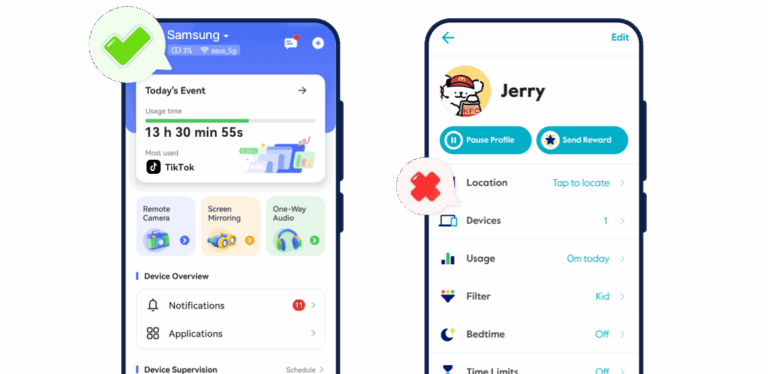
The AirDroid Parental Control product page lists screen-time rules, app limits, website restrictions, activity reports, live location, route history, and geofences. For a child's Android device, AirDroid also documents screen mirroring, remote camera access, one-way audio, notification syncing, SMS functions, social-content detection, inappropriate-image detection, and selected AI-chat monitoring.
That changes the comparison with Circle. Circle centers on internet usage, filters, schedules, and healthy screen-time routines. AirDroid adds more visibility into supported activity on an Android phone. Whether a family should use every available monitoring tool is a separate question. The most appropriate setup is transparent, age-appropriate, and limited to a genuine safety need.
AirDroid's cross-platform compatibility page says screen time, app blocking, web filtering, live location, and family chat work on supported Android and iOS child devices. It also states that remote camera and ambient-audio functions are exclusive to Android child devices because of iOS restrictions. An iPhone household should therefore evaluate AirDroid's iOS feature list rather than assuming it receives the Android experience.
At the research cut-off, Premium cost $9.99 per month, $19.99 per quarter, or $59.99 per year. The annual plan supported up to 10 child devices. The U.S. Apple App Store parent app showed about 4.7 out of 5 from 2,400 ratings. Visible positive feedback praised feature breadth and remote management. Concerns included the initial permissions process, the app's visibility on a child's phone, and the possibility that a technically capable child could interfere with protection.
Best for: Android-heavy families that want screen rules, location, usage reports, and broader device-level visibility in one app.
Not ideal for: Apple-only households that expect Android-exclusive monitoring features to work on iPhone.
2Qustodio: best for mixed-device families
Quick verdict: Qustodio is the most broadly cross-platform Circle app alternative in this list. It is a practical choice when children use a mixture of phones, computers, Chromebooks, and Kindle devices and the parent wants one dashboard for rules, reports, and location.
Qustodio's downloads page lists support for Windows, Mac, compatible Chromebooks, Android, iPhone and iPad, and compatible Kindle devices. Core functions include screen-time controls, app blocking, web filtering, activity reports, location, and alerts. More advanced app, game, YouTube, call, message, and social functions depend on the plan and platform.
Compared with Circle, Qustodio's clearest advantage is the breadth of conventional device support. A parent can supervise a child's phone and computer from one account. That also creates more setup work: Qustodio needs to be installed and configured on every supported child device.
At the research cut-off, Qustodio's U.S. pricing page listed Basic at $59.95 per year and Complete at $104.95 per year. Complete added the broader rule, monitoring, and unlimited-device package shown on that page. Older comparison articles often cite previous prices or device limits, so the current plan matrix matters.
The Qustodio parent app showed approximately 3.5 out of 5 from about 24,300 Google Play reviews. Recent visible complaints mentioned location alerts, time accounting, notification controls, and workarounds on particular devices. A current TechRadar review, however, praised Qustodio's interface, reports, schedules, location tools, and platform support while describing social monitoring as a weaker area. These sources suggest a capable, broad platform whose real-world consistency should be checked on the family's exact devices.
Best for: Families managing Android, iPhone, Windows, Mac, Chromebook, or Kindle devices from one account.
Not ideal for: Parents whose main concern is deep social-message analysis rather than cross-platform rules and reports.
3Bark: best for social and message-risk alerts
Quick verdict: Bark is the strongest Circle app alternative when the main goal is to receive alerts about potentially concerning messages, searches, email, or social activity. It is less focused on giving parents routine access to everything a child does.
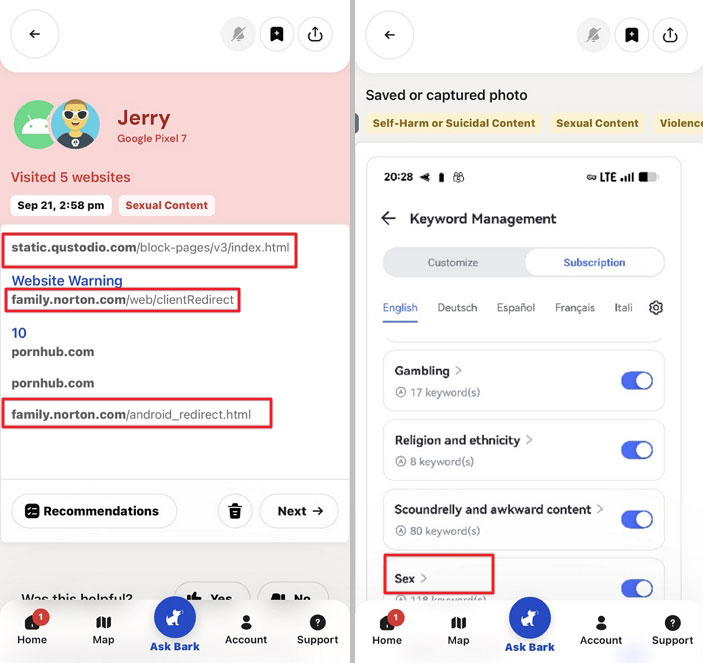
Bark analyzes supported activity for concerns such as bullying, self-harm, sexual content, violence, drugs, and online predators. When the system detects a potential problem, it provides an alert and relevant context. This approach can suit families with tweens or teens who want risk signals without reading every conversation.
Bark also includes screen-time schedules, website and app blocking, and location features. Bark Premium was listed at $14 per month or $99 per year. Bark Jr., which focuses more on screen time, web controls, and location, was $5 per month or $49 per year. One subscription can cover the family's supported children and devices.
Platform differences are critical. Monitoring on an iPhone is not equivalent to monitoring on Android, and supported apps and setup methods can change. Parents should review Bark's current device-specific documentation before relying on one particular messaging or social platform.
Region is another decisive limitation. Bark's international availability page said its apps were available in the United States, Australia, and South Africa. That makes Bark unsuitable as a general recommendation for most European readers.
Bark's U.S. Apple App Store parent app showed approximately 4.3 out of 5 from 36,000 ratings. Visible positive reviews described valuable alerts and a useful balance between safety and independence. Recent concerns on Apple and Google stores included battery use, VPN behavior, installation difficulty, alert sensitivity, and controls failing after updates. A trial should therefore include the family's actual network, phone, and highest-priority alert category.
Best for: Families in a supported country that care more about online-risk alerts than detailed daily activity reports.
Not ideal for: European families or anyone expecting identical monitoring across every iPhone and Android app.
4Aura Parental Controls: best for wellbeing and family cybersecurity
Quick verdict: Aura is a logical Circle app alternative because Circle is now part of Aura. It is most compelling when parental controls are one part of a broader need that includes online wellbeing, identity protection, antivirus, VPN, and household cybersecurity.
Aura's parental-controls page lists app and website blocking, screen-time limits, downtime, Pause the Internet on the managed mobile device, online history and usage reports, and wellbeing insights. Safe Gaming by Kidas adds risk alerts for supported Windows PC games and communication platforms.
The Kids plan was listed at $10 per month when billed annually or $13 month to month, with unlimited children and devices. The Family plan was $32 per month billed annually or $50 month to month and added identity protection, credit monitoring, antivirus, VPN, password management, and other household-security services.
Aura's official compatibility section said parental controls worked on iPhones and iPads running iOS 16 or later and Android devices running Android 12 or later. Safe Gaming required a Windows computer. Older family devices may therefore be excluded even when they still run ordinary apps.
Aura is less convincing when detailed live location, location history, or highly granular message monitoring is the main requirement. A current independent Aura review noted the lack of live tracking in the parental-control app at the time of evaluation. Aura's value lies in combining rules, reports, wellbeing guidance, gaming alerts, and broader security rather than leading every individual parental-control category.
Best for: Families that want screen-time and content controls within a larger identity and cybersecurity subscription.
Not ideal for: Parents whose top priority is detailed child-location tracking or deep mobile-message monitoring.
5OurPact: best for detailed app schedules on iPhone and Android
Quick verdict: OurPact is a good Circle app replacement when the family's primary need is deciding when mobile apps are available. Its schedules, app rules, and support for many child devices are useful, while Premium+ adds a more intrusive screenshot-based monitoring option.
OurPact combines screen-time management, app blocking, schedules, location, and device safeguards. Its Premium+ plan includes View, which captures periodic views of a child's screen activity. Some parents may find that useful for context; others may prefer a risk-only system that reveals less routine activity. The monitoring model should be discussed with the child before activation.
At the research cut-off, OurPact's pricing page listed Premium at $6.99 per month or $69.99 per year and Premium+ at $9.99 per month or $99.99 per year. Paid plans supported up to 20 child devices.
OurPact's U.S. Apple App Store parent listing showed approximately 4.4 out of 5 from 37,000 ratings. Positive visible reviews described effective scheduling and years of continued use. Complaints included the computer-assisted installation flow, unexpected setup effects, reliability problems, and concerns that some features felt too intrusive.
Compared with Circle, OurPact is more focused on mobile app availability and structured schedules. It is not the best fit for Windows or Mac supervision, detailed risk-only alerts, or families that want the least invasive monitoring model.
Best for: Families managing many iPhones and Android devices with detailed school, homework, evening, and bedtime schedules.
Not ideal for: Parents who need computer coverage or prefer alert-based monitoring over screen captures.
6Google Family Link: best free option for Android and ChromeOS
Quick verdict: Google Family Link is the best free Circle app alternative for families whose children use Android phones, Android tablets, or compatible Chromebooks. It covers the most important account, app, time, content, and location basics without another subscription.
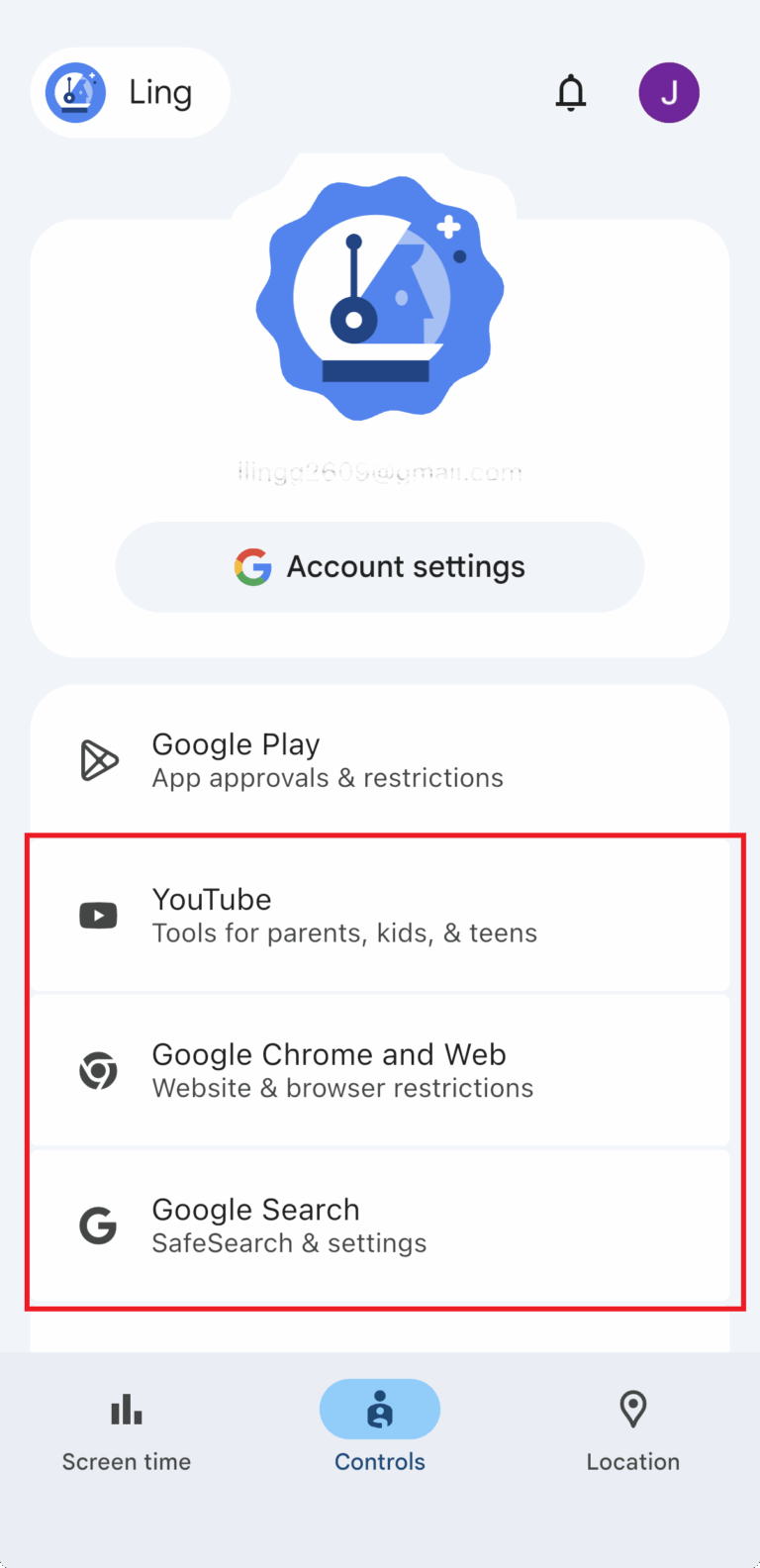
Family Link lets parents set daily time limits, downtime and school schedules, individual app limits, Google Play download approvals, app permissions, selected Search and Chrome restrictions, YouTube settings, and device-location functions.
Google is transparent about its boundaries. The Family Link FAQ says content filters are not perfect. It also states that app management, Chrome filtering, and screen-time limits do not apply to a child's activity on an iOS device or ordinary web use in the same way they apply to Android and ChromeOS. A parent can use the Family Link app on an iPhone, but that does not provide full control of a child's iPhone.
The U.S. Apple App Store parent app showed approximately 4.7 out of 5 from 294,000 ratings. That rating reflects the parent app and a very large mix of device and account configurations; it does not guarantee identical behavior on every Android model.
Compared with Circle, Family Link is less useful for third-party social-content alerts, cross-platform reporting, or managing non-Google ecosystems. Its advantage is cost and system-level integration. Many Android families should try Family Link before paying for a broader service.
Best for: Android and ChromeOS families that need free screen-time, app, purchase, content, and location controls.
Not ideal for: A child's iPhone or a family that needs broad social and message-risk monitoring.
7Apple Screen Time: best free option for Apple-only families
Quick verdict: Apple Screen Time is the most sensible free Circle app replacement for an Apple-only household. It provides app limits, downtime, content restrictions, communication rules, and purchase approvals directly through Family Sharing, without adding another monitoring company.
Apple allows a parent or guardian to configure Downtime, App Limits, age-based content settings, communication controls, purchase approvals, and requests for extra time. Communication Safety can warn about sexually explicit images or videos in selected Apple communication experiences. It is not the same as monitoring every conversation in third-party social apps.
Screen Time's advantage over Circle is native integration. Its limitation is ecosystem scope. It does not become a unified parental-control dashboard for Android phones or Windows computers. Location is also handled through Apple's Find My and family-location tools rather than being the central Screen Time function.
Native controls still require maintenance. Parents need a properly configured family group, secure adult credentials, and periodic review of exceptions, downloads, and device changes. A child using multiple Apple devices may also need rules checked across each device and account.
Compared with paid apps, Screen Time collects less third-party monitoring data because the core controls remain within Apple's ecosystem. Families that need social-risk alerts, cross-platform controls, or detailed reports may still require another product.
Best for: Apple-only households that need free app limits, schedules, purchase approval, and age-based content settings.
Not ideal for: Mixed Apple/Android families or parents seeking broad third-party message and social monitoring.
Which Circle App Alternative Should You Choose?
There is no single winner because these apps solve different versions of the same problem.
Choose AirDroid for an Android-focused family
AirDroid is the strongest fit when the parent wants to go beyond Circle's internet-usage reports and use more detailed Android-specific visibility, content, location, and device tools. Check the iOS feature table carefully if any child uses an iPhone.
Choose Qustodio for a complicated device mix
Qustodio makes the most sense when the family needs one account for phones, tablets, computers, a Chromebook, or a Kindle. It is a rules-and-reporting all-rounder rather than a specialist in deep social alerts.
Choose Bark for risk alerts
Bark is designed for parents who want to know when supported activity suggests bullying, self-harm, sexual content, violence, drugs, or another serious concern. Its country limitations mean that many European readers will need another option.
Choose Aura for a broader security subscription
Aura is compelling when parental controls sit alongside identity protection, antivirus, VPN, and online-wellbeing tools. It is not the first choice for families that mainly need child-location history or highly detailed mobile-message monitoring.
Choose OurPact for structured mobile schedules
OurPact is strongest when the family wants apps available at precise times for school, homework, free time, and sleep. Decide whether the Premium+ screen-viewing model fits the family's privacy expectations.
Start with Family Link or Screen Time when basic controls are enough
Family Link and Screen Time are free, deeply integrated into their respective ecosystems, and sufficient for many younger children. A paid service becomes useful when the family needs mixed-platform control, richer reports, content-risk alerts, or features that the native system does not provide.
How to Switch from the Circle App
- Record the current Circle rules. Note each profile's filters, daily limits, Bedtime, Focus Time, allowed apps, blocked sites, and emergency exceptions.
- Check both sides of compatibility. Confirm the parent's device, the child's device, the operating-system versions, the country, and the required plan.
- Choose the primary goal. Decide whether the replacement is mainly for screen time, app access, content alerts, location, or mixed-device management. Do not pay for a longer feature list if the important function is absent on the child's OS.
- Install before removing Circle. Pair the child device and complete permissions while Circle remains available as a reference. Avoid running overlapping VPN or filtering functions unless both vendors support the combination.
- Test essential scenarios. Check one app limit, one blocked website, one schedule, location behavior, and access to calls, messages, maps, school tools, and authentication apps.
- Review privacy with the child. Explain what will be limited, what information parents can see, what triggers an alert, and how the rules will change with age and responsibility.
- Check billing separately. Confirm the trial end date, renewal period, refund rules, and cancellation method. Product settings and family profiles normally do not transfer between services.
Final verdict
The best Circle Parental Controls app alternative is the one that solves the family's actual device-level need. AirDroid stands out for Android-focused visibility, Qustodio for mixed-device management, Bark for risk alerts, Aura for a broader security bundle, and OurPact for mobile scheduling. Family Link and Screen Time are capable free starting points inside the Google and Apple ecosystems.
Before paying annually, test the single function that matters most on the exact child device: an app limit, web filter, location update, schedule, or content alert. That short real-world check—combined with current official documentation and balanced user feedback—is more useful than choosing the app with the longest feature list.
Frequently Asked Questions
Is the Circle Parental Controls app still active in 2026?
Yes. Circle's official availability notice says the second-generation Circle Parental Controls app remains available internationally except in Mainland China. U.S. customers can subscribe through Circle's website, while customers elsewhere use the Apple App Store or Google Play where the subscription is locally available. Circle no longer offers device-and-app bundles.
That status is different from Circle's older products. Circle Home Plus is no longer for sale, although support remains available to existing users. Sales of the first-generation Circle app and Circle with Disney have ended, and Circle describes support for those products as limited. Therefore, “Circle hardware has been discontinued” should not be rewritten as “the current Circle app has shut down.”
What is the best alternative to the Circle Parental Controls app
AirDroid is a strong fit for Android-focused monitoring, Qustodio for broad cross-platform management, Bark for social and message-risk alerts, and Aura for parental controls combined with broader family security. OurPact emphasizes mobile schedules. The best choice depends on the child's device and the family's main concern.
Which Circle alternative works on both Android and iPhone?
AirDroid, Qustodio, Bark, Aura, and OurPact all offer combinations of Android and iPhone support. They do not provide identical functions on both systems. Android generally allows deeper device and notification access, while iOS limits or changes some monitoring and app-control methods. Compare the child-device feature table, not just the logos on the product page.
Is there a free Circle app alternative?
Google Family Link is free and best suited to Android and compatible ChromeOS child devices. Apple Screen Time is free and best suited to Apple-only families. Both cover core limits and content settings, but neither provides all the cross-platform reports or third-party content alerts found in paid parental-control apps.
Which Circle alternative is best for social-media alerts?
Bark is the most monitoring-focused option in this guide and is designed to alert parents to potentially concerning content across supported messages, email, searches, and social accounts. AirDroid also offers selected social or content-detection functions, especially on Android. Always verify the exact supported app, operating system, setup method, and country.
Does Circle monitor text messages?
Circle's current official materials focus on internet filtering, app and website usage, browsing history, schedules, time limits, Pause, Rewards, and location. They do not position Circle as a comprehensive text-message monitoring service. Parents who specifically need message-risk alerts should compare Bark and the supported Android or plan-dependent functions of products such as AirDroid and Qustodio.
Is AirDroid or Qustodio closer to Circle?
Qustodio is closer when “Circle replacement” means screen-time rules, web filtering, reports, and management across many kinds of devices. AirDroid is more differentiated when the child uses Android and the parent wants comprehensive device-level visibility, content tools, or remote-monitoring functions. Neither choice is automatically better for every family.
Can children bypass parental-control apps?
No app should be described as impossible to bypass. Effectiveness depends on OS permissions, device updates, parent credentials, account settings, alternative browsers, VPNs, secondary devices, and the child's technical knowledge. Use secure parent accounts, review permissions after updates, and combine software with clear family agreements.
Can a parental-control app work exactly the same on Android and iOS?
Usually not. Android and iOS expose different system permissions and management frameworks. A product can support both platforms while offering deeper notifications, messages, app controls, screen viewing, or background access on only one. Device- and OS-specific documentation is more reliable than a general “cross-platform” claim.










Leave a Reply.