How to Check App Usage on iPhone: Screen Time, Battery, Data & Parental Control Options
Knowing how you use apps on your iPhone can help you better manage screen time, understand app habits, and optimize your device performance.
Whether you want to check daily app usage, battery consumption, mobile data, or storage space, iPhone provides built-in tools to help you find this information.
For parents, these features can also provide insights into children's digital habits. If you use an Android phone while your child uses an iPhone, cross-platform parental control solutions can offer additional ways to support healthy screen habits.
Quick Answer: How Do I Check App Usage on iPhone?
The easiest way to check app usage on an iPhone is through Apple's built-in Screen Time feature. Go to Settings → Screen Time → See All App & Website Activity to view how much time you spend on each app.
If you want to check other types of app usage, such as battery consumption, mobile data usage, or storage space, iPhone provides separate reports under Battery, Cellular, and iPhone Storage settings.
If parent using Android while your child uses an iPhone, Apple's built-in tools may not provide cross-device management. In this case, AirDroid Parental Control can help you understand iPhone app usage and create healthier screen habits.
1. Check App Usage Time on iPhone with Screen Time
Screen Time is Apple's built-in tool for understanding daily app habits. It shows how much time you spend on individual apps, categories, and websites.
To check app usage time on iPhone with screen time:
- Step 1. Tap Settings > Screen Time > All App & Website Activity.
- Step 2. Here you can check the Most Used section and can also press an app to view detailed usage time.
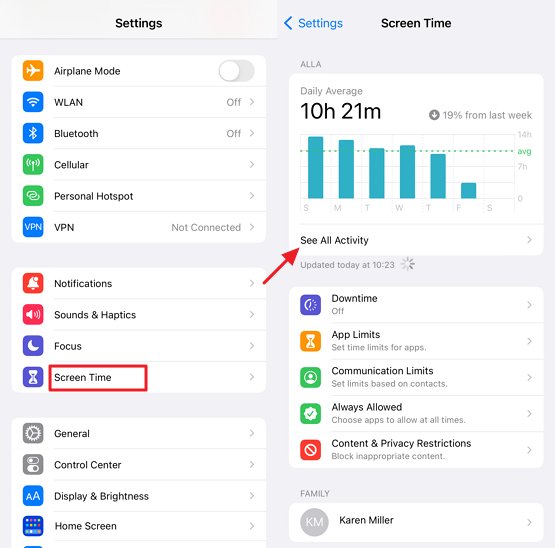
Screen Time can also show weekly reports, pickups, notifications, and usage trends.
2. Check Which Apps Use the Most iPhone Battery
If you want to know which apps consume the most power instead of screen time, check iPhone Battery Usage.
Steps to check battery usage by app:
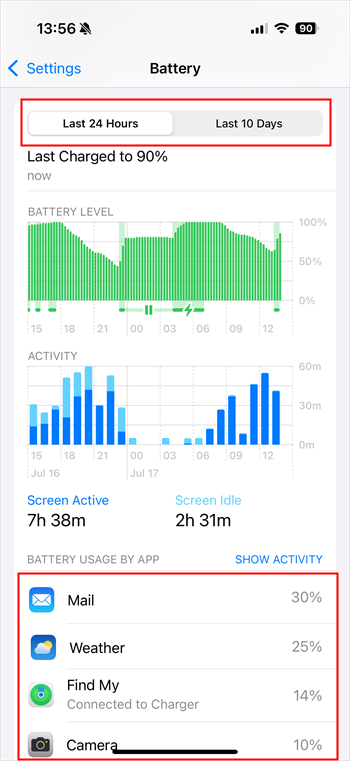
- Step 1. Open Settings > Battery.
- Step 2. Scroll down to Battery Usage By App to see which apps are draining your battery and by what percentage. You can also toggle the switch to view your iPhone's battery usage over the last 24 hours or the past 10 days.
3. Check Mobile Data Usage by App on iPhone
Checking cellular data usage helps you understand which apps frequently use mobile internet, especially when managing limited data plans.
Steps to check cellular data usage:
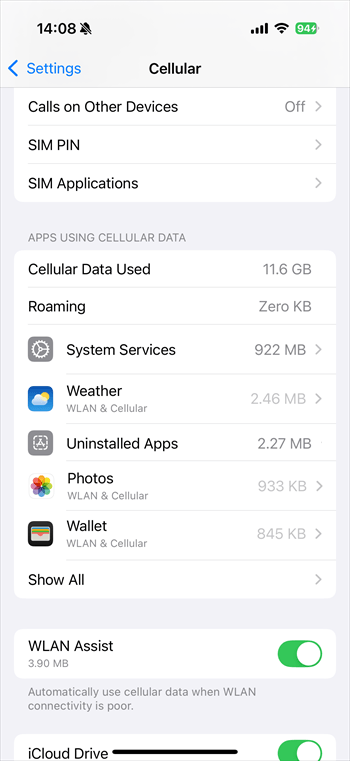
- Step 1.Tap Settings > Cellular.
- Step 2.Then scroll down you will see App list.
4. Check App Storage Usage on iPhone
If you want to know how much space an app takes up on your iPhone, you can check it through the iPhone Storage settings. This is different from Screen Time, which shows how long you use an app. Storage shows how much space an app and its related data occupy on your device.
To check app storage usage on iPhone:
- Step 1.Open the Settings > General > iPhone Storage.
- Step 2.Scroll through the app list to see how much space each app uses.
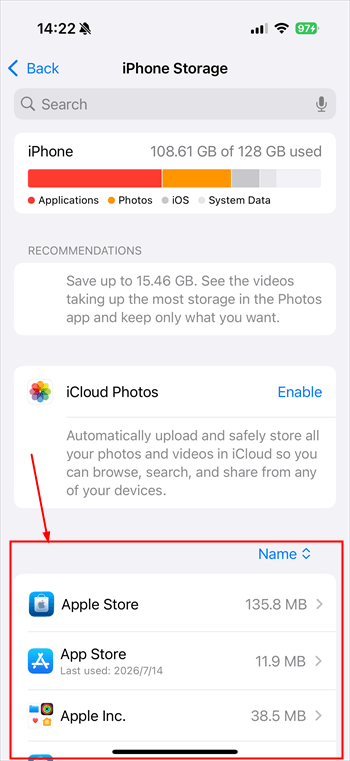
iPhone Storage ranks apps by the amount of space they occupy, including the app itself, downloaded files, cached content, and other stored data. If an app takes up too much space, you can choose to offload or delete it to free up storage.
Screen Time vs Battery vs Cellular vs Storage: What Are They Used For?
Although these features all provide information about app usage, they answer different questions. Choosing the right option depends on what you want to understand about your apps:
| What you want to know | iPhone feature |
|---|---|
| How long I use an app | Screen Time |
| Which app consumes the most battery | Battery Usage |
| Which app uses mobile data | Cellular Data |
| Which app takes up the most storage space | iPhone Storage |
In short, Screen Time measures usage habits, Battery shows power consumption, and iPhone Storage shows device space usage. Understanding these differences helps you get a clearer picture of how apps affect your iPhone.
How Parents Can Check iPhone App Usage from Android
Apple Screen Time works well for users inside the Apple ecosystem. However, many families use different devices, such as an Android phone for parents and an iPhone for children.
In this situation, a cross-platform parental control solution can help parents understand children's app usage, create healthy screen time routines, and manage digital habits across different devices.
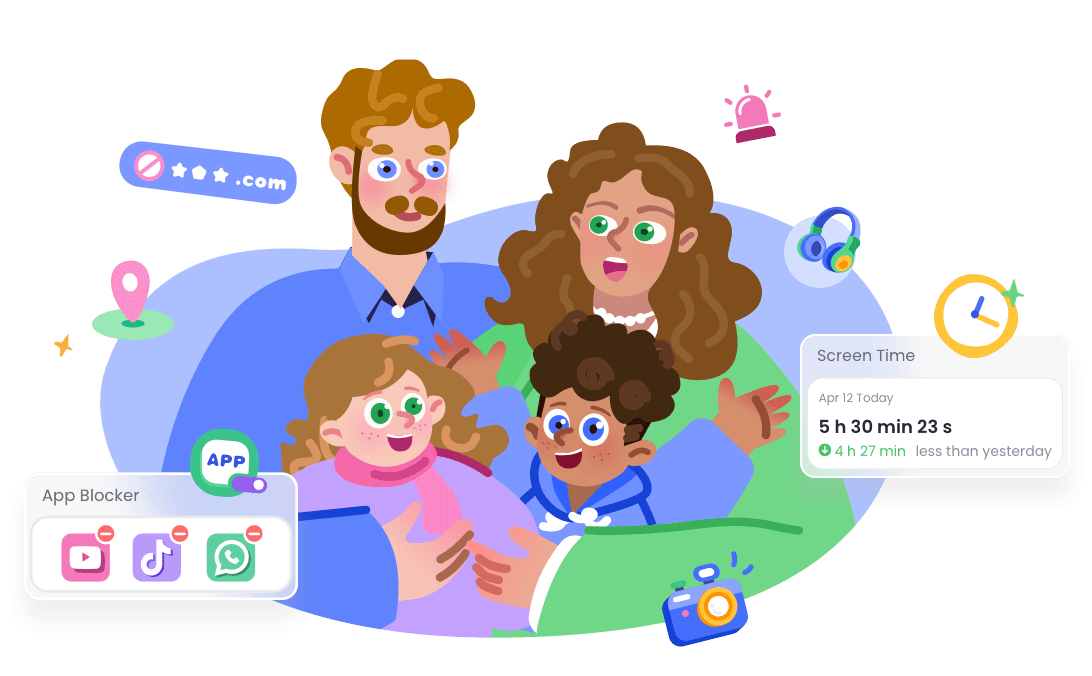
For families using Android and iOS devices together, AirDroid Parental Control provides a cross-platform solution to help parents understand children's digital habits and build healthier screen routines.
With AirDroid Parental Control, parents can:
- View app usage insights
- Set healthy screen time schedules
- Receive notifications about potential online risks
- Share location and set safe zones












Leave a Reply.