AirDroid Parental Control
24/7 Kids' Guardian via App & Web
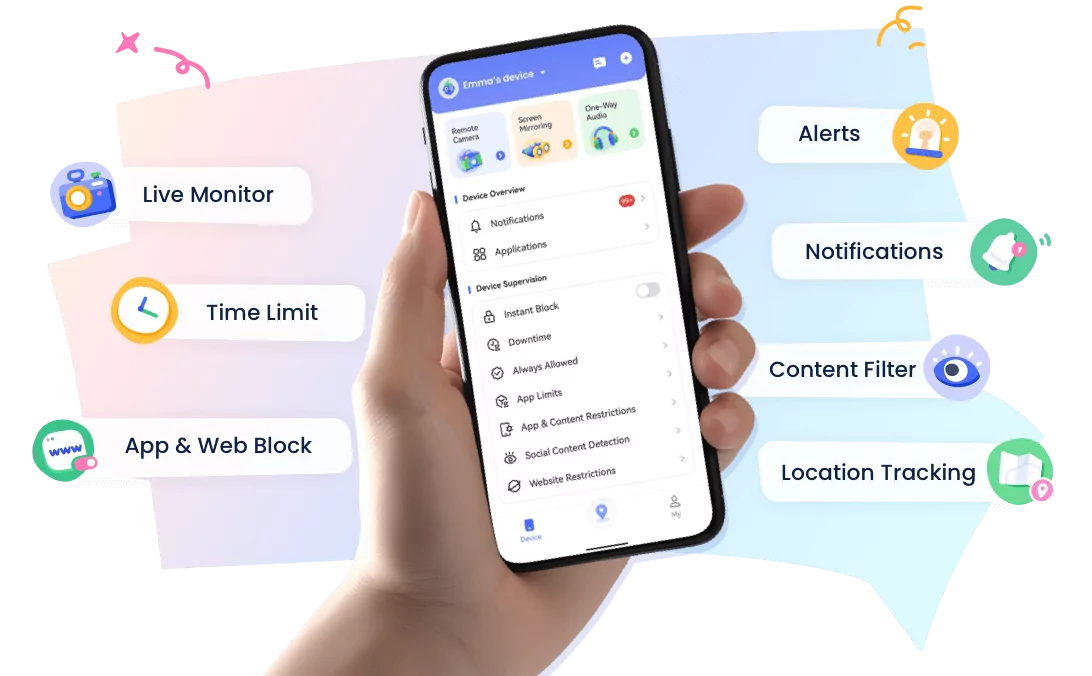
- 👀Live surroundings and location tracking
- 🔞Content Monitoring and App/Web Blocking
- ⚠Instant alerts for online risks and geofences
- ⌛Screen time control and monitor
AirDroid vs Qustodio: Best Parental Control App for Android Parents Managing iPhones
Yes, Android parents can manage an iPhone child's device, but the experience depends heavily on the parental control app you choose.
While Qustodio and AirDroid Parental Control both support multiple platforms, they differ in how well they handle Android parent → iPhone child scenarios.
For families with different devices, cross-platform compatibility, location safety features, and daily management tools are key factors.
Quick Comparison: AirDroid vs Qustodio for Android Parents with iPhone Kids
| Features | AirDroid Parental Control | Qustodio |
|---|---|---|
| Android parent controlling iPhone child | Supported | Supported |
| Cross-platform family management | Strong cross-platform support | Supports cross-platform management |
| Real-time location | Available | Available |
| Location history | 30-day location history | Limited by plan |
| Geofence alerts | Available | Available |
| Screen time management | Available | Available |
| App management | Available (Includes iOS native apps) | Available (Excludes iOS native apps) |
| Web filtering | Available | Available |
| Notification sync | Available | Limited |
| Social media safety | Only YouTube | Only YouTube/WhatsApp/Line |
| Best for | Families using mixed devices | Families needing screen time parental controls |
Why Cross-Platform Compatibility Matters for Parental Control
Modern families often use different devices across generations. A common setup is that parents use Android phones, while children use iPhones. For example:
- Parent: Samsung Galaxy, Google Pixel, or other Android devices
- Child: iPhone
In these situations, choosing a cross-platform parental control solution becomes important. Native tools may have limitations when parents and children use different operating systems.
For example, Apple Screen Time works best within the Apple ecosystem, while Google Family Link is mainly designed for Android-focused device management. When an Android parent wants to control an iPhone from Android, third-party solutions can provide more flexibility for managing family digital safety.
This is why many families look for a reliable cross-platform parental control app that supports Android parents and iPhone children while helping create healthier digital habits.
AirDroid vs Qustodio: Android Parent Managing iPhone Child Experience
1. Device Compatibility and Cross-Platform Support
Both AirDroid and Qustodio support iPhone child devices and provide parental control features across multiple platforms. However, the overall experience can vary depending on how parents and children use their devices.
AirDroid Parental Control is designed with mixed-device families in mind, helping Android parents manage iPhone children's digital activities without switching ecosystems. This makes it a practical choice for families looking for an Android manage iPhone solution.
For parents searching for Qustodio iPhone from Android solutions, both apps offer cross-platform support, but AirDroid focuses on making Android parent and iPhone child management more seamless.
2. Location Safety Features
Location sharing is one of the most important features for families who want to stay connected and support their children's safety. Both AirDroid and Qustodio provide location-related features, but their approaches may differ.
AirDroid Parental Control provides:
- Real-time location sharing
- 30-days Location history
- Geofencing alerts
- Location-based safety awareness
These features help parents better understand their child's daily routines and receive alerts when children enter or leave important places.
Qustodio also offers location features, including location tracking capabilities. However, feature availability may vary depending on the platform and subscription plan.
For families comparing AirDroid vs Qustodio, AirDroid provides a stronger focus on family safety, location sharing, and cross-device experiences.
3. Screen Time and Digital Wellbeing Management
Both AirDroid and Qustodio help parents create healthier digital routines by setting reasonable boundaries around device usage.
AirDroid Parental Control includes:
- Screen time schedules
- App usage limits
- Downtime management
Qustodio provides:
- Daily screen time limits
- Usage rules
- Device activity management
Rather than simply restricting device use, effective parental control tools help families build balanced digital habits and encourage healthier relationships with technology.
4. App and Content Management
Managing apps and online content becomes more challenging when parents and children use different operating systems. Android parents with iPhone children often need a solution that works across devices.
AirDroid Parental Control helps parents:
- Understand app usage patterns
- Manage inappropriate app access
- Review digital activity insights
Qustodio provides:
- App blocking
- Content filtering
- Online activity management
For families looking for an Android parent controlling iPhone child solution, cross-platform app management can make daily family digital safety easier.
5. Social Media and Online Safety
Today, parental control is not only about screen time limits. Many parents also want to understand online risks, including harmful content, cyberbullying, and unsafe digital interactions.
Modern parental control solutions focus more on online safety support rather than simply monitoring device activity.
AirDroid Parental Control offers:
- Social media safety features
- Keyword alerts
- Notification sync
- Risk detection for potentially concerning content
These tools help parents identify potential risks earlier and have more meaningful conversations with their children about online behavior.
Qustodio also provides online safety features, including web filtering and digital activity management, helping families create safer online environments.
When comparing AirDroid vs Qustodio, families should consider not only basic parental controls but also how well each solution supports long-term digital wellbeing across different devices.
AirDroid vs Qustodio: Which One Should You Choose?
Both AirDroid Parental Control and Qustodio are trusted parental control apps that help families build healthier digital habits. The better choice depends on your family's devices and the features that matter most to you.
| If you... | Recommended Option |
|---|---|
| Use an Android phone while your child uses an iPhone | AirDroid Parental Control |
| Need a cross-platform parental control solution for mixed-device families | AirDroid Parental Control |
| Want location safety, screen time management, and online safety features in one app | AirDroid Parental Control |
| Need an Android-to-iPhone parental control solution without changing ecosystems | AirDroid Parental Control |
| Mainly need traditional parental controls such as screen time schedules and web filtering | Qustodio |
| Prefer a straightforward parental control experience focused on essential controls | Qustodio |
For many families, the deciding factor is device compatibility. If parents and children use different operating systems, choosing a cross-platform parental control app can make everyday management much simpler.
In particular, Android parents with iPhone children often benefit from solutions designed specifically for mixed-device families, allowing them to manage digital wellbeing without switching to another mobile ecosystem.
Is AirDroid a Good Qustodio Alternative?
Yes. AirDroid Parental Control can be a strong Qustodio alternative for families looking for more flexible cross-platform parental control, especially when parents use Android phones and children use iPhones.
Rather than focusing on a single mobile ecosystem, AirDroid is designed to support families using different devices, making it easier for Android parents to manage an iPhone child's digital wellbeing from one place.
Some of the reasons families choose AirDroid as a Qustodio alternative include:
- Cross-platform flexibility for Android and iPhone families.
- Android parent-friendly management without requiring an Apple device.
- Location safety features, including real-time location sharing, 30-days location history, and geofencing.
- Comprehensive family safety tools that combine screen time management, app management, online safety, and digital wellbeing features.
If your household uses both Android and iPhone devices, AirDroid Parental Control offers a balanced set of features designed to help parents support safer and healthier digital habits across platforms.
How to Control an iPhone from Android with AirDroid Parental Control
If you're an Android parent with an iPhone child, AirDroid Parental Control makes it easy to manage your family's digital wellbeing across different operating systems. Follow these simple steps to get started.
Step 1. Install AirDroid Parental Control on Your Android Phone
Download and install AirDroid Parental Control from Google Play on your Android device. Sign in or create an AirDroid account to begin setting up your family.


Step 2. Install AirDroid Kids on Your Child's iPhone
Follow the instructions to download and install AirDroid Kids, or you can also get it from the App Store on your child's iPhone. This app securely connects your child's device to your parent account with your child's knowledge and consent.
Step 3. Connect the Two Devices
Open AirDroid Parental Control on your Android phone and follow the on-screen instructions to pair your child's iPhone. Once connected, you can manage your child's device from your Android phone without switching to the Apple ecosystem.
Step 4. Customize Family Safety Settings
After pairing the devices, you can personalize features based on your family's needs, including:
- Set daily screen time schedules
- Manage iOS native and other app usage and app limits
- Enable web content filtering
- View real-time location sharing and 30-days location history
- Create geofences for important places
- Receive online safety alerts and notification sync
With these settings in place, Android parents can support safer digital habits while helping children develop a healthy relationship with technology across different devices.
FAQ










Leave a Reply.