Best Parental Control Apps for YouTube [Tested 2026]
Searching for the best parental control app for YouTube? The truth is that these apps differ sharply in what they can control. Some limit viewing time or alert risky videos; others create approved-only content.
Below, we cover what YouTube's own tools already do, then compare four options so you can choose one that fits how your child actually watches and what you actually need.
Quick Pick: Which Option Should You Choose
- Your child needs an approved selection of videos: Start with YouTube Kids or use the WhitelistVideo app.
- You need free YouTube time limits: Family Center limits the Shorts feed, while Family Link can set app limits on supported Android and ChromeOS devices. YouTube Kids also has its own timer.
- You want to know when concerning YouTube activity appears: Choose AirDroid Parental Control.
- You want to review what your child watched and searched: Choose Qustodio.
Do You Actually Need a YouTube Parental Control App?
Not always. For many families, YouTube's own settings are enough. Here's what they cover:
✔️YouTube Kids: block individual videos or channels, or switch to Approved content only, where your child can watch only what you approve.
✔️Family Center: choose a content level by age, and set a Shorts limit or break reminder. For a supervised kid account, parents can also block a specific channel using the linked parent account.
✔️Restricted Mode: a content filter that hides potentially mature content.
If those controls solve your concern, you may not need anything else. However, these built-in settings have gaps:
❌The Shorts limit applies only to the Shorts feed in the YouTube app.
❌YouTube's Family Center does not give parents a full viewing-history report or how much time they spent on YouTube.
❌Different teens' account types have different controls and settings, which is confusing.
Best Parental Control Apps for YouTube
| Apps | YouTube time limits | YouTube content alerts | YouTube watch history | YouTube content block |
|---|---|---|---|---|
| Family Link | ✔️ | ❌ | ❌ | ✔️ |
| AirDroid | ✔️ | ✔️ | ✔️ | ❌ |
| Qustodio | ✔️ | ✔️ | ✔️ | ❌ |
| WhitelistVideo | ❌ | ❌ | ✔️ | ✔️ |
*Feature availability varies by device, account, and plan. We compared these apps and features using the free trial version, tested on the child's Samsung S20+ and Pixel (Android).
1Google Family Link
Best for: Families who want free YouTube time limits, especially when their child uses an Android device or Chromebook.
Both developed by Google, Family Link integrates YouTube's Family Center, letting you manage a supervised child's YouTube settings directly. And if your child's account is signed in on an Android or Chromebook, you can also set YouTube limits.
Parental Control Features for YouTube:
- Choose a content level, set break reminders, limit Shorts time, or turn on restricted mode (options vary by the child's account age and type).
- Track YouTube usage, and limit or block the YouTube app.
- Block youtube.com in Chrome when your child is signed in with their managed Google account.
What We Notice During Tests:
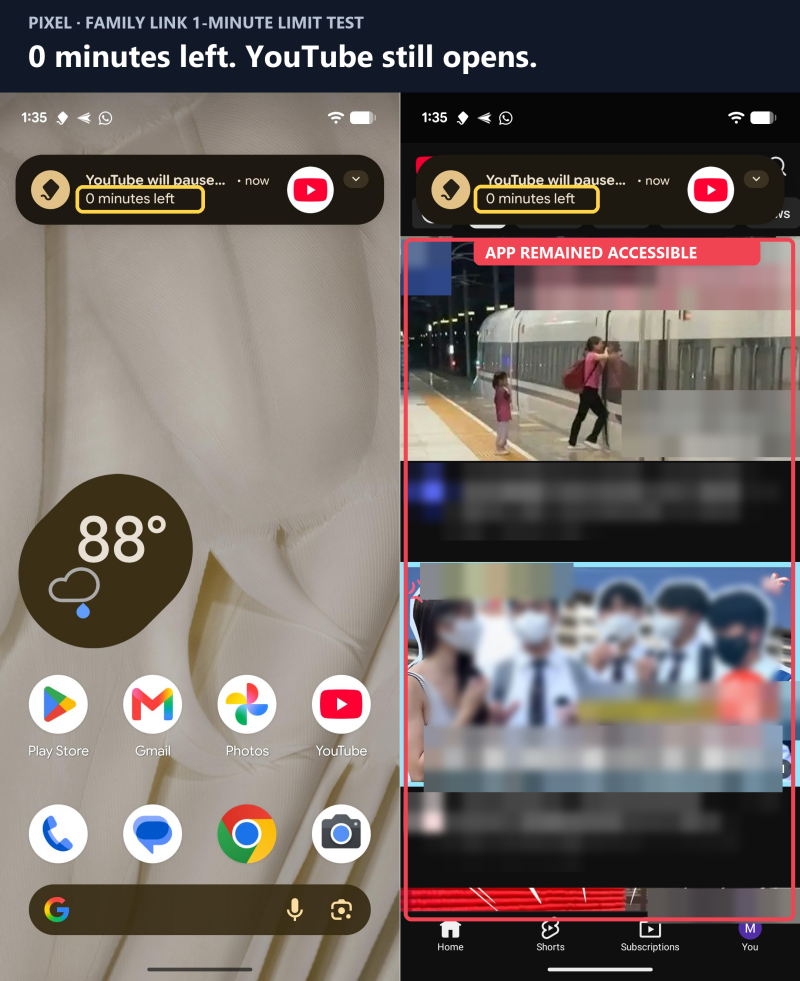
👎 YouTube daily limits not working: On our child's Pixel, YouTube remained accessible after a one-minute app limit was reached. Though this is a one-device test, many parents also faced limits not working on Family Link.
👎 Website rules only cover Chrome and Google: When we blocked youtube.com for kids' Pixel, it still can be loaded in browsers like Edge and Firefox.
👎 Basic controls are missing for iPhone: Family Link cannot set a YouTube time limit on a child's iPhone.
2AirDroid Parental Control
Best for: Parents who want alerts for YouTube concerning activities.
Family Link can tell you kids' YouTube usage patterns, but it cannot tell you whether they were exposed to concerning content. This is where AirDroid Parental Control comes in: It watches for monitored inappropriate words in a video's title or description and alerts you, so you can step in early.
Parental Control Features for YouTube:
- Real-time alerts for YouTube videos triggered by customized keywords.
- Record kids' YouTube viewing activity for Android or liked videos, uploads, and new videos from subscribed channels for iPhone.
- Limit or block the YouTube app and restrict youtube.com.
- Track how much time the YouTube app was used daily and weekly.
What We Notice During Tests:
👍 Content alerts arrive almost instantly on Android: In testing, AirDroid correctly flagged our test term (bypass) in both YouTube searches and videos we browsed on the child's Samsung. Plus, push notifications reached the parent phone almost as soon as the matching activity occurred.
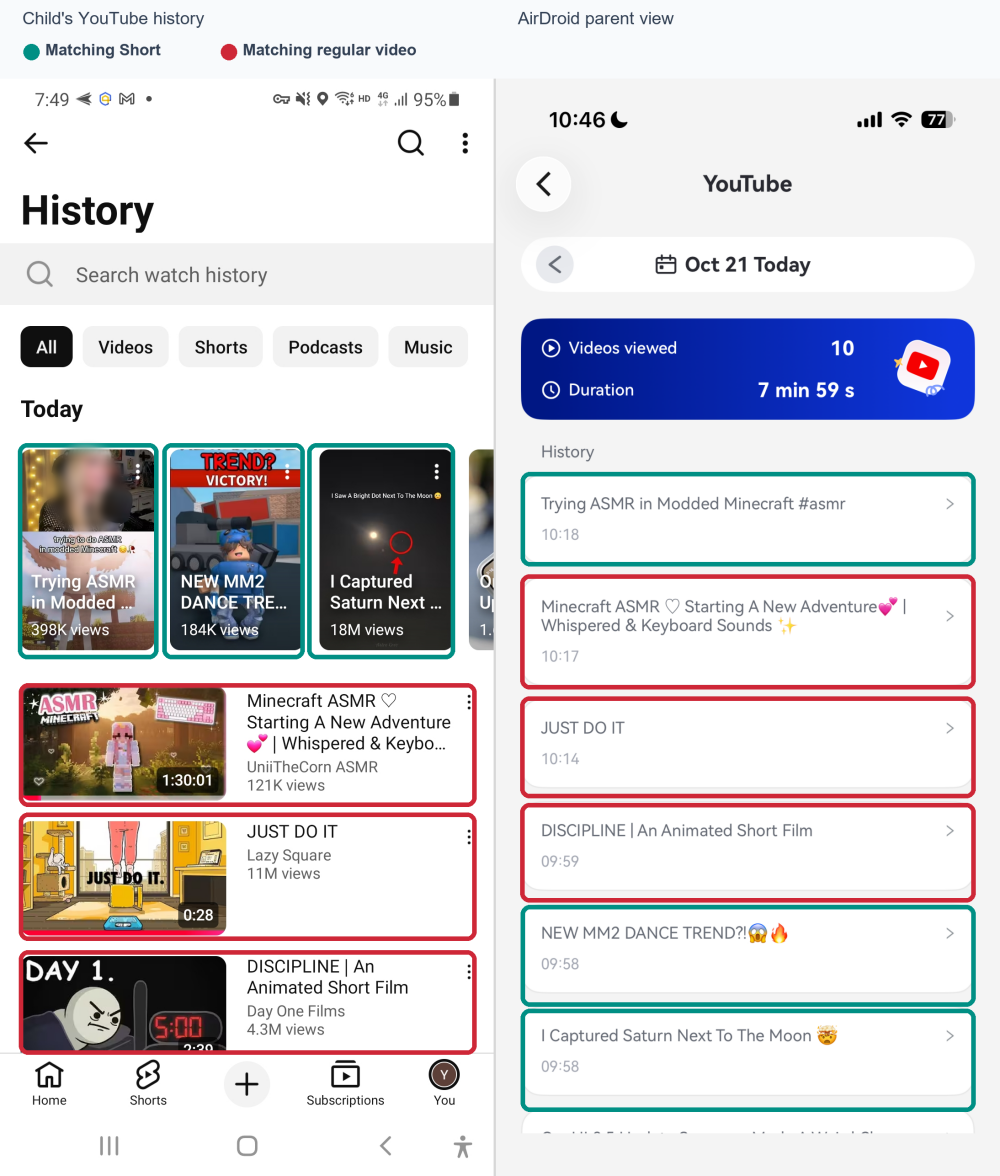
👍 Watch history is accurate and includes Shorts: The records covered both long videos and Shorts, and they matched what we actually watched on the child's Samsung.
👎 iPhone YouTube controls are more limited than Android: If your child uses an iPhone, AirDroid doesn't provide viewing history. And to use this feature, you have to link your child's YouTube account first.
Note: AirDroid Parental Control is our own product, but we compared and tested it the same way we do for the others.
Pricing: $9.99/month or $59.99/year on AirDroid's pricing page
3Qustodio
Best for: Parents who want to track kids' YouTube watch history and searches, or don't know how to talk about it.
Qustodio's YouTube Monitoring is built for visibility by providing a clear YouTube watch and search history. Plus, on its dashboard, parents can find Qustodio's short explainers about YouTube's or other apps' potential risks, features, and conversation prompts, which support parenting.
Parental Control Features for YouTube:
- Keep a 30-day record of the videos your child watches and searches for on the YouTube app and website for Android and iPhone.
- Block YouTube and set limits for it.
- Track YouTube app and website usage together in the activity report.
- Flag and alert YouTube searches about potentially concerning topics.
What We Notice During Tests:
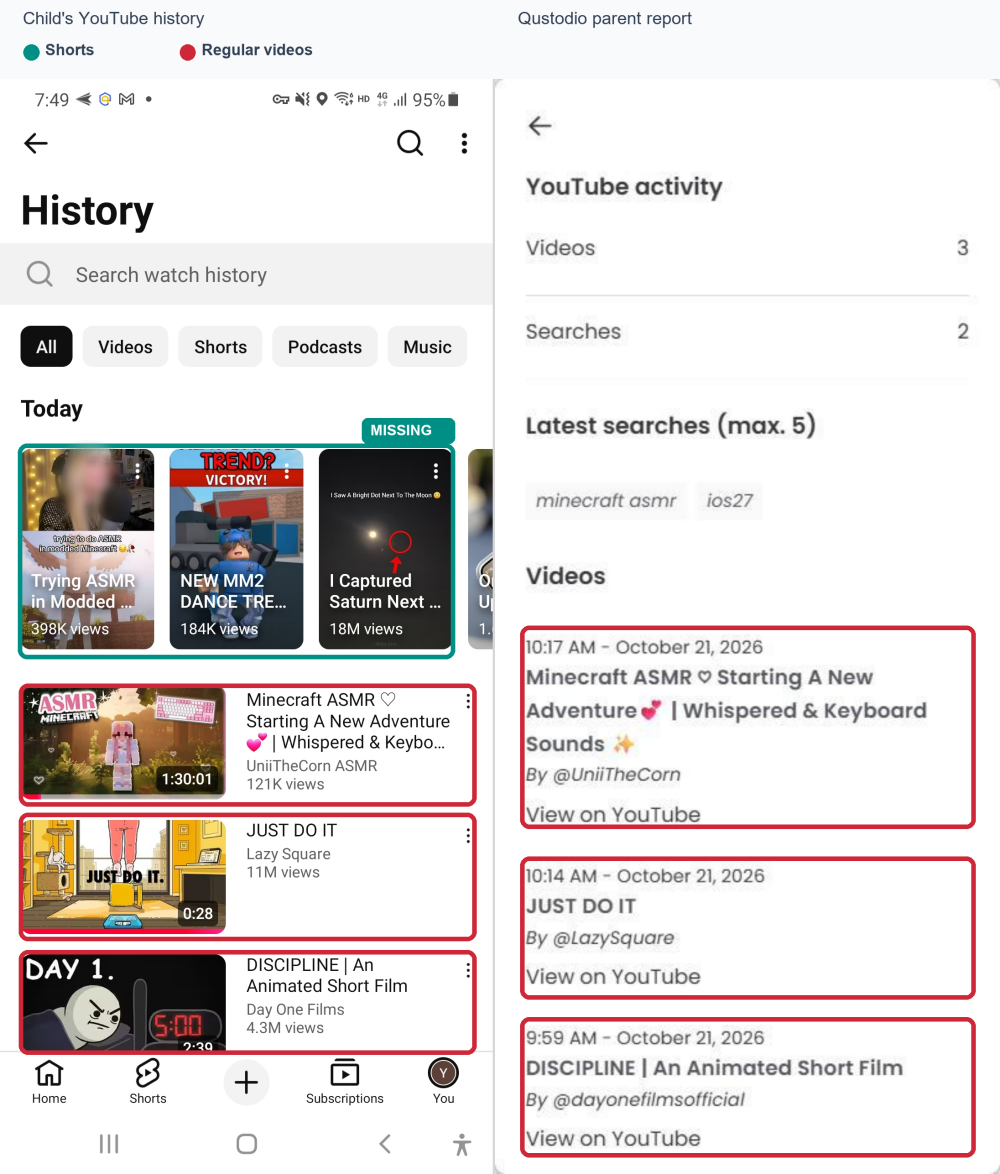
👍 Watch history is accurate: In testing, Qustodio recorded the long videos we watched in the YouTube app accurately, and the records reached the parent's device quickly. On the web, there was a slight delay, but the history was also accurate.
👎 YouTube Shorts aren't recorded: Qustodio didn't log any of the Shorts we watched either in the YouTube app or on the web.
Pricing: The Complete plan included with YouTube Monitoring costs $104.95/year on Qustodio Pricing page.
4WhitelistVideo
Best for: Children aged 8-15 who have outgrown YouTube Kids but still need a curated selection.
Unlike other apps on this list, WhitelistVideo takes a YouTube content approach: you choose the channels and playlists your child can access, while other channels stay blocked.
However, to activate these YouTube parental control features, children have to use the WhitelistVideo app instead of YouTube on their phones.
Parental Control Features for YouTube:
- Allow only parent-approved channels and review requests for new ones.
- Block YouTube Shorts, comments, downloads, and searches for kids.
- Block channels and block content by keywords.
- Track what your child is viewing now and what they viewed.
What We Notice During Tests:
👎 The child could simply skip WhitelistVideo: On our Samsung test device, the regular YouTube app remained accessible. WhitelistVideo's Android setup relies on Family Link to block the native app and website. So, if you don't use it with Family Link or other app blockers, the rules can be easily ignored.
👎 Viewed history is not updated in real time: In our test, Insights showed the child watching a video, but the play count and watch time appeared only after about 30 minutes.
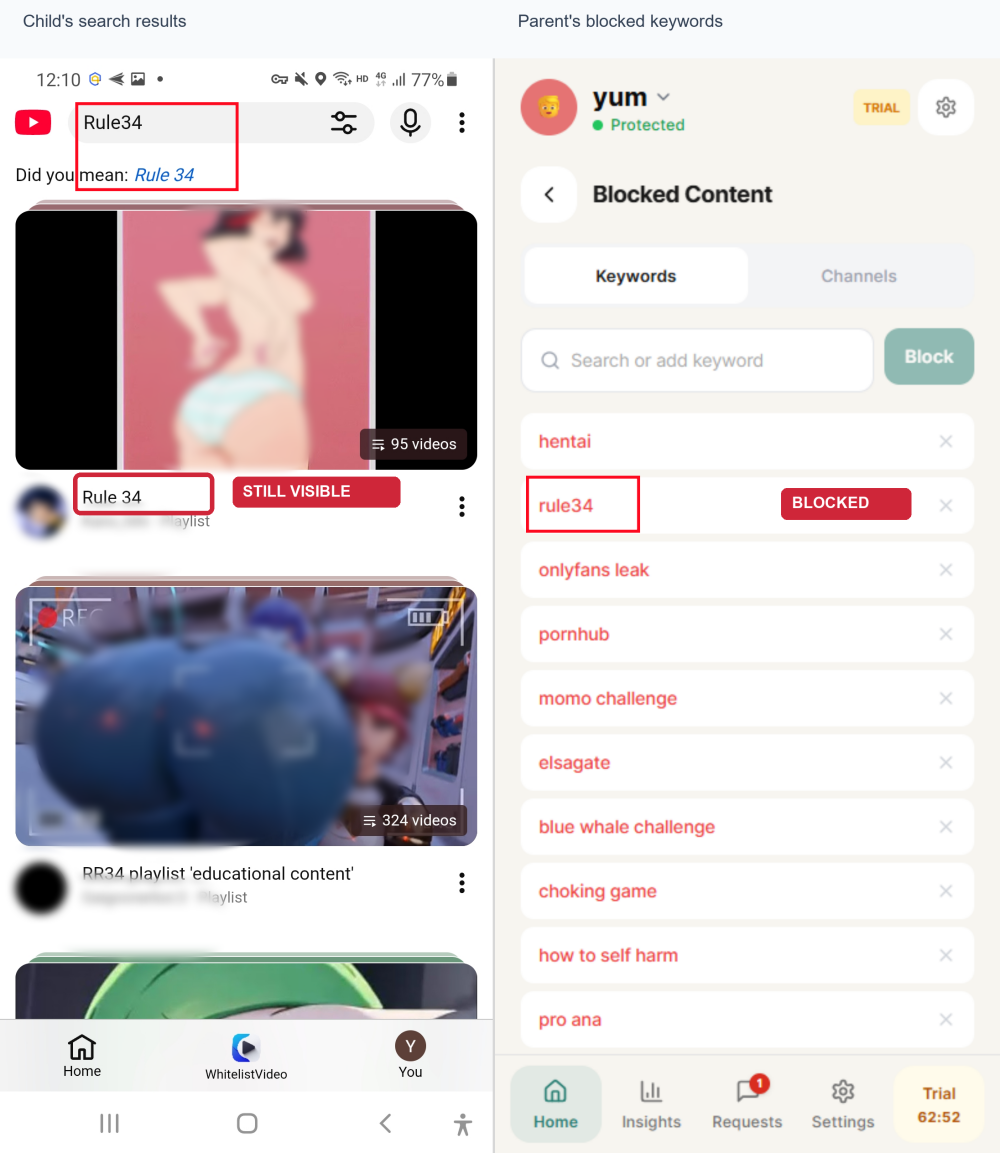
👎 Blocked keywords and channels still appeared: We added "rule34" to the keyword blacklist and then searched in the child's WhitelistVideo app on Samsung; related streaming results still showed (though playing that content is unavailable).
Pricing: Annual plans start at $69.99 per child for the Basic plan and $119.99 per child for Premium (from WhitelistVideo pricing page).
FAQs











Leave a Reply.