How to Know If Someone Deleted Life360? And What You'll See
Key Takeaways:
- Life360 does not notify anyone in your Circle when someone deletes the app.
- But here's how to tell: their location and battery percentage will freeze immediately, and after about 12 hours, their profile turns gray with a "No network or phone off" label under their name.
- However, a frozen location and 'No network or phone off' status can also appear when someone simply turns off their phone or cuts internet connection.
"Hi. How do we know if the app was deleted? What will the status say? " -- from the Life360 subreddit.
Wondering if someone deleted Life360 to stop sharing their location? You're not alone. Since Life360 doesn't send notifications when someone deletes the app, you usually need to find the clues yourself.
Thankfully, this article will show you:
✅Signs that someone deleted the Life360 app
✅What look like deletion but aren't
✅How to identify each Life360 status
If Someone Deletes Life360, What Happens?
When someone deletes the Life360 app, you can notice some changes even though there is no direct notification.
Here's a breakdown of what I observed on my own testing:
- What you'll see immediately: Location & battery freeze
- What you'll see after 12 hours: "No network or phone off" status
⚠️These signs can also appear when someone turns off their phone or enables airplane mode. The simplest way to tell them apart is to send them a text or give them a call. If they reply but their Life360 status remains unchanged, they definitely deleted the app.
Their Location Stops Updating
When someone deletes Life360, the first thing you'll notice is that their location stops updating. On your end, you can only see their last known location, which could be minutes, hours, or even days ago.
Why Does This Happen: Location tracking apps, including Life360, work by continuously sending location data from the app to its servers in the background. When it is deleted, the server can no longer access real-time data, so it only displays the last known location.
Battery Percentage Gets Frozen
Same as the real-time location updates, their battery level stops updating once they delete Life360. That's why you may see their battery level never changes.
For example, in my own test, the battery showed 24% at the moment Life360 was uninstalled. Seven hours later, it still displayed 24% to other members in that circle.
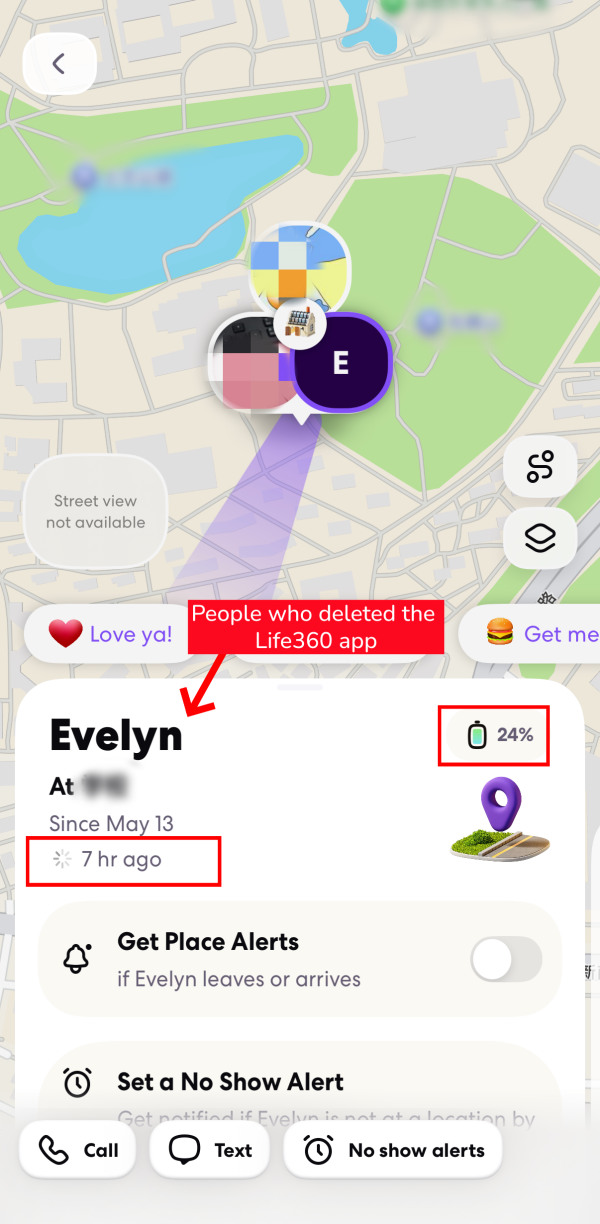
Why Does This Happen: Once the Life360 app is deleted, there is no way to read device status (e.g., battery info) or sync it to other circle members. As a result, the battery percentage stays frozen at the last reading the app was able to report before it was removed.
You May See "No Network or Phone Off"
Here's a key finding from my testing: about 12 hours after the Life360 app is deleted, you'll notice their avatar turns gray. At the same time, a "No Network or Phone Off" status label appears under their name (as shown in the screenshot below).
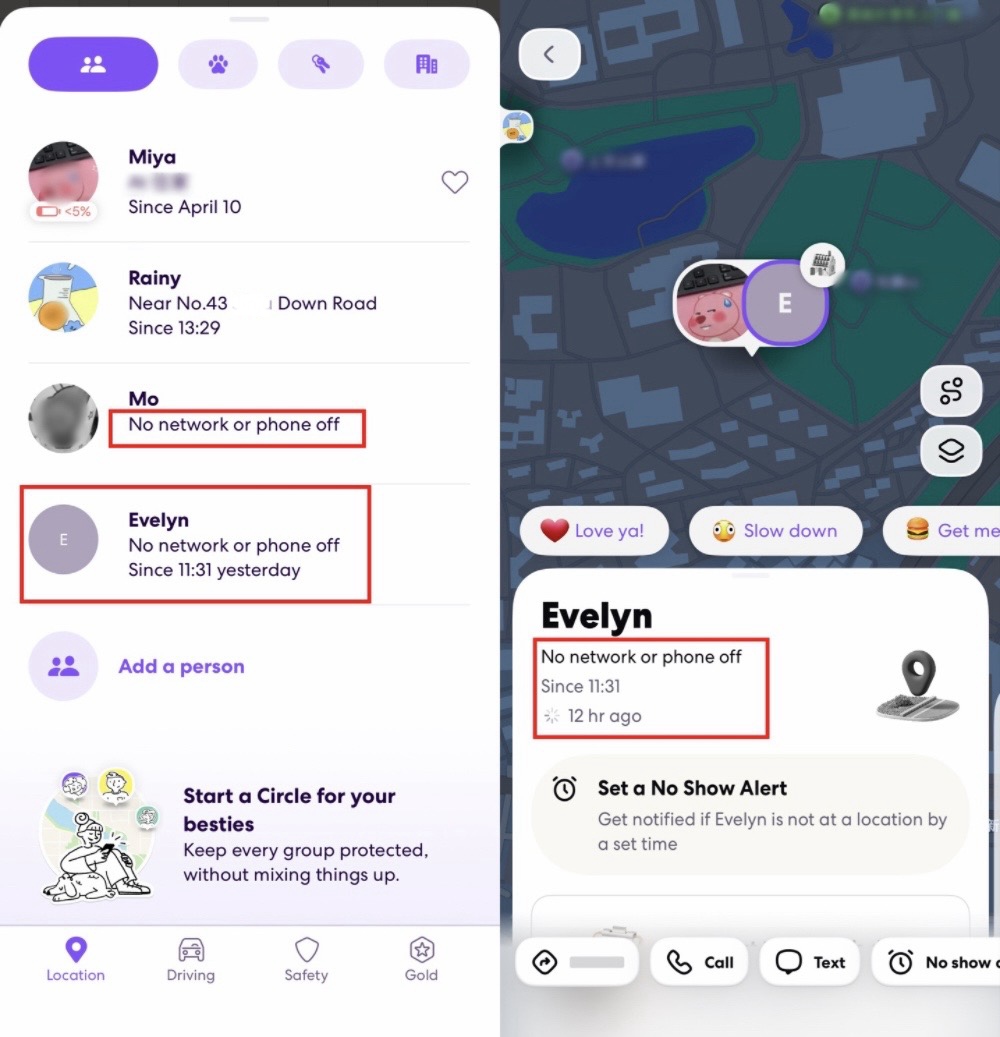
Also, ife360 displays an exact timestamp showing when the connection was lost. As such, you can know when they deleted the app.
Why Does This Happen: Since the app can no longer report or receive any device status for a long time, Life360 treats it the same way as a phone that is switched off or has no internet connection. At the same time, this status can notify of others that the connection has been lost.
Signs That Look Like App Deletion But Aren't
Here are some status indicators you may notice in Life360 that can look like app deletion but aren't.
They vanish from your circle
If someone disappears from your Circle list entirely, your first instinct might be that they deleted the app. However, deleting the app keeps the user inside the Circle.
Instead, this usually means they left the Circle, were removed by other admins, or deleted their Life360 account.
Their profiles turn gray
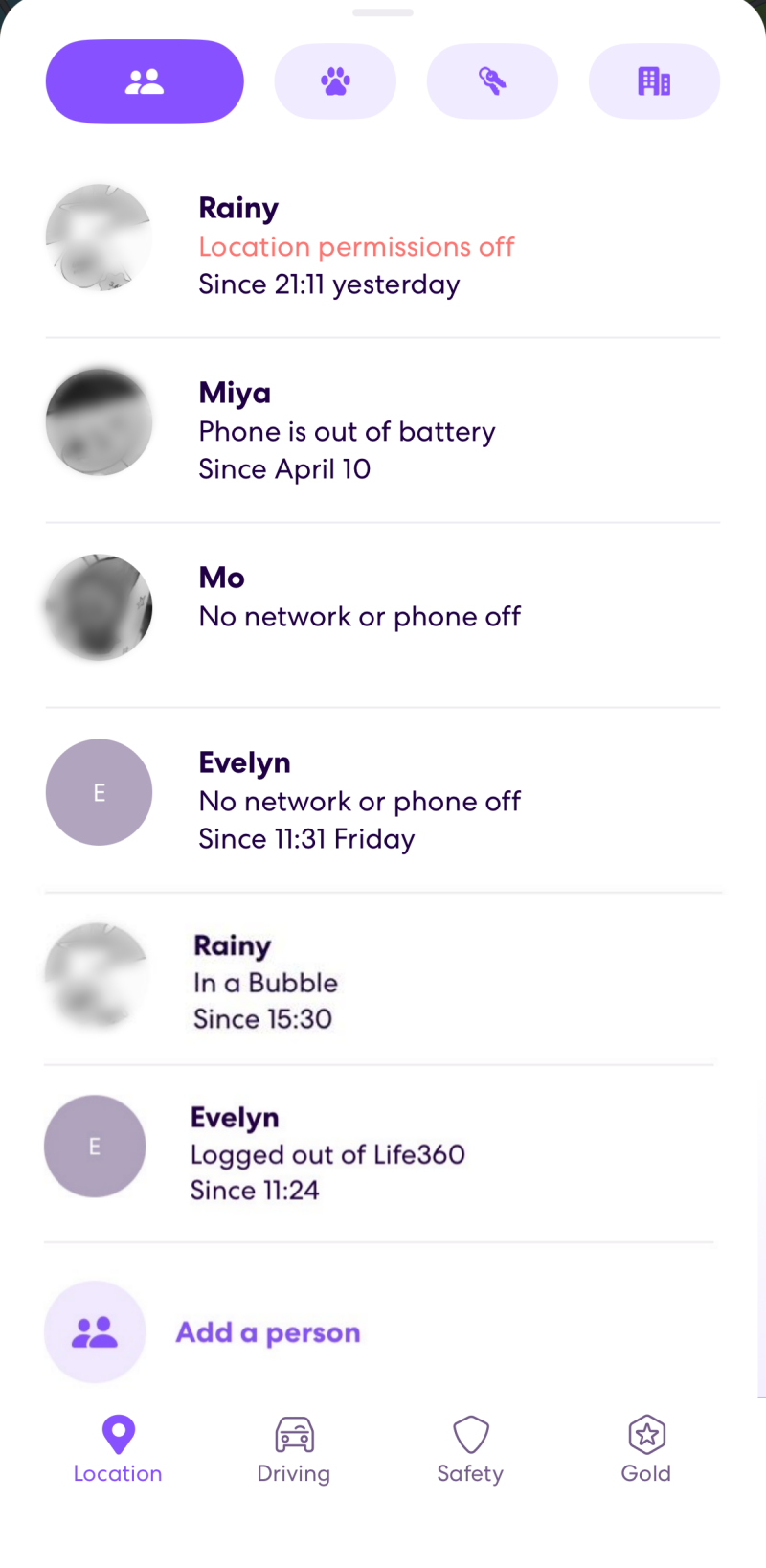
A gray profile doesn't always mean someone deleted the app. Thankfully, Life360 displays different status label under their profile to help you understand what's actually going on, such as:
- Location sharing paused — meaning they stopped location sharing within the Life360 app directly
- Location permissions off — meaning they turned off location services for Life360 or their whole device
- Logged out of Life360 — showing they logged out of Life360
- In a Bubble — indicating they use "Bubble" to hide their real-time location from Circle members temporarily
- Phone is out of battery — meaning their device has died
Bonus: What You See vs. What Happens on Life360
People can do a lot of things on Life360 besides deleting the app, and some of them look similar from your side. Here's a quick comparison table to help you tell them apart:
| If Someone... | What You See | Does It Notify You? |
|---|---|---|
| Uninstall the app | Location & battery freeze; "No network or phone off" status after 12 hours |  |
| Delete their account | Person disappears completely from Circle | |
| Leave your Circle | Their name disappear from your Circle list | |
| Pause location sharing | Gray avatar with the "Location sharing paused" label | |
| Turn off location services | Gray avatar with label "Location permissions off" | |
| Turn on airplane mode | Location & battery freeze; "No network or phone off" status after 12 hours | |
| Enable Bubble | Gray avatar with the "In a Bubble" label | |
| Phone died | Gray avatar with the "Phone is out of battery" label | |
Life360 Alternative That Comes with Uninstall Protection
So your teen deleted Life360. What now, especially if you actually need to confirm their safety?
The core loophole with Life360 for families is that teens can uninstall it in seconds, with no password required and no alert sent to parents.
That's where parental control apps come in. They are equipped with "uninstall protection" to prevent exactly this, and they do offer location-tracking features.
Among them, AirDroid Parental Control is recommended by award-winning parenting hub Kids in the House. It empowers parents:
- Uninstall Protection
- Remote Surroundings Monitoring
- Comprehensive Parental Controls
Whether your kids use an Android or iOS device, removing AirDroid requires parents' PIN or account passwords so that kids can't just delete it.
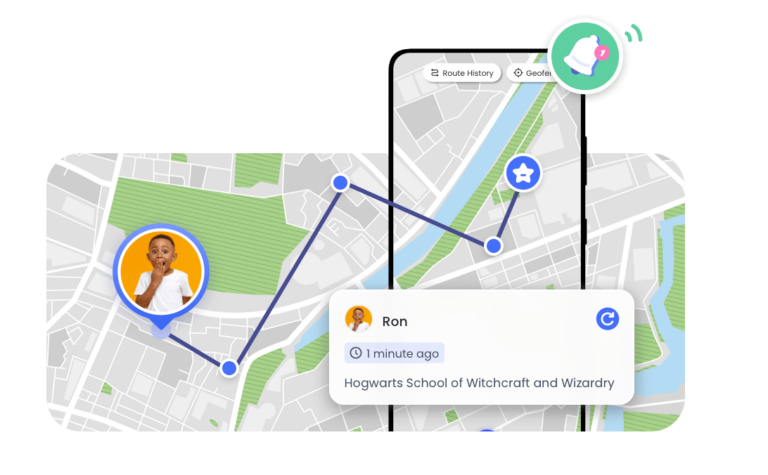
In addition to location tracking and 30-day route history, its remote features even let you see and listen to what happens around your children.
As a parental control tool, AirDroid goes further than Life360 by also letting parents monitor screen time, block apps and websites, sync app notifications, and even view the child's screen in real time.
FAQs about Life360










Leave a Reply.