AI Safety for Kids: A Parent’s Guide to Safer AI Use

Why AI Safety Is a Family Conversation Now
For children and teens, AI is no longer just a homework tool. It is part of entertainment, creativity, information-seeking, and everyday conversation.
- 86%
of U.S. children ages 9–17 say they use or interact with AI
- 24%
of children ages 9–17 say they use AI every day
- 85%
of AI users ages 9–17 use it for schoolwork or homework
- 44%
say a parent or guardian has never talked with them about using AI safely
Source: Common Sense Media Census: AI Use by Tweens and Teens (2026), U.S. survey of 1,204 children ages 9–17.
AI Safety Changes as Children Grow
There is no single “safe age” for every AI tool. Start with your child’s maturity, the purpose of the tool, and the safeguards around it.
- Using AI with a parent nearby
- Simple learning or creative prompts
- Talking about what AI can and cannot do
- Private AI accounts
- AI companion chats
- Uploading personal photos or details
- Homework support and creative projects
- Learning how to verify AI answers
- Practicing “what not to share” rules
- Adult or anonymous AI platforms
- Emotional support from a chatbot
- Creating or sharing AI-made images of others
- Selected mainstream AI with privacy settings
- Discussing academic integrity and source checking
- Regular conversations about social and deepfake risks
- AI companion or romantic roleplay apps
- Explicit AI chatbots or undress tools
- Using AI for mental health or crisis advice

Which AI Tools Need More Parental Involvement?
Start with the experience a tool creates—not its brand name alone. Some tools are mainly for learning; others invite private, roleplay, sexualized, or emotionally intense conversations.
Mainstream AI Assistants
Tools such as ChatGPT and Gemini can support questions, learning, and creativity when families set privacy, accuracy, and homework rules first.
Social AI Inside Familiar Apps
Built-in AI can feel casual because it sits inside an app a child already knows. Review privacy settings, default behavior, and the kinds of conversations it encourages.
AI Companion & Roleplay Apps
Tools designed for extended, roleplay, or emotionally engaging chats may need more than screen-time limits. Pay attention to privacy, boundaries, and reliance.
Explicit AI & Deepfake Tools
Adult AI chatbots, NSFW roleplay services, undress tools, and face-swap bots are not designed for children. Treat access as a safety and reporting concern.
How we assess AI tools: Age fit · Content safeguards · Privacy · Parent visibility · Relationship design · Transparency
Signs Your Child May Need More Support With AI
A concern is a reason to check in—not a label or a diagnosis. Look for a pattern across use, mood, relationships, and safety. One sign alone does not prove addiction or serious harm. It is a reason to start a calm, supportive conversation.
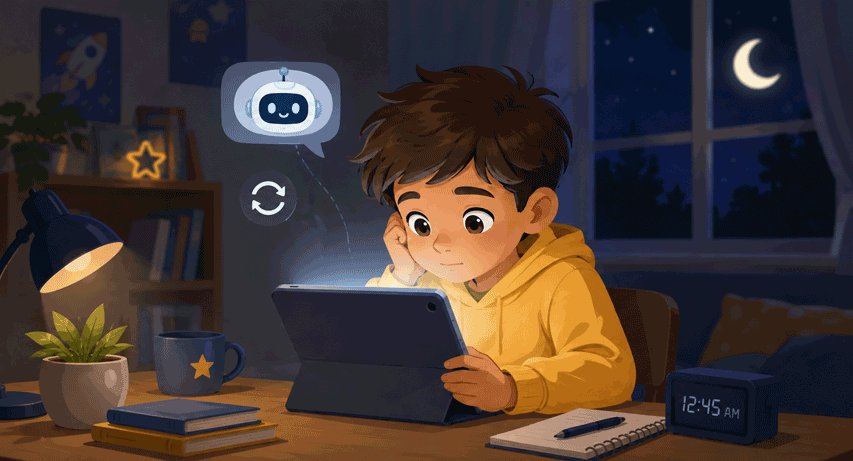
 Changes in AI Use
Late-night use, hidden accounts, repeatedly switching tools, or difficulty stepping away can be a cue to ask what the AI is doing for your child.
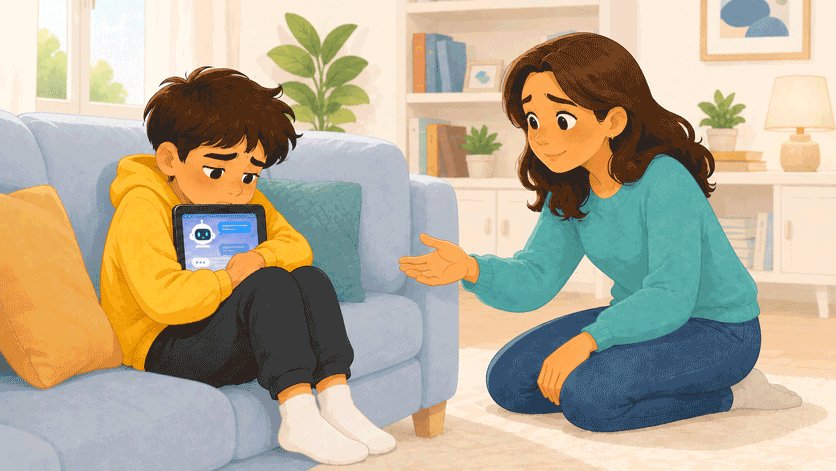
 Changes in Feelings or Relationships
Pay attention when a chatbot becomes the only place a child feels understood, or when AI conversations leave them distressed, withdrawn, or secretive.
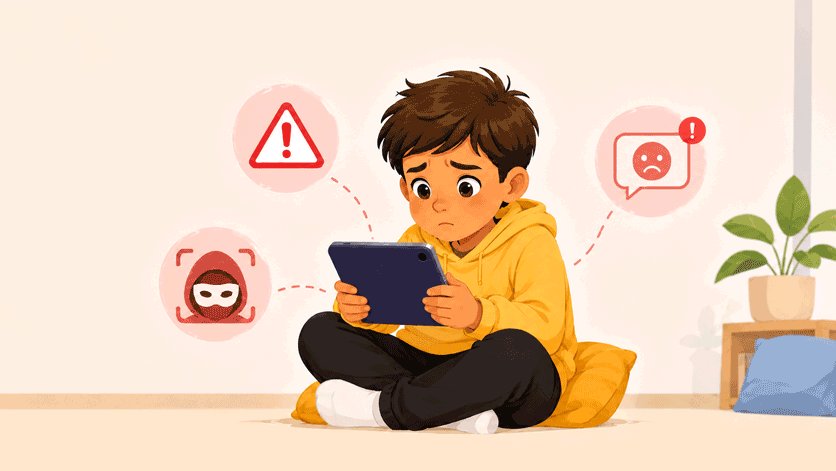 Safety Red Flags
Deepfake searches, explicit roleplay, threats, coercion, blackmail, or conversations about self-harm call for calm support and faster action.
Find the Right AI Safety Guide
Explore platform reviews, risk guides, and parent-action resources by category.
AI Assistants & Social AI
Is ChatGPT Safe for Kids? →
Are ChatGPT Parental Controls Enough →
Is Gemini Safe for Kids? →
Is Snapchat My AI Safe for Kids? →AI Companions & Roleplay Apps
Character.AI Safety →
Replika Safety →
Chai AI Safety →
Janitor AI Safety →
PolyBuzz Safety →
Joyland AI Safety →
Kuro AI Safety →
Perchance AI Safety →Explicit AI & Deepfake Risks
Undress AI Risks →
Telegram Face-Swap Bot Risks →
SpicyChat Safety →
Muah AI Safety →
CrushOn AI Safety →
Candy AI Safety →
OurDream AI Safety →
Venice AI Safety →AI Overuse & Emotional Reliance
Frequently Asked Questions
Clear answers to the questions parents ask most often about AI safety for kids.
- Is AI safe for kids?
AI can be helpful when children use age-appropriate tools with clear family rules. AI companions, explicit chatbots, and deepfake generators need closer supervision or should be avoided.
- What age should kids start using AI?
There is no single right age. Younger children should use AI with a parent nearby, while older kids need clear rules about privacy, accuracy, schoolwork, and appropriate conversations.
- Are AI companion apps safe for teens?
They can create extra risks around emotional reliance, explicit conversations, privacy, and secrecy. Review these apps carefully before allowing use.
- Can parental controls monitor AI chats?
Yes, some parental control tools can monitor AI chats when they turn risky, including AirDroid and Bark. Both support AI-powered content alerts. And if you're concerned about explicit AI chats, Canopy can help you filter those in the browser chatbot version. However, note that not an app can see every AI conversation.
- How can parents block unsafe AI tools?
Use a mix of open conversations, family rules, app blocking, screen-time limits, and website restrictions. Limits work best when children understand why the boundary exists.
- What should I do if my child encounters an AI deepfake?
Focus on your child’s safety first, preserve only what is needed for reporting, avoid resharing the material, and report it to the platform or relevant child-safety channels.
Help Your Child Use AI More Safely
14,430,300 Parents Choose AirDroid Parental Control for iPhone!


AI Content Alerts

Screenshot Context

AI Usage Limits

Family Safety Support