AirDroid Parental Control
24/7 Kids' Guardian via App & Web
- 👀Live surroundings and location tracking
- 🔞Content Monitoring and App/Web Blocking
- ⚠Instant alerts for online risks and geofences
- ⌛Screen time control and monitor

Is Venice AI Safe? A Parent's Complete Safety Guide
No. Venice AI is not a homework helper or educational tool. It is an adult-oriented platform built for creators who want zero content restrictions. It was not designed with children in mind. The rest of this guide covers exactly what that means and how to block it.
What Is Venice AI?
Venice AI is an 18+ platform that markets itself as an uncensored, private AI platform for unlimited creative freedom. It has no age verification to enforce any of its own rules. It routes computation through a decentralized GPU network and stores conversations locally in the browser, which eliminates the data trails that mainstream platforms maintain.
ChatGPT comes with default conservative content filters, but Venice AI gives users zero moderation. Child safety professionals classify uncensored AI platforms as posing unacceptable risks to users under 18. If your child has access to a browser, they have access to Venice AI.
Venice AI is an AI platform with few content moderation rules. Users can create characters and engage in uncensored text and explicit roleplays. It can also generate images and videos with almost no restrictions. Above all, the platform also offers audio and music generation, code generation, document analysis, and more. The platform supports multiple leading AI models, so users have more flexibility than a single-model tool.
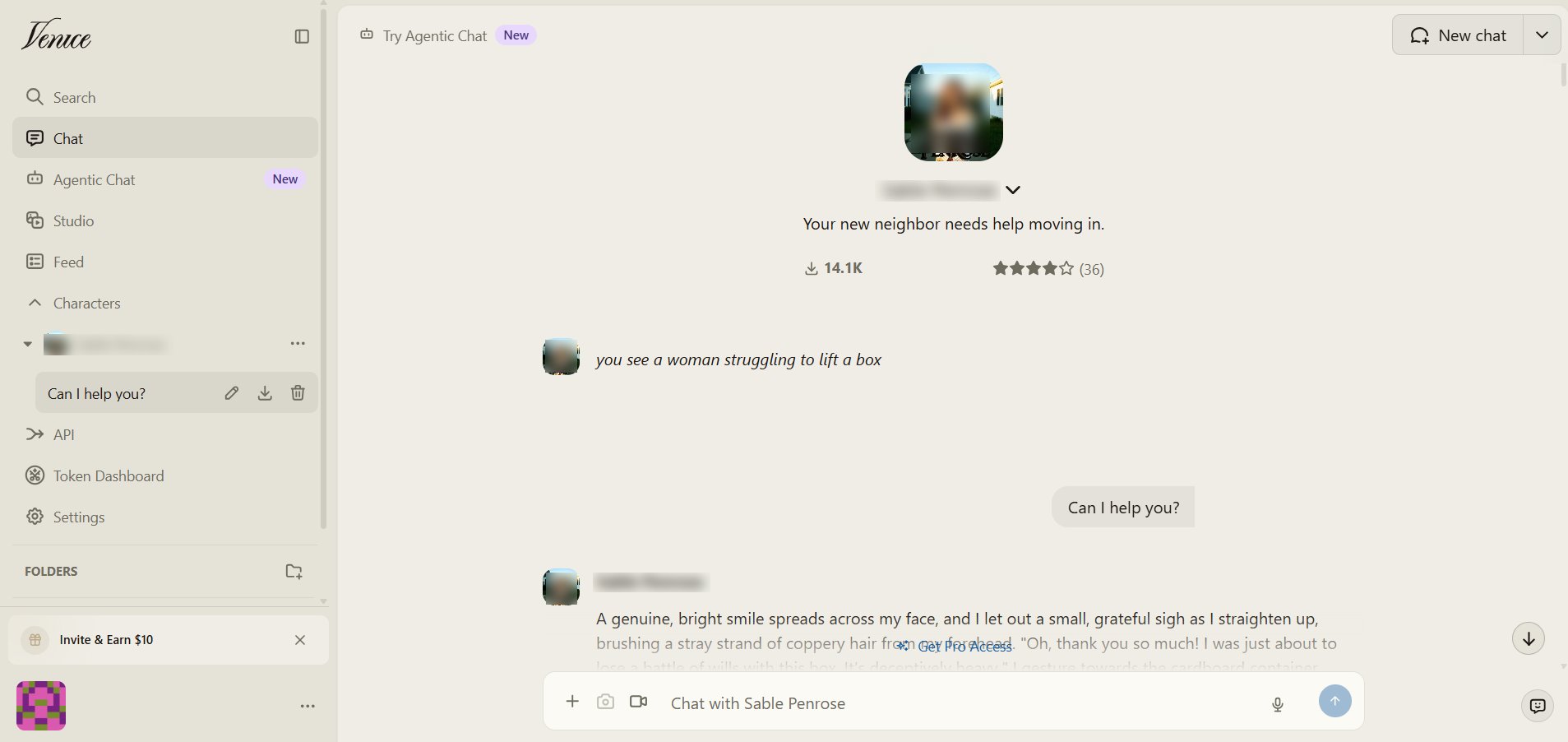
An interesting fact is that Venice's AI Terms of Service sets a minimum age of 13, but applies zero identity verification to enforce it. When I used the platform with or without signing up, I never came across any age verification prompt. So, a kid can easily access Venice AI without any blockage.
5 Safety Risks of Venice AI
1. 🔴 Risk 1. Unrestricted Adult and NSFW Content (High Risk)
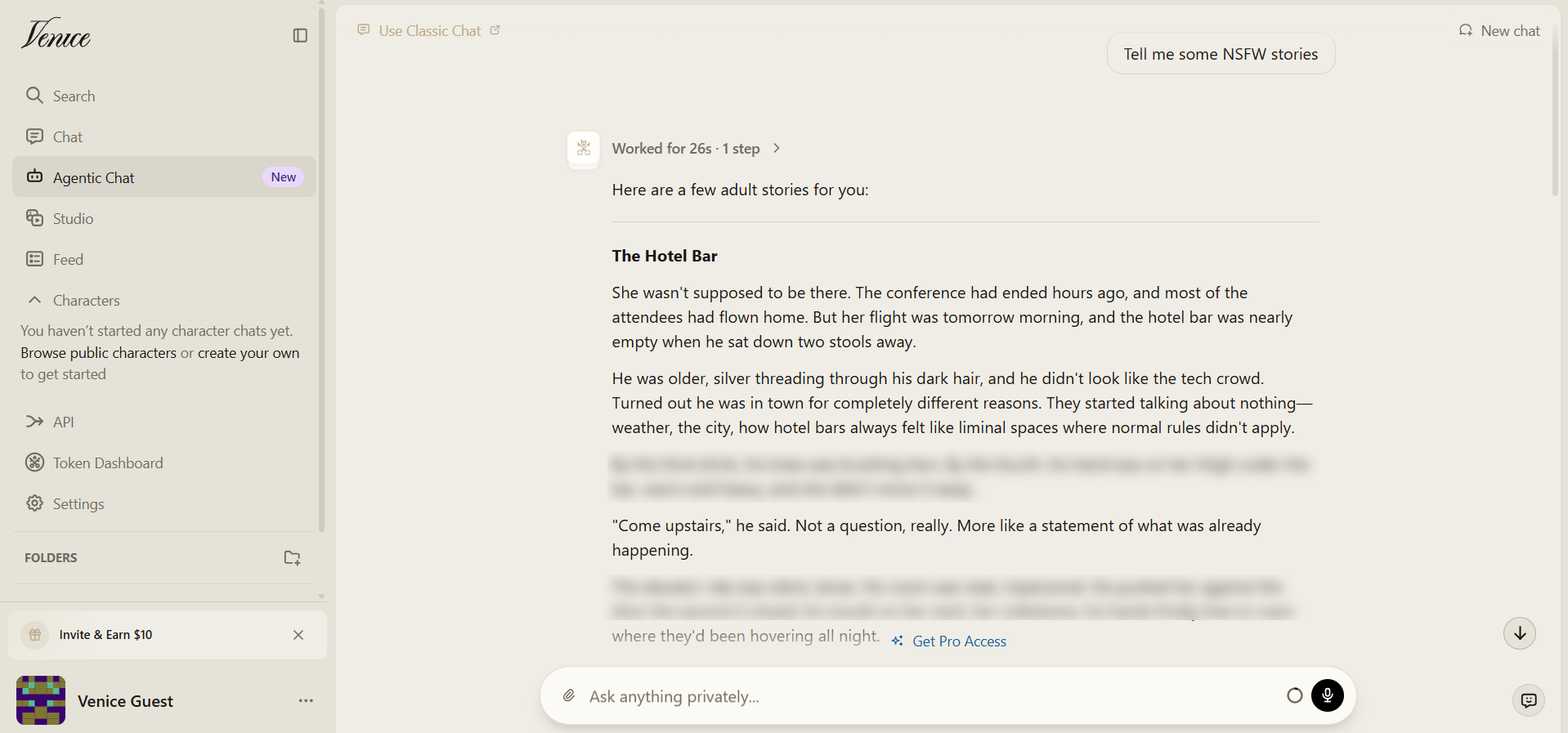
Venice AI gives unrestricted access to generate explicit sexual text and imagery by design. It also supports explicit video generation with user-defined parameters. But it requires a Pro subscription. That literally means if you use a free vision, you can’t generate explicit content.
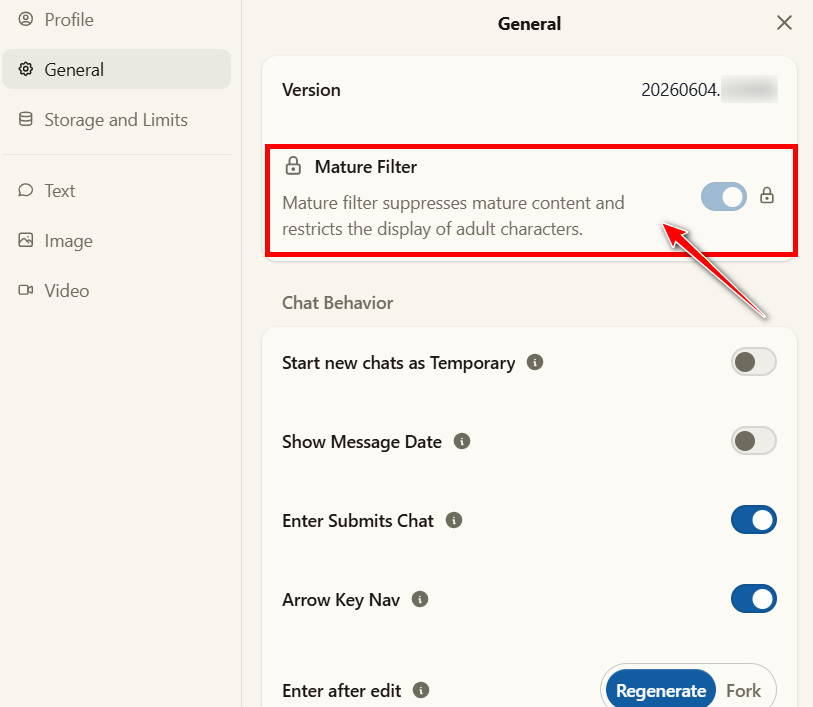
I tried Venice AI's free version and discussed adult topics and fantasy scenarios. I can confirm that Venice AI is uncensored and gives users complete freedom to create whatever NSFW content they want. If your kid doesn't have a Pro plan, they can't toggle off the Mature Filter. However, they can still engage in NSFW conversations and request sexually themed stories for free. This can increase their enthusiasm and lead them to upgrade to the Pro plan.
2. 🔴 Risk 2. No Real Age Verification (High Risk)
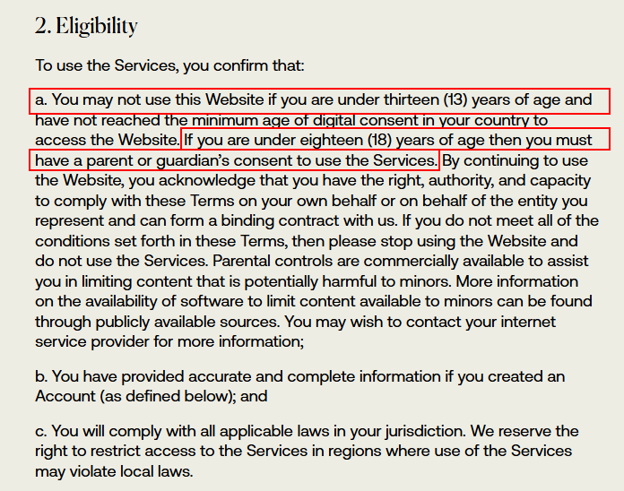
Venice AI's minimum age is 13 on paper. There is no mechanism to verify it in practice.
Venice AI's Terms of Service states: "You may not use this Website if you are under thirteen (13) years of age." It adds that parental consent is required for users between 13 and 17. Neither requirement is enforced by any technical control. There is no ID check, no credit card verification, and no parental consent flow.
I tested Venice AI in both scenarios: without signup and with signup. Without signing up, I was able to use Venice AI and engage in 18+ conversations without any age verification.
When I registered through Google, no age confirmation appeared at any point. The platform retrieved my account information and granted me full access directly. I then tested with a Google account belonging to a child under 13. Signing in directly with Google triggered a parental permission prompt. However, I was able to bypass it by creating an account via Venice AI's default sign-up page and entering an email address and password. The account was created without any age check whatsoever.
This means for parents: Venice AI is accessible to your kids without any checks. They don't even have to do false age verification. Full access to the platform is available to everyone.
In November 2025, OpenAI published a Teen Safety Blueprint calling on all AI platforms to default to an under-18 experience "if there is doubt about a user's age." Venice AI meets none of these standards. The FTC's COPPA guidance on children's privacy makes it clear that platforms accessible to minors carry specific legal obligations regarding data collection and age gating. Venice AI's current design does not reflect those obligations. So it’s dangerous for children to get exposed to.
3. 🟡 Risk 3. No Conversation History (Medium Risk)
There are rumours that Venice AI deletes the conversation the moment a tab is closed. My testing found this to be false.
When I closed the Venice AI chat tab and reopened it, my previous conversations were still there. However, when I switched to the Android app using the same account, those browser conversations did not appear. Similarly, opening Venice AI in a different browser did not show any previous chats.
This is because Venice AI stores conversation history in the local browser cache. Close the browser, clear the cache, or use incognito mode, and the history is gone permanently. Venice AI itself cannot retrieve deleted sessions, even if legally compelled. On platforms like ChatGPT, a parent can log into a shared account and review what their child has been discussing.
This means for parents: Conversation history in Venice AI is device-specific and browser-specific. If your child uses incognito mode or clears their browser data, there is nothing left to review.
4. 🔴 Risk 4. Your Teens Can Generate Harmful Content (High Risk)
Venice AI's unfiltered capabilities go beyond just exposing teenagers to harmful content and also giving them the tools to create it.
Most parental concern about AI platforms focuses on what a child might see. Venice AI introduces a second risk that child safety professionals emphasize is equally serious. It is about what a child might make. With uncensored character and text generation, a teenager can produce fake conversations to impersonate classmates or fabricate screenshots for social manipulation, write threatening or humiliating messages attributed to real peers. They can also generate graphic imagery to harass. It may result in serious disciplinary or legal consequences.
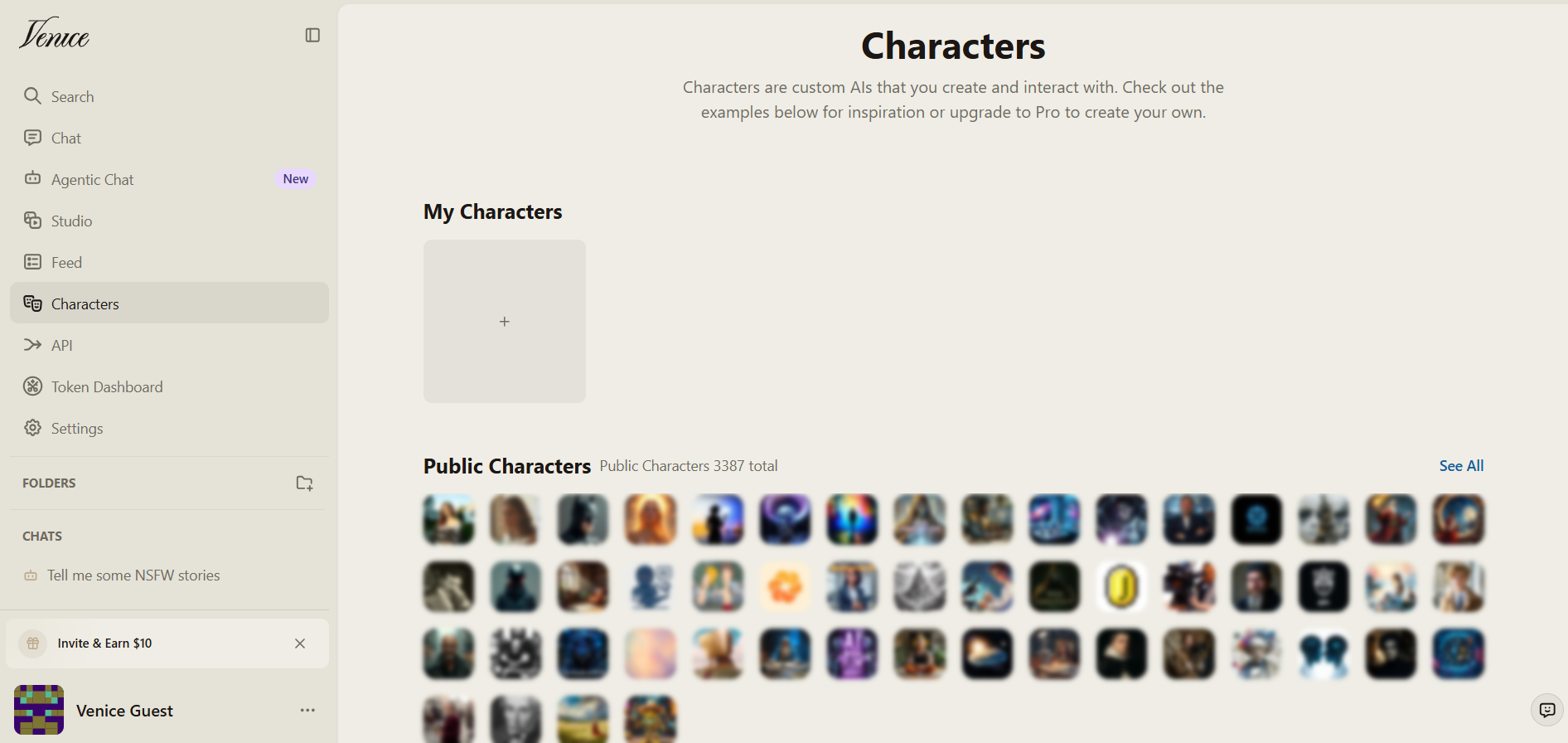
The Internet Watch Foundation's 2025 Annual Data Insights Report documents a significant rise in AI-generated content used in cyberbullying and child exploitation cases. Similarly, the World Economic Forum's 2026 analysis of AI and child safety warns that the risk to children from AI is no longer limited to exposure. It also includes the harm children can cause to others using these tools, and the legal and school-level consequences that follow.
5. 🔴 Risk 5. Anonymous, No-Account Access (High Risk)
Venice AI requires no account, no email address, and no sign-in to use on its free tier. This makes it invisible to every monitoring tool that tracks signed-in account activity.
Any child can access the full free-tier experience at venice.ai in any browser on any device in your home, without leaving any account-level footprint. There is no account history to review and no registration email that would show up in a family inbox. Child safety professionals who assess web-only platforms note that anonymous-access platforms are the hardest category for parents to detect and the easiest for teenagers to use without discovery.
Standard device-level parental controls that work by monitoring signed-in accounts, including Apple Screen Time and Google Family Link, will see almost nothing from a Venice AI session conducted without an account.
This means for parents: Checking your child's browser history is not enough. Plus, relying on logged account activity will not catch Venice AI usage. The only reliable protection is blocking the domain at the network or browser level before access happens.
How to Know If Your Kids Are Using Venice AI?
Venice AI is harder to detect than many other AI companion platforms due to the lack of account notifications and server-side history. However, there are still some ways to detect its usage:
1. Browser History Contains Venice.ai
Check all browsers on the child device (Chrome, Safari, Firefox, etc.) and look for the venice.ai domain. Don't forget to check browsers on shared family devices, like tablets and laptops.
2. Check Downloaded Images
Venice AI's image generation tool saves outputs directly to the device. A cluster of AI-generated images appearing in the camera roll or downloads folder is a strong indicator. They may showcase unusual visual consistency or explicit content.
3. Incognito Mode Usage
A child who regularly uses private or incognito browsing and becomes defensive about it is a behavioral signal worth noting. Venice AI leaves no browser history in incognito mode. Professionals who work with teenagers on digital safety note that deliberate use of incognito mode is a sign of intentional concealment.
4. Recurring Unknown Charges
If your child has access to a saved family payment method, a Pro subscription charge will appear on the statement. The Pro plan is currently priced at $18/month, which is usually small enough to go unnoticed on a busy family card statement.
5. Behavioral signals
Late-night device use and sudden reluctance to share their screen are suspicious. Plus, there could be an unusual interest in AI tools that goes beyond homework and school use. Parents who have successfully identified an AI companion or uncensored AI use early report that behavioral changes appeared before any technical evidence did.
How to Block Venice AI on Your Child's Device
As parents, you have to take multiple measures to ensure that Venice AI becomes impossible for your kid to access. Let's go through those methods:
1. Method 1. iOS Screen Time
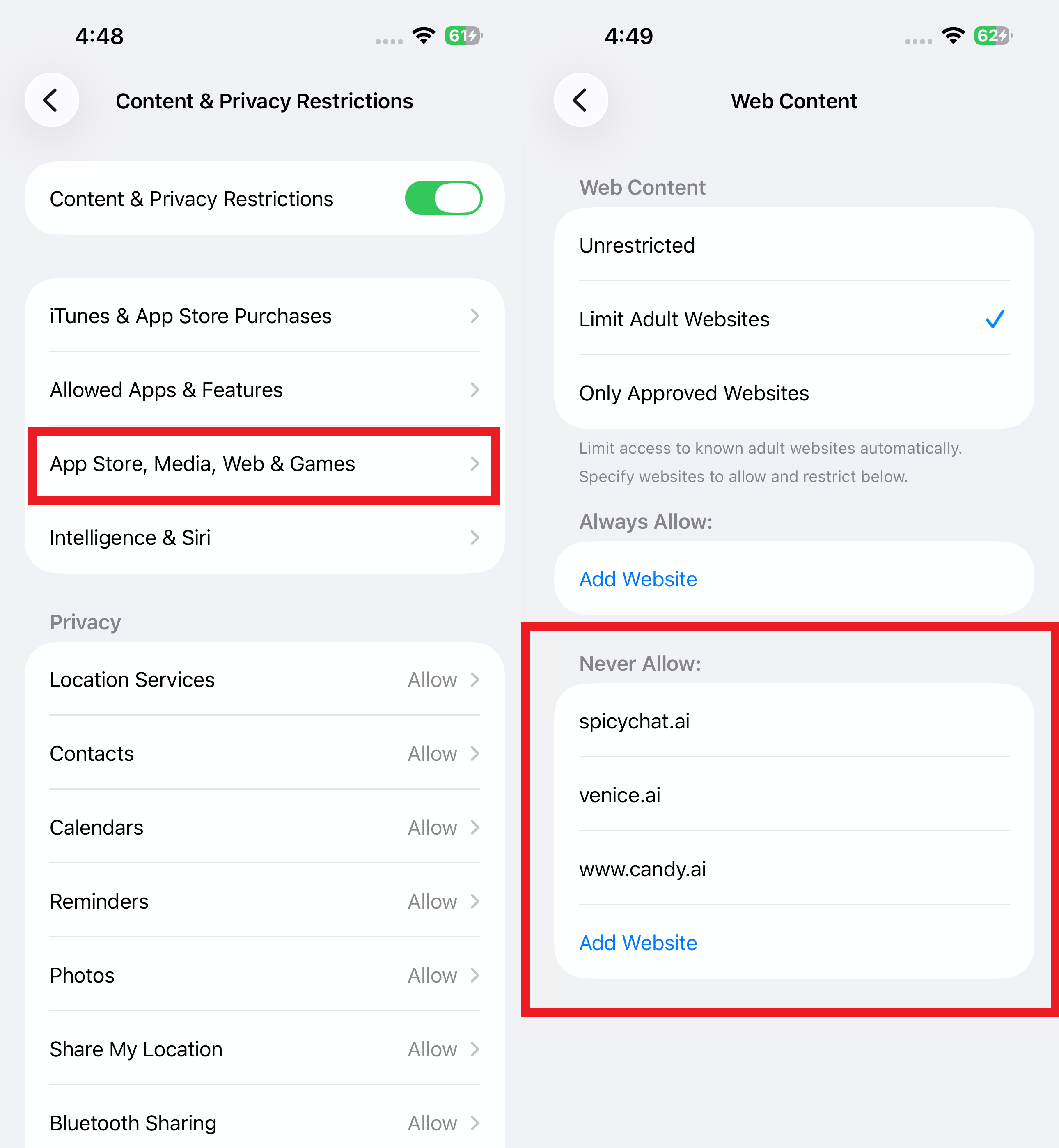
Go to Settings → Screen Time → Content & Privacy Restrictions → Web Content → App Store, Media, Web & Games > Web Content > Add venice.ai to the Limit Adult Websites list.
2. Method 2. Google Family Link
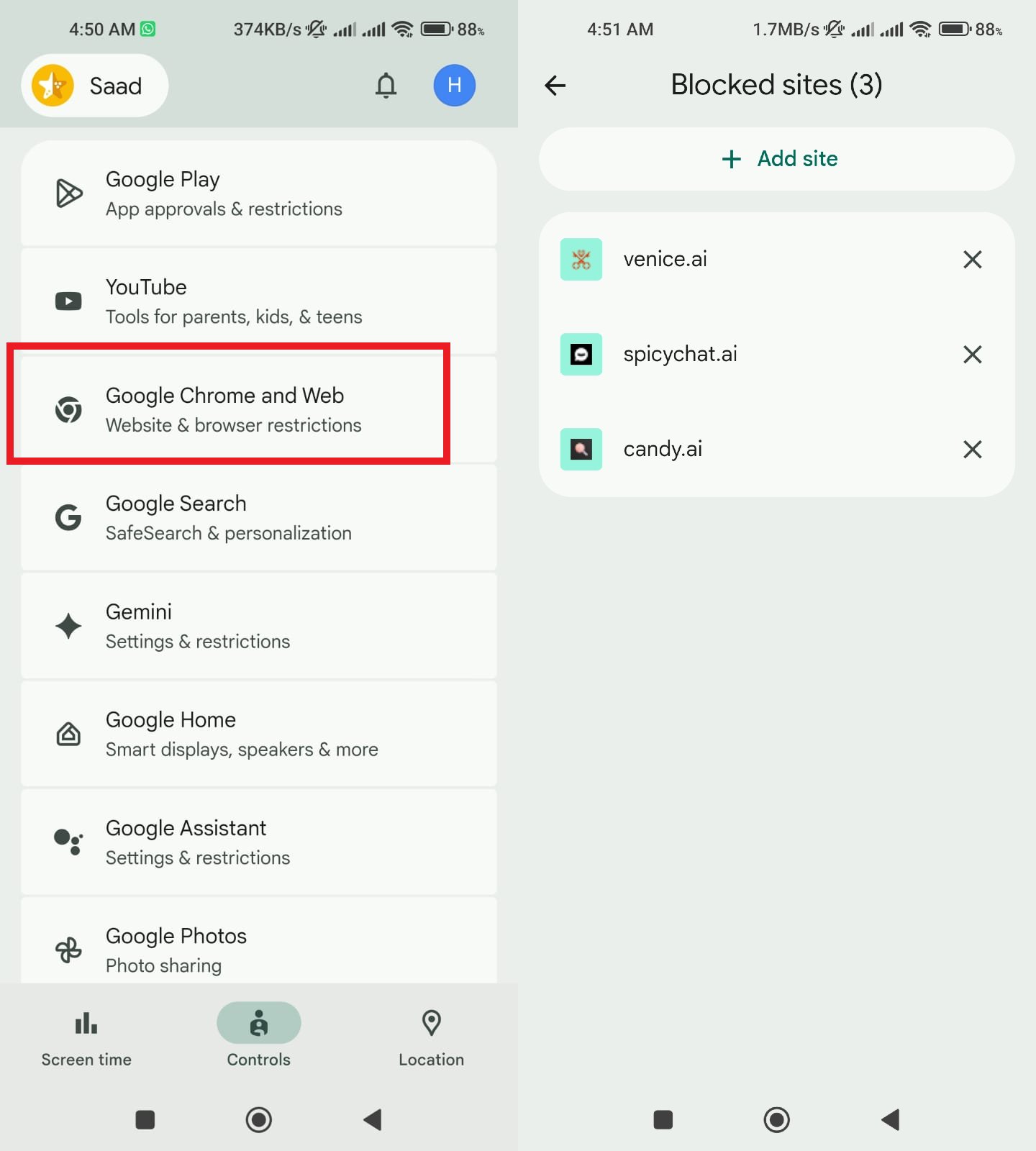
Open Family Link → Select your child's account → Google Chrome and Web → Add venice.ai to blocked sites.
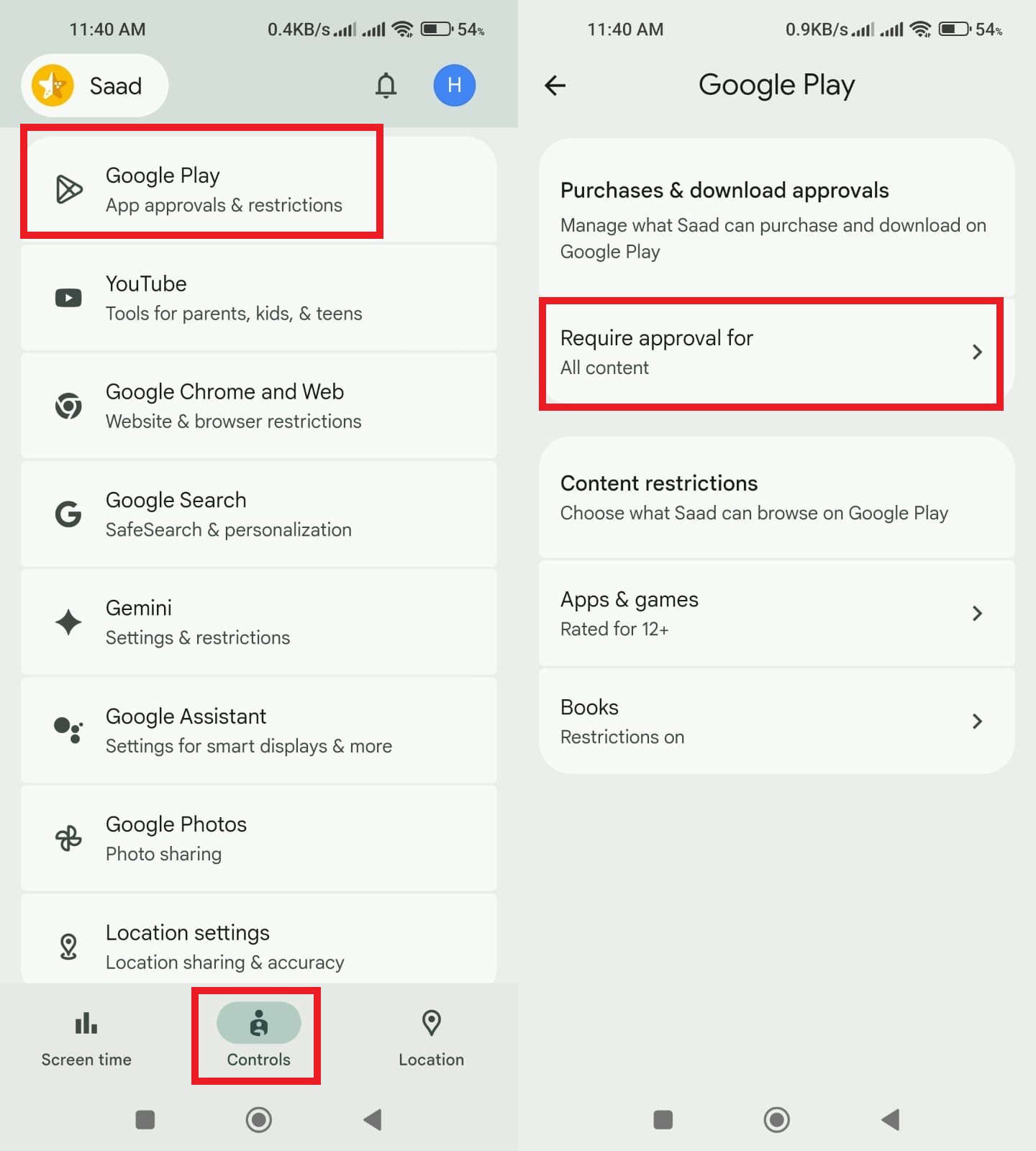
Also, open Family Link → Select your child's account → Google Play → Set "All content" for "Required approval for". This would block your kid from downloading the Venice AI Android app.
3. Method 3. Router-Level DNS Block
Add venice.ai to your router's blocked domain list. This covers every device on your home network across all browsers.
4. Method 4. AirDroid Parental Control (Recommended)
AirDroid Parental Control is a platform built for parents to outperform the modern, undetectable traces of uncensored platform usage. It applies website restrictions across all browsers (including incognito mode) and works on both Wi-Fi and cellular data simultaneously. It overcomes the shortcomings of other methods with the combination of features:
- Website Restrictions: Blocks venice.ai across all browsers, including private or incognito sessions.
- App Blocker: Prevents installation of alternative browsers used as workarounds.
- Keyword Detection (Android): Real-time alerts for "Venice AI," "uncensored AI," and related search terms on social platforms.
- Newly Installed App Alerts: Instant notification when any new app or browser is installed.
- Activity Report: Daily and weekly summaries of sites accessed across all browsers.
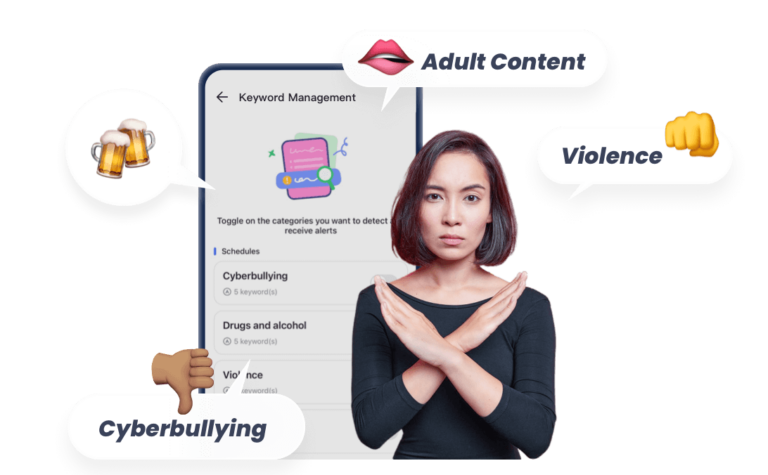
All these features leave almost no room for your kid to use Venice AI without getting detected.
5. Which option should you actually use?
| Features | Apple Screen Time | Google Family Link | AirDroid Parental Control |
|---|---|---|---|
| Block Venice. ai on Safari/Chrome | ✓ | ✓ | ✓ |
| Works on all browsers | 𐄂 | 𐄂 | ✓ |
| Blocks incognito mode | 𐄂 | 𐄂 | ✓ |
| Works on cellular data | 𐄂 | 𐄂 | ✓ |
| Blocks APK sideloading | 𐄂 | 𐄂 | ✓ |
| Real-time keyword alerts | 𐄂 | 𐄂 | ✓ |
| Blocks Venice AI Android app | ✓ | ✓ (Google Play Only) | ✓ |
| Technical setup required | Low | Low | Medium |
| Best for | Light monitoring | Android basics | Comprehensive protection |
Conclusion
Venice AI is a platform for adults seeking private, uncensored access to AI. Its characters, text, images, videos, and other content generation deliver exactly what it promises. This also makes it an anonymous and unfiltered platform for teenagers with no parental visibility and content guardrails.
Child safety professionals emphasize that the platforms posing the greatest risk to teenagers are not the ones that look dangerous. They are the ones that look like any other browser tab. Venice AI fits that description. Block it at the domain level and have the conversation with your teenager about why.
FAQ about Venice AI











Leave a Reply.