Verizon Family Review 2026: Features, Cost, Pros & Cons
Verizon Smart Family is now called Verizon Family. It is a practical choice for eligible Verizon households that want carrier-linked call and text activity, location tools, driving insights, Gizmo Watch management, and optional parental controls in one app.
Its biggest limitation is scope. Verizon Family does not show message content or activity inside iMessage, WhatsApp, and social apps. Many controls also require Verizon Family Plus and a correctly paired Companion app.
Testing disclosure: We did not install or hands-on test Verizon Family for this review. Performance comments below are based on current documentation and public user feedback, not our own device results.
- Verizon Family Review: Quick Verdict
- What Is Verizon Family and How Much Does It Cost?
- How We Reviewed Verizon Family Without Hands-On Testing
- Verizon Family Features and Limitations
- Verizon Family Pros and Cons
- Is Verizon Family Safe and Private?
- Who Should Use Verizon Family?
- Verizon Family Alternative: AirDroid Parental Control
Verizon Family Review: Quick Verdict
Verizon Family is strongest when a household already uses Verizon and wants carrier controls, family location, driving features, and connected-device management under one account.
The free tier covers useful basics. Verizon Family Plus adds the parental controls most readers expect, including web and app filtering, screen-time rules, Internet Pause, multiple location alerts, and family driving visibility.
- Best for. Verizon postpaid families, Gizmo Watch households, and families that value location and driving safety.
- Main strength. It combines carrier activity, digital controls, Safe Walk, driving insights, roadside help, and connected-device features.
- Main weakness. It cannot read message content or cover chats and calls inside third-party services.
What Is Verizon Family and How Much Does It Cost?
Verizon Family is the current name for Verizon Smart Family. The Guardian app manages profiles and services, while a child normally uses the visible Verizon Family Companion app.
| Feature | Verizon Family | Verizon Family Plus |
|---|---|---|
| Standard price | Included with an eligible monthly Verizon account or Gizmo Watch service | $14.99/month, $10/month as an eligible myPlan perk, or included with qualifying Unlimited Ultimate service |
| Location sharing | Included | Included |
| Location alerts | One scheduled or boundary alert | Multiple scheduled and boundary alerts |
| Safe Walk and SOS | Included | Included, with optional 24/7 Assist for eligible adults |
| Call and text activity | View supported Verizon activity | View activity and use supported contact, call, and text controls |
| Driving Insights | Self-view | Family view |
| Content filters and screen time | Not included | Included |
| Web and app activity | Not included | Included |
| Internet Pause | Not included | Included |
| Roadside Assistance | Not included | Up to four covered service claims per year |
| Family Line | Not included | One shared number for up to five smartphones |
Pricing note: Verizon can change plan eligibility and promotional pricing. The 30-day Plus trial excludes Roadside Assistance, 24/7 Assist, and Family Line, and it converts to a paid subscription unless canceled.
The current eligibility page lists Android 8.1 or later and iOS or iPadOS 16 or later. Verify the exact device, plan, and region before subscribing.
How We Reviewed Verizon Family Without Hands-On Testing
This is a documentation-based review. We did not activate a Verizon plan, pair parent and child phones, drive with the app, or test its VPN, content filters, SOS delivery, and location accuracy.
We checked Verizon's product page, FAQs, support instructions, current terms, smartwatch documentation, and app-store listings on October 27, 2026.
We mapped each feature to the free or Plus tier and separated carrier-level activity from features that require the Companion app, VPN, location, motion, notification, or background permissions.
We also reviewed public app-store feedback for recurring setup concerns. User reports can reveal patterns, but they do not prove that every device will have the same result.
Because we did not run our own tests, we do not score reliability, accuracy, speed, battery impact, filtering success, or ease of setup.
This distinction matters. A documented feature tells us what Verizon supports; it does not tell us how quickly or consistently that feature will work on every phone and network.
Verizon Family Features and Limitations
The following sections cover the major functions in Verizon's current Verizon Family instructions, including Plus, the Companion app, compatible watches, and Gizmo devices.
1Screen Time, App Limits, and Web Controls
Verizon Family Plus can set app limits, schedules, content categories, trusted or blocked websites, and Internet Pause. Parents can also view supported web and app activity.
Time restrictions can cover calls, texts, cellular data, and Wi-Fi. Blocking Wi-Fi and monitoring online activity require the Companion app to be paired correctly.
Children can request extra app time when a limit is reached. The parent can approve or decline the request through the current notification system.
Filtering uses a VPN and device permissions. It does not guarantee that every page, in-app browser, encrypted service, or newly installed app will be categorized correctly.
2Call, Text, Contact, and Usage Controls
Verizon Family can show supported cellular call and text activity, including numbers and timestamps. It does not display the body of text messages, photos, videos, or private conversations.
iMessage, FaceTime, WhatsApp, Google Voice, and social-media messages are outside this carrier activity feed. Current Verizon terms also exclude internet-based and RCS communications from monitoring or blocking.
- Contact management. Guardians can use trusted, blocked, and watch-list contacts where supported.
- Usage limits. Current support pages describe data, text, call-minute, and Verizon-account purchase limits.
- Emergency access. Calls to 911 and 988 remain allowed despite call restrictions.
3Location, Check-In, Pick Me Up, and Safe Walk
Without a paired Companion app, Verizon can provide an approximate network location for an eligible Verizon device. Pairing adds GPS-based location, location history, alerts, Check-In, and Pick Me Up.
Location history is currently available for seven days. The free tier includes one scheduled or boundary alert, while Plus allows multiple alerts.
Safe Walk shares live location with selected emergency contacts. Its SOS can alert those contacts and show movement, but the free SOS service does not call 911.
Plus subscribers can enroll eligible users aged 18 or older in 24/7 Assist. A live agent can contact family members or request emergency services when asked.
4Driving Insights and Crash Detection
Driving Insights uses phone sensors to create trip routes, distance, top speed, and driving scores. It can flag speeding, hard acceleration, hard braking, hard cornering, and phone movement or use.
Driving history is available for seven days. Free users can review their own driving; Verizon Family Plus adds family driving visibility.
The app cannot determine whether the child was driving or riding as a passenger. A Guardian assigns that status, and the data should be used as a discussion prompt rather than proof.
Crash Detection alerts designated contacts after a possible moderate-to-severe impact. It does not detect every collision and does not automatically contact 911.
Verizon also states that Driving Insights cannot stop phone use while driving. Battery saver, weak GPS, lost connectivity, permissions, and short trips can affect recording.
5Roadside Assistance and Family Line
Verizon Family Plus includes up to four roadside claims per year. Covered services include jump starts, flat-tire changes, lockout help, limited fuel delivery, and towing up to 10 miles.
Family Line provides a separate shared phone number for up to five smartphones. It supports calls but does not currently include Family Line messaging.
These services are not included during the 30-day Plus trial. Roadside Assistance is provided through a third party and has vehicle and service limits.
6Companion App, Roles, and Protection
Verizon Family uses Guardian, Member, and Child roles. Guardians control profiles and permissions; Members can receive selected visibility; Children can use location, Check-In, Pick Me Up, and safety features.
Full parental controls require the Companion app on the child's device. Android can use Accessibility and PIN protection, while iOS may use a device-management profile to protect the Companion app and VPN.
An invited non-Verizon Member can share GPS location after accepting the invitation and installing the app. This does not turn Verizon Family into a complete cross-carrier parental-control service.
Current store feedback is divided. On October 27, 2026, the Android Companion listing showed recurring complaints about setup, permissions, VPN behavior, and connectivity.
7Gizmo Watch, Smartwatch, and Pet Features
Verizon Family now replaces GizmoHub as the management app for Gizmo Watch. Available tools vary by model but include location, approved contacts, calls, chats, School Mode, steps, tasks and rewards, and Medical ID.
Supported Gizmo models can also offer photo backup, group chat, video calling, and Ask & Learn. These are watch-management features, not standard smartphone parental controls.
The app supports location sharing on compatible Apple Watch, Galaxy Watch, and Pixel Watch models. Phone screen-time and content rules do not automatically extend to a smartwatch, and Safe Walk is not currently available on watches.
Fi Mini pet trackers can also appear in Verizon Family. The tracker has a separate Fi subscription, and in-app pet location services require the applicable Verizon tier.
Verizon Family Pros and Cons
Because this review is not hands-on, these points describe the documented design and current user-feedback pattern. They are not our measured test results.
1What Verizon Family Does Well
- Strong Verizon integration. Carrier activity, limits, billing, and eligible devices sit under one account.
- Useful free safety tier. Location, one alert, Safe Walk, call and text activity, and self driving insights are included.
- Broad real-world safety tools. Plus combines family driving, crash alerts, roadside help, and optional professional assistance.
- Connected-device coverage. The app manages Gizmo Watches and supports location sharing on selected mainstream smartwatches.
- Visible family roles. The Companion app and permission model support a more transparent setup than hidden monitoring software.
2Where It Falls Short
- Most digital controls require Plus. Screen time, filtering, activity, Internet Pause, and broader controls are not part of the free tier.
- No message-content access. The app does not read SMS bodies or third-party chats and calls.
- Heavy setup dependency. VPN, location, motion, background, and notification permissions must remain configured correctly.
- Platform behavior can differ. iOS and Android use different protection methods, and store feedback suggests the Companion experience can be frustrating.
- Carrier eligibility still matters. Full enrollment requires an eligible Verizon monthly account even though invited non-Verizon Members can share location.
Is Verizon Family Safe and Private?
Verizon Family is a legitimate carrier service, but families should still review its permissions. Location, online activity, motion, contacts, and driving features collect sensitive device information.
The service does not provide full message content. That privacy boundary also means it cannot explain what happened inside iMessage, WhatsApp, or a social-media conversation.
Driving Insights requires the child to grant permissions and enable sharing. Verizon also informs child lines that their location may be shared, and parental protections change when the child turns 18.
Use the least access needed for the family's safety goal. Explain which controls are active, review reports with the child, and do not treat location or driving data as proof without context.
Who Should Use Verizon Family?
- Best for Verizon households that want carrier controls, family location, and driving-safety tools in one app.
- Also suitable for Gizmo Watch families that need location, contact, and device management.
- Consider another option if family members use different carriers or need broader cross-platform safety features.
Verizon Family Alternative: AirDroid Parental Control
Verizon Family makes the most sense when carrier integration, Gizmo management, and bundled safety services are the priority. AirDroid Parental Control is a broader child-safety option that does not depend on the family's mobile carrier.
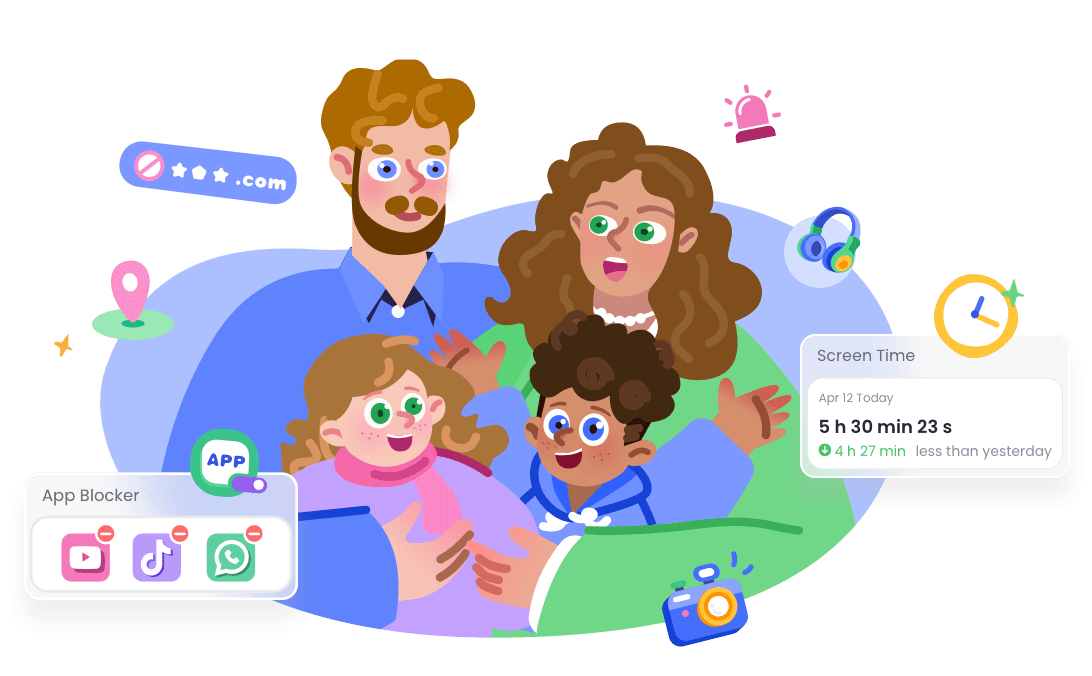
- Rules that fit individual apps. Families can set separate app limits, shared time budgets, Downtime, and supported extra-time requests.
- More focused online-risk signals. Supported Android setups can provide selected social, notification, SMS, and AI-chat alerts; iPhone coverage is narrower.
- Location and help across carriers. Live device location, route history, geofences, Family Chat, and SOS can support check-ins without requiring a Verizon plan.
- Driving-safety context. Trip routes, speed, distance, and supported driving events can help families discuss safer habits, but they do not prove who was driving.


AirDroid's available features depend on the child's operating system, permissions, setup mode, connection, and current version. Alerts are safety signals for a calm family conversation, not complete records or proof of wrongdoing.
Final Verdict
Verizon Family is more capable than the writer's draft suggested. It now covers smartwatches, app-time requests, crash detection, connected Gizmo management, and several family-safety services that were missing from the original draft.
It remains best for eligible Verizon households. The free tier is useful for location and basic safety, while Plus is required for the fuller parental-control experience.
We cannot confirm real-world reliability without testing. Before paying, check the exact phones and watches, install the Companion app, review every permission, and test app limits, Wi-Fi access, location, and emergency alerts with harmless scenarios.
Verizon Family Review FAQs











Leave a Reply.