How to Know and Confirm If Someone Stopped Sharing Location?
You open Find My, and their location info is gone. Or maybe it's still there, but it shows "No Location Found." What do these actually mean?
Did they stop sharing with you, did they turn off the location services completely, or did they block me?
On iPhone, these situations look similar in locations but mean different things. In this guide, we will walk you through how to tell if someone stopped sharing location and how to tell these situations apart.
Do You Get Notified If Someone Stops Sharing Their Location With You?
No. For privacy, iPhone does not send you any notification when someone stops sharing their location with you.
According to Apple's official document, only location sharing through iMessage and an earlier iOS notifies the person that you stopped location sharing.
We tested this ourselves on iOS 18 and iOS 26. When a contact stopped sharing their location, the only change we noticed was that their name disappeared from Find My or their locations showed "No Location Found" or "Expired."
What You'll See If Someone Stopped Sharing Location [3 Tested Signs]
If someone stops sharing their location with you on an iPhone, you'll notice a few signs:
1They Disappeared from Find My
This is the most obvious sign. When someone stops sharing their location, their name and profile are completely gone from your Find My "People" list.
Because Find My only shows contacts who are actively sharing their location with you. Once someone stops sharing, Apple automatically removes their location from your list.
Now, open the "Find My" app and locate the "People" tab. If someone's profile is missing, they've stopped sharing.
2Location Expired on iMessage
If your friends or family shared their live location with you through iMessage, you might see the map view saying "Location Expired" in the chat as long as they stopped location sharing.
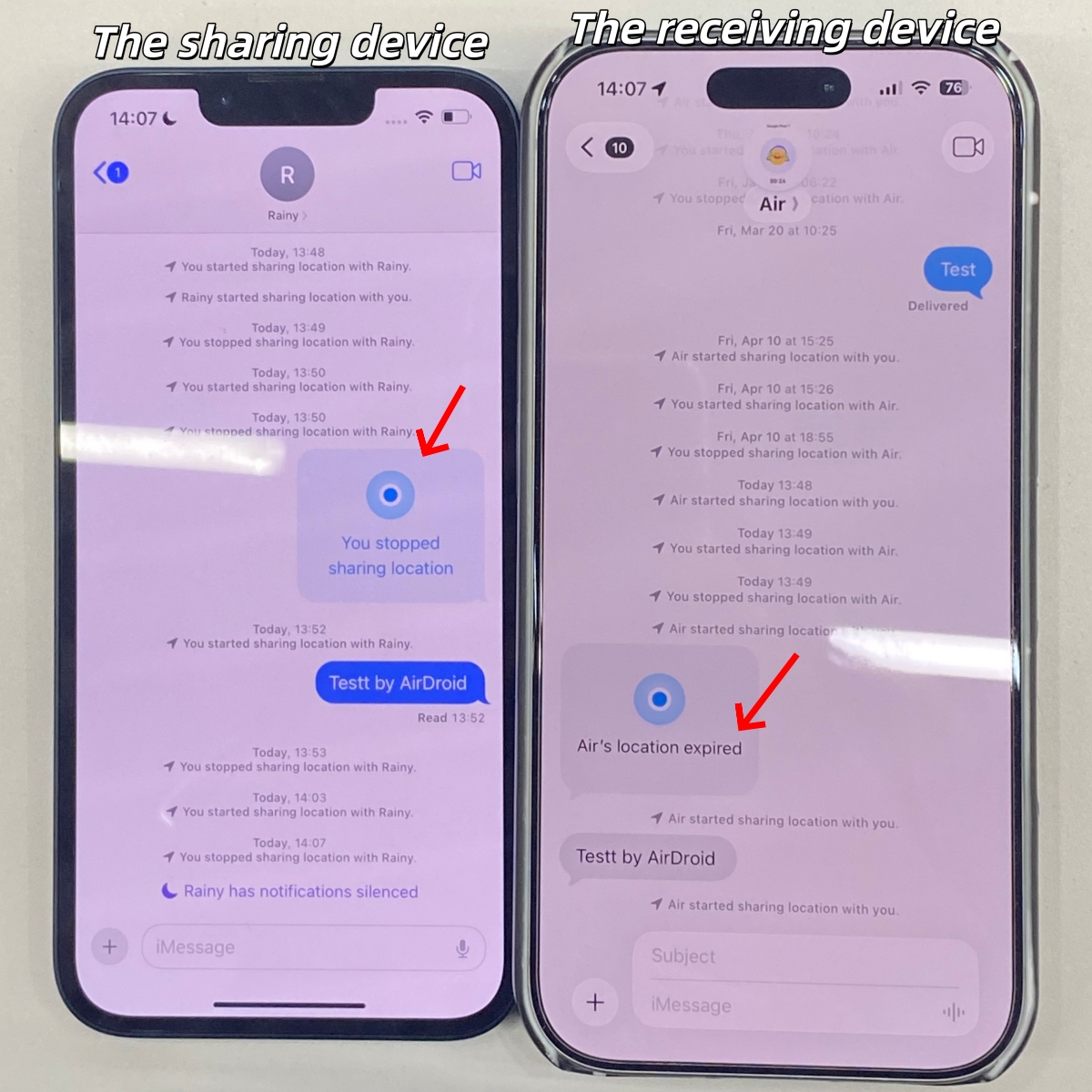
- In most cases, "Location Expired" usually means the location sharing period (1 hour, until end of day, or indefinitely) has ended. However, if they had indefinite location sharing and it suddenly expired, that definitely means they manually stopped it.
- If the person blocks you on iPhone, any active iMessage location share will also expire immediately.
3"No Location Found" on Find My
In addition to tapping "Stop Sharing Location" directly, someone may disable "Share My Location" on their end to stop sharing location.
When this switch is off, the iPhone stops fetching and sharing its locations. This is why you might see "No Location Found" under their name in your Find My.
This message usually means the iPhone is currently unable to retrieve or share that person's location.
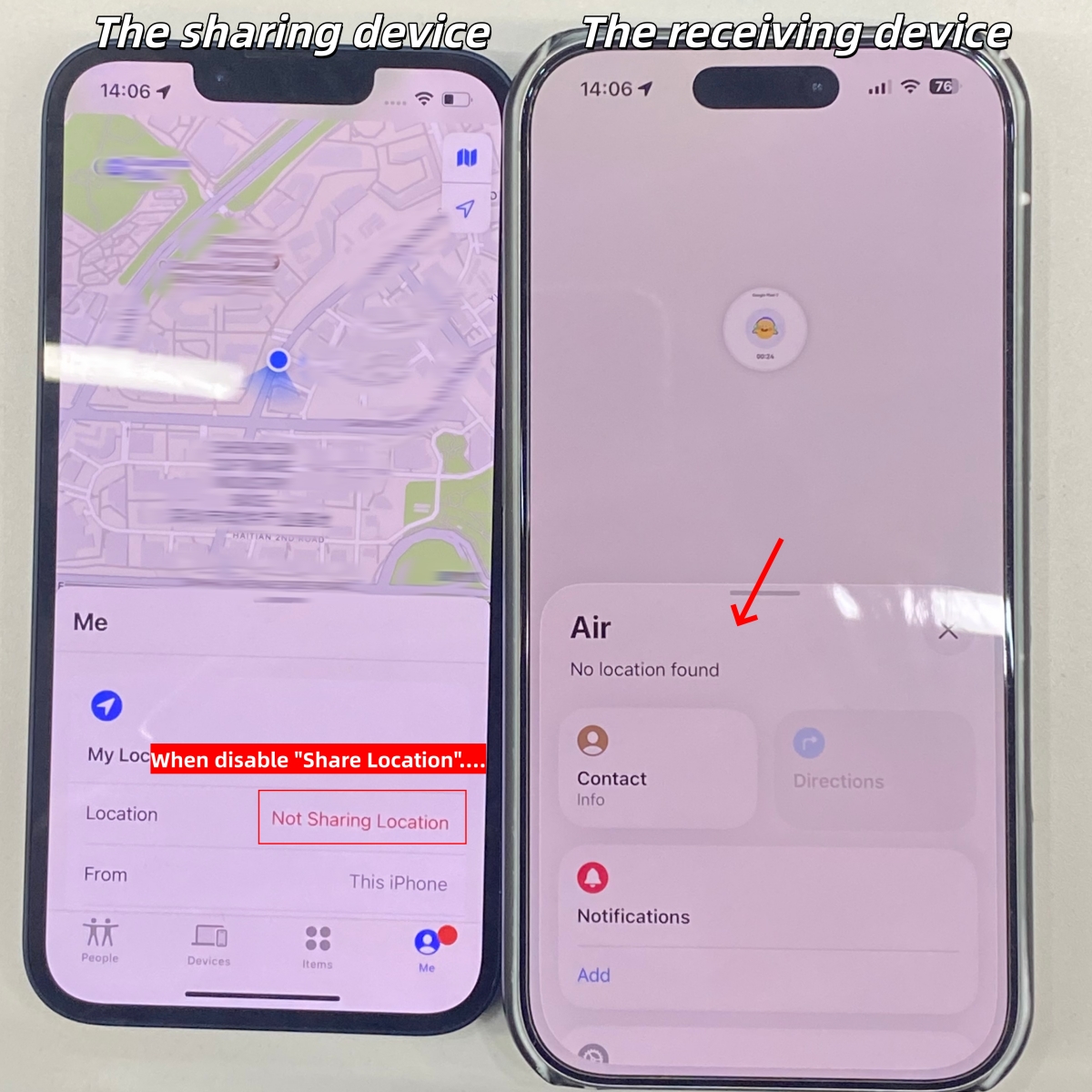
- The "No Location Found" message also appears if someone turns off their location services or disables Find My iPhone, which cuts off all location access at the system level.
- It can also be triggered if the person who shared location with you uses incorrect date and time settings. When the device time doesn't match Apple's servers, the location data can't be displayed or found correctly.
Stopped Sharing, Turned Off Location, or Blocked? How to Tell the Difference
Well, as you can see, noticing one signal doesn't always mean they stopped sharing. It could also mean they've blocked you or turned off location services. Then, how do we tell the differences? Here's a comparison table.
| Stopped Sharing | Turned off Location | Blocked You | |
|---|---|---|---|
| Locations on Find My | Profile disappeared or no location found | No location found | Profile disappeared |
| Locations on iMessage | Location expired | No location found | Location expired |
| Message Bubble | Blue | Blue | Green |
| Can Others See Their Location? | Yes | No | Yes |
What If Your Child Stopped Sharing Location
According to the Pew Research Center, around 46% of teens prefer turning off location tracking for privacy concerns. But here's the problem: You still need to know where they are for safety or emergency cases. This time, tools like AirDroid may help.
If you’re an Android parent with an iPhone child, a cross-platform parental control app like AirDroid can also help you set clear location-sharing expectations and manage safety features without relying on Apple devices alone.
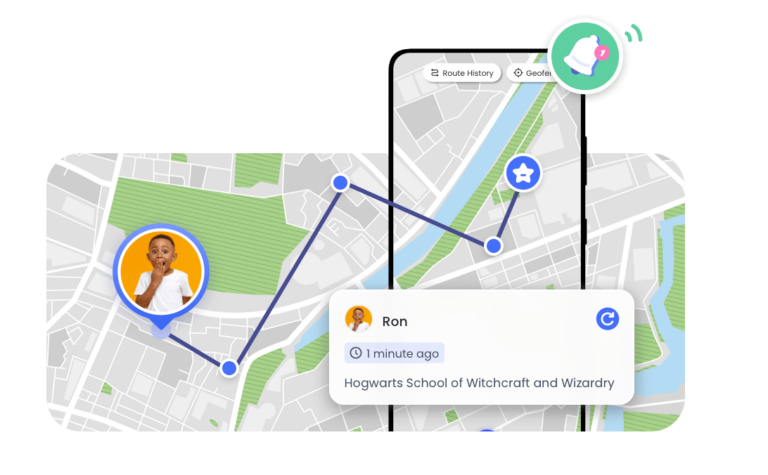
With it, parents can get real-time location, arrival or departure alerts, and location history even if kids stop sharing location on Find My.
Frequently Asked Questions
- You haven't agreed to new Terms & Conditions.
- The location sharing expired if the share was set to a time limit.
- If you were only receiving their location, they may not have had access to yours in the first place.
- If you agreed to share yours and didn't stop, your location remains visible to them.
Then, express your concerns about this issue and let them know why location sharing matters to you. If they're still resistant, respect their boundaries.










Leave a Reply.