How to Check Deleted Chrome History (A Parent's Guide)
Recently, a Mom shared heart-wrenching discussions on Reddit, that she discovered her 8-year-old son had been accessing inappropriate content.
With growing exposure to inappropriate content, harmful communities, or even distressing topics like self-harm, many parents simply want reassurance that their child is safe online.
When a child begins hiding their digital history, the anxiety of parents often turns into a desperate search for technical solutions. Is checking deleted Chrome history actually possible, or is there a better approach to protect kids online?
This guide explores the technical realities of recovering deleted data, the limitations of digital surveillance, and how to transition from a "cat-and-mouse" game of monitoring into a foundation of digital trust and open communication.
Can You Actually Recover Deleted Chrome History?
The Truth About Data Recovery
Many parents wonder if it's possible to recover browsing history after it has been deleted — especially when they are concerned that their children are viewing inappropriate content.
The reality is more limited than most people expect.
According to Google's official documentation on how Chrome handles browsing data, once history is deleted from a device, it is typically removed from the local browser storage and cannot be easily recovered.
Chrome does not provide a built-in feature to restore deleted browsing history, particularly when no synced backup exists.
In addition, Google clearly explains that Incognito mode is specifically designed not to store browsing activity in the first place. This means websites visited, cookies, and search records are not saved to the device at all — leaving no history to retrieve later.
For parents, this creates a key limitation: If a child uses Incognito mode or manually deletes their history, traditional methods like checking the browser log simply won't work. If you believe your child has been exposed to harmful or illegal online content, you can report online exploitation or harmful content involving children via the FBI's Internet Crime Complaint Center.
Why Most Recovery Software Fails on Modern Devices
Many "one-click" history recovery tools found online are mostly misleading for modern devices.
Digital forensics shows recovery is complex. Per SANS Institute, modern SSDs use the TRIM command to permanently erase deleted data for better performance, not just hide it.
Thus professional tools can't reliably recover deleted browser history on updated devices—simple one-click recovery is mostly a myth for parents.
Parents should prioritize proactive online monitoring and guidance instead of unreliable post-deletion recovery.
How Chrome Stores Your Data (And Why It Matters)
Chrome may store several types of data to improve the browsing experience, but each serves a different purpose:
- Browsing history: records visited websites for easy revisit.
- Synced data: links activity across devices when signed in.
- Cached data: temporarily saves files to speed up loading.
According to Google's explanation of Chrome data handling , this data supports usability but can be cleared or may not be stored at all in certain cases.
Understanding these differences helps explain why some activity is visible, while other actions leave no trace.
The Legal & Ethical Side of Monitoring
When checking a child's browsing activity, the issue is not just "can you" — but whether you should, and how to do it responsibly.
- Legal gray areas: In some situations, accessing a device without clear consent may violate laws in some regions. Frameworks like the U.S. Computer Fraud and Abuse Act, which treats unauthorized device access as a serious criminal matter and the UK Computer Misuse Act reflect how unauthorized access is treated seriously, even outside criminal intent.
- Parental rights vs. digital autonomy: While parents have a duty to protect minors, children — especially teenagers — are increasingly recognized as having a degree of digital privacy. This creates a tension between supervision and overreach.
- Why "secret monitoring" can backfire: According to AAP child development guidance, trust and clear boundaries are key to healthy parent-child relationships. Monitoring without transparency may reduce openness and push risky behavior further underground. Reviewing EFF's guidance on protecting children's digital privacy while maintaining open communication can help parents find the right balance.
- A more effective approach: Responsible parenting focuses on informed supervision — setting expectations, explaining risks (e.g., harmful content, scams), and using tools with the child's awareness when possible.
In the long run, the goal isn't total control of a child's digital life, but helping them build safe and independent online habits.
Valid Methods to Find Hidden or Deleted Activity
If traditional browser history is empty, there are still a few practical ways parents can check for "hidden" or previously deleted activity — but each method has clear limitations.
1Check Google My Activity (The Best Way)
According to Google's activity tracking documentation, web and app activity can be saved across devices when signed in.
- Step 1. Sign in to the child's Google account, Go to Google My Activity.
- Step 2. Review "Web & App Activity" records
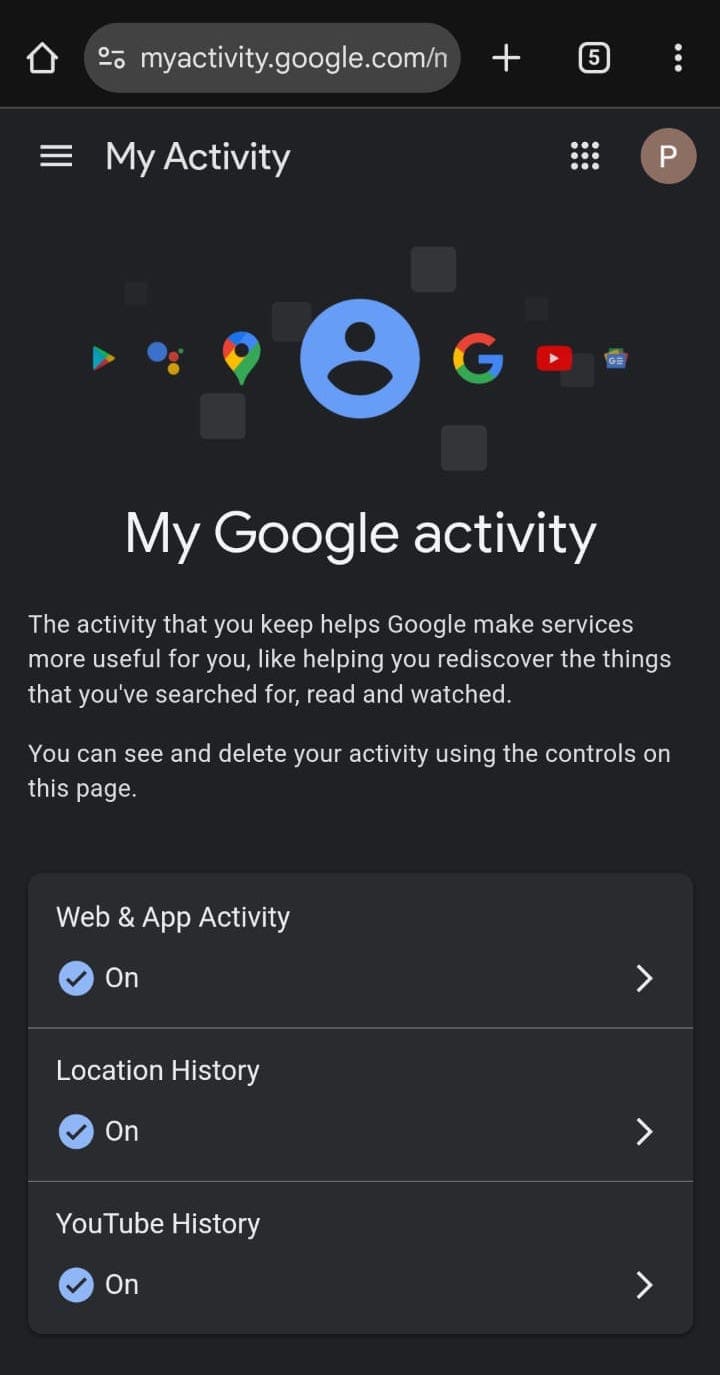
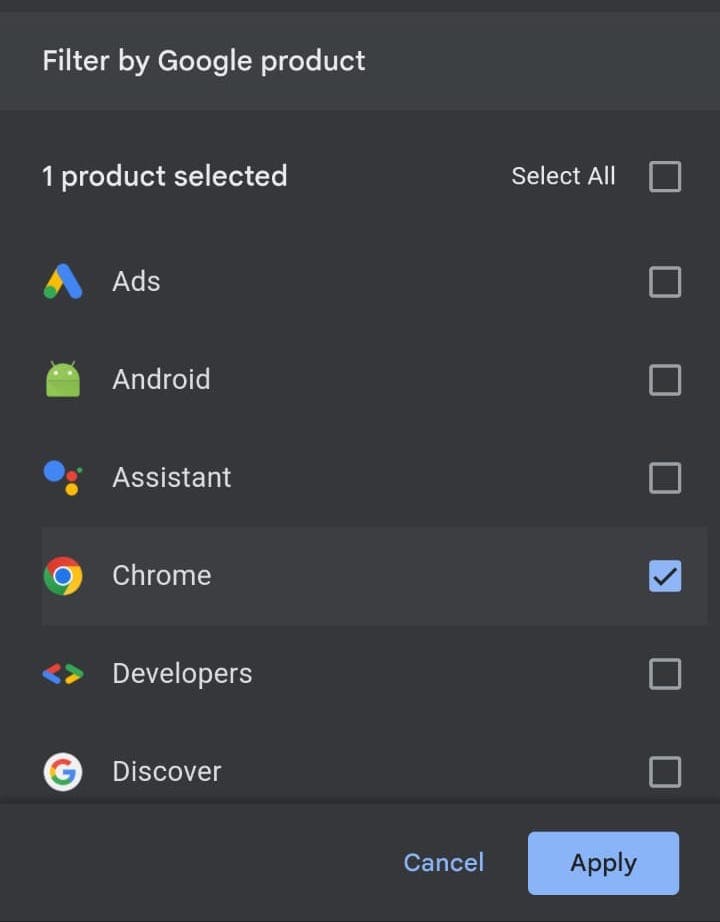
- Step 3. If you find it cluttered with data from other Google apps, use the "Filter" option to narrow down results to just "Chrome" data.
2Inspect Synced Devices & Open Tabs
Chrome's cross-device sync can sometimes create a short window where deleted history is still visible on another device.
Based on Chrome sync behavior, browsing data is shared across devices but may not update instantly.
Here is another way for iOS devices to restore from an iCloud backup. While it may seem like a possible method, it is rarely practical in real-world scenarios.
First, this method requires a full device reset, meaning all current data on the iPhone will be erased and replaced with an older backup, which can lead to significant and irreversible data loss.
More importantly, Chrome browsing history is not reliably stored in iCloud backups. Chrome data is primarily tied to the user's Google account and sync settings, rather than Apple's backup system.
According to Google's data handling explanation, browsing history depends on sync and account activity, not local device backups alone.
This means that even after restoring an older backup, deleted Chrome history may not reappear at all. In practice, this approach is not only risky but also unreliable — making it an impractical solution for most parents.
3Network-Level Tracking (Why It's Not Practical for Most Families)
A handful of advanced technical workarounds exist, yet they are rarely practical for everyday parental use.
- Router logs: Certain routers can record visited domains.
- DNS cache: Devices may temporarily store recent domain lookups. (e.g., via system commands like ipconfig /displaydns on Windows)
- Technical complexity: Accessing and interpreting this data often requires networking knowledge or admin-level setup.
While these methods are technically feasible, they remain not user-friendly for most parents—held back by complex operations, limited viewing range, and unreliable long‑term data storage.
Beyond these advanced tactics, many online tutorials share common DIY methods, such as checking the AppData folder, Recycle Bin, or system restore points. Unfortunately, most of these tips are outdated or based on misunderstanding modern browser storage rules.
- AppData folder: Chrome history is stored as a database file, not readable logs
- Recycle Bin: Deleting history does not move it to the recycle bin
- Log files (e.g., index.dat): These are outdated and not used by Chrome
- System Restore: May roll back system state, but rarely restores browsing data
In short, these widely circulated tricks rarely work on today's devices and can easily mislead parents into overestimating the chance of recovering cleared browsing history.
Why Deletion Happens: Understanding Your Child's Digital Behavior
Why Kids Delete History
When parents discover that browsing history has been deleted, the first reaction is often concern. However, it's important to understand that this behavior is not always about "hiding something bad."
In many cases, children and teenagers delete history as part of exploring personal boundaries or responding to peer influence. As they grow older, they may become curious about unfamiliar or inappropriate content — often driven by curiosity rather than intent.
This behavior is more common than many parents expect and does not necessarily indicate risky habits. According to Pew Research Center's findings that half of U.S. parents have looked through their teen's phone, monitoring is increasingly part of modern parenting.
For parents, respecting a child's developing sense of privacy while staying involved is key. Understanding the reason behind the behavior is the first step toward responding in a calm and effective way.
The Limits of Checking Browser History
Checking browser history may seem like a simple solution, but in reality, it is often unreliable.
Checking history is reactive — by the time you see it, it may already be gone.
As discussed earlier, browsing data can be deleted, hidden through Incognito mode, or simply never stored at all. Even recovery methods are limited and often ineffective on modern devices.
This creates a frustrating cycle for parents: constantly trying to catch up with activities that may no longer exist.
A Smarter Approach: From Recovery to Prevention
The Real Goal Isn't Recovery — It's Prevention
Instead of trying to recover what's already gone, many parents are now focusing on guiding safer online behavior from the start.
According to Google's activity controls, users can delete or manage their data at any time, which further highlights how easy it is for browsing records to disappear.
This is why prevention, guidance, and awareness are far more effective than relying on after-the-fact checks.
Build Healthy Digital Boundaries (Not Just Check History)
A more sustainable approach is to create a supportive digital environment where children are guided — not just monitored. For practical tips, see the U.S. Senate's Parents' Guide to Kids Online Safety on protecting children from predators and harmful content online.
In practice, this means having the right tools to help parents stay aware of potential risks while still respecting a child's growing independence. Instead of trying to recover deleted history after the fact, proactive solutions make it easier to guide safer online behavior from the start.
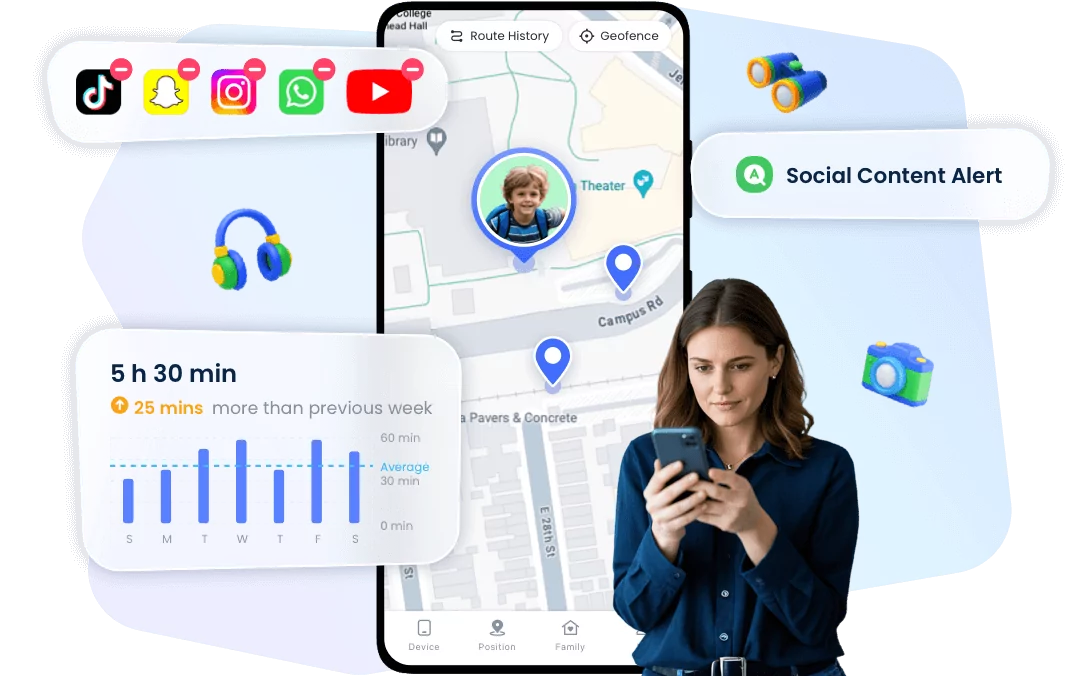
Tools like AirDroid Parental Control are designed to support this approach by helping parents protect, understand, and respond to their child's digital activity in a more balanced way.
Key Features:
- Content filtering: Block inappropriate websites before they are accessed, reducing exposure to harmful content.
- Usage insights: Understand browsing patterns and app usage, even if history has been deleted.
- Risk alerts: Detect potentially harmful keywords and receive timely notifications to guide conversations.
- Real-time awareness: Stay informed about activity as it happens, allowing for timely support rather than delayed reactions.


Conclusion
At the end of the day, technology alone isn't the solution, while guidance is. While tools can help parents stay informed and reduce risks, what truly makes a difference is open communication, clear boundaries, and ongoing support.
As children grow and explore the digital world, they need more than restrictions — they need understanding and direction. By combining the right tools with thoughtful parenting, families can create a safer and more balanced online experience.
If you're looking for a practical way to support your child's digital safety while respecting their independence, parental control tools can help you guide, protect, and stay connected — without relying on reactive methods like checking deleted history.
List of Sources
1. Can You Actually Recover Deleted Chrome History?
•Google Support — Delete your Chrome browsing history
https://support.google.com/chrome/answer/2392709?hl=en
•Google Support — Browse in private (Incognito mode)
https://support.google.com/chrome/answer/95464
2. The Legal & Ethical Side of Monitoring
•U.S. Department of Justice — Computer Fraud and Abuse Act (CFAA)
https://www.justice.gov/criminal-ccips/computer-fraud-and-abuse-act
•American Academy of Pediatrics — Parenting and Boundary-Setting
https://www.aap.org/en/patient-care/mental-health-minute/parenting-and-boundary-setting/
3. Valid Methods to Find Hidden or Deleted Activity
•Google My Activity
https://myactivity.google.com/
•Google Support — Web & App Activity
https://support.google.com/accounts/answer/465
•Google Support — Sync your Chrome data across devices
https://support.google.com/chrome/answer/95589
4. Network-Level Tracking
•Microsoft Learn — ipconfig command (Windows)
https://learn.microsoft.com/en-us/windows-server/administration/windows-commands/ipconfig
FAQs










Leave a Reply.