How to View iCloud Messages on Mac or PC
When we choose to back up messages using iCloud, we might be wondering if there's a way to view my messages, similar to how you access iCloud photos.
The good news is - yes, there is, whether you need to view iCloud messages on an Apple or non-Apple device. But how exactly do you do that? That's what I'm going to walk you through in the next few minutes.
Understanding the Limitations of Viewing iCloud Messages
Honestly speaking, seeing messages on iCloud is not an easy process especially when you need to do so on a non-Apple device, like PC. And here are some limitations to that:
- You cannot view iCloud messages directly from icloud.com due to encryption.
- Apple only allows iCloud messages to be accessed on Apple devices, such as iPhone, iPad, Mac, and Apple Watch.
- iCloud Family Sharing does not allow family members to see each other's messages. To view family members' text messages on an iPhone without iCloud, AirDroid Parental Control may help.
- You can find deleted iCloud messages as long as the backup contains those messages without being overwritten.
- iCloud may not sync messages in real time due to outdated iOS or limited iCloud storage.
Now that you're aware of some of the limitations associated with viewing messages on iCloud, let's dive into the main topic.
How to View Messages from iCloud on Mac
If you have an iPhone, Mac, or iPad, you can easily view iCloud messages on any of these devices. iCloud Messages can sync automatically across Apple devices once "Messages in iCloud" is enabled and all devices are signed in with the same Apple ID.
Now, let's look at how to access messages on iCloud using an Apple device.
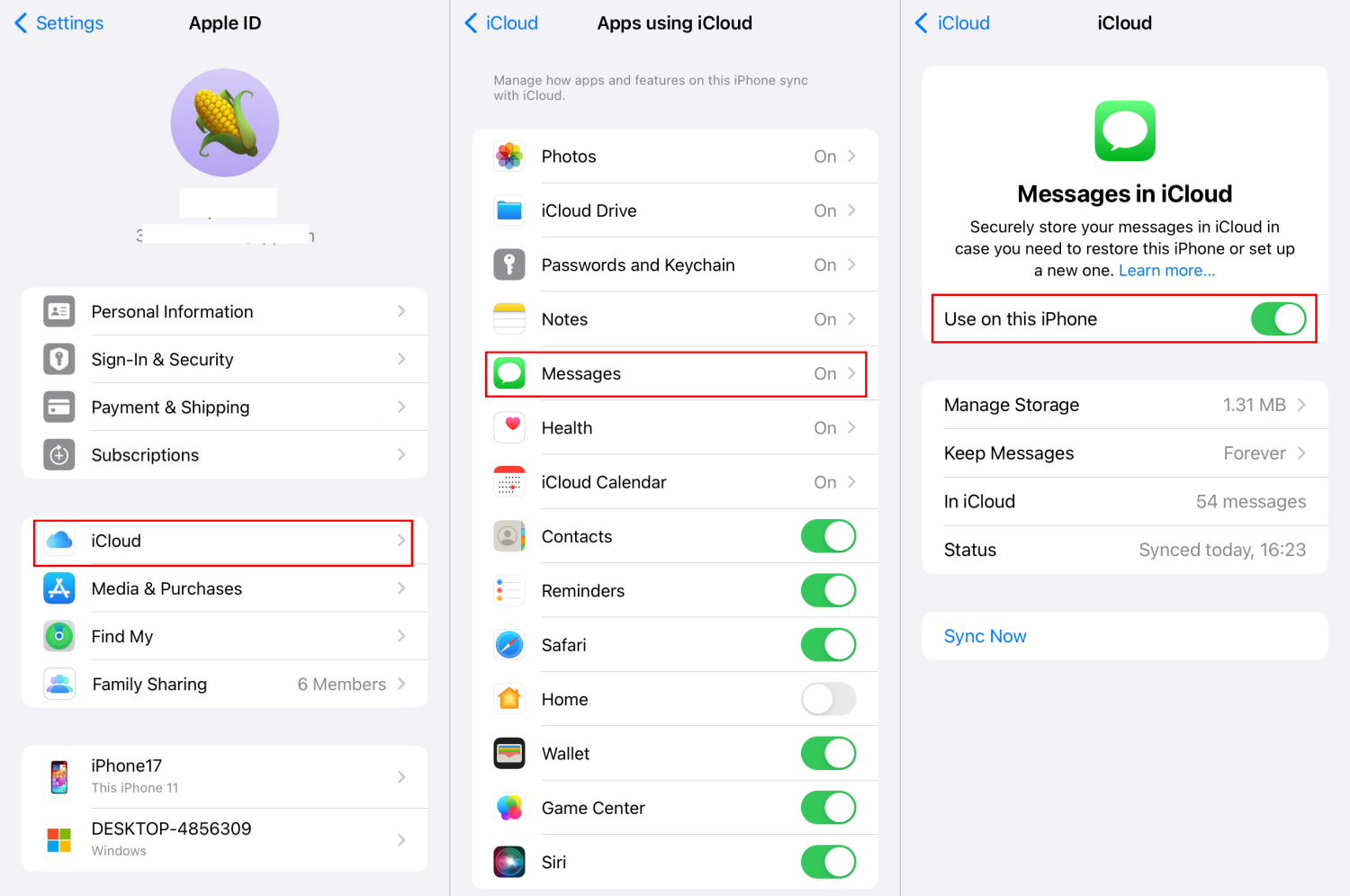
- Step 1.Enable Messages in iCloud
- To make your messages be synced to your Mac and Apple devices, you have to set up iCloud for Messages on your iPhone first:
- Go to Settings > your Apple ID > iCloud > Messages. Then, turn on "Use on This iPhone" or "Sync This iPhone" depending on your iOS.
- Step 2.Sign into Mac with the Same iCloud Account
- Make sure the Macbook you'll use to view iCloud text messages is logged in to the same iCloud/Apple account.
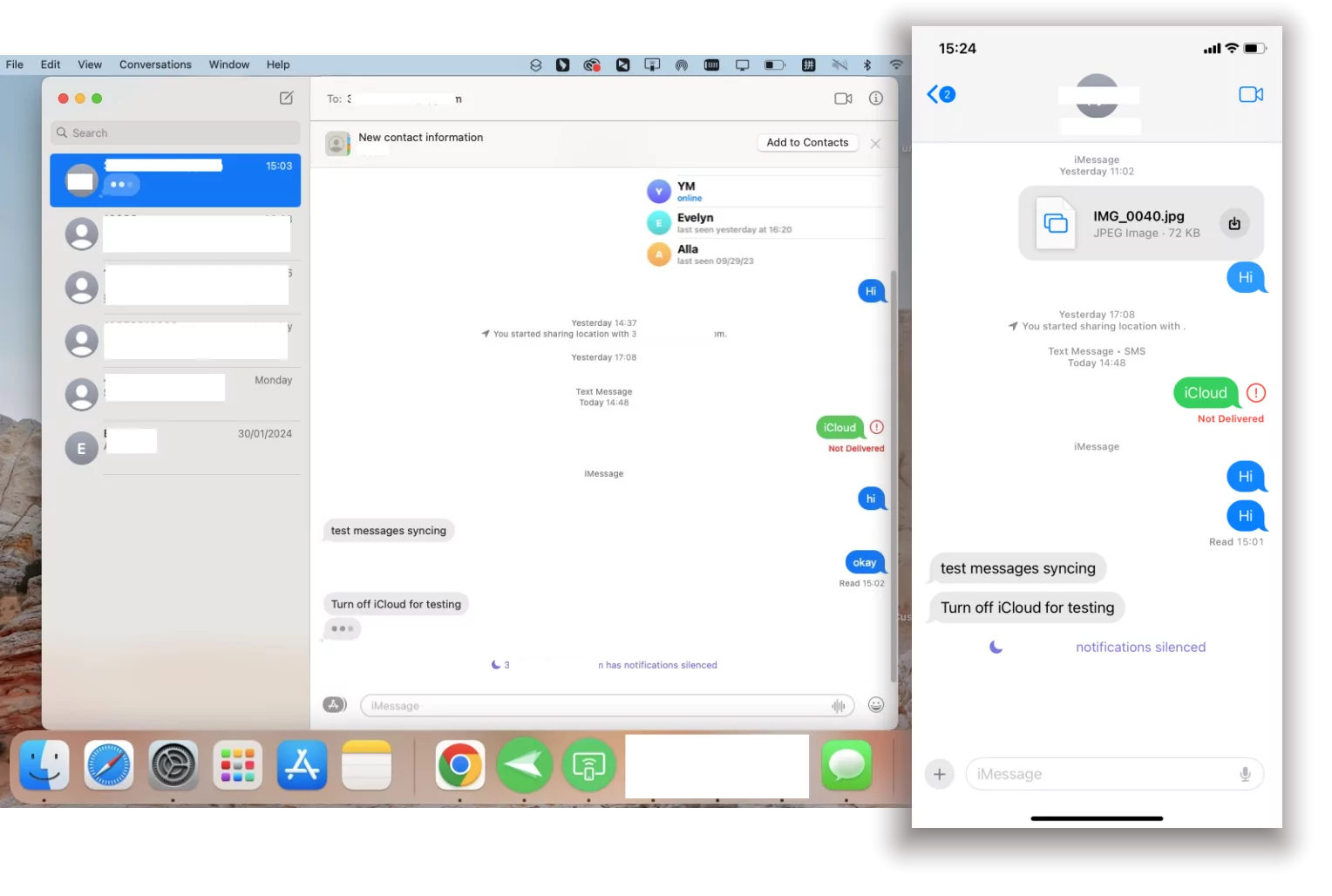
- Step 3.View Messages from iCloud
- Once done, launch the "Messages" app. And you can directly view iCloud text messages and iMessage on the Mac.
How to View Messages from iCloud on Windows PC
As we stated before, Apple doesn't offer an official way to view iCloud messages on non-Apple devices. Therefore, you have to seek help from a third-party app.
Lots of third-party data recovery tools claim they can help you view text messages on iCloud from PC by restoring them from iCloud backups. However, most of them are subscription-based.
So, I found another workaround for you. 100% free and secure! That is Phone Link, which is a native app built into Windows 11.
With it, you can send and receive iPhone SMS and iMessage even though your iPhone is not nearby. Nevertheless, this app can only display recent conversations and does not support synchronization of all messages. Here's how to view text messages on iCloud from PC:
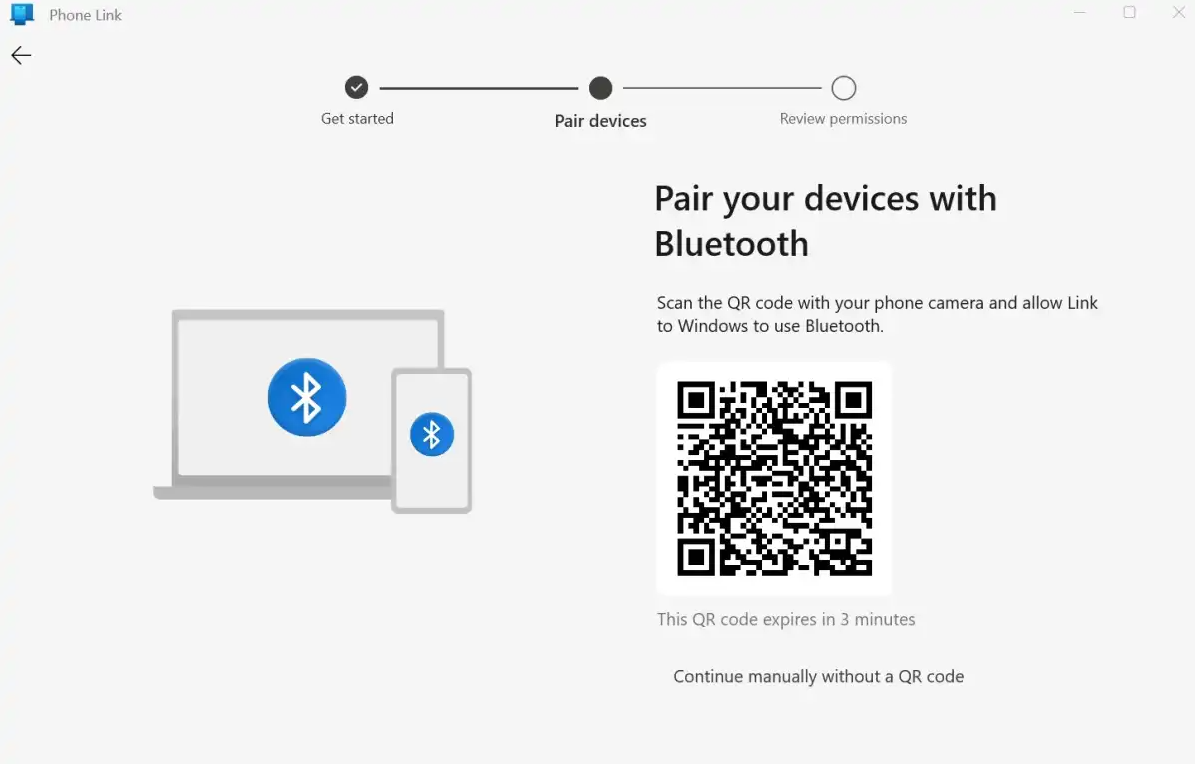
- Step 1.Pair Windows and iPhone Wirelessly
- Open the Phone Link app on your PC.
- Download "Link to Windows" on your iPhone.
- Pair your iPhone and Windows PC by scanning the QR code.
- Step 2.Sync Messages and Contacs
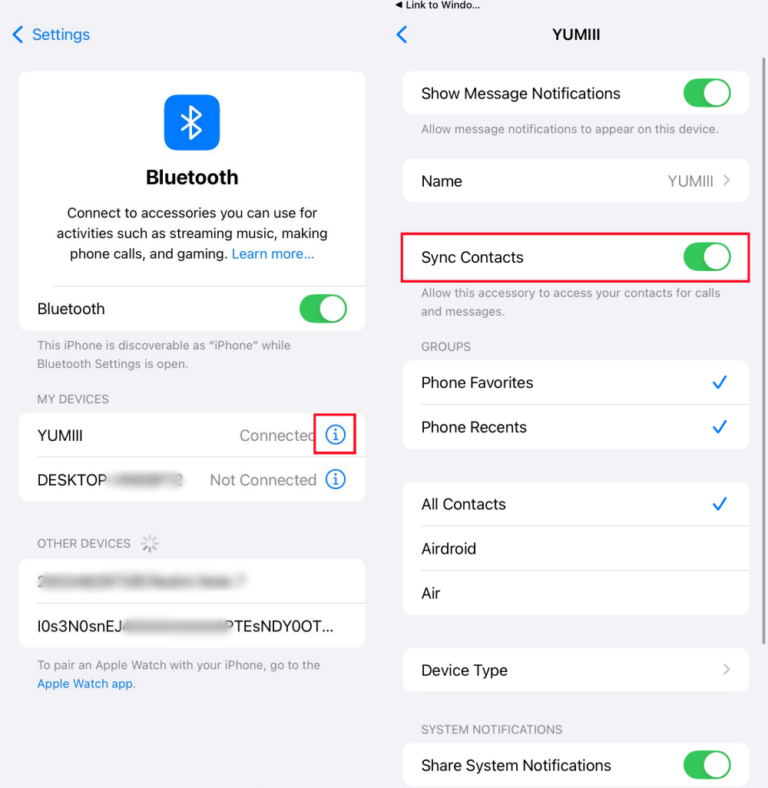
- Once done, open the iPhone "Settings" > "Bluetooth."
- Find your Windows name and tap the info icon.
- Turn on "Sync Contacts" so you can know who is sending messages to you when you're on PC.
- Step 3.View iCloud Messages on PC
- Now, click on the "Messages" tab and you can access messages from your iPhone. Surely, you can reply to them on your PC with Phone Link directly.
FAQs about iCloud Messages
Other possible reasons include limited iCloud storage space or a poor internet connection, which may prevent proper syncing.
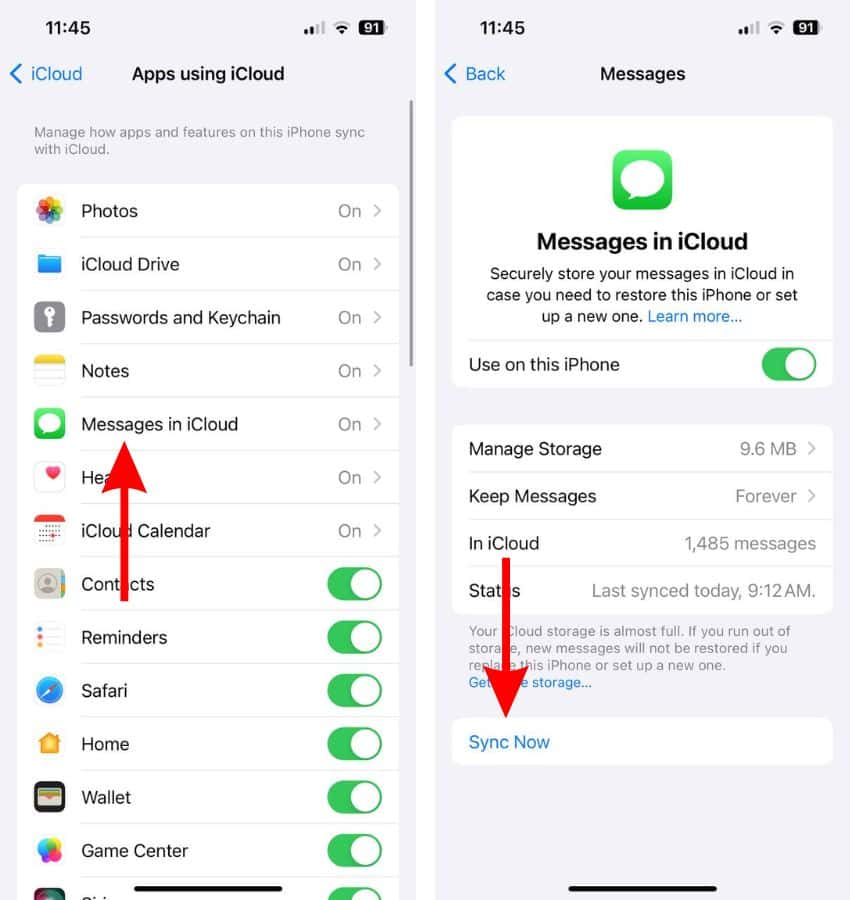
- Step 1.On your iPhone, go to Settings > your Apple ID > iCloud.
- Step 2.Select "Messages" and see the last backup time to check if it contains the message you need to retrieve.
- Step 3.If yes, go to "Erase All Content and Settings" in your iPhone Settings.
- Step 4.Then, set up your iPhone and select "Restore from iCloud Backup."
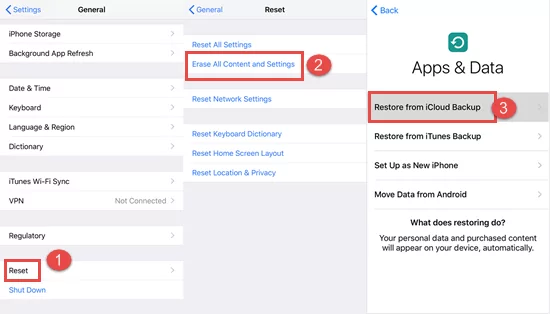
Note: This will replace the current data on your device with the data from the backup, which may result in some data loss. So, please go to find deleted iPhone messages in the "Recently Deleted" section first.
Conclusion
Now that we've shared practical ways to view iCloud messages from Mac and PC, why not pick your device and put the tips we've shared to the test? However, before you begin, make sure you have the following in place:
- Messages in iCloud is enabled on your devices
- A strong and stable internet connection
- Sufficient iCloud storage space
- Your Mac is signed in with the same Apple ID or your PC is connected to your iPhone
Taking these steps will make the entire process more seamless and hassle-free than you might expect.










Leave a Reply.