AirDroid Parental Control Adds Call and Text Monitoring to iOS
AirDroid Parental Control has expanded its iOS features with call and text monitoring for children's iPhones. The update helps parents review call records involving numbers they choose to monitor and find SMS and iMessage conversations containing keywords they have set.
A recurring call from a particular number or a concerning phrase in a message may give a parent reason to check in. Understanding what happened requires context: when a call took place, whether contact was repeated, and how a flagged word was used in a conversation. The new features bring these details together in the parental app, helping families identify activity that may deserve attention.
Review Calls Involving Selected Numbers
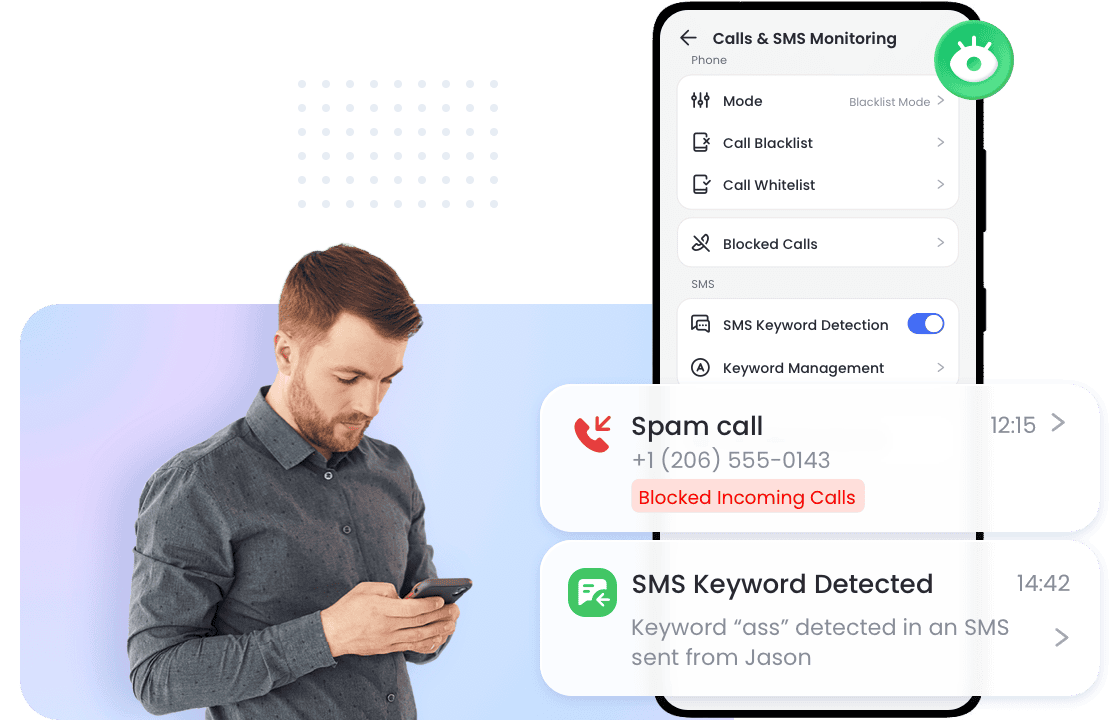
Parents can add specific phone numbers to a monitored list and review call records involving those numbers.
A detail page for each number brings together available contact information and related call records. Parents can see whether a call was incoming or outgoing, when it took place, and how long it lasted. Records are grouped by date, making it easier to review patterns of repeated contact. Parents can also add notes to help identify a number.
On iOS, this number list is used for call detection and review. It does not block calls or provide whitelist controls.
Find Keyword Matches in SMS and iMessage
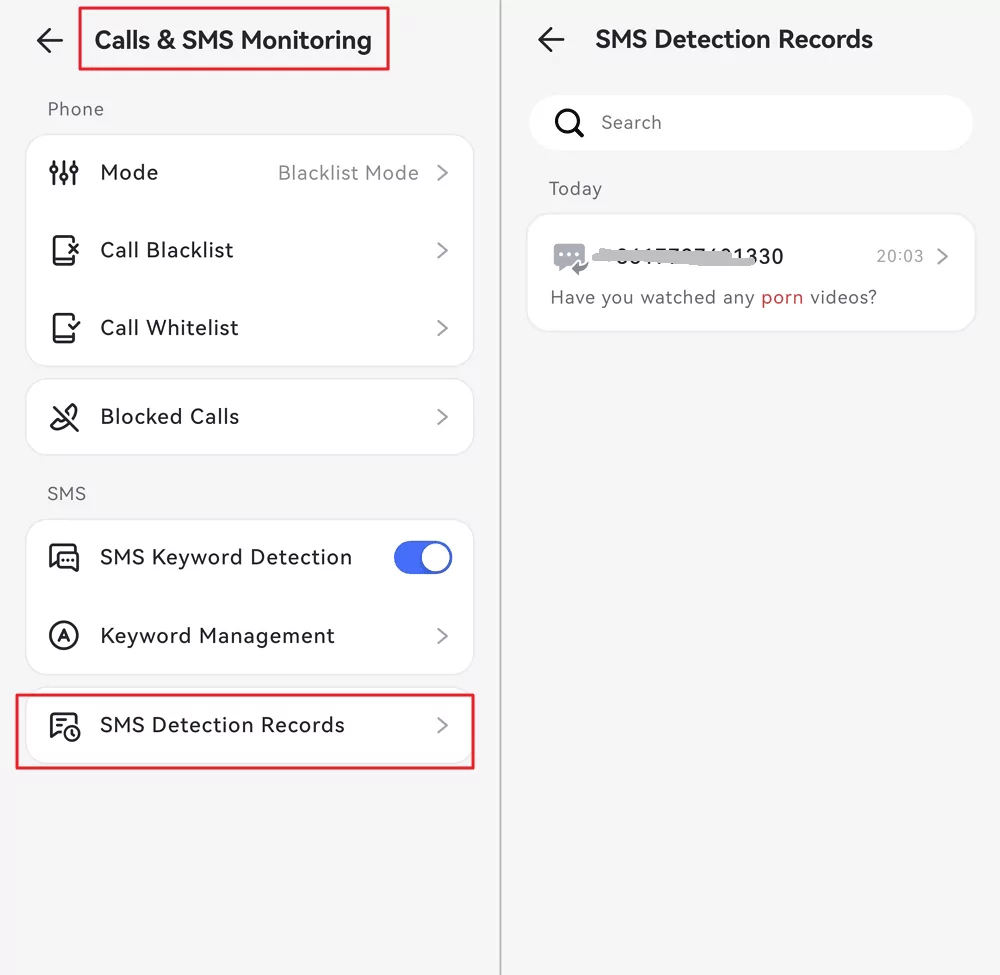
Text monitoring covers both SMS and iMessage. Parents can add and manage custom keywords based on topics relevant to their family and review conversations in which those terms are detected.
Results are grouped by conversation, with contact information, a preview of the latest message, and highlighted keyword matches. Opening a conversation displays the synchronized message history with that contact, with sent and received messages clearly distinguished. Parents can also search message content to find specific terms.
That context matters. A word used in a joke, a disagreement, or a request for help can have different meanings. Reviewing the surrounding exchange can help parents understand a keyword match before deciding how to respond.
Parents can enable or pause call detection and message detection separately, and adjust the numbers and keywords they monitor as their family's needs change.
Set Up with AirDroid Parental Connector
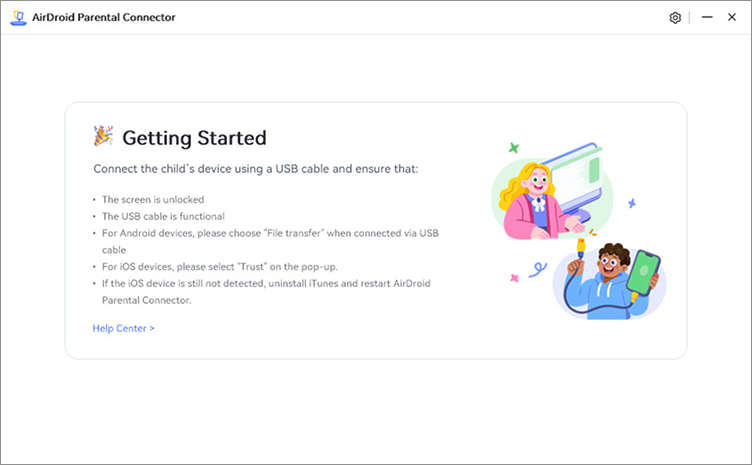
Call and text monitoring on iOS requires AirDroid Parental Connector, a separate application installed on a computer.
To get started, parents connect the child's iPhone, with AirDroid Kids installed, to the computer using a USB cable. They then follow the prompts in AirDroid Parental Connector to enable the feature and enter the pairing code displayed in the parental app.
After setup, call and message records are refreshed through synchronization. AirDroid Parental Connector must remain running, and the computer and the child's iPhone must be connected to the same network for updates. Parents can schedule automatic updates in Connector or start an update manually.
During an update, the iPhone may prompt parents to authorize a backup and enter the device passcode. The records available for review depend on synchronization completing successfully under these conditions. This is a synchronization-based feature rather than a real-time view of calls and messages.
Availability
Call and text monitoring for iOS is available to users outside mainland China with an active AirDroid Parental Control subscription or trial.
The update builds on AirDroid Parental Control's earlier addition of YouTube detection for iOS, further expanding its iPhone features. Parents can start setup from the parental app and follow the instructions in AirDroid Parental Connector.
About AirDroid Parental Control
Developed by Sand Studio, AirDroid Parental Control is a family digital-safety solution designed to help parents support children's online and offline safety while guiding them toward healthier digital habits. The platform offers tools for screen-time and app management, content monitoring, activity reports, location tracking, and family-safety alerts. Feature availability varies by the child's device and operating system.
Connect with AirDroid












Leave a Reply.