AirDroid Parental Control
24/7 Kids' Guardian via App & Web
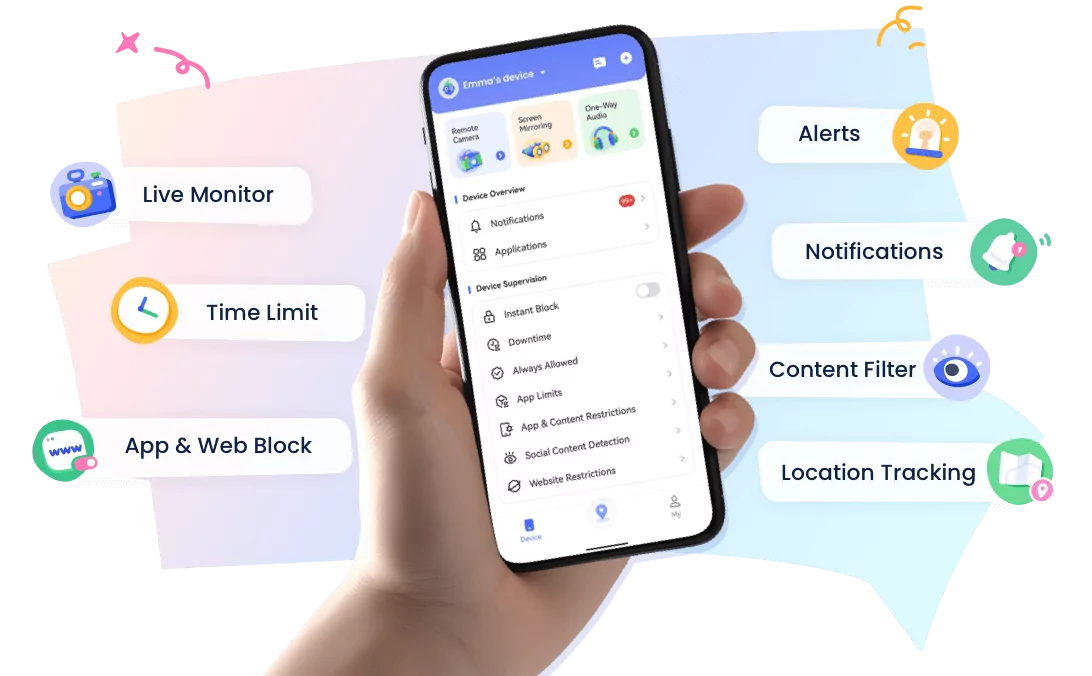
- 👀Live surroundings and location tracking
- 🔞Content Monitoring and App/Web Blocking
- ⚠Instant alerts for online risks and geofences
- ⌛Screen time control and monitor
Complete Guide for Child Phone Monitoring [iPhone & Android]
In today's digital world, smartphones have become an important part of children's daily lives. While technology helps kids learn, communicate, and explore new interests, parents also need to guide them away from inappropriate content and unhealthy digital habits.
A balanced child phone monitoring approach is not about invading children's privacy, but about creating a safer digital environment through guidance, communication, and responsible technology use.
This article provides a complete child phone monitoring guide, including how parents can choose the right tools, manage screen time, protect children online, and support healthy digital habits.
1. AirDroid Parental Control – Best Cross-Platform Child Phone Monitoring Solution
AirDroid Parental Control is developed by Singapore-based technology company SandStudio.
It is designed to help families create healthier digital habits by giving parents better visibility and guidance over their children's online activities.
As a cross-platform parental control app, AirDroid Parental Control supports both Android and iOS devices, making it suitable for families using different phone systems.
Rather than keeping tabs on kids, AirDroid helps parents understand online behaviors, cultivate healthy screen habits, and act as a proactive safety net.
Main Features of AirDroid Parental Control:
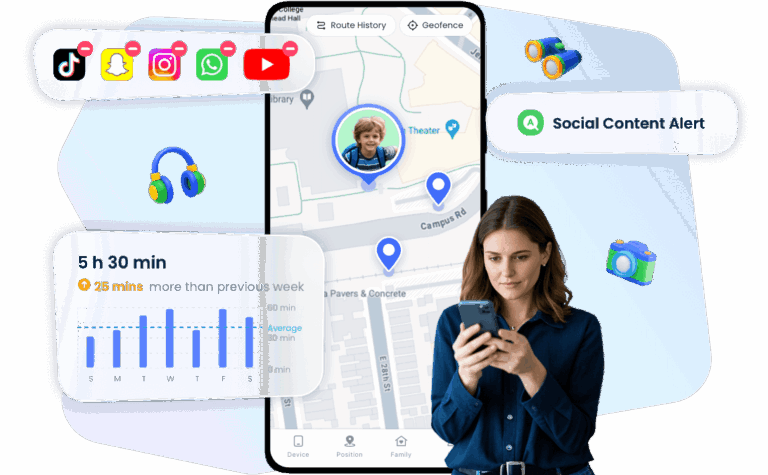
- Digital Well-being:
Understand their app habits and browsing activities to help them build positive online routines. - Smart Web Shield:
Keep browsing safe by filtering inappropriate content and addressing online risks early. - AI Chat Safeguards:
Receive alerts if your child encounters concerning or risky conversations in AI chats. - Peace of Mind Places:
Easily check their location and set up safe zones so you always know they're secure. - Unified Family Care:
Keep your whole family connected and protected across both Android and iOS devices.
For step-by-step instructions, check out our AirDroid Parental Control setup guide.
2. Qustodio – Best for Families with Multiple Kids
With Qustodio, you can check your child's online activities, set screen time limits, and block harmful websites, track real-time locations.
This app works on Android, iOS, Windows, Mac, and Chromebook. It's feature-rich, easy to use, and trusted by families worldwide.
Main Features of Qustodio
- Screen Time Management: flexible routine time management.
- App Control: Allow or block specific apps (like TikTok, YouTube, etc.).
- Website Filtering & Blocking: Automatically block harmful sites or add your own block list.
- Multi-Device Support: Monitor multiple kids' devices at the same time.
Drawbacks of Qustodio:
- Limited social monitoring features: Only supports 4 social media monitoring on Android. (Instagram, Snapchat, Tiktok, X)
- Higher cost: Only the annual subscriptions are available, which may be expensive for some families.
- Possible delays in app control: On Android, app blocking and time limits may take a few minutes to apply.
3. FamiSafe – Powerful GPS Tracking for Kids' Safety
FamiSafe is a parental control and child monitoring app by Wondershare, known for its online safety features and smart GPS tracking. Parents can limit child's screen time, filter web content, and check child's real-time location,.
It works on iOS, Android, Windows, and macOS, offering a friendly interface and flexible settings.
Main Features of FamiSafe:
- Real-Time Location Tracking & Geofencing: See your child's live location and set safe zones with alerts.
- Screen Time Control: Set daily limits or schedule internet access times.
- Web Filtering: Automatically block harmful sites to protect your child's online safety.
- YouTube Content Monitoring: Check what videos your child has watched and their search history.
- Driving Behavior Tracking: See if your teen drives too fast, brakes hard, or shows other risky driving habits (ideal for families with teens driver).
Drawbacks of FamiSafe:
- Possible delays in updates: Location tracking or app blocking may take a few minutes to apply.
- Limited social media monitoring on iOS: Due to iOS system restrictions, monitoring is less detailed compared to Android.
Cross-Platform Parental Control: Managing Your Child's iPhone from Android
Many families use different phone systems. A parent may use an Android phone while their child uses an iPhone, which can make traditional parental control options more complicated.
Apple's built-in parental control features work best within the Apple ecosystem. For families with Android parents and iPhone children, a cross-platform parental control app provides a more flexible way to support children's digital safety.
AirDroid Parental Control helps bridge the gap between Android and iOS devices. Parents can use an Android phone to guide their child's iPhone usage, manage screen time, understand digital habits, and receive safety alerts when necessary.
The goal is not to control every action, but to help children develop healthier relationships with technology while giving parents peace of mind.
Conclusion
That's our complete guide to child phone monitoring! Based on different family needs, here are our recommendations:
- For complete monitoring: AirDroid Parental Control offers full device activity tracking and is the top choice for overall parental monitoring.
- For multi-device families: Qustodio supports cross-platform monitoring, making it great for managing multiple kids' devices.
- For precise location tracking: FamiSafe's advanced GPS features make it perfect for families with teens who drive or travel alone.
Parents should choose the right tool based on their needs, and most importantly, keep open communication with their children to build healthy digital habits together.










Leave a Reply.