Is GoodShort Safe for Kids? What Should Know Before Saying Yes
GoodShort can look like an easy way for a child to relax. The episodes are short, the stories move quickly, and the app often gives viewers a free place to begin.
But many parents know how quickly “just one episode” can become a much longer session. A cliffhanger appears, the next episode is locked, an advertisement offers a few coins, and a reminder later brings the child back.
So, Is GoodShort Safe for Kids?
Our answer is no—not as a default app for children. GoodShort may be acceptable for some older teenagers when a parent has reviewed the content and set clear limits. For younger children, however, the combination of unclear age guidance, mature story themes, repeated payment prompts, advertisements, rewards, and reminders creates too many risks to leave unmanaged.
Why Do Kids Like GoodShort So Much?
GoodShort offers short episodes, romance, fantasy, suspense, and web-novel adaptations. Its Google Play description highlights AI recommendations, daily updates, and “binge-worthy” stories. The app is built to help viewers move quickly from one episode to the next.
That does not make GoodShort automatically bad. Many children enjoy dramatic stories because they are a quick way to relax after school.
The difficulty is that a child may not have enough experience to judge what they are watching. A story that looks like a simple romance can include sexual themes, manipulation, violence, or unhealthy relationships. And because episodes are so short, children may keep watching long after they planned to stop.
The Age Rating is Already Telling Parents to Be Careful
Apple rates GoodShort 13+ and lists mature or suggestive themes, advertising, and in-app purchases. Google Play labels it Teen and says that its content may require discretion.
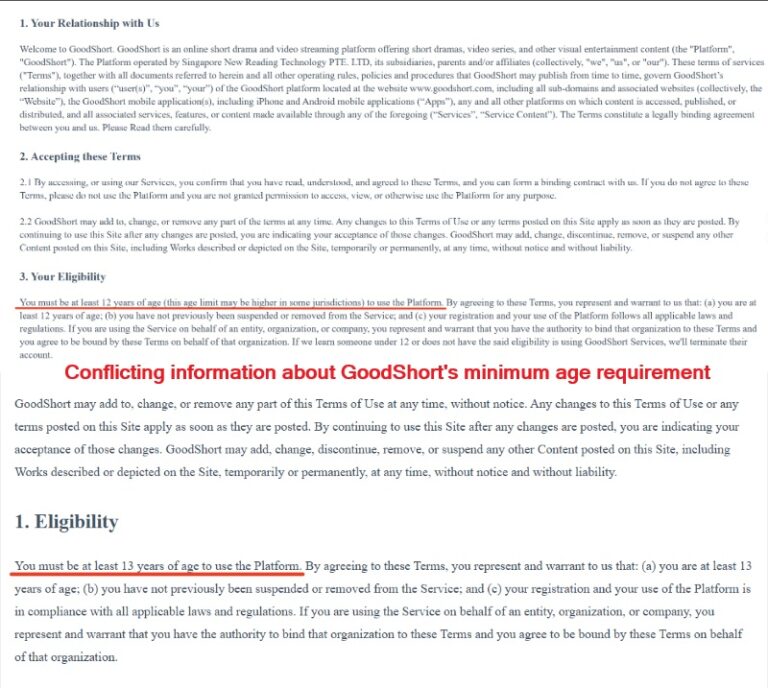
GoodShort’s own rules also deserve attention. Its official policies provide conflicting information about its minimum age requirement. One version of its Terms of Use sets the minimum age at 12, while another raises it to 13. Its Privacy Policy adds that users aged 12–18 need parental or guardian consent and supervision to use the service.
So if your child is younger than 13, the answer is fairly simple: GoodShort is not a good fit.
For teenagers, the question becomes more personal. Can your child stop watching when asked? Can they tell you when a scene makes them uncomfortable? Can they avoid clicking on paid content? Those answers matter more than the age number alone.
GoodShort Contains Emotionally Intense and Potentially Mature Themes
GoodShort’s stories are built for strong emotional reactions. The themes are not automatically harmful, but some may require more maturity than a child has developed.
| Theme | Why a parent may want to preview it |
|---|---|
| Billionaire romance or contract marriage | May present unequal power, control, or financial dependence as romantic |
| Affairs and toxic relationships | May include sexual themes, betrayal, or unhealthy relationship patterns |
| Revenge and humiliation | May make retaliation seem like the best way to solve conflict |
| Crime and family conflict | May include threats, violence, or distressing situations |
A 2025–2026 Ofcom Children’s Online Insight Panel report recorded a 17-year-old who encountered GoodShort advertising while already seeing unwanted sexualised content on social media. The report describes GoodShort as an app with many short soap-like dramas containing sexual themes.
This does not mean that every GoodShort show is inappropriate. It does mean that a child may come across mature material or advertising before they are ready for it.
Short Episodes Can Still Take Up A Lot Of Time
Many parents know this scene well: your child says, “Just one more episode,” and suddenly it is bedtime.
GoodShort’s short-episode format makes stopping difficult. The stories are full of unfinished conflicts, unexpected twists, and recommendations for the next episode. The app describes its content as “binge-worthy,” so it is understandable that children may lose track of time.
Over time, this can affect:
- Sleep and morning routines
- Homework and concentration
- Family meals
- Outdoor play and hobbies
- Mood when screen time ends
This is not about blaming a child for having trouble stopping. The app is designed to keep attention. Children need adults to provide the stopping point while they are still learning self-control.
There Is also A Real Spending Risk
GoodShort uses coins and VIP subscriptions to unlock episodes. It includes weekly VIP plans and coin purchases, with some weekly options priced as high as $19.99. The subscriptions renew automatically unless they are cancelled at least 24 hours before the current period ends.
There is another detail parents should know: GoodShort’s Terms of Use state that all fees are non-refundable. In other words, if your child accidentally buys coins or unlocks episodes, getting the money back may not be straightforward.

To a child, coins may feel like points in a game. They may not fully understand that each tap can charge a real payment method.
Free Coins and Advertisements Still Use a Child’s Attention
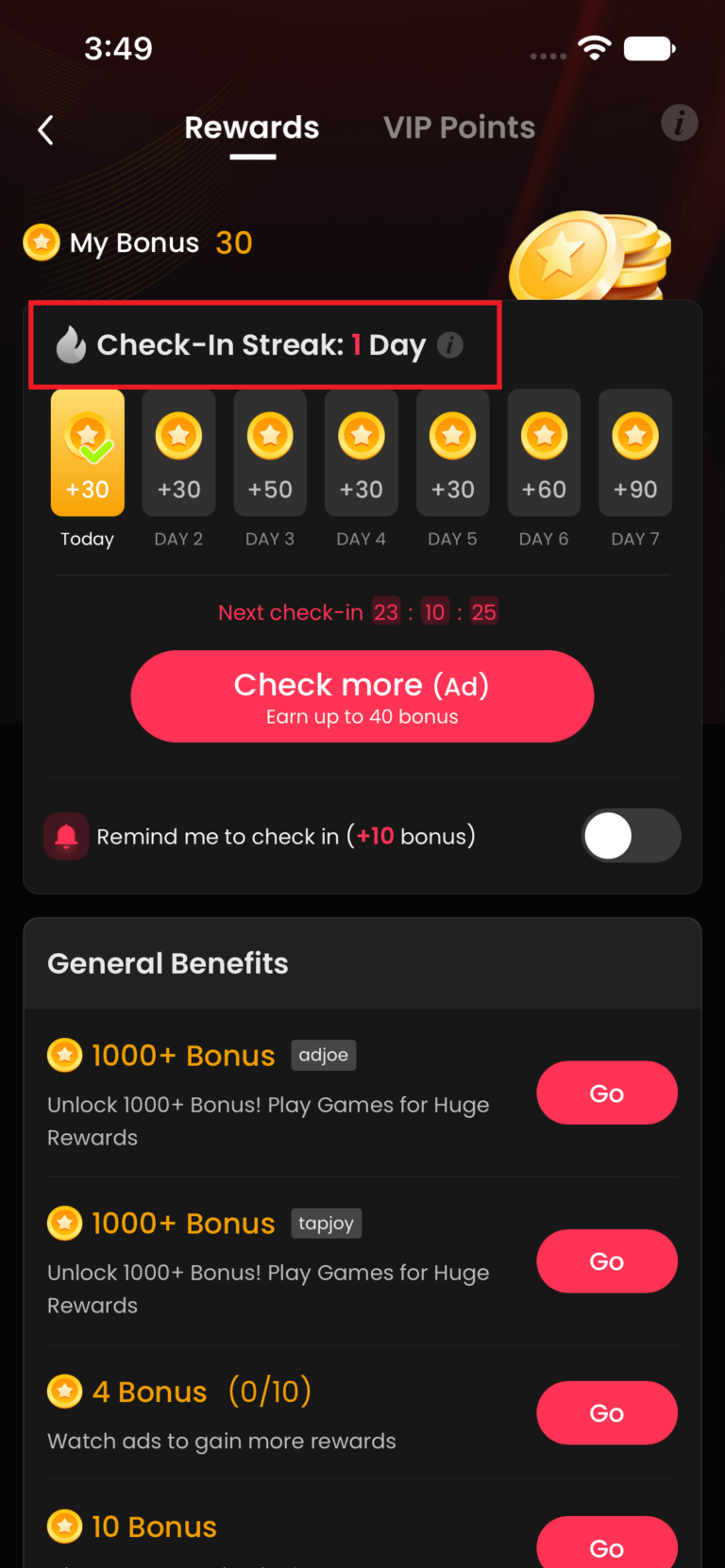
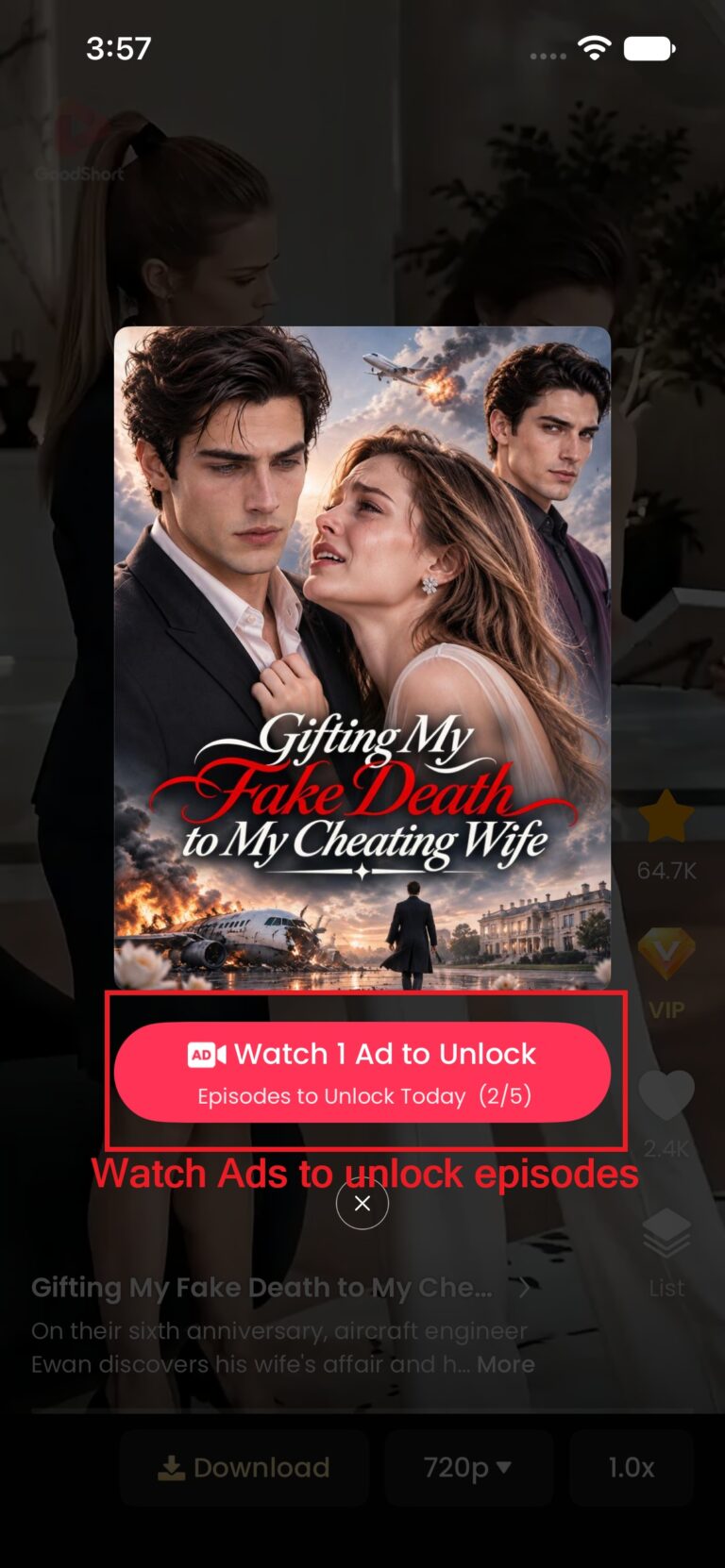
GoodShort may offer coins through advertisements, daily check-ins, or other reward activities.
For a child, the word “free” can make the activity feel harmless. But the reward system still encourages the child to stay inside the app. The cost is not always money. It can also be time, attention, and repeated exposure to advertising.
A Practical Way to Protect Your Child From GoodShort
If you decide to let an older teen try GoodShort, start slowly.
Preview it first
Install it on your own device or use a parent-controlled account. Browse the recommendations, thumbnails, advertisements, and first episodes. Look for suggestive themes, violent behavior, frightening scenes, and aggressive prompts to buy coins.
You do not need to watch every show. You just need to understand the kind of environment your child is entering.
Set limits before the first episode
With AirDroid Parental Control, parents can set a daily limit for GoodShort, create downtime during homework or bedtime, and use Instant Block when the phone needs to be put away.


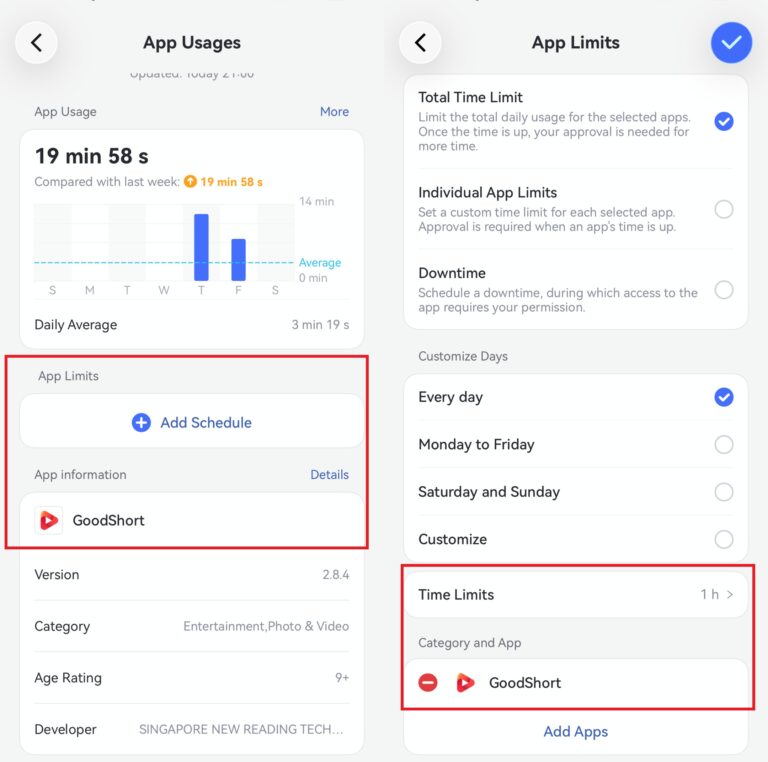
- 25 minutes on school days
- 45 minutes on weekends
- No entertainment apps during homework
- No GoodShort after 9 p.m.
- Instant Block during meals or family time
These rules are easier for children to accept when they are agreed in advance, rather than introduced suddenly after an argument.
Watch the app and browser access
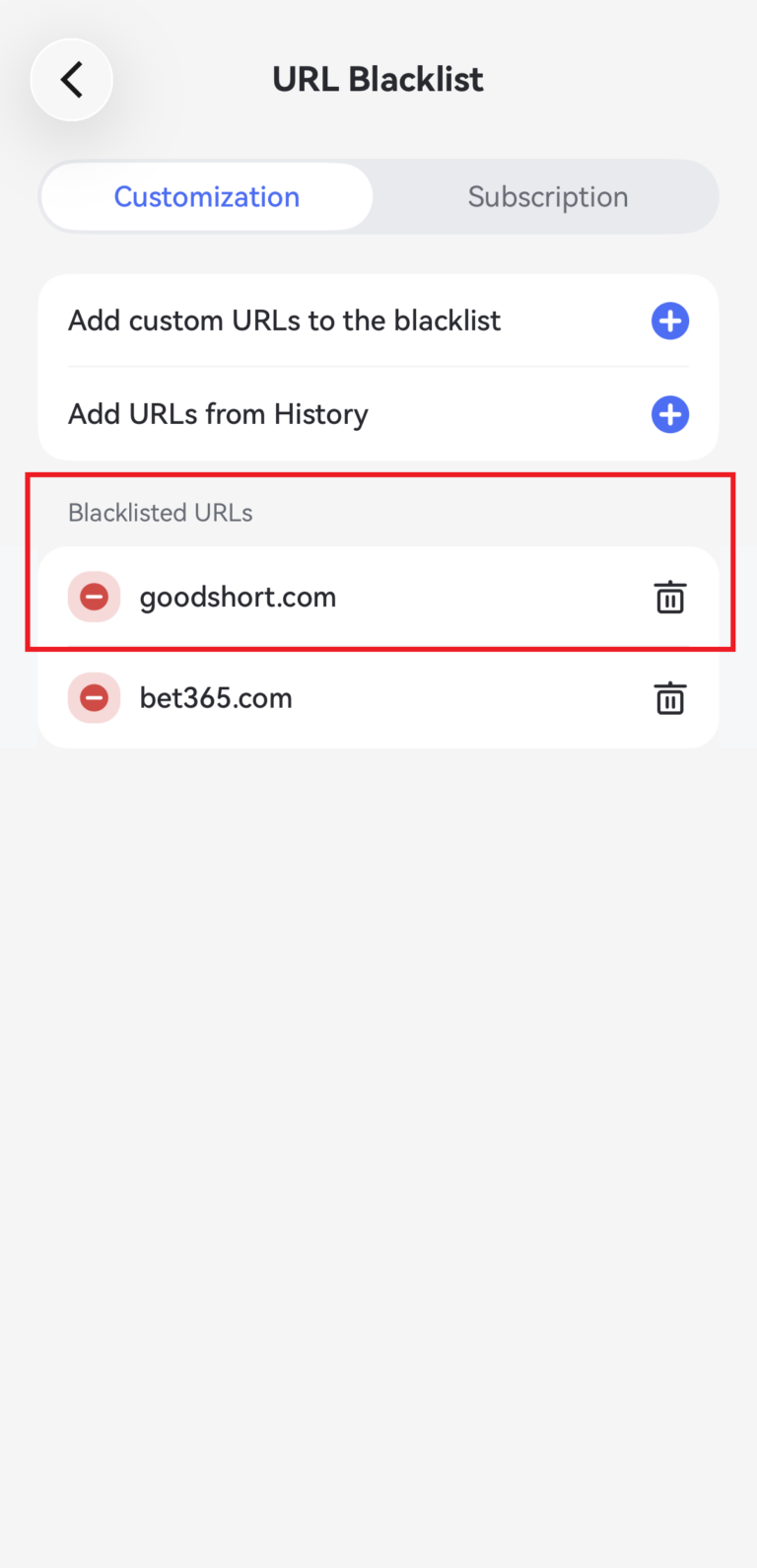
A child may use the GoodShort app or visit the website through a browser. AirDroid supports app limits, app blocking, website blacklists or whitelists, and browsing-history review. Parents can add GoodShort’s website to a blacklist if browser access is not part of the family agreement.
FAQs About GoodShort and Kids









Leave a Reply.