AirDroid Location Tracker
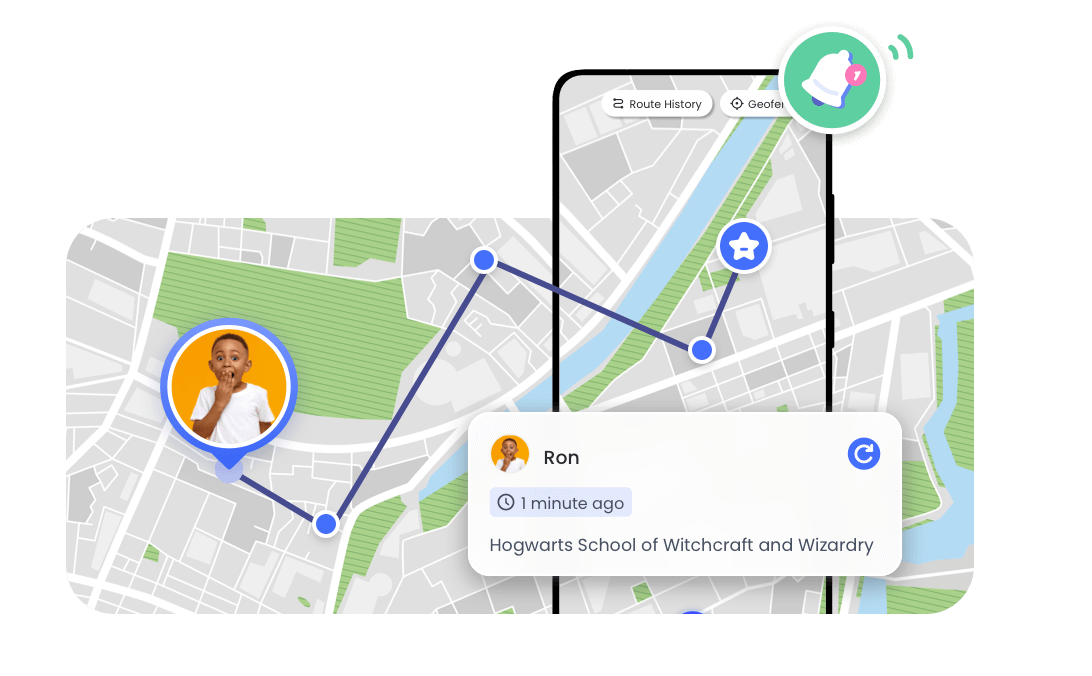
Tracks your child's real-time location, even when Find My fails.
Why Can't I See My Child's Location on iPhone? How to Fix?
Can't see your child's location on iPhone? You're not alone. Many parents rely on Apple's Find My app for safety, but location sharing can sometimes stop working because of settings, connectivity issues, or iOS problems.
This guide explains why you can't see your child's location on iPhone and walks you through proven fixes to restore location sharing.
How to Fix "Can't See My Child's Location on iPhone"
This issue is usually caused by location sharing settings, iPhone permissions, account problems, or temporary software issues. Try the fixes below to restore your child's location.
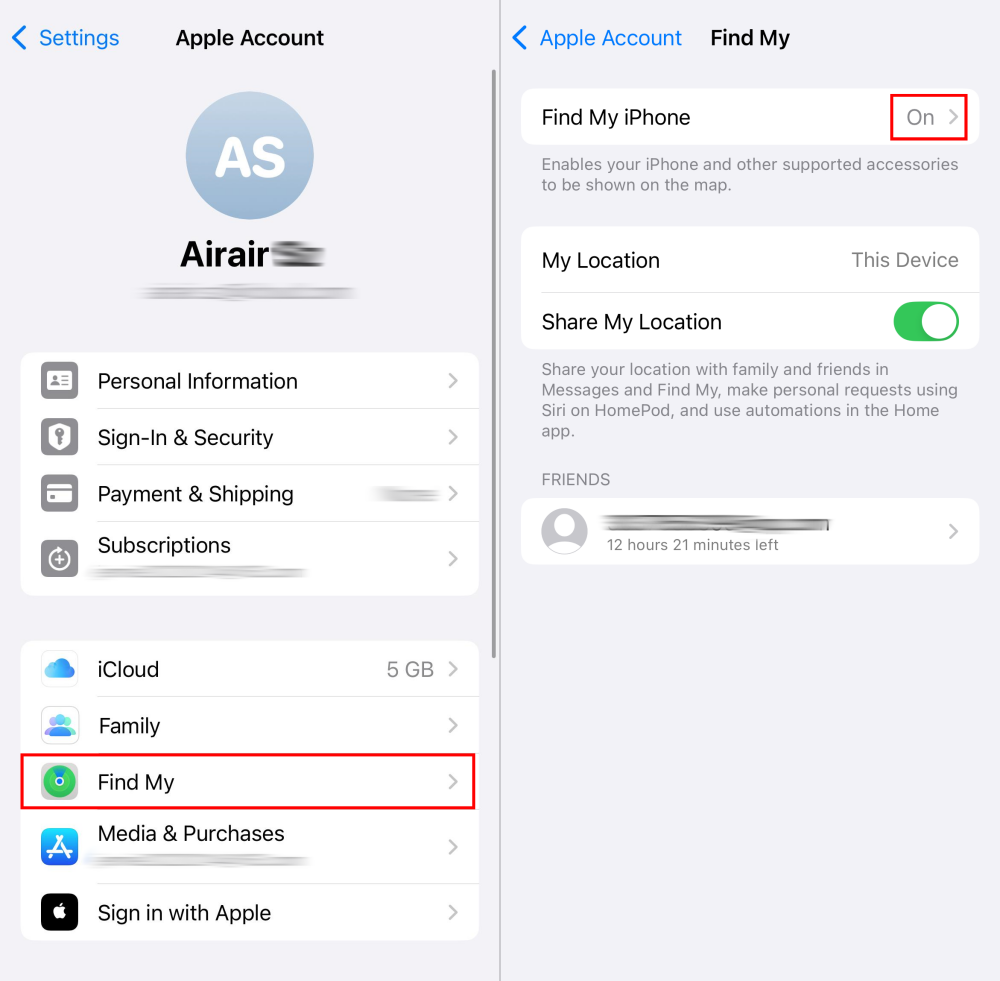
1Check if Share My Location is enabled
Follow the steps below to re-enable location sharing in your child's iPhone:
- 1:On your child's phone, Press "Settings" > "Apple Account" > "Find My".
- 2:Then make sure "Find My iphone" toggle is on, and turn on "Share My Location".
2Make Sure Location Services Are Turned On
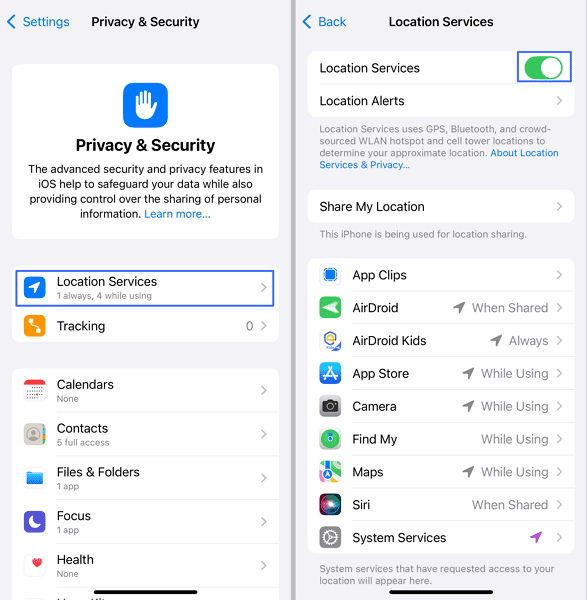
Check if you accidentally disabled location services on child's device.
Follow the steps below:
- 1.Go to "Settings" on your child's phone.
- 2.Scroll down and select "Privacy & Security."
- 3.Tap on "Location Services" and turn on its toggle.
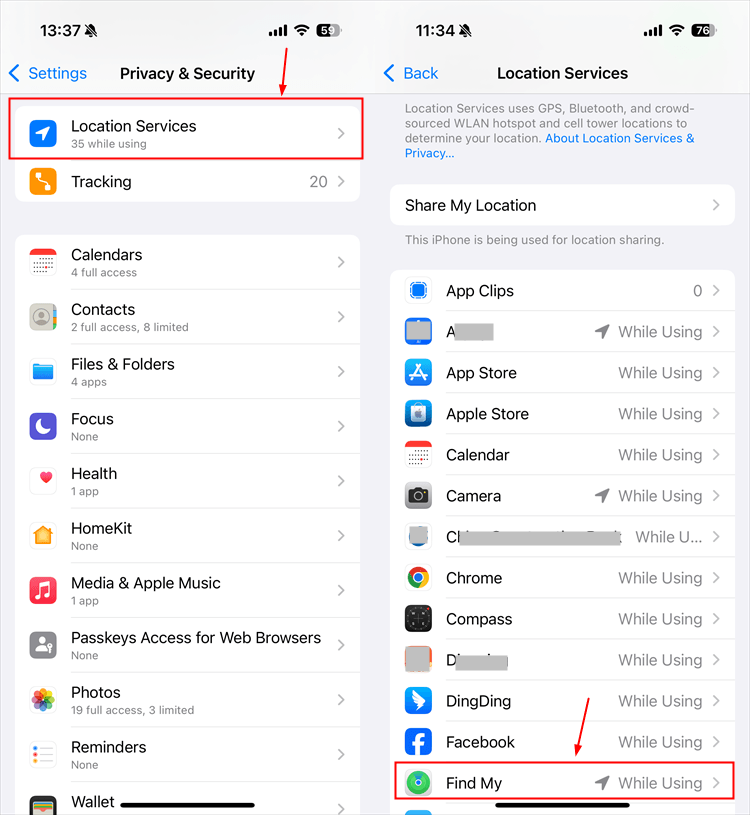
3Enable Location Access for Find My
Even if Location Services are enabled, Find My still needs permission to access your location. Check that Find My is allowed to use location data.
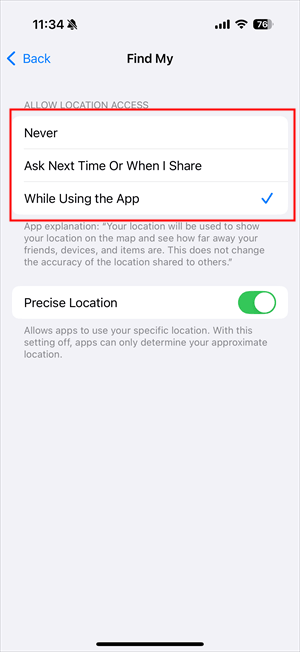
- 1.Tap "Settings" > "Privacy & Security" > "Location Services" > "Find My."
- 2.Select "While using the app."
4Fix "No Location Found" in Find My: Update or Reset Your iPhone
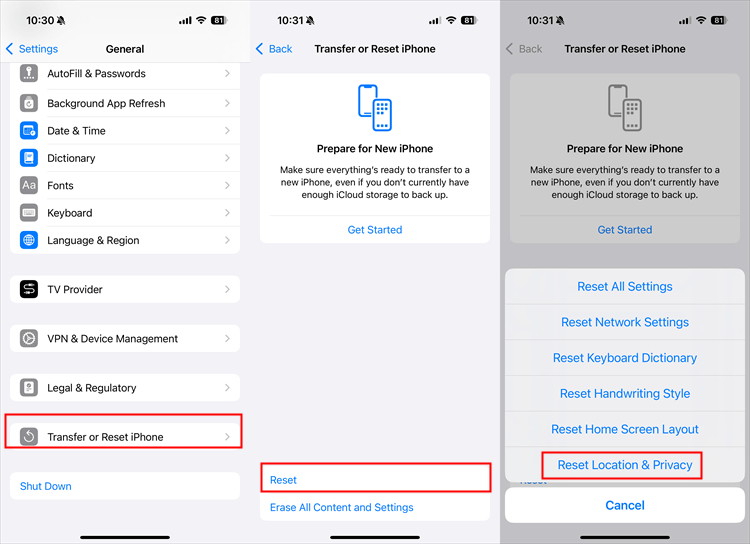
If Find My displays "No Location Found," reset your location and privacy settings on both devices:
- 1.Go to "Settings" > "General" > "Transfer or Reset iPhone" > "Reset".
- 2.Tap "Reset Location & Privacy."
- 3.Open Find My again and allow the prompts to share your location.
5Review Your Family Sharing Settings
Family Sharing settings can also affect whether you can see your child's location on iPhone. If your child is not added to your Family Sharing group or location sharing permissions are turned off, their location may not appear in Find My.
- 1.To check Family Sharing, go to "Settings" > "Your Apple Account" > "Family Sharing"[or "Family"] and make sure your child is listed.
- 2.Then open "Find My" app on your device > "People" and confirm that location sharing is enabled.
6Other Reasons You May Not See Your Child's Location on iPhone
Besides location settings and sharing issues, some other factors can prevent you from seeing your child's location on iPhone. Check these less common causes:
- Check Your Apple Account and iCloud Status
- Your child's iPhone is turned off or has no battery
- The phone has no internet connection
- Location sharing was disabled
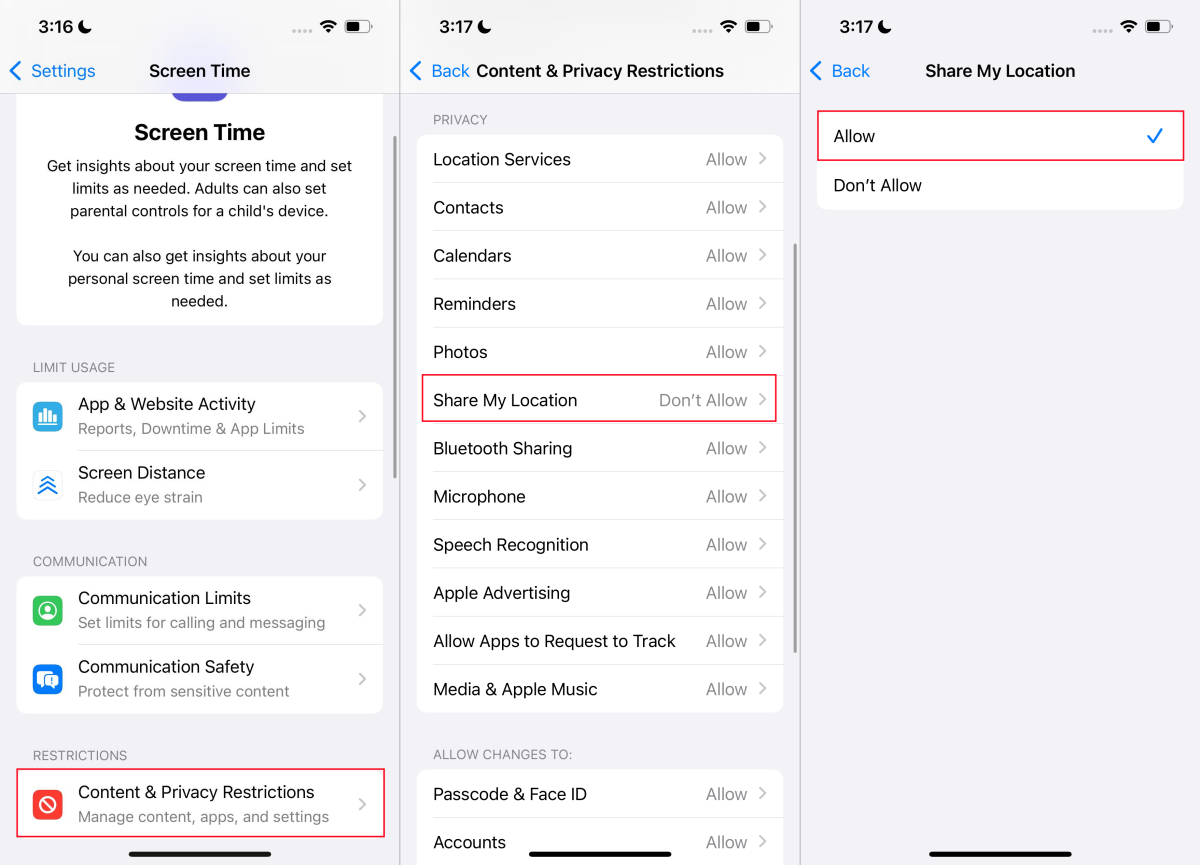
- Screen Time restrictions block location changes
- Your child is using an outdated iOS version
To fix Screen Time Restrictions: On your child phone, go to "Settings > Screen Time" > "Content & Privacy Restrictions" > "Share My Location" > "Allow."
7Contact Apple Support
If you still can't see your child's location after trying all the fixes above, there may be an issue with the iPhone itself. Contact Apple Support or visit an authorized service provider for further help.
If your device is still under warranty, use official Apple repair channels to avoid potential service issues.
Why Find My May Not Be Enough for Parents
Apple's Find My works well for basic location sharing, but it depends on several factors, including location permissions, Apple Account settings, internet connection, and whether your child keeps sharing enabled.
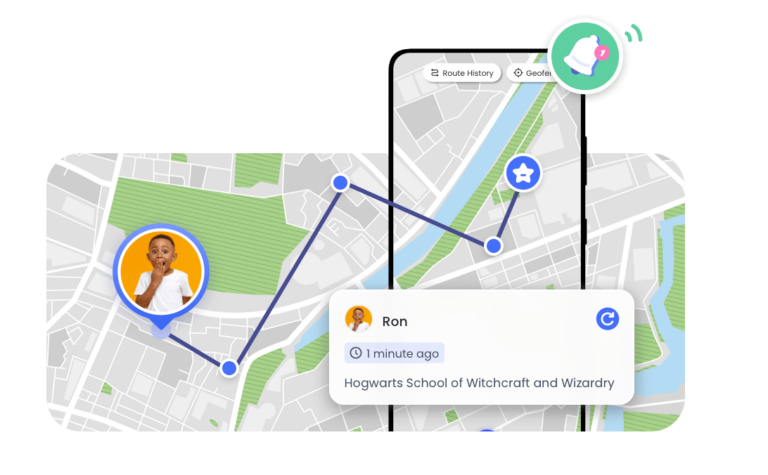
For parents, location sharing is only one part of keeping children safe. A parental control app can provide extra features such as location history, geofencing alerts, and safety notifications.
How AirDroid Family Tracker Helps?
- Provides real-time location.
- Keeps 30 days of location history.
- Notifies when your child leaves or enters certain places.
- View driving details and daily or weekly summaries.
- Helps prevent accidental removal of the app.
- Receive alerts when your child's device becomes offline.


Talk about location sharing with your child
You can also talk to your child openly about location sharing. Let them know its benefits and your concerns.
And most importantly, tell them you're only using it for safety purposes and not to control their life. That way, your child will cooperate with you and not look for every way to bypass it.
FAQs about Tracking Child's iPhone










Leave a Reply.