
- Enroll and configure company-owned Android and Windows devices from one console.
- Distribute work apps and updates across device groups and locations.
- Monitor device status and troubleshoot supported Android devices remotely.
- Use policy and kiosk controls to keep shared and task-specific devices focused on approved apps.
Frontline Device Management Guide for Frontline Workers
Frontline work depends on devices that have to stay operational throughout the shift. When a warehouse scanner cannot load the picking app, operations slow down. When a kiosk leaves its approved app, it may stop serving customers.
Managing these devices becomes harder at scale. Microsoft's 2022 Work Trend Index estimated about two billion frontline workers, roughly 80% of the global workforce. Their devices are often shared, built for specific tasks, exposed to physical wear, and used far from IT. This combination makes site-by-site support difficult.
However, frontline device management gives IT a centralized way to deploy, configure, secure, monitor, and support phones, tablets, rugged handhelds, scanners, point-of-sale terminals, and kiosks. It combines mobile device management with the operating processes that keep each endpoint ready for its job.
This guide covers the deployment models, lifecycle practices, security controls, industry use cases, and evaluation criteria behind that approach.
1What Frontline Device Management Covers
Frontline device management gives IT one control point for devices used away from a desk. It covers enrollment, policy configuration, app delivery, device health, location where appropriate, remote troubleshooting, and retirement. It can keep the work process available without requiring IT to handle every endpoint in person.
Three related disciplines solve different problems. Workforce management software handles scheduling, time tracking, and dispatch. Field service management coordinates jobs, technicians, inventory, and customer visits. MDM for field workers manages the device on which those workflows run.
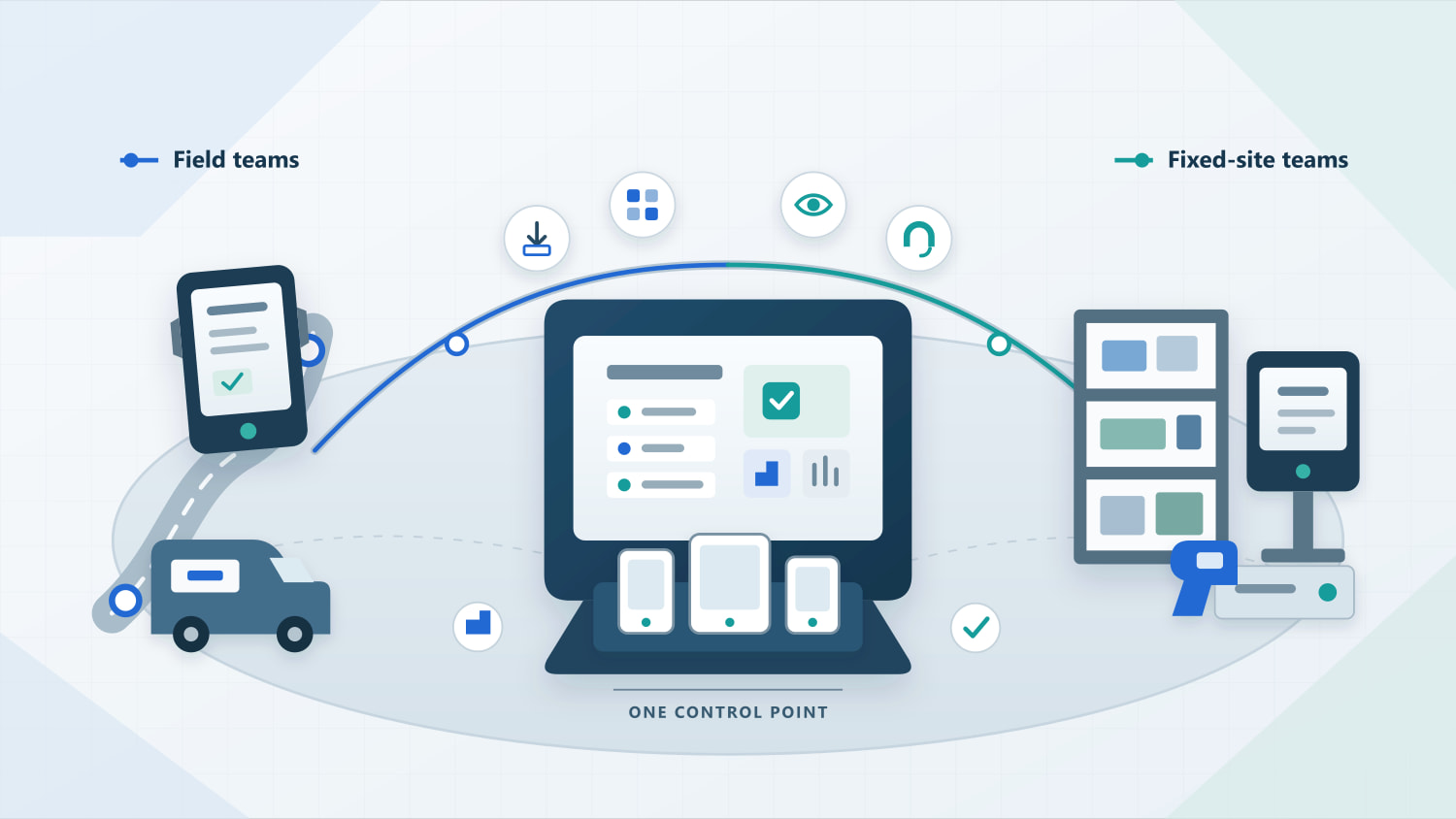
Field workers are one part of the frontline workforce. They travel between customer sites, routes, or facilities and often work with uneven connectivity. Fixed-site frontline employees work in stores, warehouses, factories, clinics, or service locations. Both groups need managed devices, although field teams place more weight on offline behavior, location policy, and remote support.
Why Frontline Devices Need a Different Operating Model
Frontline devices are tied directly to operational tasks. They may be shared by several employees, locked to one app, paired with a scanner, or left unattended. When one fails, the business impact can begin immediately. Frontline device management therefore has to protect device availability as carefully as it protects company data.
Operating condition | Office device | Frontline or field device | Management implication |
|---|---|---|---|
| User model | Usually assigned to one employee | May be shared by a shift or dedicated to one task | Reset sessions and data at handoff |
| Connectivity | Usually stable | May be weak, intermittent, or unavailable | Keep policies active offline and process queued actions after reconnect |
| Support access | Often near IT or a depot | May be in a vehicle, store, plant, or customer site | Diagnose and recover the device remotely |
| Hardware | Standard laptop or phone | Rugged handheld, scanner, POS terminal, tablet, or kiosk | Validate OEM settings and peripheral support |
| Failure impact | Delays an individual task | Can stop picking, payment, routing, check-in, or production | Monitor health and define recovery actions |
A useful business case starts with measurable operating outcomes:
- Device uptime and mean time to resolution
- Setup time per device and first-day readiness
- App deployment success and version compliance
- Support tickets and site visits per 100 devices
- Time required to locate, lock, or retire a lost device
These metrics tie the program to the work each device supports and help IT plan each device group.
2How to Plan a Frontline Device Deployment
A deployment plan connects operating requirements to ownership, enrollment, policies, and support. It begins with the way each device will be used and follows it through reassignment or retirement.
1. Choose the Right Deployment Model
Choose a deployment model for each device group. A single company may use several models. Start with four decisions: who owns the device, whether it is shared, how much of the operating system the worker needs, and which hardware or peripherals the job requires. Those answers determine the enrollment method, policy set, sign-in flow, and support model.
Model | Best fit | Main management priority |
|---|---|---|
| Shared company-owned | Retail, healthcare, warehouse, and shift-based teams | Fast sign-in and sign-out, session cleanup, clear user accountability |
| Dedicated company-owned | Drivers, inspectors, technicians, and home-care staff | Standard configuration, remote support, location policy, lost-device response |
| Kiosk or task-specific | POS, check-in, signage, scanners, and unattended devices without individual sign-in | Single-app or multi-app lockdown, app recovery, health monitoring |
| Rugged or purpose-built | Warehouses, factories, construction, and field service | OEM controls, scanner and button settings, staged OS and app updates |
Microsoft's frontline device planning guidance also starts with ownership, assignment, and whether the device leaves the workplace. BYOD can suit limited access to schedules, communication, or HR tools when IT can separate work data, define privacy boundaries, and remove business data selectively. Devices that handle payments, regulated data, scanning, or core production workflows are usually easier to govern when the organization owns them.
For shared devices, test the entire handoff. A complete handoff clears the previous user's app sessions, downloaded files, and browser data. Microsoft's guidance also notes that kiosk deployments may lack user auditing and user-based controls such as multifactor authentication. Use kiosk mode for a dedicated task that does not require personal identity, or add a separate sign-in and audit mechanism.
The deployment model sets the starting configuration. The management plan must also cover what happens after the device enters service.
2. Manage the Full Device Lifecycle
Frontline device management covers the device from procurement through reassignment or disposal. NIST mobile device guidance treats deployment, use, and disposal as parts of the same security lifecycle. That principle is especially important for devices that rotate between users or rarely return to IT.
1. Inventory and segment
Record the operating system, ownership, user model, location, business app, peripherals, connectivity conditions, and operational importance of each device group. Set distinct baselines for a payment terminal and a supervisor's phone.
2. Select the enrollment path
Match zero-touch enrollment, QR code, token, deployment code, USB, or another supported method to the platform and rollout size. Count the manual steps per device, including any local work left for a technician.
3. Apply a secure baseline
Configure passcodes, encryption, app permissions, network settings, update rules, restrictions, and administrator access before the device enters service. Document exceptions by device group.
4. Deliver the work environment
Install required apps, certificates, files, Wi-Fi, and VPN settings. Test updates with a small group before a fleet-wide release, and schedule changes outside busy shifts.
5. Monitor and support
Track online status, battery, storage, data use, app health, and policy compliance. Every alert should lead to a defined action, such as notifying IT, restarting an app, or opening a support case. Remote device management for field workers should also show enough context to separate an app issue from a device or network fault.
6. Reassign or retire
Revoke access, remove business data, preserve required records, and prepare the device for another worker, repair, resale, or disposal. Verify the result instead of assuming a reset completed.
Once the deployment model and lifecycle are clear, IT can separate essential capabilities from features that add little value to the workflow.
3What Frontline Device Management Needs to Deliver
Mobile device management for frontline workers must keep devices ready for work at scale. That calls for consistent setup, controlled app access, early fault detection, remote recovery, and security suited to the way each device is used.
Capabilities to Prioritize
The right capabilities depend on the operating problem. Test each one on the hardware, network, and workflow you plan to deploy. Include the conditions that a standard console demo will miss: a warehouse dead zone, an overnight kiosk failure, or a scanner with an OEM-specific setting.
Operational need | MDM capability | What to verify |
|---|---|---|
| Prepare many devices | Automated or bulk enrollment and configuration templates | Setup time and manual steps per device |
| Keep devices on task | Policy controls, app allowlists, single-app or multi-app kiosk | Whether users can exit the approved experience |
| Maintain business apps | Private and public app deployment, staged updates, rollback | Install success on limited bandwidth and recovery from a bad release |
| Detect trouble early | Device health monitoring, alerts, reports, automated actions | Alert accuracy, ownership, and the action taken after detection |
| Support distant workers | Remote view, control, commands, logs, and file tools where permitted | Worker consent, audit logs, platform limits, and recovery time |
| Protect access and data | Role-based administration, encryption, lock, wipe, compliance policy | Lost-device response and limits on administrator privileges |
Two details often decide whether a field device management program works in daily operations. Policies already delivered to the device should remain active offline, and pending commands should process predictably when connectivity returns. Both behaviors vary by platform and product, so include them in the pilot.
Reliable operations also depend on security controls that match the device's user model and exposure.
Frontline Worker Device Security
Frontline worker device security starts with the way a device is used. A policy copied from office endpoints can miss the risks created by shared sessions, unattended devices, physical loss, untrusted networks, and broad remote-control privileges. Controls also need to avoid sign-in or update friction that workers will try to bypass.
Prioritize these controls:
- Remove or isolate user data when a shared device changes hands
- Block unapproved apps, websites, storage paths, and risky device settings
- Use encryption, trusted Wi-Fi, certificates, or VPN settings where the workflow requires them
- Flag rooted, outdated, or non-compliant devices and define the response
- Limit remote-control and administrative rights by role, with retained activity logs
- Maintain a tested lost-device process covering locate, lock, wipe, replacement, and incident review
The Verizon 2025 Mobile Security Index reports that mobile attacks are rising for a majority of organizations. MDM provides configuration and enforcement. A complete mobile security program may also need identity controls, network security, endpoint protection, worker training, and an incident response process.
Location tracking needs its own governance. Tell workers what is collected, why the business needs it, who can view it, and how long it is retained. HR, security, and legal teams should review the policy against local employment and privacy requirements before deployment.
The controls stay broadly consistent across a fleet, but their priority changes with the workflow and working environment.
4Field Device Management Use Cases by Industry
The same MDM feature can support different outcomes by industry. Judge kiosk mode, remote access, and other capabilities by how well they protect the workflow attached to the device.
Industry | Typical devices | Priority for management |
|---|---|---|
| Retail | POS terminals, shared tablets, handhelds | Shift handoff, app availability, payment-device controls |
| Logistics and transportation | Driver tablets, scanners, vehicle-mounted devices | Connectivity, location policy, remote diagnosis, replacement speed |
| Manufacturing and warehousing | Rugged tablets, barcode and RFID devices | Uptime, peripheral settings, controlled app and OS updates |
| Field service and construction | Phones, tablets, rugged handhelds | Offline readiness, remote troubleshooting, loss response |
| Healthcare and home care | Shared clinical devices, tablets | Access control, data separation, audit records |
| Unattended operations | Kiosks, lockers, digital signage | Lockdown, health alerts, app recovery, scheduled maintenance |
Note: For deeper planning, see AirDroid's resources for transportation and logistics device management, MDM in manufacturing, and kiosk device management. These operating differences should also determine how a solution is scored during a pilot.
5Choosing a Frontline Device Management Solution
A useful selection process turns the requirements above into a weighted scorecard and tests the shortlisted product under production-like conditions.
How to Evaluate Frontline Device Management Software
Evaluate software with a representative pilot using the device models, business apps, network conditions, and user handoffs found in production. Score the product against operational outcomes and platform coverage. Confirm which capabilities are included in the proposed plan; feature pages often combine functions that vary by operating system, device, or subscription.
A practical pilot should include these tasks:
1. Enroll a mixed batch of real device models and record setup time and manual steps.
2. Push, update, and roll back a work app over constrained bandwidth.
3. Take a device offline, reconnect it, and confirm policy and command behavior.
4. Diagnose a remote fault and measure time to recovery.
5. Run a lost-device drill from detection through lock or wipe.
6. Reassign a shared device and verify that no prior user data remains.
Score security and privacy, platform and OEM compatibility, enrollment, monitoring, app management, remote support, reporting, integrations, pricing, and vendor support. Weight them according to the fleet. Unattended kiosks need stronger monitoring and recovery. Mobile field teams usually place more weight on security, offline behavior, and remote support.
The scorecard shows which parts of a specific platform deserve the most attention.
How AirDroid Business Supports Frontline Device Operations
AirDroid Business is designed for company-owned devices distributed across worksites, vehicles, stores, and other remote locations. From one console, IT can manage Android and Windows endpoints, prepare devices for frontline use, maintain work apps, and respond when a device develops a fault. This leaves less routine device work for employees and local managers during a shift.
Frontline moment | What IT can do with AirDroid Business | Operational effect |
|---|---|---|
| A new device or replacement arrives | Choose an enrollment method suited to the hardware, then apply the required apps and configurations | The device reaches the worker ready for its assigned task |
| A work app needs an update | Test the release, deploy it to selected device groups, and track its progress | Problems can be contained before an update reaches the wider fleet |
| A device stops reporting or an app fails | Check its status and troubleshoot supported Android devices through a remote session | IT can investigate without waiting for the device to return |
| A device is shared or used for one task | Apply policy or kiosk controls to limit access to approved apps, websites, and settings | The device remains consistent between shifts and locations |
AirDroid's Transtira customer story shows how this model works in a mobile workforce. The transportation company supports Android devices used by more than 1,500 drivers. Its IT team can assist devices remotely, monitor mobile data use, and maintain apps by device group, type, or location.
The fit is clearest for distributed, company-owned fleets, especially those with shared, dedicated, or unattended Android devices. AirDroid Business also manages Windows endpoints, although remote access within AirDroid Business and Alerts & Workflows are Android-only. Availability varies by operating system, device, enrollment method, and plan. Teams that mainly provide one-to-one assistance to employee- or customer-owned devices can compare AirDroid Remote Support with the enrolled-device management model.
Final Words
You can tell whether a frontline device management program is working on an ordinary shift: the worker picks up a device and gets on with the job. Effective frontline device management keeps devices ready for daily work while giving IT the visibility and control to protect them and fix problems remotely.
As the fleet grows, management decisions should be linked to workflows and equipment failure costs. This makes frontline device management easier for IT to govern, easier for the business to measure, and more practical for the people relying on it each shift.
FAQs
What is the difference between MDM and UEM for frontline devices?

MDM is often enough when the main requirement is managing smartphones, tablets, rugged handhelds, kiosks, and other mobile endpoints. UEM has a broader scope and may be a better fit when the same team also manages laptops and desktops. The useful distinction is the range of endpoints covered, not the label used by the vendor.
How often should frontline device policies be reviewed?
Review policies after major application, operating-system, hardware, or regulatory changes. Operational teams should also schedule periodic reviews using support tickets, compliance results, device failures, and worker feedback. High-impact fleets may require reviews more frequently than low-risk device groups.
How should temporary and seasonal frontline workers be handled?
Create a separate device and access policy for temporary workers. Limit access to the applications and data required for the assignment, define how devices are issued and returned, and automate account or device-access expiration where possible. Returned devices should be checked before reassignment.
Who should be responsible for frontline device management?
IT can run the platform, but operations needs an active role in the program. Operations understands which devices are business-critical and how much downtime the workflow can tolerate. Security, HR, procurement, and local managers can then step in where access, privacy, hardware, or site procedures are involved.


Try MDM Solution
Manage devices from a unified console

Leave a Reply.