MDM Automation Security: A Governance Guide to Permissions, Approvals, and Audit Trails
Your team just automated the alert that used to eat an hour of someone's morning. Good. Then someone in procurement asks what stops that workflow from doing the wrong thing to the wrong device, with nobody watching. That question is usually where a promising automation rollout stalls.
Short answer: alert-driven automation is only as safe as the governance built around it. The real risk is not the automation itself. It is triggering irreversible, high-impact actions without permission boundaries, human checkpoints, or an audit trail that actually holds up under review. Get those three right, and automation ends up safer than the manual process it replaced.
The efficiency case is more or less settled. Fewer manual checks, faster response, less time spent digging through alert queues nobody reads. What's less settled is alert automation governance, and that's what determines whether MDM automation security scales along with the number of workflows you're running.
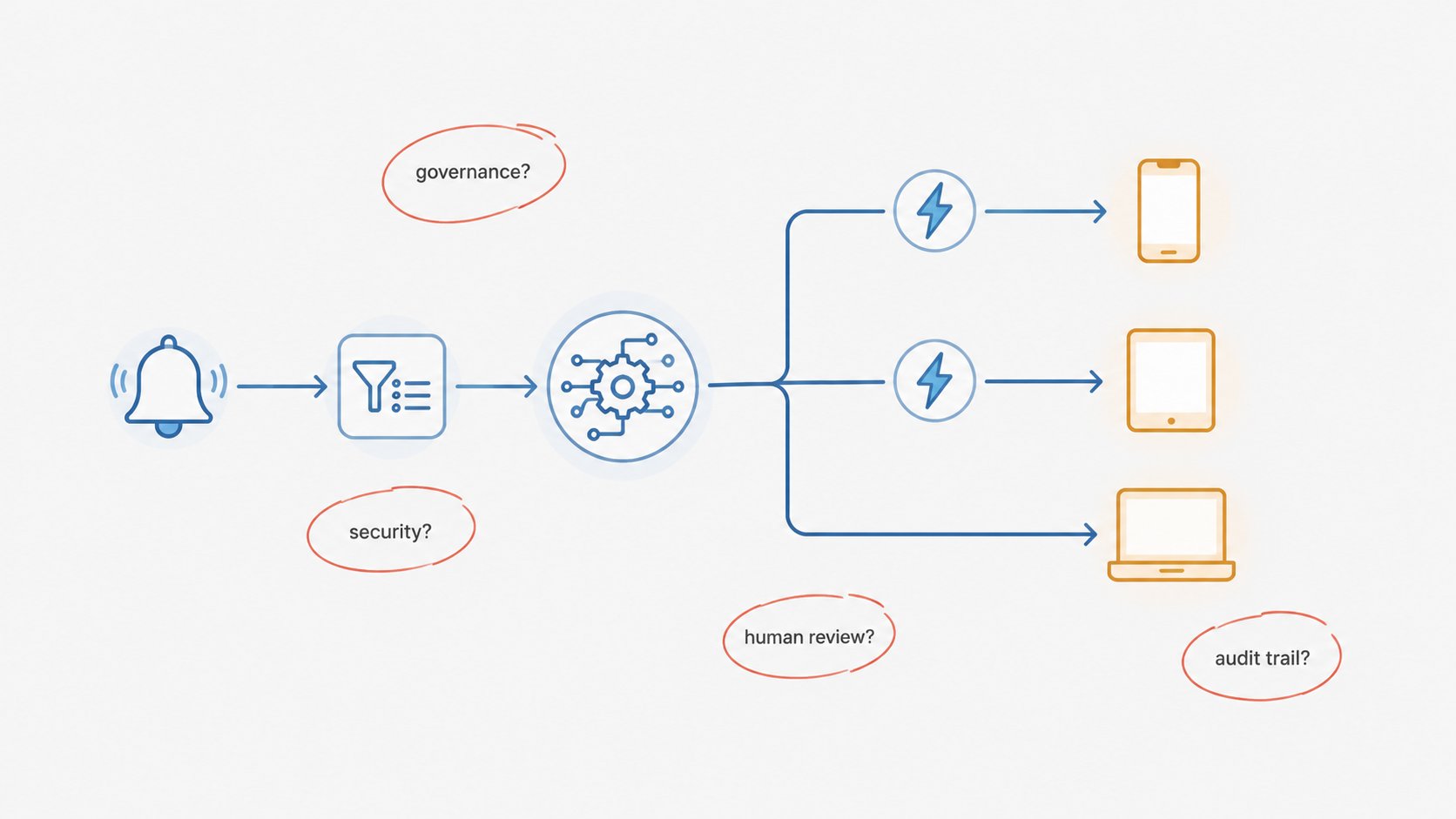
- 1 : Not All Automated Actions Need the Same Level of Control
- 2 : Control Who Can Configure and Manage Automation Workflows
- 3 : Keep Humans in the Loop for Sensitive Device Operations
- 4 : Maintain an Audit Trail with the Right Operational Context
- 5 : Make Automated Operations Traceable and Accountable
- 6 : MDM Automation Security Checklist Before Enabling Alert-Triggered Workflows
Not All Automated Actions Need the Same Level of Control
Teams often treat every automated action as equally risky. Then they either lock everything down, killing the efficiency gain they wanted, or leave everything wide open, which is how a misconfigured workflow ends up rebooting fifty devices at 2am.
Two variables decide that: Reversibility and predictability.
A workflow that sends a Slack notification when battery drops below 20 percent is fully reversible. Worst case, someone gets an alert they did not need. A workflow that force-restarts a device or wipes a lost tablet is not reversible in any practical sense. Its outcome also depends on device state you cannot always predict. Is there unsaved work open? Is the device mid-update? Blast radius amplifies both. A logging action that misfires touches one record. A bulk command that misfires touches every device matching a tag.
Combine these two variables, and you get a quick sorting tool for any automated action before you decide how much friction it needs.
Reversibility | Predictable Outcome | Unpredictable Outcome |
|---|---|---|
| Reversible | Runs unattended (e.g. low-battery notification) | Runs unattended, monitored (e.g. auto-created support ticket with variable fields) |
| Irreversible | Needs an approval gate (e.g. scheduled off-hours reboot) | Needs human review before execution (e.g. remote wipe on a device with ambiguous status) |
Low-risk, reversible actions can run without a person watching. Higher-risk actions need a checkpoint built in before they execute. That brings us to the next two sections.
Where this shows up in the workflow itself
Prebuilt and custom workflows handle this differently. AirDroid Business ships predefined workflow templates for common alert types. Teams can also build custom ones through GoInsight.AI when a scenario does not fit the template. Either way, the risk-tiering decision, which actions run freely and which need a checkpoint, must be made explicitly per workflow. The platform does not decide this for you just because it supports automation. That decision is where most of the real security work happens, before a single workflow goes live.
Control Who Can Configure and Manage Automation Workflows
A workflow's real attack surface is not the moment it executes. It is everyone who can configure or edit it beforehand. If five people can quietly change what a device-wipe workflow does, you do not have an automation problem. You have an access control problem wearing an automation costume.
Remote device management permissions must cover two separate activities. Most teams blur them together. They should not.
- Configuring new automation: connecting a new alert trigger to a new action, usually in a test or sandbox context.
- Managing live workflows: editing a workflow that is already running against production devices.
Letting someone test templates in a sandbox carries a different risk profile than letting the same person edit a live workflow that touches every kiosk device in a retail fleet. MDM workflow security, in practice, mostly comes down to limiting write access to workflow configuration. That access must map to actual job responsibility, not convenience.
There is no single right permission model here. It depends on team size and how centralized your device management function is. The important part is asking the question deliberately, rather than defaulting to whatever access level was easiest to set up on day one.
Keep Humans in the Loop for Sensitive Device Operations
People mean two different things when they say "human in the loop." Mixing them up causes the real trouble.
Layer 1: AI assistant interaction
Someone uses Ask Copilot to request a high-risk action directly, like rebooting a device. The system does not execute it just because the request was phrased clearly. A built-in confirmation step runs before anything sensitive actually fires. That is default behavior for this class of action, not optional configuration. It exists specifically so a natural-language interface cannot become a shortcut around approval.
Layer 2: Automated workflow execution
Workflows triggered by alerts are a different situation. No person is actively driving the interaction when the trigger fires. The checkpoint must be built into the workflow itself. GoInsight.AI workflows support this through a Pause & Resume node, typically paired with an Interactive Form node. The workflow runs, hits the pause point you configured, and waits. Someone reviews the context and approves or rejects before the flow continues.
Scenario | Who triggers it | Confirmation mechanism | Example |
|---|---|---|---|
| AI assistant interaction | A person, through Ask Copilot | Built-in confirmation, on by default | Device reboot requested in chat |
| Automated workflow execution | An alert, unattended | Pause & Resume + Interactive Form, configured by you | A wipe action triggered by a security alert |
The distinction matters for how you evaluate a platform. Can a human override the AI before it acts? That is one question. Can you insert a mandatory approval step into an unattended automation, wherever you decide the stakes are high enough? That is a different one. You want good answers to both. A platform that only solves the first has not really solved IT automation approval workflow design. It solved the easier half.
See Where Automation Pauses for Your Approval
Set a Pause & Resume checkpoint on any sensitive step, so high-risk actions wait for a human before they run. Built into AirDroid Business and GoInsight.AI.
Maintain an Audit Trail with the Right Operational Context
Ask most IT teams what they want from a device management audit trail, and they will say everything. That instinct is not wrong. Broad operational context is genuinely useful once you are reconstructing what happened after the fact. Most audit systems, workflow-based ones included, capture the operational detail tied to whatever the workflow actually does.
The sharper question is not how much gets captured in general. It is whether what gets captured for a specific workflow matches what that workflow needs to be investigable.
Take a low-battery alert workflow. A record that captures device name, device model, battery level at time of trigger, and timestamp gives an investigator what they need to answer the obvious questions. Which device? What state was it in? When did this happen? That is a small set of fields, scoped to the scenario it is tracking, not a generic dump of every metric the system happened to have on hand.
The real test for audit trail capability is this. If this workflow's action turns out to be wrong six months from now, can you reconstruct why it fired, who was in the loop, and what the device state actually was? A workflow designed with investigation in mind will capture that. One bolted together without thinking about audit needs will not, no matter how many fields the underlying platform technically supports.
Make Automated Operations Traceable and Accountable
Risk tiering, access control, human checkpoints, audit context. All four only add up to real governance if you can trace a single automated action end to end and know who is accountable for each link.
Whether the workflow came from a prebuilt template, a custom build, or a direct Ask Copilot request, the chain looks the same:
- 1. Alert triggered.
- 2. Workflow configuration identified.
- 3. Permissions and access rules applied.
- 4. Action executed.
- 5. Result recorded.
Each link is a question you should be able to answer without digging. What fired this? Which workflow definition handled it, and who owns that definition? What access controls governed who could have changed it? What actually happened when it ran? Is there a record of the outcome someone can pull up later?
Traceable does not mean logged. A system can log an action and still leave you guessing who owned the workflow that caused it. Accountability means connecting the technical record to a person, not just a timestamp.
MDM Automation Security Checklist Before Enabling Alert-Triggered Workflows
Before you turn on automated execution for anything beyond notifications, walk through these:
Question | Yes | No |
|---|---|---|
| Have we defined which automated actions are appropriate for each operational scenario, based on reversibility and blast radius? | ||
| Do we know exactly who can configure and manage automation workflows, and does that access map to actual job responsibility? | ||
| Are workflow changes reviewed before they go live in production, or can anyone push a change directly? | ||
| Are sensitive operations, whether triggered by a person or by an automated workflow, protected by a human confirmation step? | ||
| Does each workflow capture enough operational context to support an investigation, not just a generic activity log? | ||
| Can we trace any given automated action from the original trigger all the way to the recorded outcome? | ||
| Is there a clearly assigned owner for every workflow currently running in production? | ||
| Do we have a process for retiring or auditing workflows that were built for a use case that no longer applies? |
If you cannot answer most of these with a specific name, process, or configuration, rather than "probably" or "I would have to check," that is the gap to close before scaling automation further.
Final Words
This is not an argument against automating alert response. The efficiency gains are real. Manual monitoring does not scale past a certain fleet size, no matter how disciplined your team is. What changes as you scale is the amount of governance work that has to happen alongside it.
The teams that get burned by automation are not usually the ones that automated too much. They are the ones that automated without ever deciding, on purpose, who can touch a workflow, which actions need a human to sign off, and what gets recorded when something runs. Get those three things settled first, and the automation itself stops being the risky part.











Leave a Reply.