AirDroid Parental Control
All-in-One Tool for Real-World Child Safety
- 📍Real-time location & route history
- 🔍Live surroundings check
- 🔔Geofence alerts on daily routes
- 🆘One-tap SOS with ambient audio
Best Child Location Tracking Apps When They Don't Answer Calls
Is there anything that makes parents panic more than a child leaving calls unanswered? Probably not. That's where location tracking can make a real difference, helping you quickly confirm whether they are safe.
Well, with multiple location tracking apps available, you might be overwhelmed. At this moment, we've reviewed the best child location tracking apps for you. Check them out.
Criteria: What Tracking Apps Should Do When Calls Fail
When your child doesn't answer their phone, it's not just about finding their location. The best child location tracker should do much more, giving you clarity on their situation and reducing anxiety.
Therefore, in our review, we focused on the key features that truly matter:
This feature lets you know where your child is exactly on the map. When calls go unanswered, outdated or delayed location data only adds more uncertainty. So, we looked for apps that update location instantly or frequently, not "10 minutes ago."
When a child doesn't respond, knowing where they've been recently can explain why they aren't answering. And this can help you spot their routine patterns.
This is the game-changer. A good location tracking app should be able to verify a child's surroundings. Beyond checking where they are, it is also essential to know whether the environment is safe when answering a call isn't possible.
The reason your child has been leaving calls unanswered may simply be that the phone is silent, DND, or misplaced. With the remote ring feature, you can ring your child's phone from your own device even if their device is on silent.
If kids don't answer the phone because the battery is dead, parents need to know immediately instead of panicking. So, a location tracking app should be able to tell your child's device’s battery status.
| Features | AirDroid | Find My Kids | Life360 | Find My |
|---|---|---|---|---|
| Real-time Location |  | | | |
| Location History | | | |  |
| Surrounding Verification | |  | | |
| Geofencing | | | | |
| Remote Ring | | | | |
| Battery Status Check | | | | |
Best Kid Tracking Apps to Try When They Don't Answer
Now that you know what to look for in a good child location tracker, let's look at the top-tier kids location tracking apps we've tested.
1AirDroid Parental Control
How It Helps When Kids Don't Answer Calls:
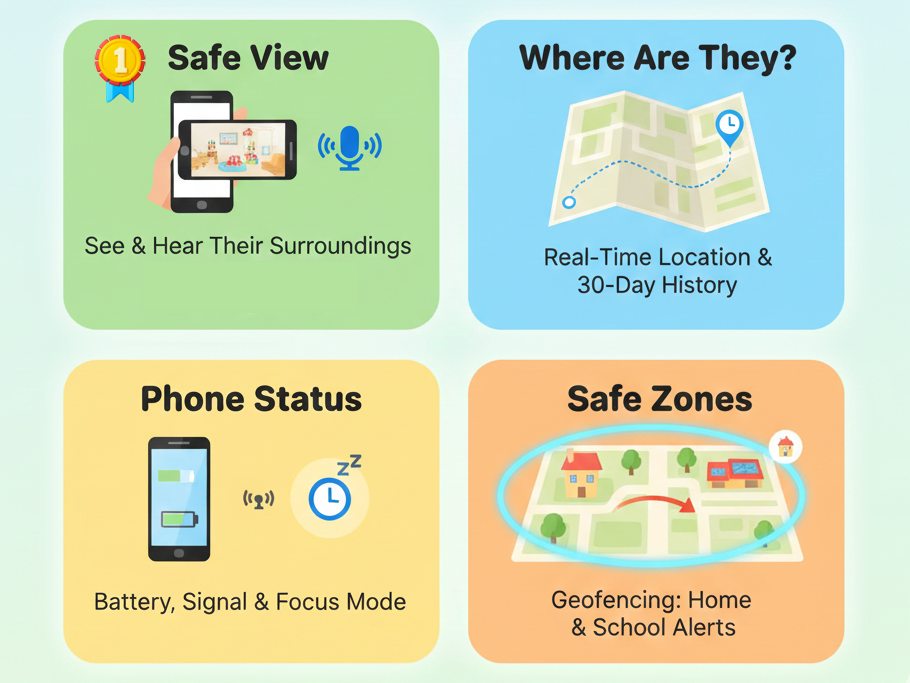
- Surrounding Verification: (The Game Changer🏆) Its Remote Camera and One-Way Audio features help you access your child's phone camera and microphone remotely. With these, you can better understand if their environment is safe or potentially unsafe.
- Real-Time & History: It provides real-time location tracking, where you can manually refresh the update frequency. And its 30-day route history report allows you to clearly see your child's movements.
- Device Status Checker: You can directly see your child's battery and signal status. Also, if your kid activates AirDroid's focus mode, you'll know exactly when it's turned on and how long it lasts.
- Geofencing: Let you know when your child leaves home and arrives at school or any of their frequent places without having to keep calling them each time.
Hands-on: When testing AirDroid, it takes about 10 seconds to connect my son's camera to display the environment view. And I have to say, it's the best feature I've seen in parental control apps. The only thing is that it requires me to manually update the location for retrieving the latest data.
2Find My Kids
How It Helps When Kids Don't Answer Calls:
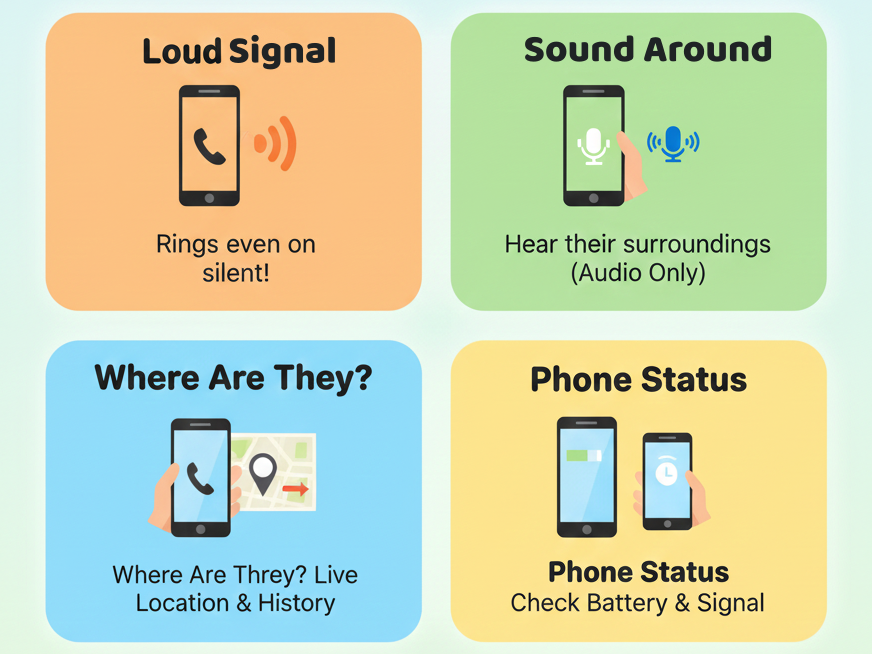
- Loud Signal: This rings your child's phone even if they activated silent mode just to let them know you're contacting them.
- Surroundings Verification (Audio Only): When your child doesn't answer the phone, you can turn on the microphone one-way to record and listen to what's happening around them. Compared to AirDroid, there's no camera view.
- Live Location & History: This shows where your child is and how they've been moving. But in the free version, location history is not available.
- Battery Status Checker: You can see your child's battery and signal status by scrolling down through the main interface.
Hands-on: Find My Kids works on my phone even without creating an account. And it can connect my child's microphone faster than AirDroid. However, the constant upgrade reminders in the free version are a bit annoying, which affects my overall experience.
3Life360
How It Helps When Kids Don't Answer Calls:
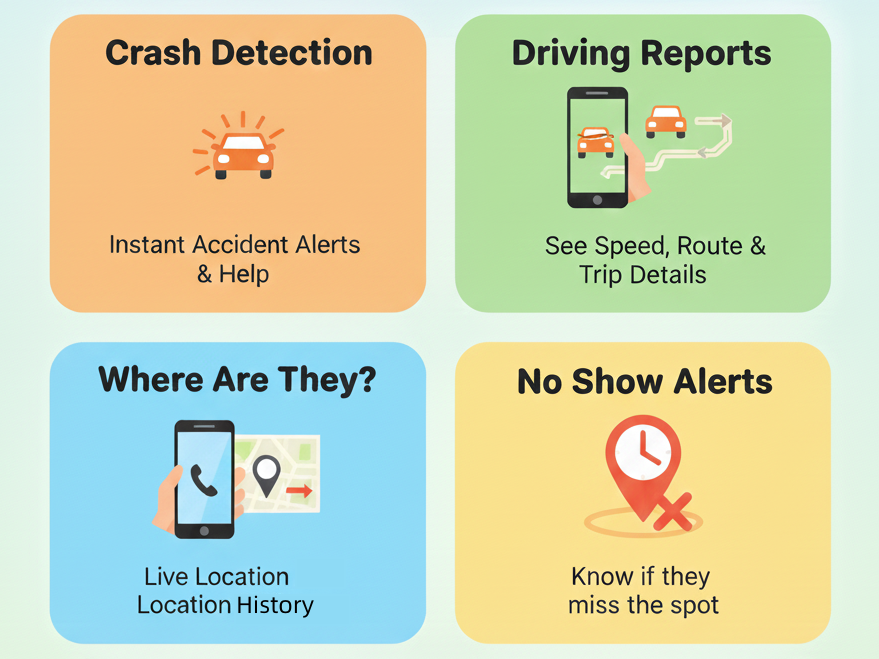
- Crash Detection: Notifies you immediately if your kids are involved in a car crash and offers emergency dispatch.
- Driving Reports: Lets you know when your teen starts driving and their speed, helping confirm they're on the move even if calls go unanswered.
- Live Location & History: This shows you where your child is and how they've been moving. However, the duration of location history is determined by your membership level.
- No Show Alerts: You can know instantly if your child doesn't show up where and when they're expected.
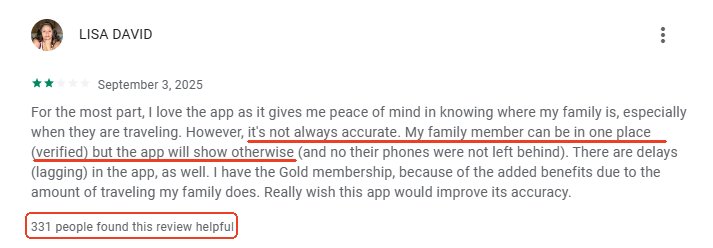
Hands-on: On my end, Life360's location is accurate, though this app is a little bit confusing to navigate for the first time. Additionally, by reviewing other users' comments from Play Store, I found many users reported that Life360 often shows wrong or outdated locations. Moreover, its pop-ups are too disturbing.
4Apple Find My
How It Helps When Kids Don't Answer Calls:
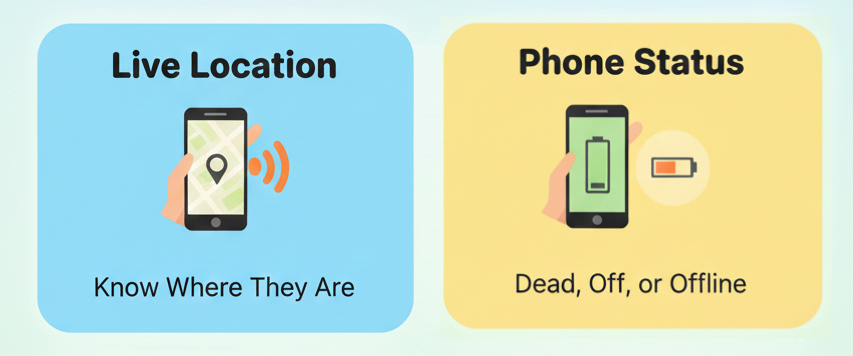
- Live Location Tracking: Let you know where your child is in case they don't pick up the call.
- Play Sound: It can bypass the iPhone's silent mode and play a loud sound. However, this only works when your child's iPhone is nearby, making it ineffective when they cannot answer the phone.
- Battery Status: You can know if your child's iPhone is dead, powered off, or offline.
Hands-on: It's a perfect tool for finding a phone as it always shows an accurate location. However, unlike other apps on this list, Find My is meant for tracking only location. That is, when your child is unreachable, the information it provides is too limited to help you make an effective safety verification.
How to Choose the Right Kid Tracking App?
Before you get started with any location tracking app, ensure you ask yourself the following questions. This will help you choose the one that truly supports your child's safety when they leave calls unanswered.
While some location tracking apps are cross-platform, some are tailor-made for a particular platform.
If you're all on Apple, Find My is a great free option. For families with different Android and iOS devices, go for AirDroid, Find My Kids, and Life360.
You also have to consider the age of your child and how much independence they have.
- For children aged 5 to 10, opt for basic ones like Apple Find My. Additionally, they might be prone to losing phones, so Find My Kids with its "Loud Signal" feature, can help.
- For tweens aged 11–15, since this is the peak age for bullying, AirDroid's remote surrounding features can help you verify their environment when they don't answer.
- For older teens aged 16+, they are starting to drive and crave independence. So, we recommend Life360.
While basic location tracking can give you peace of mind, you might need more to make sure it's worth the money.
So, ask yourself, do I want a location tracking app that can verify a child's surroundings? If yes, go for AirDroid or Find My Kids that can give you full safety assurance. Surely, if you just need basic tracking, Find My works.
Sometimes, your child may try to bypass the location tracking or parental controls. In this view, you'd better consider a more robust app with uninstall protection, such as AirDroid and Find My Kids. For not-savvy kids, any child location tracking app works.
Your budget also matters when choosing any location tracking app.
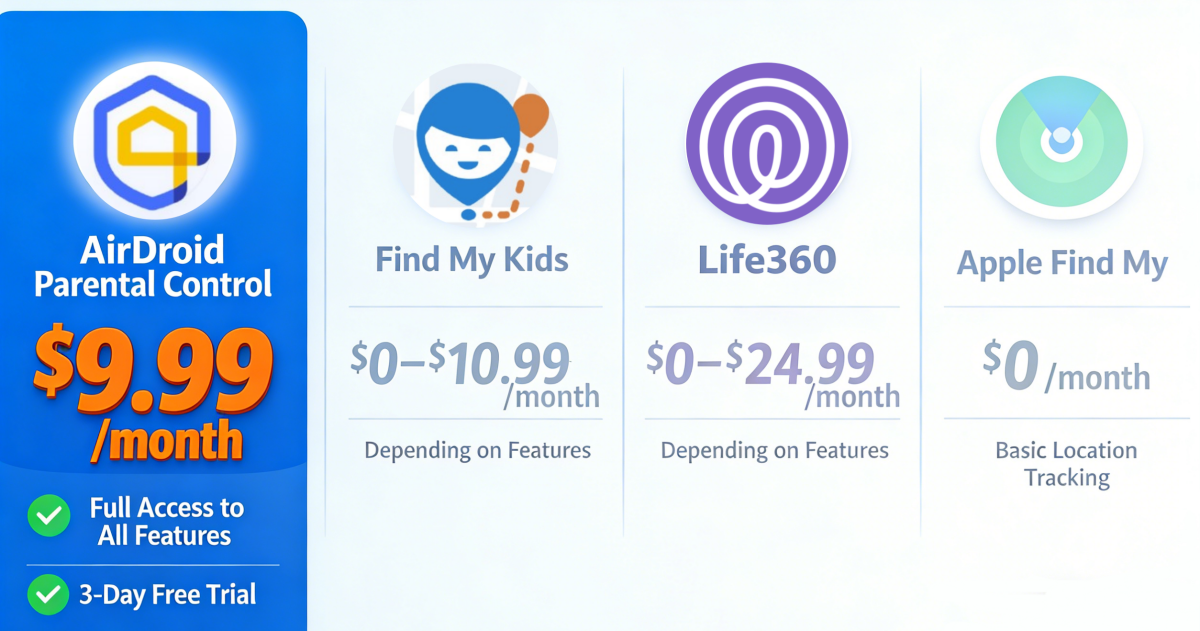
- If you prefer free options, opt for Apple Find My. Also, Life360 and Find My Kids come with a free version with very limited features.
- And if you'd like to pay anything for your child's safety, AirDroid, Life360, and Find My Kids are here for you.















Leave a Reply.