

24/7 Kids' Guardian via App & Web

MMGuardian is often recommended to parents who need to keep a closer eye on their child's texts and calls. But does the app really deliver the level parents expect?
I've spent over 50 hours testing, so you don't have to waste your time or money. Now, let's find out if it's the right fit for your family.
MMGuardian is a full-featured parental control app, covering screen limits, location tracking, content monitoring and blocking, etc.
While these features market to all parents, our testing shows it's a "specialist" tool for these three types of families:
And in my opinion, MMGuardian feels more like a monitoring and alerts tool.
In this section, I'll dive into key features of MMGuardian, testing them from a parent's perspective. By the way, I tested MMGuardian using a Samsung Galaxy (child) and a Google Pixel (parent). Now, let's see how well these features actually work in real life.
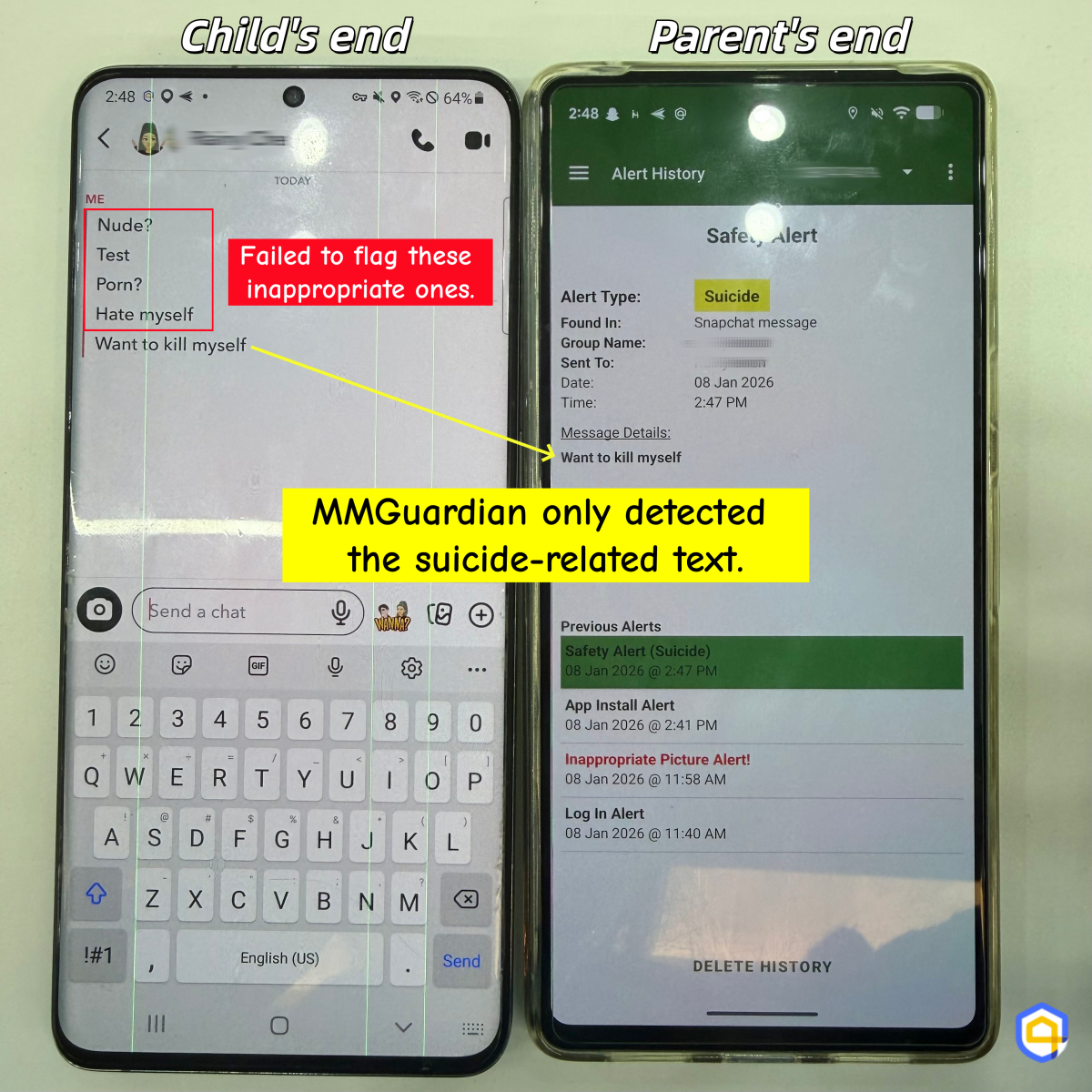
MMGuardian uses AI to automatically scan for keywords in SMS and supported social messaging apps that relate to bullying, suicide, or drugs. It can also detect inappropriate pictures that are stored in your child's Photos app.
But here's the catch: parents only get the alert but cannot view the details of the photo. While this protects children's privacy, it leaves parents in a state of "informed anxiety" where they know something is wrong but can't see what.
✍️Hands-on: The image detection is so impressive! It triggered an alert instantly as soon as I saved a porn-related picture.
However, when I used the child's Samsung to send risky keywords through Snapchat, MMGuardian only flagged texts related to suicide. Other categories, like porn and substance abuse, were not detected.
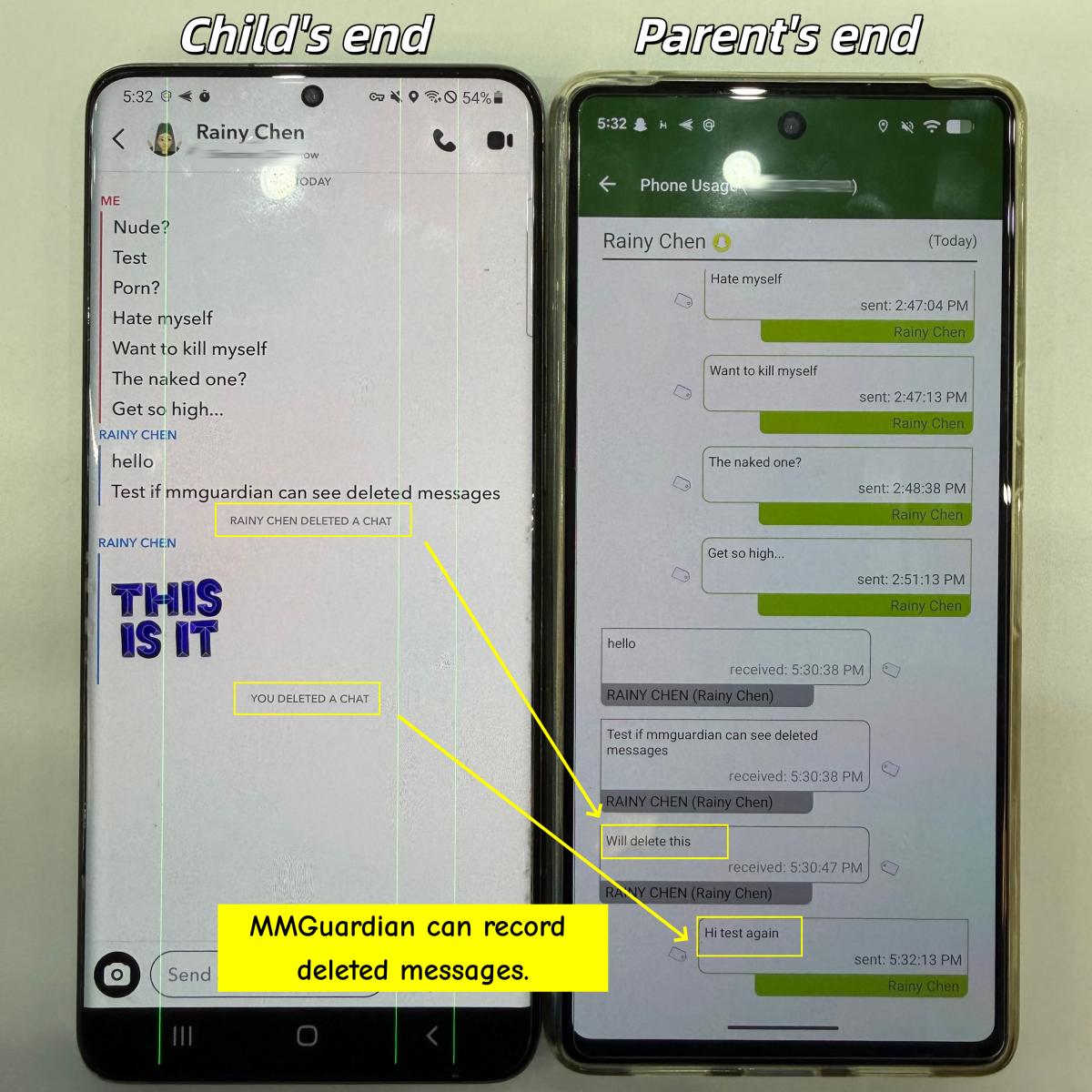
This is MMGuardian's core feature. It allows parents to read entire text conversations from Messages and supported social messaging apps.
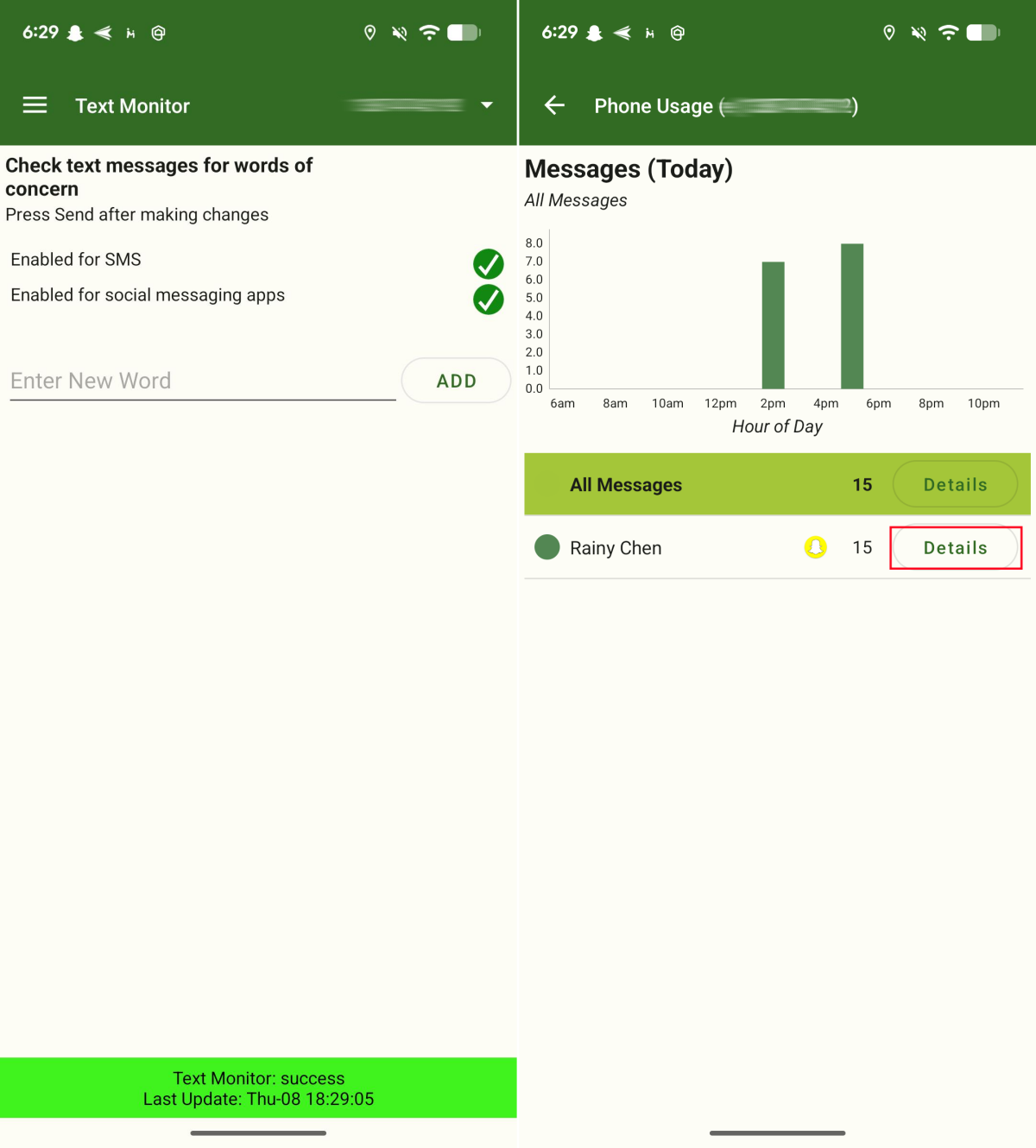
Beyond seeing conversations, parents can also add a specific keyword for monitoring their child's text, and MMGuardian will immediately send you a notification for that word.
However, a separate messaging app must be downloaded for this feature to work.
✍️Hands-on: It works flawlessly for monitoring my child's Android social messages. However, when I need to set up this feature on my child's iPad, it requires a computer. And during testing, the connection between the computer and the iPad repeatedly failed to complete.
MMGuardian provides a detailed log of kids' call activities, including the timestamps and call duration of incoming and outgoing calls.
Additionally, the app lets parents select whitelist or blacklist mode for calls. In "Allow" mode, only pre-approved numbers can contact your child via calls or SMS, while in "Block" mode, specific contacts are blocked from reaching them.
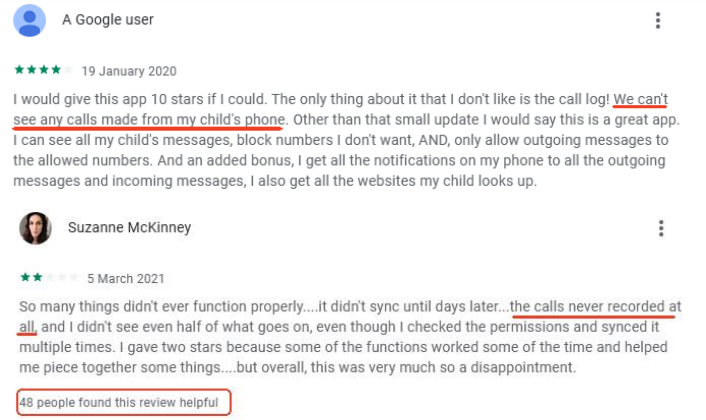
✍️Hands-on: On my parental dashboard, it didn't sync all my child's call history. It missed several ones. And I saw several parents mentioned this in the Play Store review.
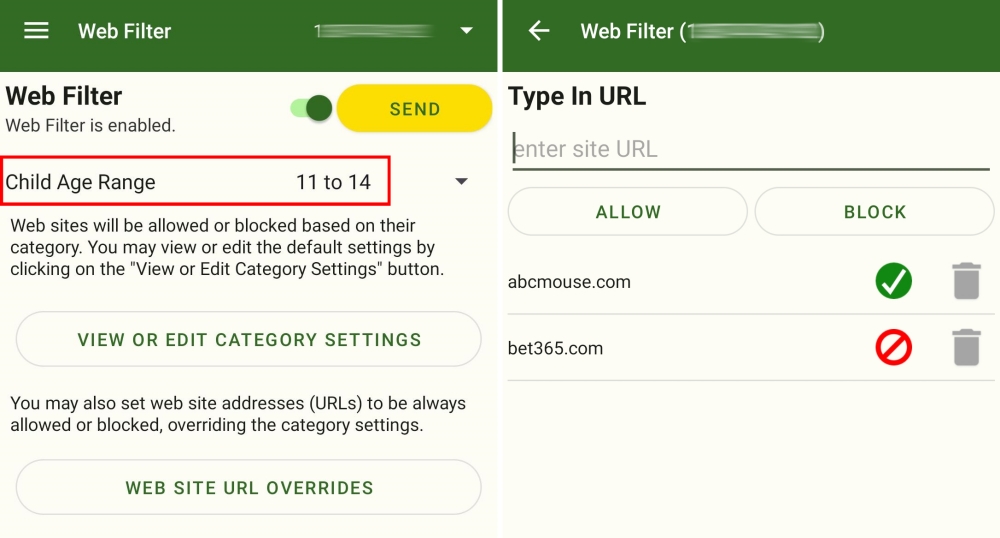
MMGuardian's Web Filter is so powerful that it allows parents to block specific websites or filter out web content based on more than 100 categories like adult content, violence, and more.
Additionally, it can filter websites based on your child's age. For example, I set the age range for my 12-year-old child to "11-14". Then, MMGuardian helps me block more than 50 website categories, including alcohol, abortion, dating, etc.
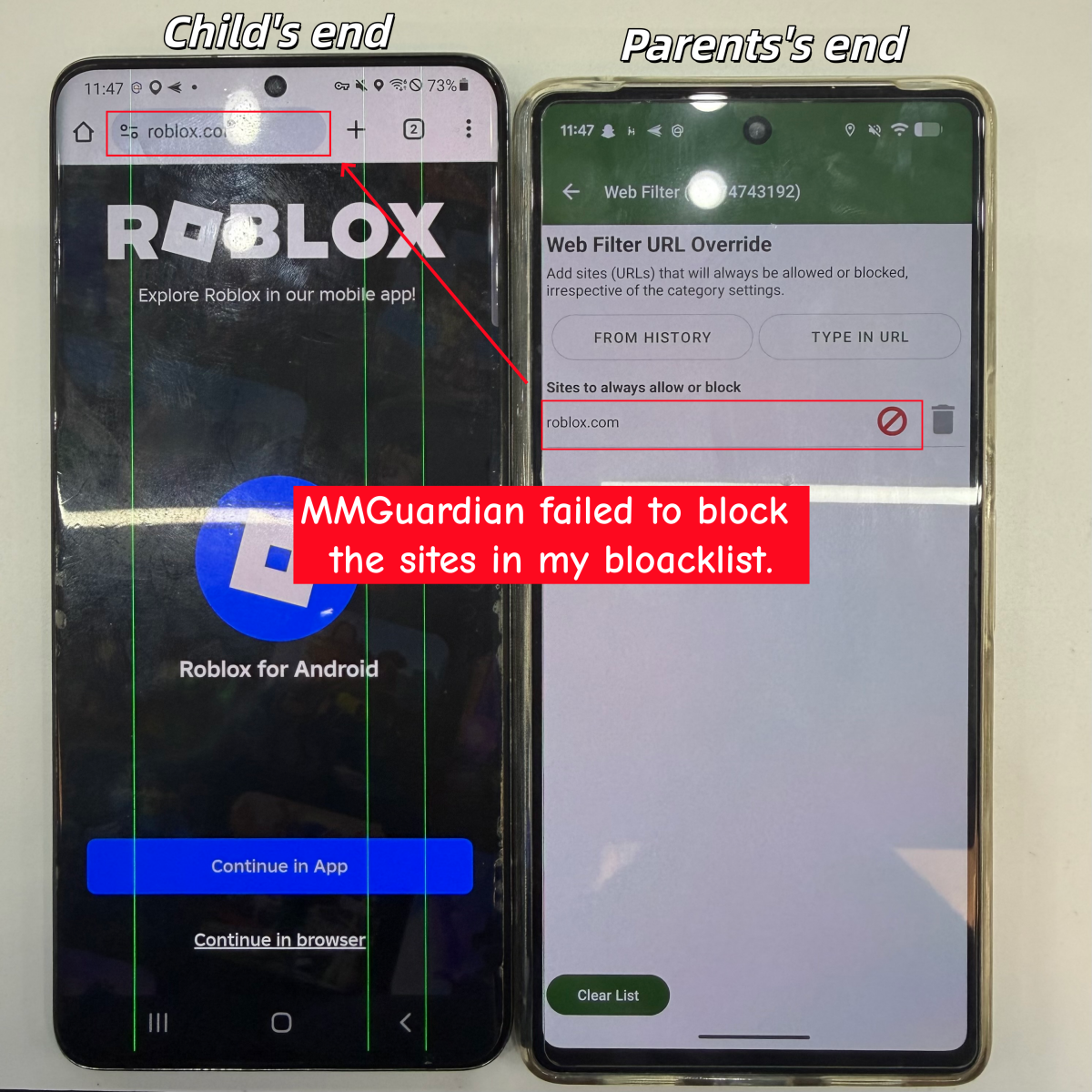
✍️Hands-on: During testing, I found it didn't block websites as expected (shown as a picture below). Moreover, I couldn't see any browsing history when I tried to select websites from the history to block.
As a parent, new apps and new risks seem to appear faster than most we can keep track of. In this scenario, blocking age-inappropriate content for kids is our priority.
MMGuardian allows parents to limit usage, set downtime, or restrict apps. Additionally, parents can get notified when kids install a new app and block it directly if it is not appropriate.
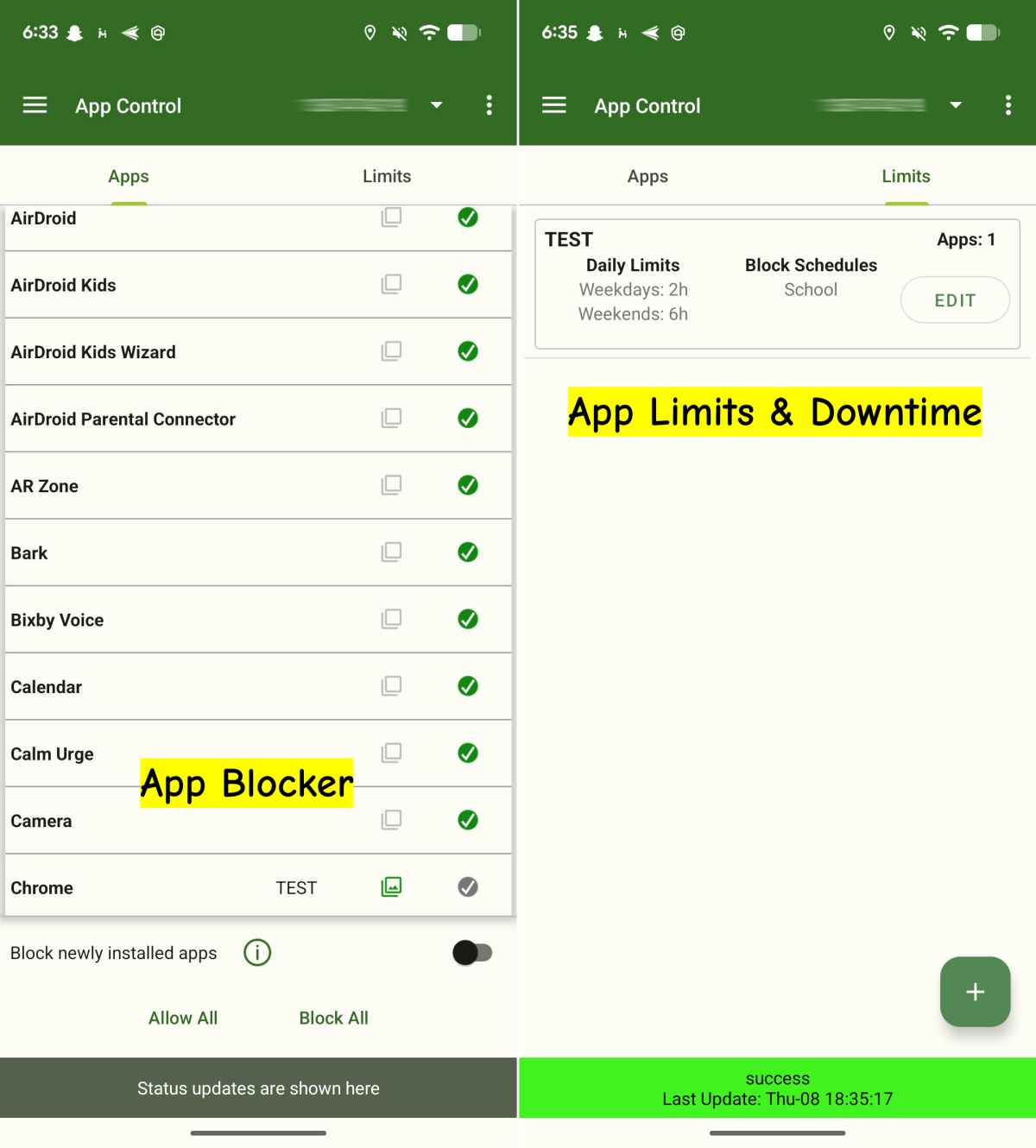
What I like most about MMGuardian is that it enables me to create groups for apps so I can customize my own restrictions list.
✍️Hands-on: This feature worked greatly on my end as long as the Internet connect is stable.
This feature lets parents know how much time kids spend on their devices each day. It combines with 4 tabs: Messages, Apps, Calls, and Web.
That said, parents can see which apps and websites were used and for how long, messages and calls sent to or from the child's phone at a glance.
✍️Hands-on: When I opened the Phone Usage menu on my Google Pixel, I noticed a significant lag. It took about 70 seconds to load and display the reports. Moreover, I need to update the report manually to see the latest data.

When it comes to location tracking, MMGuardian falls short compared to most parental control apps, as it doesn't even include a "geofencing" feature. That is, parents can't set up school or other zones to know if kids arrive or leave there.
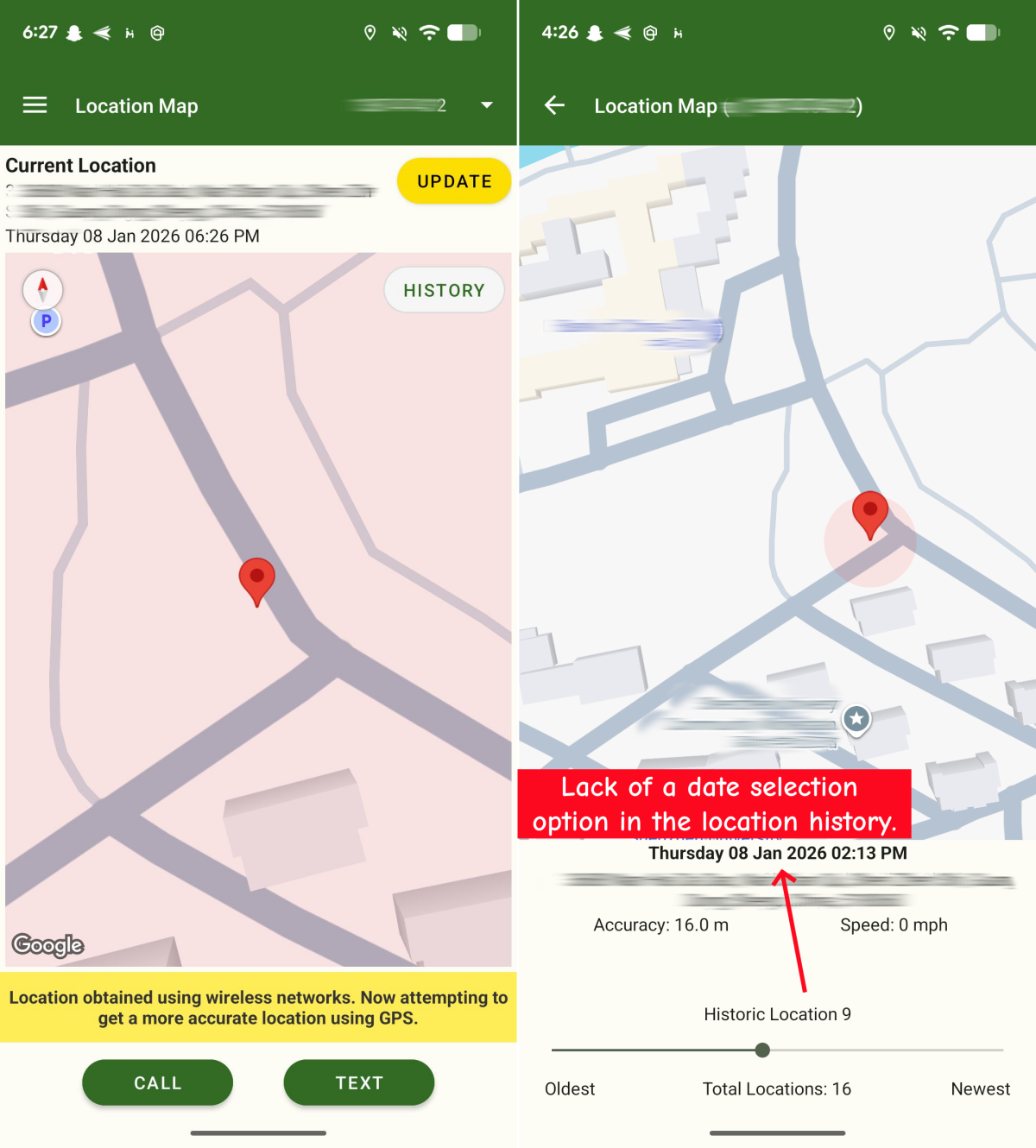
Even so, MMGuardian shines in its ability to send scheduled location updates automatically at selected intervals (from 15 minutes to 120 minutes) during the day. Surely, parents can also get real-time updates at any time.
✍️Hands-on: I could track my child's real-time location on a map, and it's quite accurate in my test. While for its location history, it doesn't let me select a specific date to view, which is not user-friendly.
What's more head-scratching is that MMGuardian doesn't send scheduled location reports via notifications. Instead, I had to access the location history section to find them.
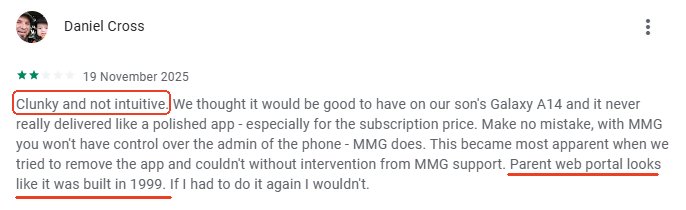
After testing MMGuardian, it's clear that while it offers a solid range of features, there are certain aspects where it falls short:
So, if you want a more powerful tool but the simplicity, AirDroid Parental Control is the gold standard for 2026.
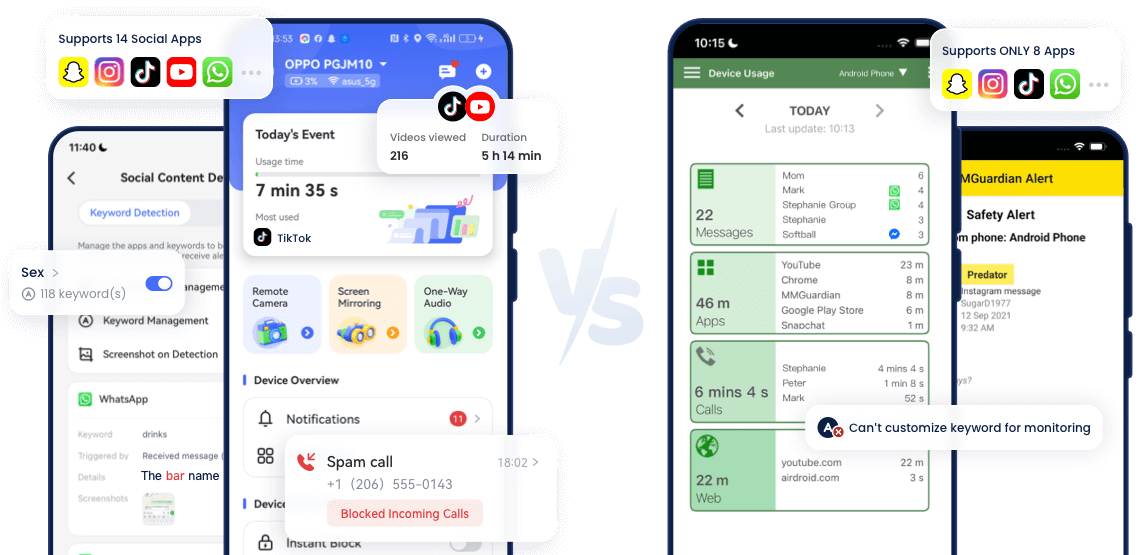
In addition to ease of use, what also makes AirDroid stand out is its features, including 14 social media monitoring, screen mirroring, notifications syncing, remote surroundings checking, geofencing, etc. Here's a detailed comparison:
















Leave a Reply.