When you're a parent in 2026, giving your child a phone feels almost unavoidable. Schools use apps. Friends message each other on social media. Even homework is online. But with all that freedom comes a lot of risk, like unsafe websites, strangers, bullying, addiction to screens, and just not knowing where your child is.
That's why I started looking into parental control apps. I didn't want to spy on my kid, but I also didn't want to be blind. Here's my full, honest, parent-to-parent review of FamiSafe. What FamiSafe worked, what didn't, and what it actually feels like to use it in real life.
If your child isn't really into social media yet and you just want to keep them away from harmful stuff, FamiSafe does a pretty good job once you get it set up. It helps block bad websites, filter content, and even catch inappropriate photos.
2
Families Using Mostly Android Phones
If your kids use Android devices, FamiSafe suddenly becomes a lot more capable, especially for social media monitoring. On Android, FamiSafe can monitor apps like WhatsApp, Snapchat, Instagram, and Reddit using keyword alerts.
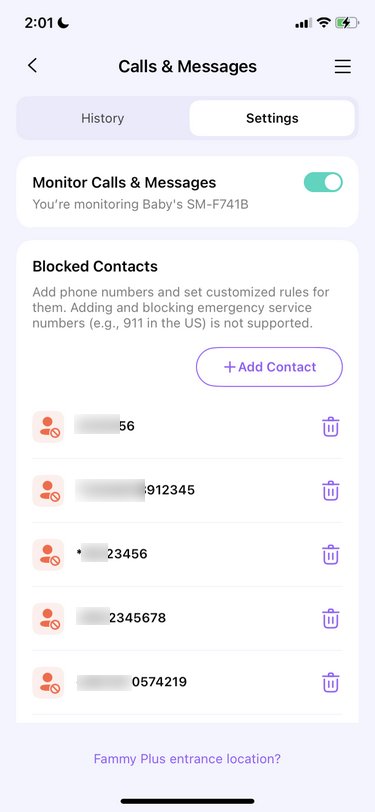
When it works, it's actually pretty helpful. I could see who my child was texting, their phone numbers, and even the actual message content being sent and received. The app also scans messages for sensitive keywords and flags them, so I can quickly jump in if something looks risky.
I can see that the contact name, phone number, and full message thread give a lot more context than just getting a warning.
What makes me disappointed
After a few days of use, the call and message section simply stopped updating properly. New texts wouldn't show up, and sometimes call logs were missing. From a parent's point of view, that's stressful, because you don't know if everything is quiet, or if the app just isn't catching what's happening.
2. Location tracking
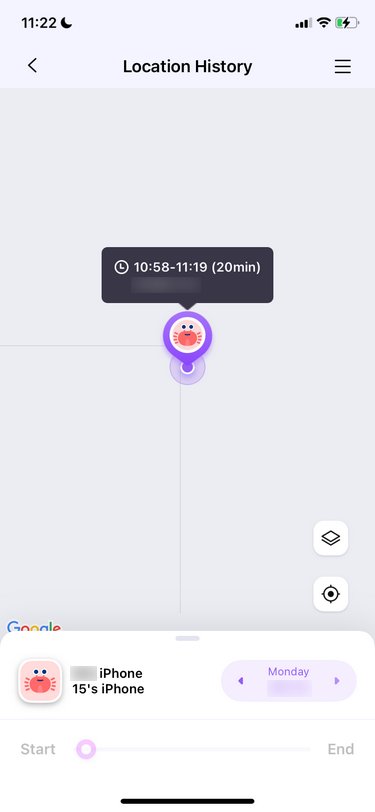
The location tracking is good. I could see my child's real-time location, look at their location history, and set up geofences. That meant I got alerts when they arrived at school, left a friend's house, or went somewhere unexpected. For day-to-day peace of mind, this part worked well.
One feature I really appreciated was the SOS button. My child could tap it on their phone, and I would immediately get a vibration alert on my phone along with their live location. As a parent, that gave me a small but real sense of safety.
FamiSafe also includes driving reports. If your child drives, you can see their top speed, total distance, and even set speed limit alerts. It's not something I use every day, but for parents of teens, it could be very reassuring.
3. Screen time and app controls
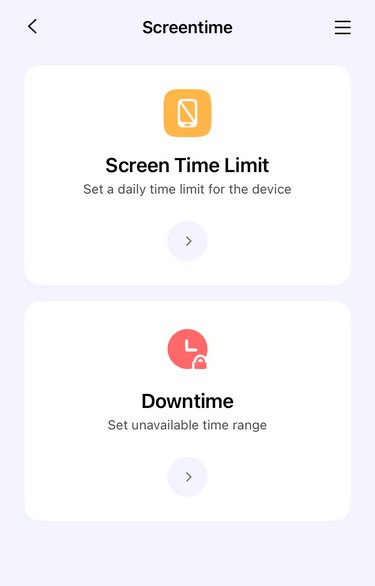
Screen time is one of the main reasons parents download apps like this. FamiSafe lets your child start a screen session and then counts down how long they can use their phone. When time runs out, the phone is locked.
App controls are more detailed. I could block apps by category, or select individual apps to allow or block. I could also set daily limits for each app and create downtime periods where certain apps were not allowed at all, like during bedtime or school hours. I liked that I could quickly reset everything if I messed up the settings. That saved me more than once.
What makes me disappointed
But during the locked time, Famisafe doesn't separate fun apps from school apps. So when time is up, even learning or homework apps are blocked unless you go in and change things. In real life, that quickly became annoying.
There's also a "Downtime by age" feature, but this one felt awkward. You pick an age level, and FamiSafe decides which apps fit that level. But you can't customize what's included.
4. Web filtering
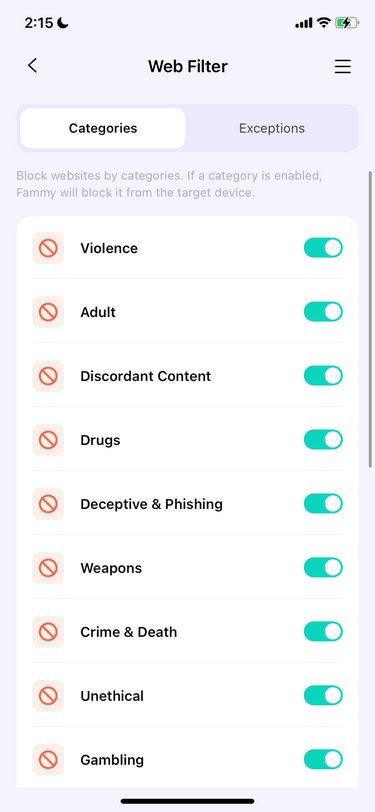
It can filter 20 categories on Android and 11 categories on IOS. After setting it, Famisafe will automatically block the content. FamiSafe lets you see browsing history and click directly into the sites your child visited. You can block or allow websites and also filter search results on Google and Bing by category.
This part worked fine. It's not groundbreaking. For parents who want basic protection against unsafe websites, it gets the job done.
5. One-way listening
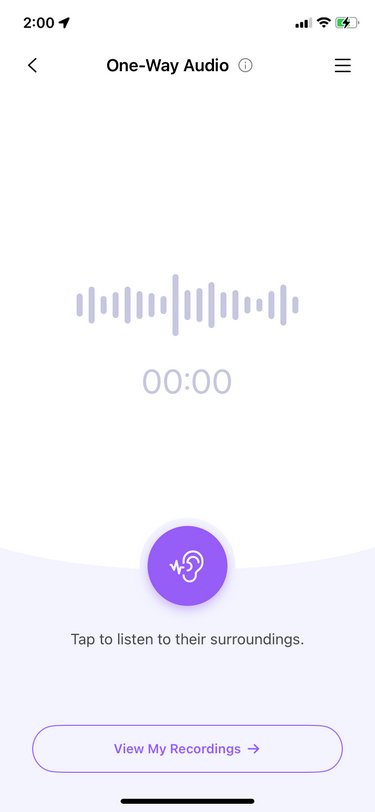
FamiSafe offers a one-way listening feature, but it's only on Android. And the way it works is not what most parents would expect. It's not live. When you turn it on, you don't immediately hear anything. Instead, the app records audio in the background, and later you have to go into "My Recordings" and download the file to listen to what was captured.
That delay makes a big difference. In a real emergency, when a child might be scared, lost, or in an unsafe situation, you don't want to wait and download a file later. You want to know what's happening right now.
So while this feature might be helpful for reviewing what happened after the fact, it doesn't really give the kind of real-time awareness most parents are hoping for when they think about "listening in." For something meant to improve safety, it ends up feeling more like a recording tool than an actual emergency support feature.
With AirDroid, I don't just see what happened later. I can see what's happening right now. That's a huge difference when it comes to real-world safety. I can also watch the surroundings around my child, so I can make sure they are safe.
Real-world safety: Famisafe vs AirDroid
Features Comparison
Detailed Comparison
Google Play Store Rating
4.7
4.1
Pricing
$5.00 / month
(billed annually)
$4.99 / month
(billed annually)
Monitor Calls & Messages
Screen Time
Block Websites & Apps
Read More
AirDroid allow you to block 31 categories on Android, and 29 categories on IOS.
FamiSafe only allow you to block 20 categories on Android, and 11 categories on IOS.
Detect Social Content
Read More
AirDroid has an AI Keyword Assistant to help you generate related keyworkds automatically. You can also enter specific keywords by yourself you don't wish your child to access.
FamiSafe can only monitor 13 apps. You can also enter the specific keywords that you want to monitor on your kid's device.
Sync App Notifications
Remote Camera
Live Location
Screen Monitoring
Detect Inappropriate Images
Family Chat
Show moreShow less
My experience with AirDroid
When I think about my child's safety, I don't just worry about what's on their phone. I worry about what's happening around them in real life. That's where AirDroid Parental Control really feels different.
With Watch Surroundings Around the Child, I can see what's actually going on around my child through their phone camera. If my kid is late coming home, in a place they shouldn't be, or just not answering their phone, I don't have to guess. I can quickly check and see if they're at school, at a friend's house, or somewhere that feels unsafe. That takes a lot of stress out of those scary "where are you?" moments.
There's also Listen to Surroundings, which lets me hear what's happening around my child in real time. If something feels off, I can hear voices, traffic, or anything that helps me understand the situation.
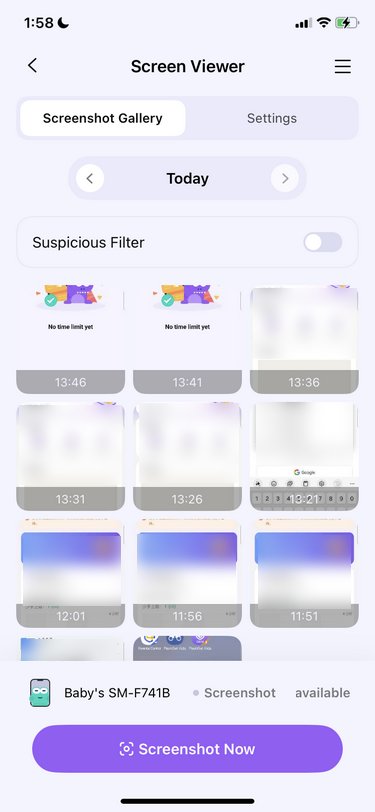
And then there's Screen Monitoring. This lets me see what's on my child's screen right now. If they're talking to someone risky, being bullied, or seeing something they shouldn't, I can step in before it turns into a bigger problem.
6. Inappropriate image detection
This is one of FamiSafe's more advanced features. It scans images your child views and sends you alerts if something looks inappropriate.
You can adjust how strict it is. If you make it more sensitive, it catches more images, but that also means more false alarms. I got alerts for things that weren't really a problem, which made it harder to know when to take alerts seriously.
Still, the fact that it exists at all is helpful, especially for younger kids.
7. YouTube monitoring
FamiSafe can monitor YouTube activity in a surprising amount of detail. I could see what videos my child posted, what they commented on, and even get notified when YouTubers they follow uploaded new videos.
What makes me disappointed
The downside is the setup. You have to log in using your child's Google account. That felt intrusive and a bit uncomfortable, especially if your child is older and values privacy.
8. Social content monitoring
It can monitor popular social media that your child uses. You will receive alerts when it detects inappropriate content. It supports WhatsApp, Messenger, Messenger Lite, YouTube, Instagram, Facebook, SMS, Twitter, or Kik Monitoring on Android. You can also set keywords to be monitored, but there's a big limitation: you can't use spaces or special characters. That means you can't add phrases like "good morning" or "meet me." That makes the feature much less useful in real life, where risky conversations usually involve phrases, not single words.
Famisafe Installation
On iPhone, the setup was long and annoying. I had to connect the phone to a computer with a cable, download extra software, and go through multiple steps just to link the device. The phone even restarted during the process.
Setting up call and message monitoring was worse. There were so many steps, and at one point, I waited nearly ten minutes for it to finish.
Ease of Use – Not as parent-friendly as it should be
Once everything was installed, using FamiSafe was okay, but never really smooth.
Some features, like checking location or blocking an app, were simple. But others felt overly complicated or fragile.
The screen capture feature is a good example. I could take real-time screenshots of my child's screen, but only if screen recording was enabled on their phone. If my child turned it off, I couldn't see anything. And sometimes, even when it was on, it didn't work because of bugs or connection issues.
It often felt like I was managing permissions instead of actually feeling secure.
Famisafe Price
FamiSafe's pricing starts at $4.99/month if you pay annually, $6.99/month (annually billed) for premium, and 159.99 for lifetime.
With the basic plan, you can unlock social media content monitor, sensitive image alerts, TikTok history, usage time limit, disable schedule, website filter, real-time location, and location history report. It can only protect up to 2 devices.
But with a premium and lifetime plan, you can unlock all features and protect up to 40 devices.
Conclusion
It gives you a lot of tools, such as screen time limits, app blocking, web filters, location tracking, and even message and image alerts. But in real life, parenting isn't just about checking reports or screenshots later. It's about knowing what's going on when it actually matters. And that's where FamiSafe can feel a little slow or complicated, especially with delayed recordings, missed messages, or features that stop working.
But in real life, parenting isn't just about looking at reports or screenshots later. You want to know what's happening when it's actually happening. And that's where FamiSafe can feel kind of slow or tricky, with things like delayed recordings, missed messages, or features that don't always work.
That's why many parents, including me, start looking for something more real-time and more focused on safety, like AirDroid Parental Control. Being able to see what's happening right now, get instant alerts, and even check your child's surroundings gives a lot more peace of mind.
Elsa has worked on a number of iOS & Android solutions, she can always find her way around almost any application. She is an accomplished, skilled and versatile writer with more than 7 years of technical article writing experience.



























Leave a Reply.