AirDroid Parental Control
24/7 Kids' Guardian via App & Web
- 👀Live surroundings and location tracking
- 🔞Content Monitoring and App/Web Blocking
- ⚠Instant alerts for online risks and geofences
- ⌛Screen time control and monitor

3 Best Covenant Eyes Alternatives: Cheaper & More Powerful
Searching for Covenant Eyes alternatives? Chances are, something isn't working for you or your family. The good news? There are several alternatives, each designed for different needs. Let's break them down.

Why You Are Looking For Covenant Eyes Alternative
Before comparing alternatives, it's worth explaining why many people—myself included—start looking beyond Covenant Eyes in the first place.
I used Covenant Eyes as a paid user for one month, expecting a reliable porn-blocking solution. But over time, I find it:
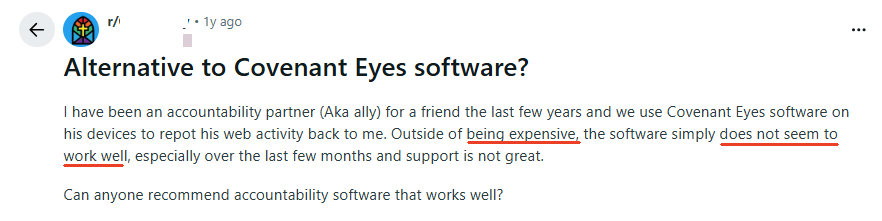
- Too Expensive
- Many users (including myself) feel Covenant Eyes costs too much, especially compared to other accountability or parental control apps.
- Not Easy to Use
- Installation and daily use can be confusing. For the first time, I wasn't sure if I had the right app because its name shown in the app store (Victory Shield) didn't match the product name (Covenant Eyes).
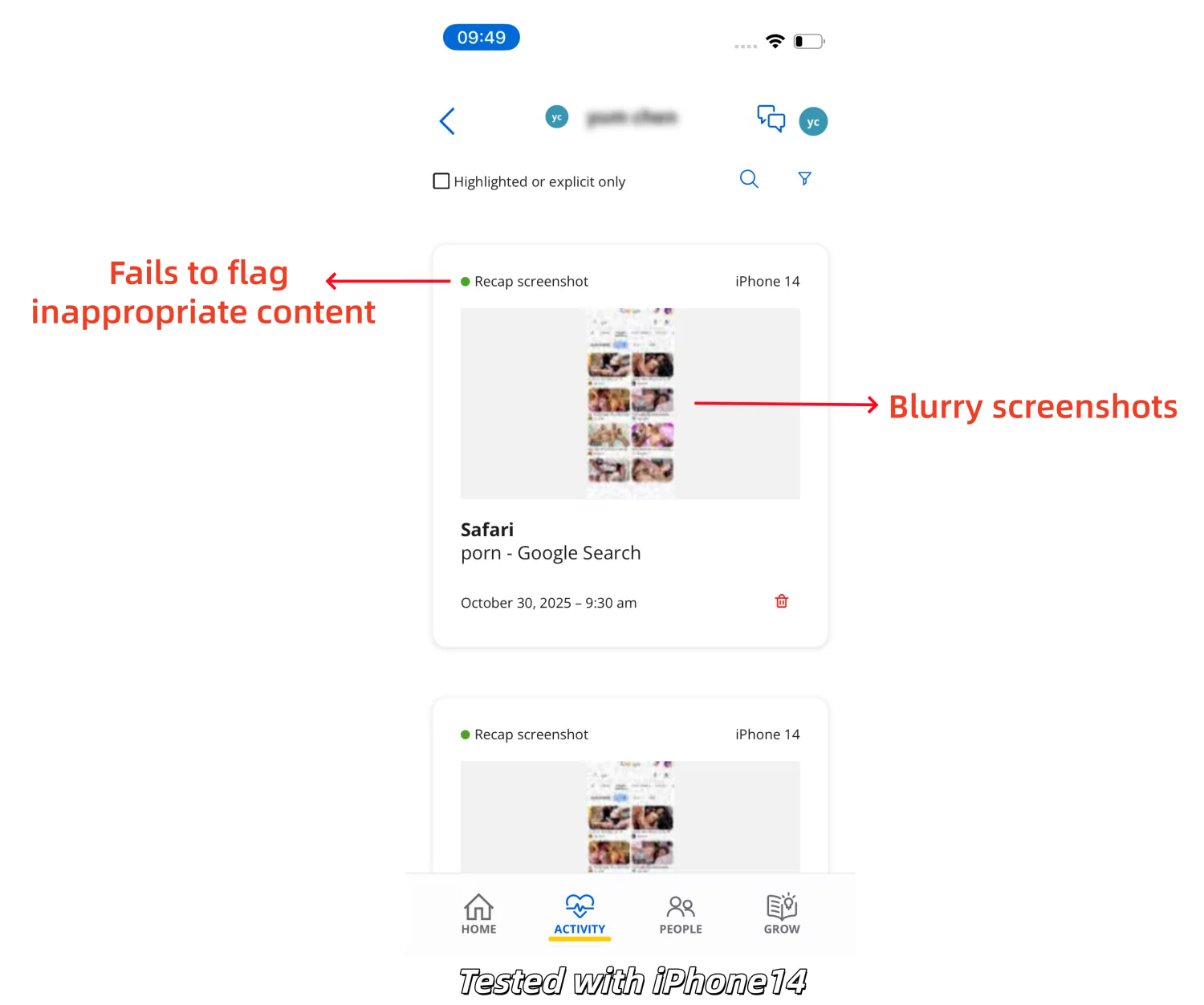
- Blurry Screenshots
- Although this screen accountability app can automatically take screenshots and monitor screen activity, all the screenshots (even the flagged ones) are blurry and can't be zoomed in.
- Technical Issues
- Many users complained about Covenant Eyes VPN disconnecting issues. Moreover, it drains battery too fast, frequently delays alerts, and unbinding devices doesn’t work well.
- Hard to Cancel
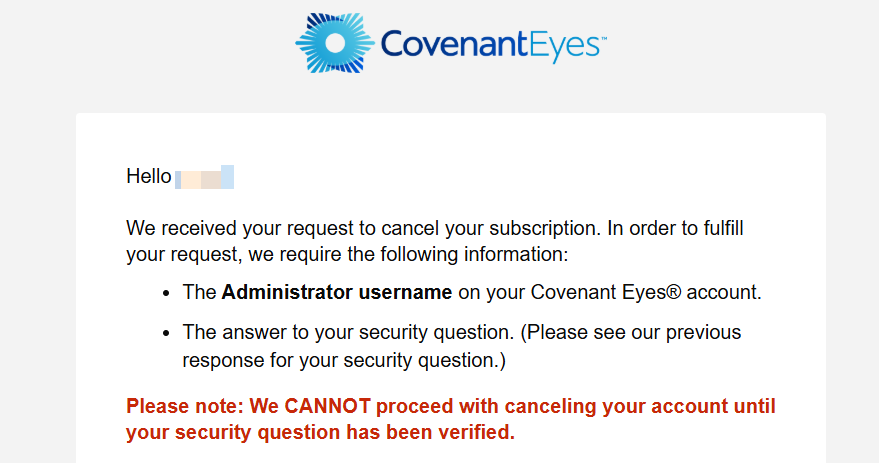
- Canceling its subscription requires contacting member support via email or phone, and answering security questions, which is very time-consuming.
- Porn-Only Focus
- Covenant Eyes concentrates on blocking and monitoring adult content. As a parent, it offers little support for screen time or real-world safety.
3 Covenant Eyes Alternatives
Well, now, it's time to see what options are out there:
- Comparison





- Web Filtering


- Screen Monitoring
- Web Activity Reports
- Sensitive Keyword Alerts
- Explicit Image Detection




- Sexting Prevention Keyword DetectionKeyword DetectionImage Detection
- Screen Usage & Limits
- Free Trial EntryCredit Card RequiredNo Credit Card RequiredCredit Card RequiredCredit Card Required
- Monthly Pricing$18$9.99$11$9.99 to $13.99
- Annual Pricing$184$59.99$121$95.9 to $119.9
1AirDroid Porn Blocker
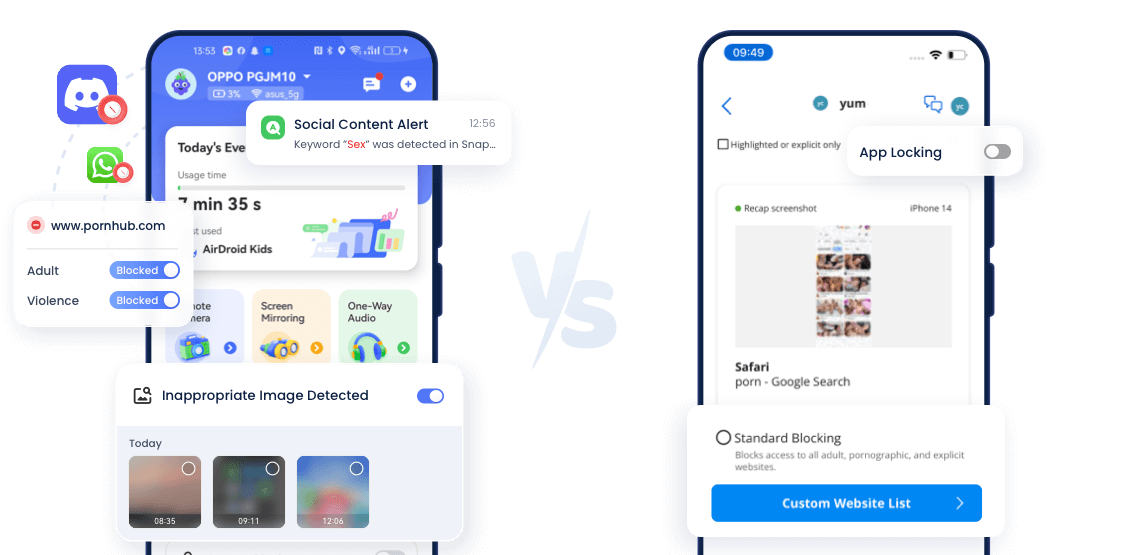
If your main frustration with Covenant Eyes is that its blurry and incomplete reports, AirDroid is the right solution you need.
AirDroid Parental Control is a full-featured app designed for families. It goes beyond Covenant Eyes' web filtering and screen mirroring, combining keyword-based content detection, screen time limits, app blocking, and location tracking.
Additionally, it offers tools to ensure your child's real-world safety when they are away from home.
🚀Key Features:
- Detect and alert explicit content across social media apps, photos, and SMS.
- Block other inappropriate websites by category, such as violence, drugs, etc.
- Set strict time limits on phone usage or specific addictive apps.
- Provide full browsing and search history, even in Incognito mode.
- Remotely access the phone's camera and microphone to ensure your child is safe offline.
- Track where your kids are and where they have been.
🌟Why It's the Best Alternative?
Screen Monitoring Quality: Instead of providing random and blurry screenshots, AirDroid's screen mirror feature lets you see what's happening on your child's screen.
Affordable: AirDroid offers the most affordable solution, providing full access to all features at a lower price compared to other alternatives.
Combating Addiction: Covenant Eyes doesn't track how long a device is used or limit screen time. AirDroid helps you build healthy habits for your kids, ensuring they won't spend all night on social media or gaming.
Flexible Customization Per Device: During testing, AirDroid lets me create separate usage rules for each child's device. In contrast, Covenant Eyes often ties restrictions to the user account, making it difficult to customize rules for different devices.
Real World Safety: This is the feature set that Covenant Eyes and other alternatives completely lack. AirDroid includes location tracking to prevent your child from getting lost. Plus, with it, you can check your child's surroundings when they aren't answering your calls to ensure their safety.
2Accountable2You
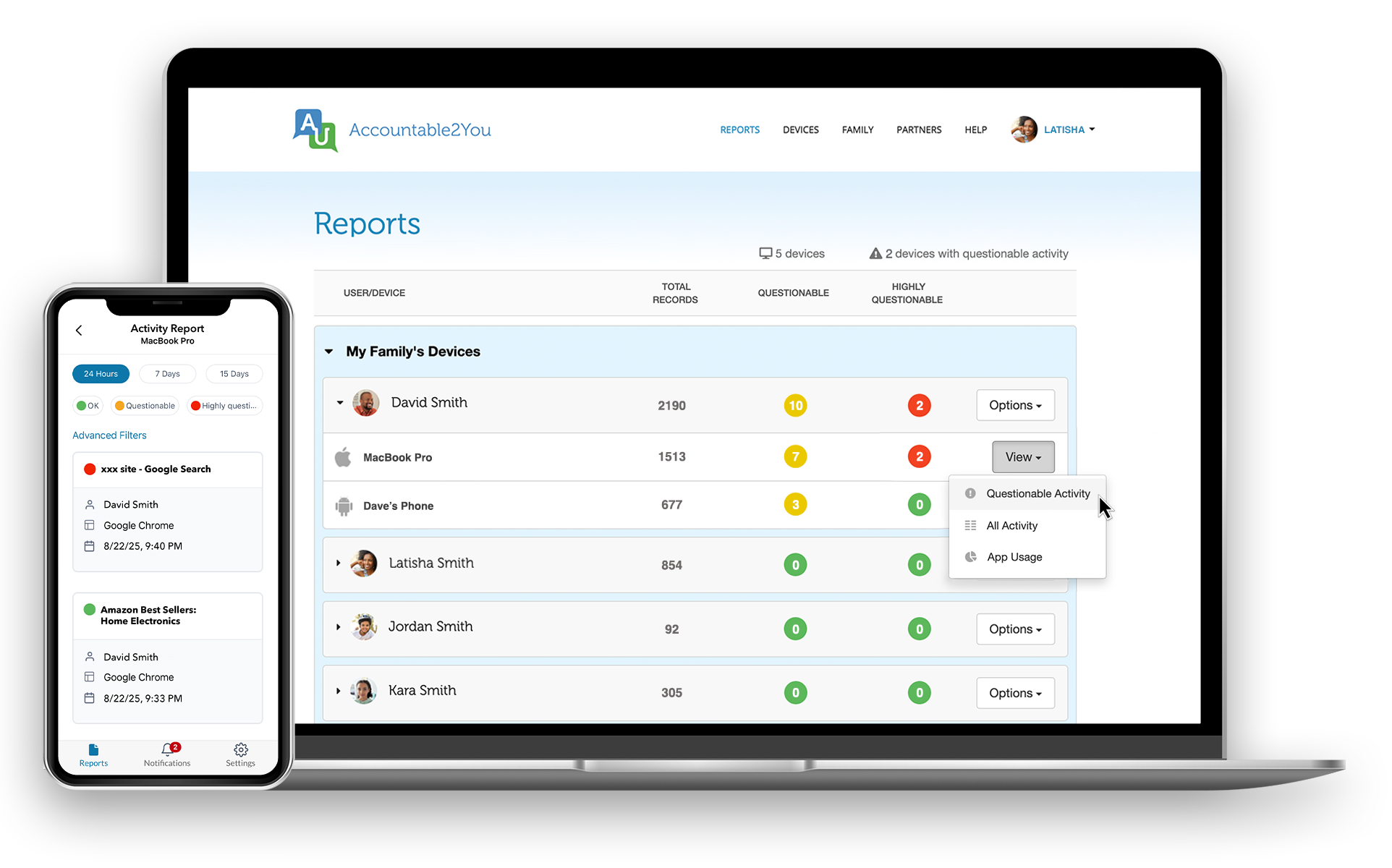
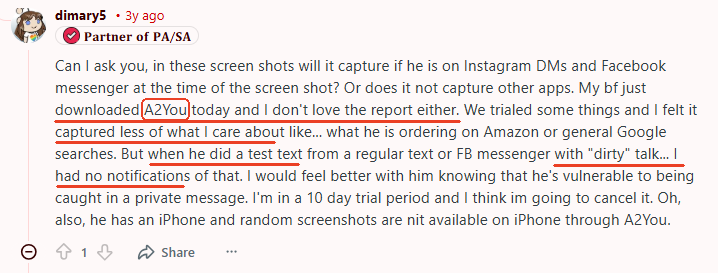
If you find Covenant Eyes often report delayed issues, Accountable2You is the alternative. Instead of capturing images of the screen, it logs activity in text. (URLs, app names). This makes online activities clear at a glance without slowing down your phone.
🚀Key Features:
- See exactly which apps or websites were opened and for how long.
- Create a list of flagged words to monitor concerning web searches.
- Set time limits for device usage and get notified when the limits are reached.
🌟Why it's a Better Alternative?
Instant Alerts: This is the biggest differentiator. Accountable2You sends immediate app notifications, texts, or emails to the partner when a "trigger word" or suspicious activity is detected.
Performance & Privacy: Because it doesn't take screenshots, Accountable2You consumes significantly less battery than Covenant Eyes. Surely, this also offers a more privacy-conscious form of accountability.
Detailed Reports: Accountable2You provides a full log of every activity, including the exact app usage and web searches. It even allows you to download and export it. However, some users reported that it may miss risky conversations in messaging apps.
3Canopy
Canopy is another app similar to Covenant Eyes. It is well-known for its advanced AI that can detect and block inappropriate images and web content.
Not just blocking explicit websites, it scans the actual content of the page. This means if a safe website accidentally displays an inappropriate image, Canopy will blur or block that specific image while leaving the rest of the page accessible.
Of course, we also found that it is sometimes not effective at blocking during testing.
🚀Key Features:
- Automatically blur explicit images on websites.
- Filter websites by 20+ categories.
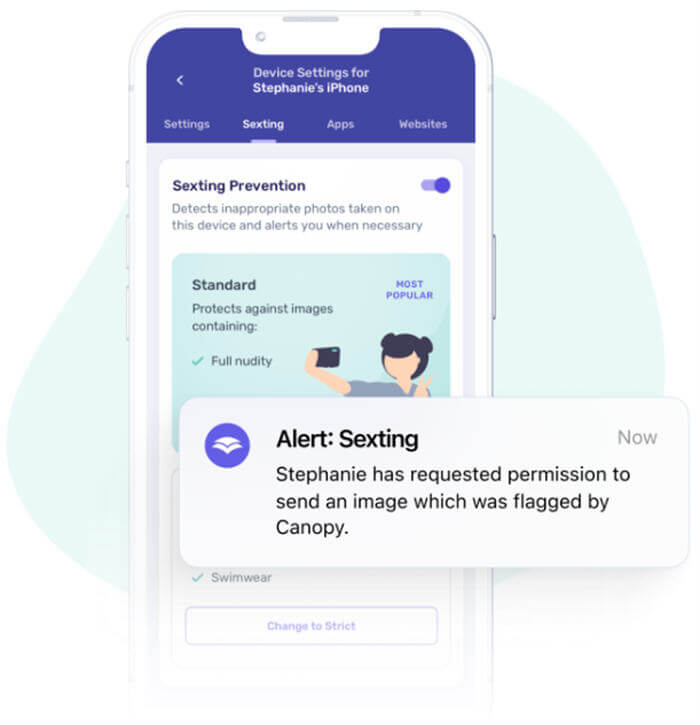
- Notify parents of sexting photos in the camera roll or gallery.
- Pause the internet during specific days or hours.
- Block specific apps or games.
- See where your child's device is in real time.
🌟Why It's a Better Alternative?
Smart Filtering: Unlike traditional filters that block entire domains, Canopy's AI analyzes images and videos on a webpage for blocking. However, some users reported "over-blocking," where harmless websites or images are mistakenly blocked.

Sexting Prevention: This can detect if your child attempts to take or receive a photo related to sexting. And more importantly, it alerts the parent immediately and prevents the image from being shared. However, it doesn't detect text-based sexting (AirDroid can).
Final Thoughts: Finding the Right Fit
Here is a quick summary to help you choose the Covenant Eyes alternative:
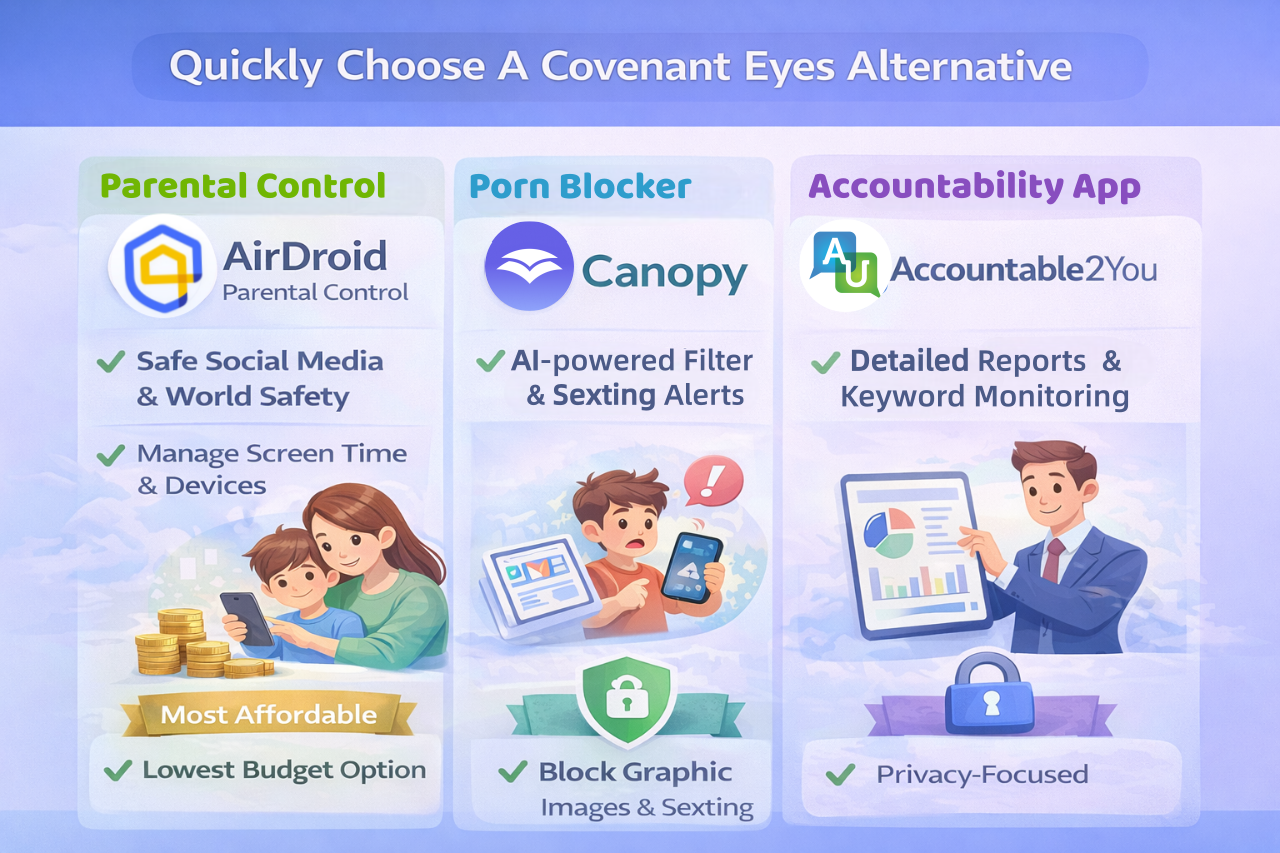
- If you're a parent worried about your child encountering risky content on social media or dangers in the real world, consider AirDroid Parental Control. Meanwhile, AirDroid is also the lowest budget option.
- If you need to fight against graphic images online or sexting, whether for yourself or someone you love, opt for Canopy.
- If you are privacy-conscious and want a like-for-like alternative to Covenant Eyes that offers more detailed reports, choose Accountable2You.
- Surely, you can also stick with Covenant Eyes if you are an adult specifically looking for an accountability partner to help with self-discipline, and you don't mind the lack of features and app issues.
FAQs about Covenant Eyes
How to Cancel Covenant Eyes?















Leave a Reply.