AirDroid Parental Control
24/7 Kids' Guardian via App & Web
- 👀Live surroundings and location tracking
- 🔞Content Monitoring and App/Web Blocking
- ⚠Instant alerts for online risks and geofences
- ⌛Screen time control and monitor

Does Apple Watch Work with Android or Only iPhones?
If you’ve been eyeing the Apple Watch but you use an Android phone, you’re probably wondering—can the two work together? It’s a common question, and a good one, especially since Apple Watches are known for their sleek design, fitness features, and all-around convenience.
At first, it might seem like it should work. Both devices use Bluetooth, are smart, and are popular. But when you dig a little deeper, the answer isn’t quite what most Android users hope for.
So, we’ll walk through whether the Apple Watch can connect to Android, what happens if you try, and what your other options are.
Official Compatibility Between Apple Watch and Android
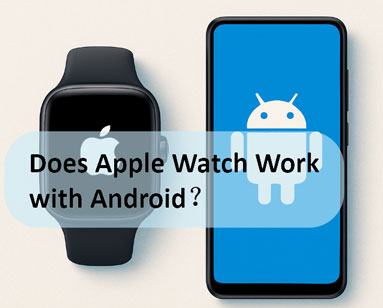
Apple Watch does not officially work with Android. It needs the iPhone’s Watch app to set up, sync apps, receive messages, and get software updates. That app doesn’t exist for Android, and Apple hasn’t opened the door to cross-platform compatibility.
No Native Android App
Apple hasn’t made an app for Android that lets the Apple Watch connect. That means there’s no official way to set up, pair, or manage an Apple Watch using an Android device. It only works with iPhones. You’ll need an iPhone to activate and use most of the features on the watch.
No Bluetooth Pairing Support
You might be thinking, “Can’t I just connect it through Bluetooth?”Good question—but unfortunately, that won’t work either.
Even though the Apple Watch has Bluetooth, it’s not like a regular smartwatch. It uses a special connection with the iPhone to sync messages, notifications, apps, and health data. Android phones can’t recognise or pair with it in the same way, so the watch won’t function properly.
What Works & What Doesn’t
If you somehow manage to set up an Apple Watch using someone else's iPhone, and you keep it on your wrist while using your Android phone, here’s what you can expect:
What Might Still Work (if the watch has cellular service):
- You mightbe able to make calls and send texts if the watch has LTE and your carrier supports it.
- Fitness tracking, alarms, timers, and offline music can work (but no updates or syncing).
What Definitely Won’t Work:
- No app updates or downloads
- No notifications from your Android phone
- Features like iMessage, FaceTime, Apple Health, and Siri are iOS-exclusive.
2 Workaround Ways to Use Apple Watch with Android
So, we’ve already covered that the Apple Watch doesn’t officially work with Android—but are there any hacks or workarounds? Technically, yes. But they come with serious limitations.
1Independent LTE Operation (Apple Watch with Cellular)
This method only applies if you have a Cellular (LTE) versionof the Apple Watch.
How It Works (Step-by-Step):
- Use an iPhone to set up the Apple Watch: You can borrow a friend’s iPhone or use one you already have.
- Set up a cellular plan on the Apple Watch (with a supported carrier).
- Sign in with your Apple IDand sync your basic preferences.
- Turn off the iPhone and switch to your Android phone.Keep the Apple Watch on your wrist and connected to LTE.
Now the watch works independently, not connected to any phone.
What Works:
- Calls and texts (if your number is linked through your cellular carrier)
- Apple Music streaming (if pre-set up)
- Fitness tracking, heart rate, and activity rings
- Alarms, timers, weather (if the watch has data)
- Apple Pay (if set up beforehand)
What Doesn’t Work:
- No notifications from your Android phone
- No access to new apps or updates
- No syncing with your Android device
- No Siri use beyond basic questions (if LTE works)
- You can’t change settings or manage the watch through Android
You can get some standalone functionality, but you’re basically using the Apple Watch like a mini iPhone… with blinders on.
2Using Third-Party Android Apps
Some apps claim to “bridge” the gap between Android and Apple Watch, but don’t get your hopes up. These tools are extremely limited, and they don’t offer full pairing.
Examples of Third-Party Apps:
- Watch Droid– Designed for Android smartwatches, not Apple Watch.
- Bluetooth Scanner or BLE Tools– Might detect the watch, but can’t pair it properly.
- Notification Mirroring Apps– Some try to mirror basic notifications from Android to Apple Watch (almost never reliable).
Limitations:
- No secure or stable connection
- No proper pairing or app control
- No access to the Apple Watch's health or messaging features
- High chance of draining your battery and exposing data to risk
- Many are buggy or abandoned by developers
These third-party apps don’t actually let you usethe Apple Watch with Android in any meaningful way. At best, they’re experimental and frustrating.
Best Apple Watch Alternatives for Android Users
If you're using Android but want a similar smartwatch experience, you may try some alternatives.
| Smartwatch | Key Features |
|---|---|
| Google Pixel Watch 3 | Clean Wear OS, standouts health sensors and designs. |
| Samsung Galaxy Watch 6 | Deep Samsung integration, advanced health tracking |
| Garmin Venu 3 | Excellent fitness and battery life |
| Fitbit Versa 4 | Affordable, great for basic fitness and notifications |
Can I Set Up Parental Controls on iPhone from Android
Let’s say you’re an Android user, but your child has an iPhone—or maybe you were considering getting them an iPad. Naturally, you might wonder: “Can I monitor or manage their iPhone from my Android phone?”
Unfortunately, just like the Apple Watch doesn’t play well with Android, Apple Screen Time doesn’t allow parental control access across platforms either.However, you may try reliable parental controls apps like AirDroid. Here’s what makes it stand out:
📱 Cross-Platform Access: Set and manage parental controls on an iPhone using Android, iOS, or any device with a browser—no limitations.
⏰ Unbreakable and Location-Based Screen Time Rules: When time’s up, the app is hidden from the child’s device—making it nearly impossible to bypass restrictions. It can also automatically apply screen time limits when your child enters a specific zone—like school or home.
🔒 One-Tap Blocking: Instantly block any specific app or even lock the entire device with a single tap.
🛡️ Smarter Web Filtering: Block inappropriate websites more thoroughly—beyond basic filters—for stronger online safety.
👀 Private Mode Tracking: Keep track of your child’s browsing history—even in Incognito or Private mode.


Conclusion
So, can you use an Apple Watch with an Android phone? Not really. Apple designed the Watch to work only with iPhones, and there’s no official support or app to make it fully work with Android. While there are a few workarounds, they’re limited and not worth the trouble for most people.
If you're using an Android phone and want a smartwatch that just works, you're better off choosing something built for your device—like the Google Pixel Watch, Samsung Galaxy Watch, or even a fitness-first option like Garmin or Fitbit. They’ll give you all the features you need without the frustration.











Leave a Reply.