AirDroid Parental Control Advocates for Healthy Summer Digital Habits: Why the First Two Weeks Matter
As summer break begins across the United States, AirDroid Parental Control is calling on families to use the critical first two weeks of vacation to establish healthy digital boundaries — before summer screen-time habits become entrenched.
Our Position: The Window of Opportunity Is Now
At AirDroid Parental Control, we believe summer should be a time for children to explore, create, and connect — both online and offline. Yet for millions of families, the unstructured weeks of summer break also bring the highest annual growth in screen time.
Research from Common Sense Media underscores the scale of the challenge: tweens average 5.5 hours and teens more than 8.5 hours of daily entertainment screen use during the school year — figures that typically climb significantly during unstructured holiday weeks. Without the natural rhythm of classes, homework, and after-school activities, many children default to streaming, gaming, and social media for hours at a stretch.
We also recognize that the tension around screen time often stems not from the rules themselves, but from how they are introduced. Abrupt bans tend to backfire. Predictable, collaborative limits are far more likely to succeed.
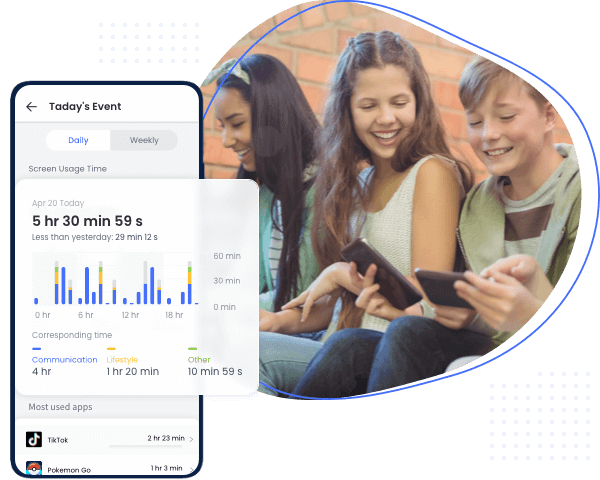
That is why AirDroid Parental Control is advocating for a proactive, family-centered approach — one that prioritizes trust and communication over restriction and conflict.
"Parents tell themselves they'll 'get serious about limits in July,' but by then the habits are already set. The transition period right now — before summer routines solidify — is actually the easiest time to introduce boundaries without daily battles."
— Olivia Carter, Digital Parenting Specialist at AirDroid Parental Control
Our Three Recommendations for Families
Based on our work with parents and child development experts, AirDroid Parental Control recommends three practical strategies to help families navigate the summer transition with less friction and more trust:
1. Replace Total Bans with Structured "Offline Windows"
Rather than confiscating phones or imposing all-day restrictions, families can designate predictable blocks of time — such as the first hour after breakfast or the hour before dinner — when devices are simply set aside. Consistency matters more than duration; even 60 minutes of guaranteed offline time helps reset attention spans and creates space for other activities.
2. Set App-Level Limits Instead of Blanket Restrictions
Completely removing access to a favorite platform often triggers resistance. A more effective approach is to cap high-engagement apps — such as short-form video or mobile games — while preserving a child's sense of autonomy. This curbs endless scrolling without making the child feel punished.
3. Hold a Brief Weekly Family Check-In
A five-minute Sunday conversation about what worked, what felt unfair, and what to adjust keeps rules collaborative rather than authoritarian. When children feel heard, compliance improves significantly — and parents are no longer cast in the role of "screen time police."
"Parents don't want to be the screen time police. They want tools that support conversations, not replace them. The goal isn't a device-free summer; it's a summer where technology fits into the family's rhythm rather than dominating it."
— Olivia Carter
How AirDroid Parental Control Supports These Strategies
Our platform is designed to make boundary-setting straightforward and conflict-free. Features that align with our three recommendations include:
| Strategy | AirDroid Parental Control Feature |
|---|---|
| Structured Offline Windows | Built-in daily and weekly screen time scheduling |
| App-Level Limits | Per-app time limits and usage controls |
| Family Check-Ins | Weekly usage summaries and activity reports |
By combining these tools with an open, collaborative approach to digital parenting, families can establish routines that last well beyond summer.
About This Initiative
This advocacy aligns with AirDroid Parental Control's broader commitment to helping families build healthier, more balanced relationships with technology. We believe parental control tools should empower conversations between parents and children — not replace them.
The initiative has been covered by media outlets including:
About AirDroid Parental Control
AirDroid Parental Control is a comprehensive family safety solution that helps parents monitor screen time, manage app usage, track location, and receive safety alerts. Developed by Sand Studio, AirDroid combines powerful monitoring features with an intuitive interface designed to foster trust and open communication between parents and children.
Learn more at https://www.airdroid.com/parental-control/
Media Contact:
AirDroid Media Team











Leave a Reply.