AirDroid Telegram Monitor
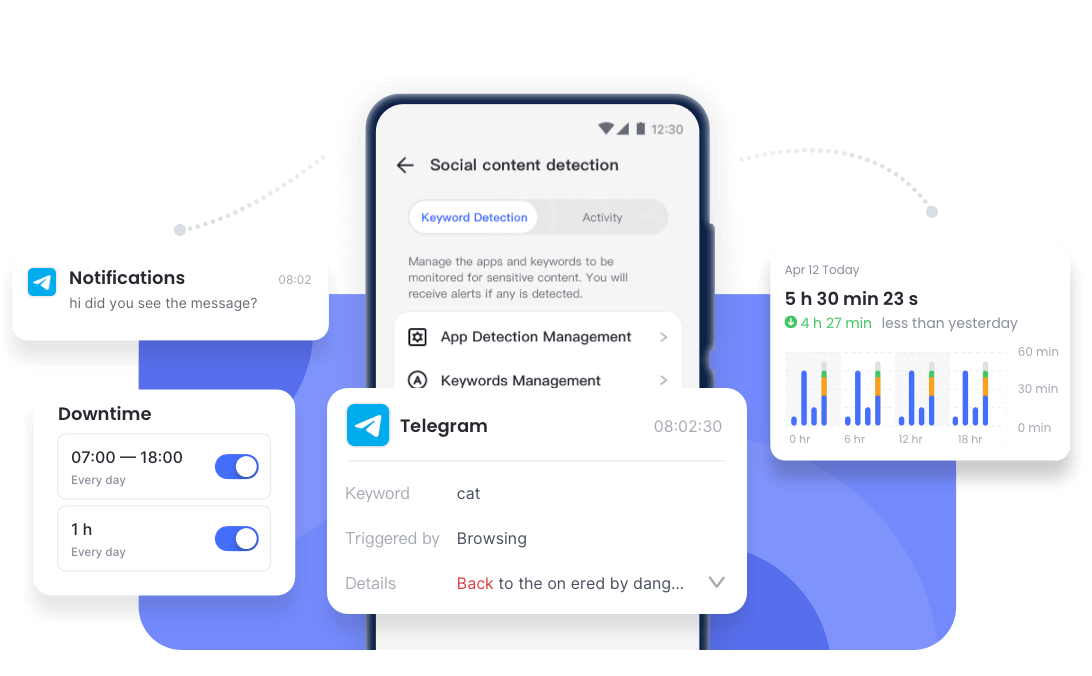
- Send instant alerts for specific words.
- View and save Telegram incoming messages.
- Track usage on Telegram and add time limit.
Solved: This Channel/Message Cannot Be Displayed on Telegram
We all know how captivating Telegram channels can be. But lately, when you're eagerly waiting to read a message or join an exclusive channel on Telegram, only to be met with a dreaded notification saying, "This message or this channel cannot be displayed." Frustrating, isn't it?
If you're in this situation right now, don't panic! In the next few minutes, we'll dive into the possible reasons behind these restrictions and explore effective solutions to get you back on track. Let's get started!
Why This Channel/Message Couldn't be Displayed On Telegram
Several factors could be responsible for not being able to view or join channels on Telegram, and they include:
- Regional Restriction/Censorship:
- Copyright Infringement:
- Pornographic Content:
- App Store Restrictions:
- Banned or Reported Channel:
Some countries monitor social media posts, including Telegram messages or channels. Once these messages or channels violate the country's local law, they will be removed immediately.
When Telegram shows "this message cannot be displayed on your device due to copyright infringement," it indicates this message contains non-copyrighted content. This often occurs in some channels or groups that are used to share unauthorized movies, books, etc.
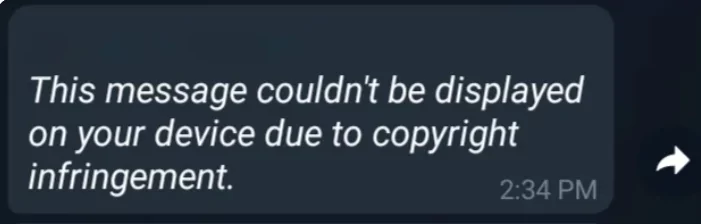
Telegram's Terms of Services explicitly state that posting pornographic content on its channels, bots, etc. That's why you may see "this message couldn't be displayed on your device because it violates the telegram terms of service."
Additionally, Telegram seriously restricts and hides that type of content if you enabled the sensitive content filtering option in the privacy setting.

Get instant alerts for Telegram porn messages!
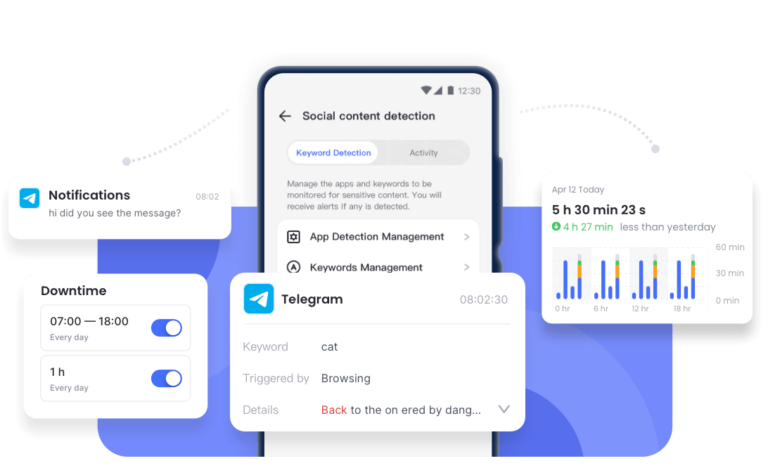
AirDroid Telegram Monitor allows you to receive notifications when related keywords are detected on Telegram conversations.
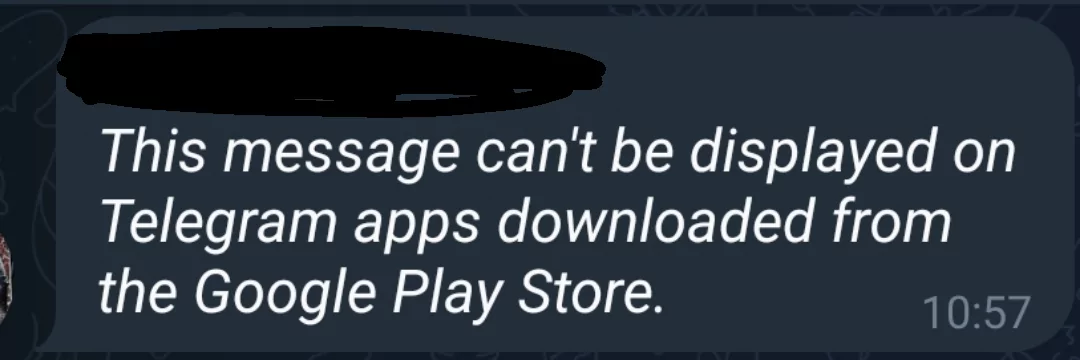
Recall if your Telegram app was downloaded from the official App Store or Play Store. If yes, they have rules to disallow certain content. Then, some channels or messages containing that content can be hidden on Telegram.
If an account or channel is reported by many users, you'll also get this error message.
Telegram regularly processes users' requests and removes illegal public content, such as sticker, bots, groups, and channels that violate property rights or contain pornography.
What to Do When The Telegram Channel/Message Cannot Be Displayed
If you've received this message and you're wondering what to do next, don't fret. Just follow the tips below to help you regain access.
Disable Sensitive Content Filtering
When you see the error message saying, "this channel can't be displayed because it was used to spread pornographic content," the first step is to check your privacy settings to ensure that sensitive content filtering is disabled.
When the sensitive content filtering is turned on, you won't be able to access some specific channels or messages with inappropriate content. To fix this error and access the content, just follow the steps below to disable the sensitive content filtering:
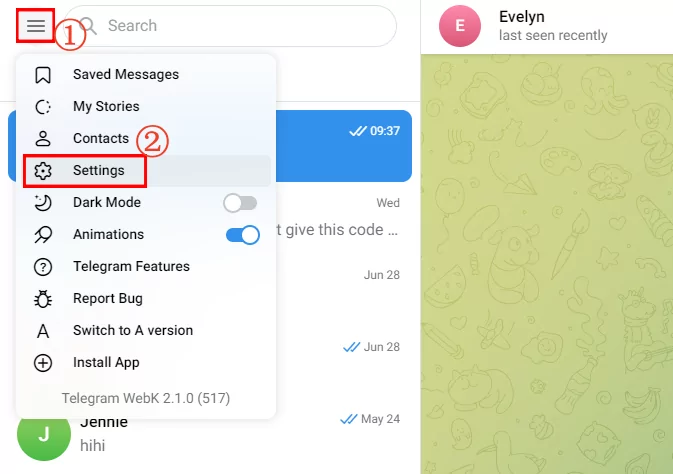
- Step 1.On your browser, visit Telegram web and log into your account.
- Step 2.Tap the "Menu" icon at the top left corner and select "Settings."
- Step 3.Go to "Privacy and Security."
- Step 4.Scroll down to mark the "Disable filtering" box.
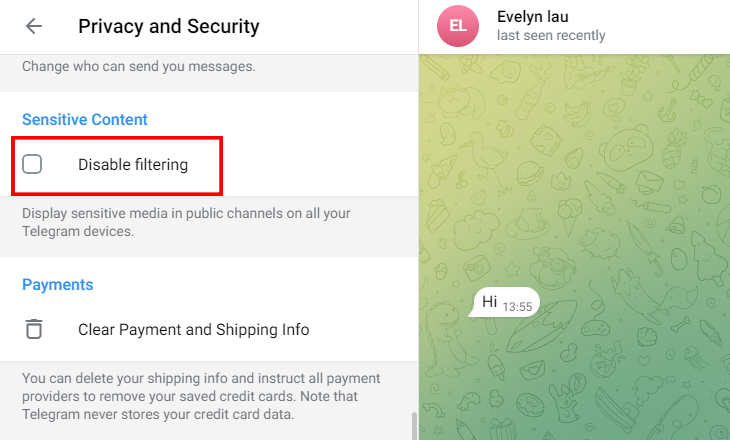
Now, back to the channel to see if the "this channel cannot be displayed" error still persists on Telegram.
Download Telegram APK
The Telegram app often limits or filters certain channels and messages to comply with regional content restrictions set by Google Play and the App Store.
If you encounter these limitations, you can download the Telegram APK directly from the official Telegram website.
This version is provided by Telegram and has fewer regional or content-based restrictions, allowing you access to channels that may be otherwise restricted.
Here's how to download the Telegram APK to fix "this message couldn't be displayed on Telegram":
- Step 1.Go to https://telegram.org/android.
- Step 2.Tap on "Download Telegram," and the APK file will start downloading.
- Step 3.Once downloaded, open the file to begin installation and check if the error message disappears.
Use VPN
If the problem persists after disabling content filtering, some users choose a VPN as a solution.
Each time a VPN is connected, you'll be assigned a different IP address, usually from a location of your choice. This masks your real IP address, making it appear like you're browsing from a different region or country.
Then, you will be able to look for the channel or message that can't be displayed on Telegram due to regional restrictions.
Contact Support
If you're still encountering this issue after trying the above troubleshooting tips, your best option is to contact Telegram Support. The Telegram support team will be in the best position to identify what might be causing this message on your account. Who knows, this may even be due to unexpected or minor issues.
How to Protect Your Child from Harmful Telegram Channels
Now, you may have known that whether it is pornographic content or non-copyright content that causes messages or channels to be blocked on Telegram, they are not good for minors. Therefore, if you are a parent, you have to protect your kids from harmful Telegram channels.
Set up AirDroid Parental Control
The best way to protect your kids from harmful content on Telegram is by setting up a parental control app like AirDroid on their phones.
Trusted by over 14 million parents worldwide and rated 4.3 on Google Play, parents are able to know if their teens are engaging in inappropriate content on social media platforms, including Telegram. If they are, parents can get instant alerts and can take immediate actions, like blocking the app.
Now, click here to get started.
Enable the Built-in Content Filtering
You can also use Telegram's content filtering feature to prevent your child from using harmful channels. When this feature is enabled, inappropriate channels will be filtered and restricted on your child's timeline. But note that this feature and Telegram's moderation aren't robust; thereby, the porn content on Telegram is still endless.
Open Communication
Open communication is another effective way to safeguard your kids from dangerous Telegram channels. Talk to them about the impact of harmful channels on their mental health and guide them in using Telegram correctly. This proactive dialogue alone can help them make safer choices and avoid harmful Telegram channels on their own.
If you don't know how to start a conversation, the AAP offers conversation starters for parents to talk with their teens about social media.
Conclusion
If you see a message that says, "This message or channel cannot be displayed" on Telegram, it's usually due to regional restrictions, porn content, copyright infringement, or a banned account. When this happens, try to check your content filtering settings, redownload Telegram from its official site, or use a reliable VPN. This can help you access more content on Telegram.
List of Sources
1. Telegram Official Policies on Content Restrictions
•Telegram's Terms of Service
https://telegram.org/tos
•Telegram FAQ — How Does Telegram Process Take-down Requests?
https://telegram.org/faq#q-do-you-process-take-down-requests-from-third-parties
•Telegram Official Download Page for Android
https://telegram.org/android
2. App Store & Platform Restrictions
•Apple App Store App Review Guidelines
https://developer.apple.com/app-store/review/guidelines/
3. VPN Usage Compliance & Legal Considerations
•EPR News — VPN Restrictions, Regulations and Laws Around the World
https://developer.apple.com/app-store/review/guidelines/
•FTC — Tips for Using VPN Apps
https://search.ftc.gov/news-events/news/press-releases/2018/02/ftc-provides-tips-using-vpn-apps
4. Telegram for Minors
•AI Bots Generating Child Sexual Abuse Material on Telegram
https://pulitzercenter.org/stories/telegram-app-says-it-prioritizes-child-safety-its-bots-tell-different-story
•Telegram's Reports of Child Abuse Images Is Increasing
https://agenciabrasil.ebc.com.br/en/justica/noticia/2025-02/telegram-sees-rise-reports-child-abuse-images










Leave a Reply.