AirDroid Parental Control
24/7 Kids' Guardian via App & Web
- 👀Live surroundings and location tracking
- 🔞Content Monitoring and App/Web Blocking
- ⚠Instant alerts for online risks and geofences
- ⌛Screen time control and monitor

How to Recover WhatsApp Disappearing Messages
Disappearing messages on WhatsApp automatically delete your chats. It can be turned on by any person in the chat. Recovering these messages is not always possible. We have found some methods that can help get back these messages. You can see those messages if they were backed up, forwarded, quoted, or saved in notifications before they vanished.
What Are WhatsApp Disappearing Messages?
Disappearing messages on WhatsApp do not remain in your chat forever. This feature is designed to help you keep conversations private and reduce clutter in your chat history.
When you turn on disappearing messages, new messages in the chat are automatically deleted. It can be a day, a week, or three months, whatever you pick. Old messages do not go anywhere. They stay in the chat. This feature is good if you do not want long conversations to pile up.
WhatsApp deletes them by itself, so your chats don’t stick around forever. It also keeps private info off the phone or cloud. People use it when they don’t want messages to stay, like in personal chats or groups. Photos, links, or other stuff sent will disappear too. This is not perfect, but it helps keep things private and lighter.
The disappearing messages have a few limitations:
- Only applies to new messages, not old ones
- Backups may not include them
- Media may still be saved if downloaded
Why People Want to Recover Disappearing Messages on WhatsApp
There are many reasons people are curious about WhatsApp messages that disappear. Almost all of us want to find ways to view them before they get deleted. Parents are especially concerned about safety.
- Important Messages: Sometimes, you need to recover the messages that contain important stuff. It can be anything like addresses or work details.
- Parental Concerns: Parents will obviously be concerned that their children can hide inappropriate content. They want to be aware of what is happening with their kids.
- Backup Recovery: A lot of people want to know whether WhatsApp backups can restore messages that have disappeared.
Method 1: Restore WhatsApp Disappearing Messages from Your Backup
WhatsApp has clearly stated that disappearing messages are not saved by itself. This already suggests that the chance of getting them back is not 100%. Still, messages can be recovered if they were included in a backup before they disappeared.
Chats cannot be recovered in case there is no backup available, or if the backup was taken after the message deletion.
Below, I will show you how to restore WhatsApp disappearing messages.
1. On Android
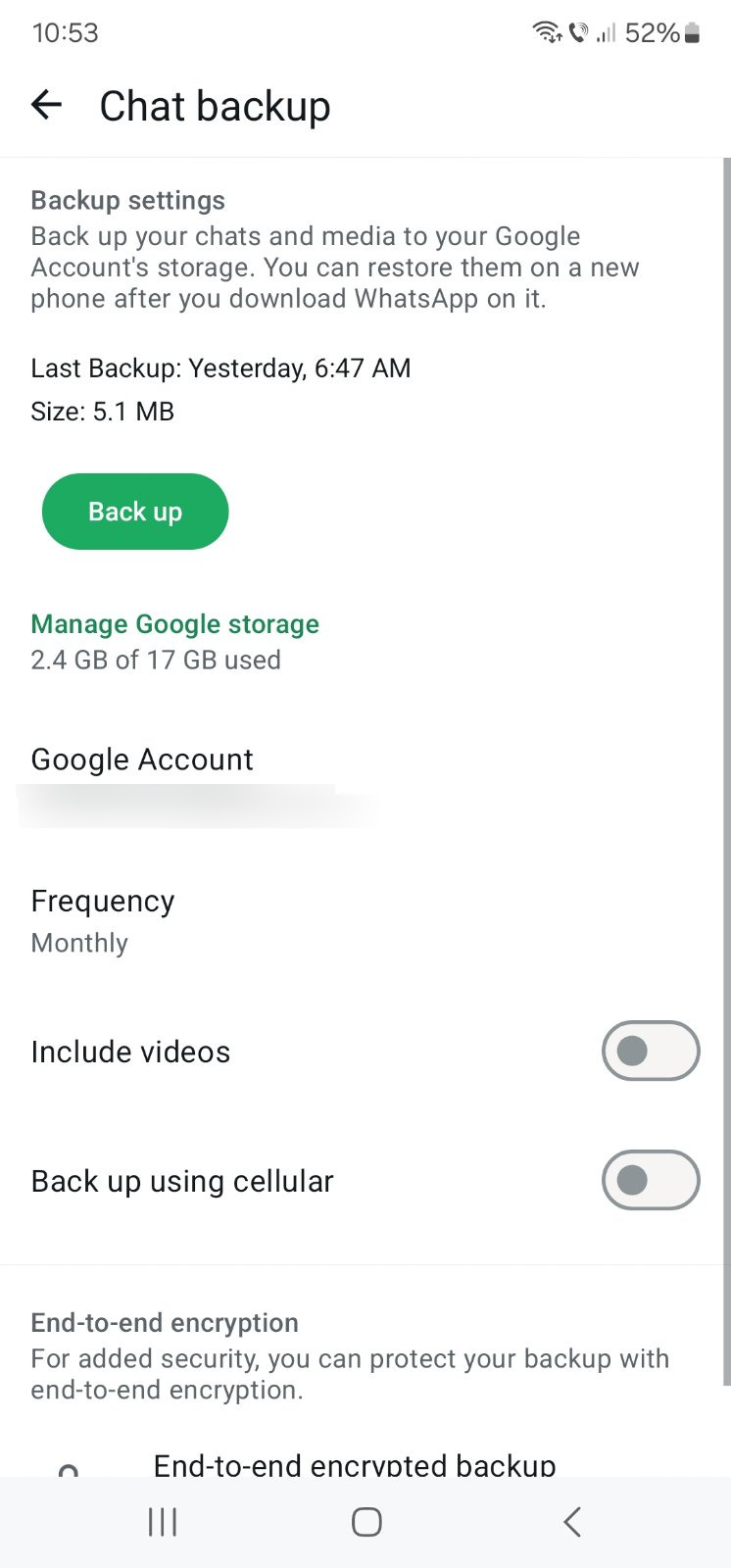
Step 2. Uninstall and reinstall WhatsApp.
Step 3. Select Restore to recover messages.
2. On iPhone
Step 2. Tap iCloud, then select Manage Account Storage.
Step 3. Locate your WhatsApp backup and check the date to see if it may include the disappearing messages.
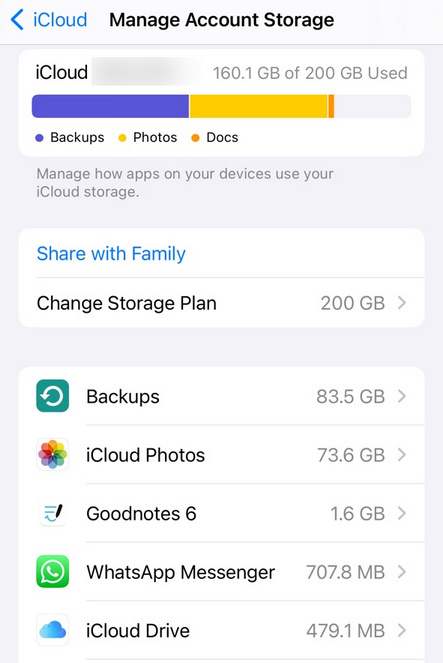
Step 4. Delete WhatsApp. Reinstall it from the App Store.
Step 5. During setup, select Restore from iCloud Backup to recover messages.
Sometimes restoring deleted WhatsApp messages does not work. This can happen if the backup was made after the messages disappeared or if the messages were never included in a backup. Photos, videos, or other media might also be gone if they were not saved before the messages disappeared.
Common Issues During Restore:
- Poor internet connection
- Not enough space on the phone
- Using an old version of the app.
Method 2: Recover Disappearing Messages Without Backup
If you do not have a backup, there are still a few ways to recover disappearing messages. These methods are not guaranteed, but can help in some cases:
1. Check Forwarded or Quoted Messages
Disappearing messages on WhatsApp can still appear if you have forwarded or quoted them in another chat.
2. Check Linked Devices
If the chat is open on WhatsApp Web, you will still see the messages before they disappear.
3. Check Notification History
On Android, you can view previous message notifications to see content that has disappeared.
4. Ask the Sender to Re-send the Message
If none of these methods work, you should simply ask the sender to send the message again.
Method 3: Use Third-Party Tools (Best for Prevention, Not Recovery)
WhatsApp users can set their messages to disappear through an automatic deletion feature. The system creates challenges that block users from monitoring vital information together with risky data.
Your child will be able to access all personal discussions because you are their parent. The information about their viewing activities, sharing activities, and received content will remain completely unknown.
1. Why Disappearing Messages Can Be Risky for Children
Disappearing messages can make it super challenging for parents to monitor conversations. Children can:
- Chat with strangers without parents knowing. It will lead to unsafe situations.
- Experience bullying or harassment through private messages that disappear quickly.
- Receive inappropriate or suggestive content without anyone noticing.
- Parents cannot immediately detect risky behavior or content. Timely intervention becomes super difficult.
Using third-party tools, like AirDroid Parental Control, can help parents keep their children safe.
2. How AirDroid Parental Control Helps Parents Stay Informed Even If Messages Disappear
AirDroid Parental Control helps parents monitor their children’s WhatsApp activity even when disappearing messages are enabled. When you use this control, you will be aware of every single thing your child does on WhatsApp.
Social Content Detection
AirDroid’s AI scans messages across 14 social platforms for risks (bullying, inappropriate language, predatory behavior, and stranger contact) and sends parents instant alerts for quick action.
Sync Notification (WhatsApp Preview Capture)
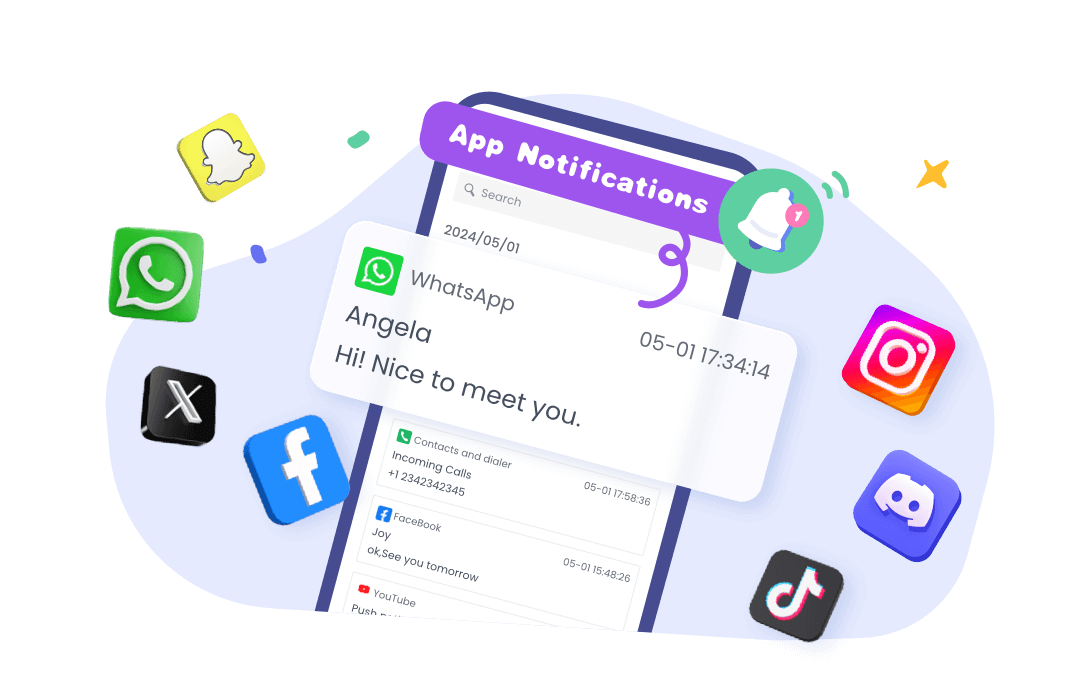
AirDroid records WhatsApp notifications—including previews, links, and media—even if messages vanish from chats, keeping parents informed.
Screen Mirroring
AirDroid lets parents mirror their child’s screen in an urgent manner, and can see unsafe interactions (stranger conversations, inappropriate content exposure).




Prevent Losing WhatsApp Messages in the Future
It is better to prevent something from happening than to face the consequences later on. You should try to keep your messages safe for the future. There are a few ways to do so:
1. Turn on Auto Backup
WhatsApp allows users to create automatic chat backups, which save their data to Google Drive and iCloud storage services. The auto backup feature protects your messages and media files with scheduled backups. The backup system lets you retrieve your messages when they vanish from your device or when you lose your mobile phone.
2. Extend the Disappearing Message Period
If you frequently use disappearing messages on WhatsApp, extend the timer. A longer period will give you more time to save and back up important messages before they vanish.
3. Regularly Export Important Chats
For chats that contain important information, you can export them as text files or save media separately. This will keep a permanent copy outside WhatsApp and make it easier to access messages, even if they disappear or are deleted.
Conclusion
You can recover your disappearing messages on WhatsApp quite easily in just a few steps. It can check backups and notification history. Seeing your forwarded or quoted messages, linked devices, or asking the sender might also work.
If you want to avoid losing important chats in the future, try to allow backups, extend disappearing message timers, and frequently export any important messages.
For parents who want to stay informed even if messages disappear, using the AirDroid Parental Control is your best solution. It helps capture notifications and monitor activity, keeping children safe while letting them use WhatsApp.
Take action today and use AirDroid to protect your chats and your family.















Leave a Reply.