Want to Monitor Instagram and Ensure Your Teens Safe?
- 🔞AI-powered content filter for Instagram and send instant alerts
- ⚠ Sync Instagram notifications and schedule Instagram usage
- 👀Monitor live Instagram activities in emergent cases
Can You Look at a Private Instagram Account? [Answered]
Ever been curious about a private Instagram account but didn't want to hit that follow button? Maybe it's a crush, a celeb, or just someone you are interested in? Well, you're not alone! Let's dive into what you should know and do in this situation.
Can You Really See Private Instagram without Following?
Let’s face the fact straight up. You can't view private Instagram content unless your follow request is accepted. Any tool claiming otherwise is misleading or malicious.
If you search a person's username, you will still see his profile. But you can't see his posts, stories, and reels in search results if you didn't follow his account. Instead of seeking ways to bypass private accounts directly, there are other things you can do to get what you want.
1Send Follow Request with a New Account
If you don't want the person know that you followed them, you can create a new account that does not reveal your details and then send a follow request.
After sending a follow request, you may need to exercise patience. The account owner might be unavailable or intentionally taking time to consider your request. Till your follow request is approved, you can engage their public content. Like, comment, and even share their posts that are visible in search results.
If you notice an extended period of no response to your request, you might review your profile. Update your profile and ensure it is as informative and genuine as possible. You may also show a similar hobby that may arouse the account owner's interest.
2View Their Instagram from One of Its Follower
Alternatively, you can also see their content from another person's account already following them.
If you have mutual followers, check if they’ve shared or reposted the private account’s content. If not, politely ask them if they can share insights about the account’s content, but avoid pressuring them.
3Look for Shared Content Elsewhere
Many IG users often post on other platforms like Twitter/X, Facebook, or TikTok, where their profiles might be public. If the user has a linked blog, portfolio, or website in their Instagram bio, they might share similar content there that’s publicly accessible.
You may alos search for the user’s username or name on these platforms to see if they’ve shared similar content. You can type the IG username in the other platform’s search bar.
If the private account uses public hashtags or geotags before switching to private, some content might still appear in the hashtag or location. Search relevant hashtags or locations on Instagram or other platforms.
If the account owner is highly private, they may not share content publicly elsewhere, so results aren’t guaranteed.
What We See in Third-Party Instagram Private Account Viewer Tools
Chances are that you have heard about third-party Instagram private account viewers. They exist. However, we have test more than 20 Instagram viewer tools and found that most tools can only see content of public Instagram account anonymously.
The Instagram profile viewer tools listed below claim to only access public account content. You don't need to try them anymore.
- InFlact: https://inflact.com/instagram-viewer/profile/
- VIEWS4YOU: https://views4you.com/instagram-story-viewer/
- Save Free: https://www.save-free.com/profile-downloader/
- InstaStoriesViewer: https://insta-stories-viewer.com/
- MollyGram: https://mollygram.com/
- Viralyft: https://viralyft.com/tools/instagram-story-viewer
- PATHSOCIAL: https://www.pathsocial.com/free-instagram-tools/web-viewer-for-instagram/
- ANONYIG.COM: https://anonyig.com/en/
- Goonview: https://goonview.com/
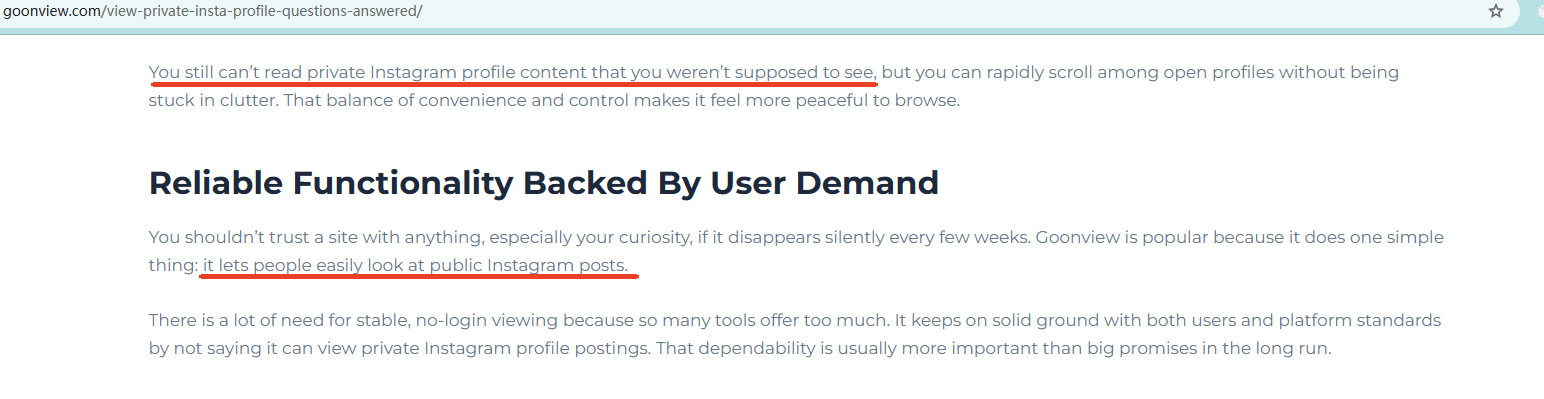
Even I have seen many users recommand Goonview on Reddit, but its own blog explain that it can't see private Insgram content. Here is the screenshot from the post:
Only a few tools claim to let users view private Instagram content, but most have serious limitations and security risks.
Type 1. Private Instagram Viewers
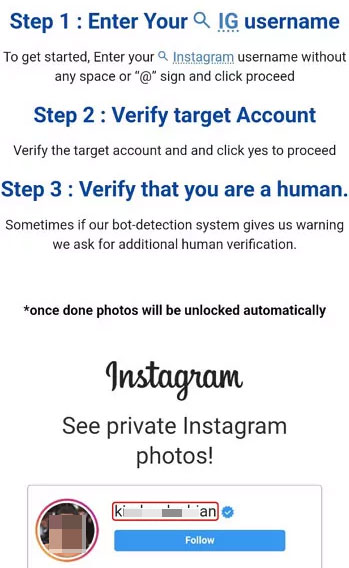
These platforms claim to give access to private Instagram photos, stories, or posts. Typically, users are asked to enter a target username, complete verification steps, or go through a “scanning” process before any content appears.
In reality, most so-called “private Instagram viewers” do not bypass Instagram’s privacy system. According to Instagram’s official Help Center, private posts, stories, and reels are only visible to approved followers.
Most viewers instead rely on publicly available profile data, cached thumbnails, previously public posts, or archived previews collected from other websites. As a result, what these tools display varies depending on the account and whether any content was ever public.
Users may mistakenly believe these tools work because the account was previously public, content was indexed by search engines, reposted elsewhere, or partially cached before becoming private. Some of these tools also request login details, surveys, or other permissions, which can expose users to phishing or credential theft risks (FTC Guidance on Phishing).
Type 2. Instagram Downloaders
These tools are primarily designed to download stories, reels, videos, photos, or profile pictures. Some advertise themselves as “anonymous Instagram viewers” that allow users to browse public profiles without logging in.
However, these downloaders generally only work with public content. For private accounts, they may still display basic public information such as the username, bio, or profile picture, but cannot access private posts, stories, reels, or messages. Even profile pictures are considered publicly visible metadata according to Instagram.
Type 3. Instagram Growth Tools with Web Viewers
These tools are primarily built to help creators or businesses increase followers and engagement. Some include web viewer features that let users browse Instagram profiles, posts, or stories without an account.
Although some of these pages claim to support private accounts, testing shows they only display public profile information or previously cached content. They cannot provide access to actual private posts or stories. Users may see usernames, bios, or profile pictures, but the private media remains inaccessible.
By combining official guidance, real-world testing, and security research, it is clear that any claim of fully viewing private Instagram content without approval is inaccurate. Users should be aware of potential security risks and focus on legitimate ways to interact with public or approved content.
Understanding the Risks of Using Instagram Private Account Viewer
In summary, they are mostly not a good option and should be avoided for several critical reasons.
- Instagram Does Not Endorse Them: Instagram's Official Help Center explicitly states that private account content is only visible to approved followers, and there is no legitimate way to access private content without permission.
- They’re Usually Empty Promises: These tools are typically empty promises. They claim to bypass Instagram's robust encryption and privacy settings, which restrict private content to approved followers but cannot deliver.
- Traps to Steal Your Data or Install Malware: These tools are essentially scams designed to steal your data, login credentials, or infect your devices with malware. One giveaway is that they require you to input your Instagram username and password, compromising your account.
- They Can Get You Banned: Since trying to access private accounts without permission violates privacy laws, you may face legal consequences, a ban, and financial loss. As a concerned guardian or parent, this should interest you.
Why You Can’t Bypass Private Accounts
Instagram users retain the right to control their audience by setting their accounts to private, restricting posts, stories, and reels. When an account is private, posts, stories, and reels are only visible to approved followers. Anyone else must send a follow request, which the account owner must manually approve to grant access (Instagram Help Center).
Instagram enforces these privacy settings through server-side access controls and encryption, ensuring that private content cannot be retrieved by unapproved accounts or third-party tools. Any attempt to bypass these restrictions is a violation of Instagram’s Terms of Use, and may result in account suspension, permanent restriction, or exposure to scams and malware (FTC Guidance on Phishing and Online Scams).
Rather than relying on unauthorized tools, users and parents can explore legitimate alternatives such as monitoring public interactions, leveraging Instagram’s built-in privacy and safety features, or using parental control solutions that comply with platform rules.
Extra Guidance for Concerned Parents
While the above advice is aimed at most users, parents often face an extra layer of concern: they need to keep their kids safe without violating anyone’s privacy.So what do you do? Build trust.
- Open Communication: Talk with your child about their online activities and safe practices, including recognizing suspicious accounts or content.
- Follow Their Account: Send a follow request. Then, explain to them your intent to monitor for safety.
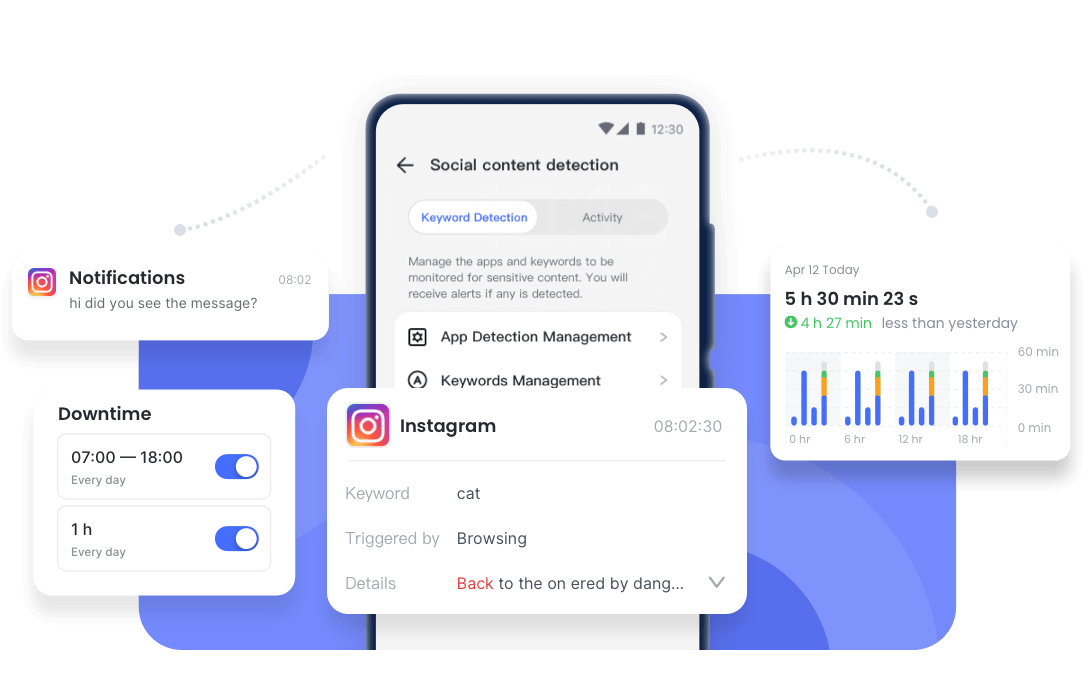
- Use Ethical Tools like AirDroid: You may install AirDroid Parental Control on your device and bind your child's device.
- Monitor content on Instagram and send alerts for preset words.
- Sync app notifications and get insight into what is distracting your teens.
- Monitor app usage and set time limit on apps and websites like Instagram.

- Check Public Content: You may search for your child’s content shared on other platforms (e.g., TikTok, Twitter/X) or via mutual connections.
How to Make Your Instagram Account Private
Aside from what we have discussed thus far, you may also be interested in making your own Instagram account private. Here are the steps to take.
- 1. On the Instagram App, go to your Profile by tapping on your Profile picture in the bottom right corner.
- 2. Tap the hamburger Menu. Then, click on Settings and Privacy.
- 3. Tap Account Privacy, then tap "Private Account."
- 4. Confirm by clicking “Switch to Private.”
Hottest Questions Related to Private Instagram Accounts
Final Words
You may have observed that respecting privacy, yours and others, is crucial in this digital age, especially when considering access to private Instagram accounts. If you must view a private Instagram account, ensure you go through the methods presented in this guide. Otherwise, avoid untrustworthy tools promising what they may not fulfill.
Protecting digital privacy fosters trust and safety online. So, always choose the right and transparent methods to engage with others' social media presence.
Remember: Just because you can peek into someone’s private space doesn’t mean you should—real respect starts with boundaries.
List of Sources
- Instagram Help Center – Private Account Visibility (https://help.instagram.com/517073653436611/)
- Instagram Help Center – Profile Metadata and Public Info (https://help.instagram.com/347751748650214)
- Instagram Terms of Use – Unauthorized Access & Violations (https://help.instagram.com/581066165581870)
- U.S. Federal Trade Commission (FTC) – Phishing and Online Scams Guidance (https://consumer.ftc.gov/articles/how-recognize-avoid-phishing-scams)
- Goonview Official Blog – Private Instagram Viewer Myths vs Reality (https://goonview.com/private-instagram-viewer-myths-vs-reality)
- Goonview FAQ – What Can You Actually View on Private Instagram Accounts (https://goonview.com/view-private-insta-profile-questions-answered)











Leave a Reply.