AirDroid Parental Control
24/7 Kids' Guardian via App & Web
- 👀Live surroundings and location tracking
- 🔞Content Monitoring and App/Web Blocking
- ⚠Instant alerts for online risks and geofences
- ⌛Screen time control and monitor

Does Instagram Notify when You Unsend a Message?
If you’ve ever hit send too quickly on Instagram, you’re not alone! Luckily, the platform lets you unsend messages, but many users wonder, does Instagram notify when you unsend a message?
The feature can feel like a lifesaver, but it also raises questions about privacy, visibility, and what the recipient actually sees. In this guide, we’ll break down exactly what happens when you unsend a message and clear up the confusion once and for all!
Does Instagram Notify When You Unsend a Message?
Are you wondering if you unsend a message on Instagram does it notify? The short answer is no!
Instagram does not notify the other person when you unsend a message. Unlike other actions on the app, there’s no pop-up or alert that says “@username unsent a message.”
Instagram also points out that once you unsend Instagram message, it disappears from both your chat and the recipient’s chat history without leaving behind any visible trace.
Another common question users ask is: “If I unsend a message on Instagram, does it let the other person know?” The answer is still no. Whether the person is online or offline, they won’t receive any notification if you unsend a message on Instagram.
It’s also important to note that if someone had reacted to your message with an emoji, that reaction will vanish too once you unsend it.
In short, unsending Instagram message works like deleting it altogether, as if it was never sent in the first place.
What Happens When You Unsend a Message on Instagram?
When you unsend a message on Instagram, it disappears from both your chat and the recipient’s chat, whether the other person has read the message or not.
Many users also wonder if you unsend a message on Instagram, will the recipient still see it in their notification bar?” The answer is no. As soon as you unsend a message, it vanishes not only from the chat but also from the notification center.
However, there are a few exceptions to keep in mind. The other person may still see your message if:
- 1.Their data/Wi-Fi is off
- 2.They already opened the chat
- 3.They took a screenshot or screen recording
Also, keep in mind that Instagram doesn’t notify you if someone screenshots a regular DM. This means you won’t know for sure whether they captured the message before it was unsent.
Is There a Time Limit to Unsend Instagram Messages?
No, Instagram does not have a time limit on the unsend feature. You can unsend a message immediately after sending it, hours later, or even months later. As long as the message is still in the chat, you have the option to remove it.
Can You Unsend Messages on Instagram After Blocking Someone?
Yes, you can still unsend messages even after blocking someone or if you’ve been blocked. Blocking does not restrict the unsend feature on Instagram chats.
How to Unsend Messages on Instagram?
If you want to unsend message Instagram, follow these steps:
Step 1
Launch Instagram on your device, and tap on the messages icon at the top right corner.
Step 2
Open the conversation from which you want to unsend a message.
Step 3
Long-press on the message and select “Unsend” from the options that appear.
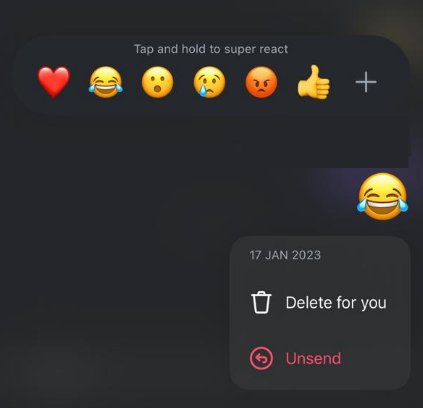
However, if your message contains just a simple typo error, there’s no need to unsend the entire message; you can simply edit it.
Here’s how to edit an Instagram message:
Step 1
Tap and hold the message, and select “Edit” from the options that appear.
Step 2
Make the required changes and send it again.
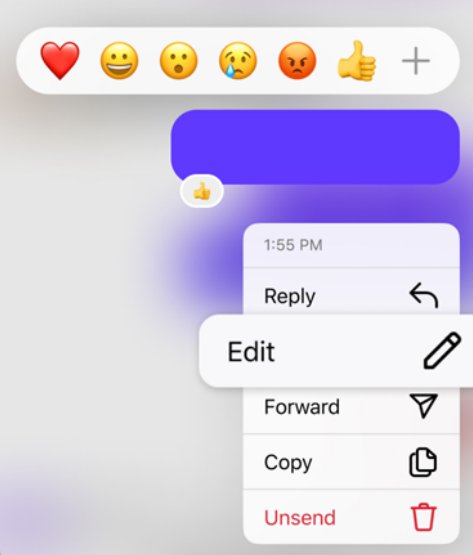
However, keep in mind that the edit feature is only available for 15 minutes after you send the message.
Things You Should Know About Unsending Instagram Messages
While unsending a message on Instagram is a handy feature, here are some things you should keep in mind:
1.Unsending Is Not Completely Safe
While the feature removes your message from both sides, it doesn’t guarantee total privacy. Recipients may have already read your message or taken a screenshot before you unsent it.
2.Legal and Policy Limitations
If you send harmful, offensive, or illegal content, deleting it afterward doesn’t erase responsibility. Instagram may still retain records for safety, reporting, or legal purposes.
3.Double-Check Before Sending
Make sure you’re sending the right message to the right person. If the content is sensitive, think twice before hitting “send.”
CISA's public guidance on social media safety also suggests users "be careful what you post" because information shared online can be misunderstood or repurposed.
4.Use Drafts When Unsure
Instead of rushing, save your thoughts as a draft. This way, you can review the message later and avoid sending something you may regret.
Bonus: Keep Your Teens Safe on Instagram
According to Pew Research Center's 2025 survey of U.S. teens, about six-in-ten or more say they use Instagram. However, we cannot deny the fact that stalkers or dangerous people are lurking on the internet.
They can talk to your kids about inappropriate things, send them questionable content, bully them or even threaten them not to tell it to anyone. Moreover, these people can easily unsend the messages afterwards!
So, in its 2025 Back‑to‑School online safety tips, the FBI strongly advises parents to maintain open communication with their children, familiarize themselves with the apps their kids use, and use parental controls on their children’s devices.
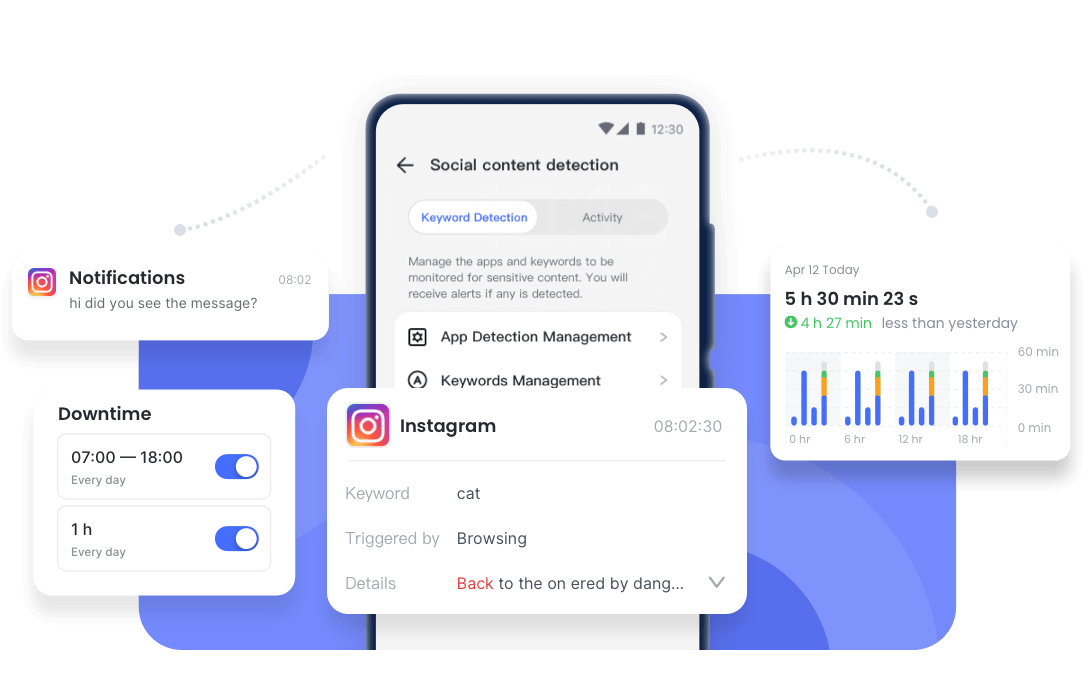
Regarding this, AirDroid Parental Control comes! Using this tool, you can keep a check on your kids’ activities on Instagram and know who they’re talking to. The best part is that AirDroid enables you to see the unsent messages. This way, you can get a hold of the person who is behind all this whenever needed.
Conclusion
Unsending messages on Instagram can feel like a quick fix for mistakes, typos, or messages you regret sending. However, does Instagram notify when you unsend a message? That would be a no! Plus, the message also disappears from their notification bar.
However, it’s not a foolproof solution. If the person already saw the message, took a screenshot, or had their data turned off, your message might still remain.
And, if your kids are on Instagram, you must definitely get AirDroid Parental Control so you can monitor their activities, and keep them safe from strangers.
Frequently Asked Questions (FAQs)
List of Sources
- Meta Policy & Document
- Meta's Transparency Report (https://transparency.meta.com/reports/)
- Instagram's guide on unsending a message (https://help.instagram.com/491370017690934/)
- Technical Resources & Guidance
- FTC and DOJ Update Guidance That Reinforces Parties' Preservation Obligations for Collaboration Tools and Ephemeral Messaging (https://www.ftc.gov/news-events/news/press-releases/2024/01/ftc-doj-update-guidance-reinforces-parties-preservation-obligations-collaboration-tools-ephemeral)
- The FTC's and DOJ's New Magic Act: Vanished Messages Will Reappear in Discovery (https://blog.galalaw.com/post/102j50z/the-ftcs-and-dojs-new-magic-act-vanished-messages-will-reappear-in-discovery)
- CISA: We're in This Together. Disinformation Stops With You. (https://www.cisa.gov/sites/default/files/publications/SLTTCOVIDToolkit_FINAL_508.pdf)
- Children's Online Safety Guidelines
- Pew Research Center: Teens, Social Media and AI Chatbots 2025 (https://www.pewresearch.org/internet/2025/12/09/teens-social-media-and-ai-chatbots-2025/)
- FBI: Back-to-School Online Safety Tips for Parents (https://www.fbi.gov/contact-us/field-offices/miami/news/fbi-miami-addresses-back-to-school-online-safety-tips)










Leave a Reply.