How to Evaluate AI Capabilities in MDM/EMM: A Practical PoC Checklist
A growing number of MDM, EMM, and UEM vendors now promote AI-enabled features, including copilots, AI-assisted diagnostics, predictive analytics, intelligent workflows, and automated remediation. Yet MDM platforms have long automated policy enforcement, app deployment, and script execution through predefined rules. Automation by itself is not proof of AI.
Vendors can mean very different things when they use the term AI. Some rename existing rule-based automation. Others use large language models for search and diagnosis, insert AI analysis into workflows, predict device issues, or choose remediation actions within an approved scope. A feature name or vendor demo rarely tells a buyer whether the capability will work in its environment.
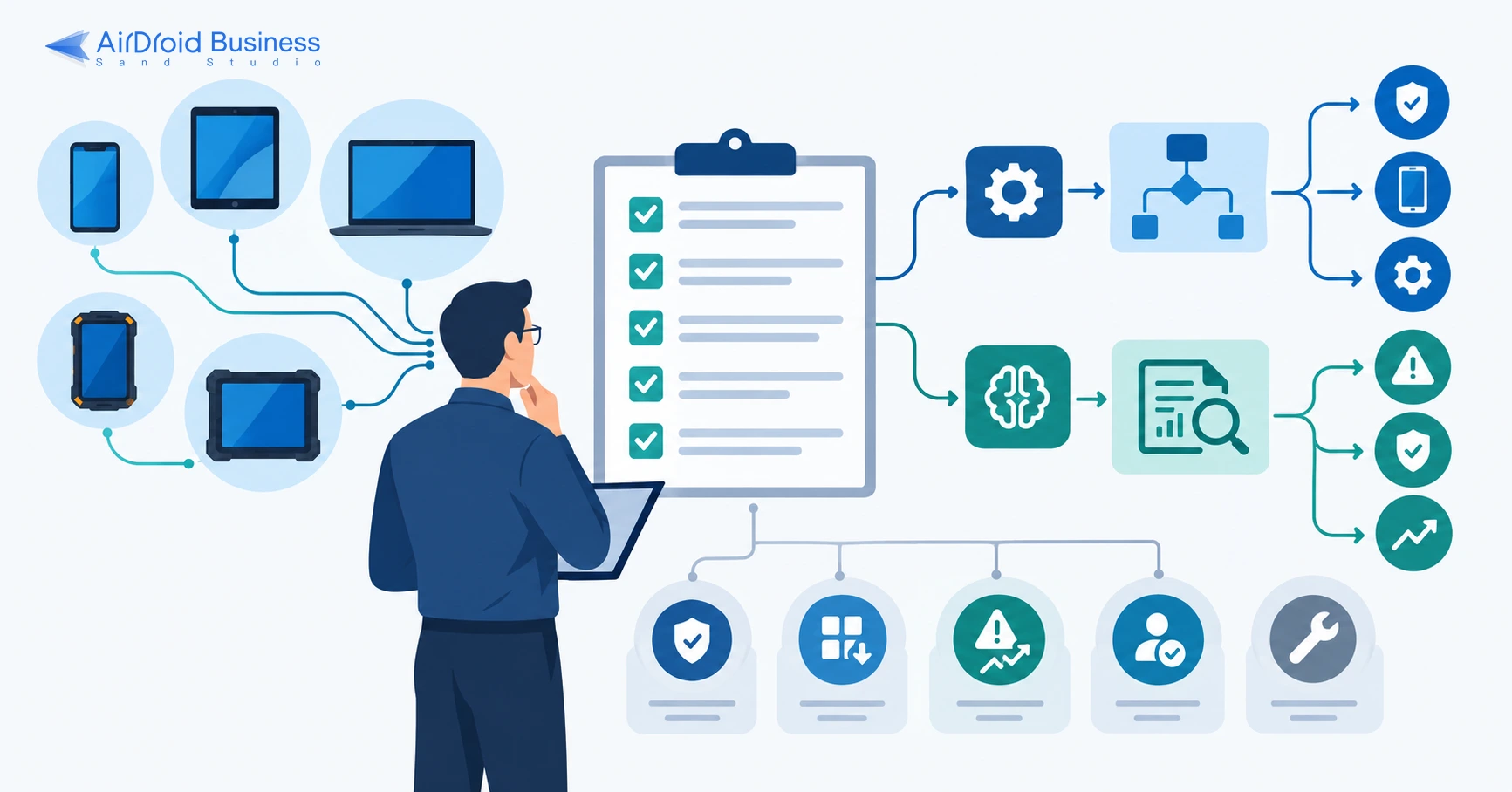
This article provides a PoC checklist for IT administrators, endpoint management leads, security teams, architects, and procurement teams that are selecting, upgrading, or comparing MDM/EMM platforms. It helps them verify which AI capabilities a product has, whether those capabilities solve real problems, and how mature they are.
- Part 1 : Why AI Capabilities in MDM/EMM Need a Specific Evaluation
- Part 2 : What to Examine When Evaluating AI in MDM/EMM
- Part 3 : How to Use the PoC Scenario Testing Checklist
- Part 4 : Basic Entry Requirements
- Part 5 : Which Scenarios Should the PoC Test?
- Part 6 : How to Break Down a Scenario and Assess Capability Type and Maturity
- Part 7 : Full Scenario Example: Investigating Noncompliant Devices and Finding the Cause
- Part 8 : FAQ: How Can Buyers Spot AI Marketing Claims?
- Part 9 : Final Words
1Why AI Capabilities in MDM/EMM Need a Specific Evaluation
Traditional MDM/EMM functions have fairly clear boundaries. They enroll devices, deploy policies and applications, check compliance, and perform remote actions. Many of these tasks already run through predefined automation.
AI can go further by inferring from inputs and producing search results, root-cause analyses, recommendations, forecasts, or decisions. The OECD's updated definition of an AI system makes the same distinction: AI systems infer from inputs to generate predictions, content, recommendations, or decisions, and they operate with different levels of autonomy.
An "automated remediation" feature might run a preset script when a known condition is met. Another product might examine device state and history, choose an action, and verify the result. A copilot might search product documentation, or it might read live device data, diagnose an issue, and call management functions.
These differences affect business value and operational risk. Organizations need to confirm whether AI actually participates in the task, whether its reasoning can be traced to source evidence, and whether administrators still have to repeat the search and analysis. They also need to test integration with existing systems and review the permissions, approvals, and audit records around higher-risk actions.
The purpose of a PoC is not to confirm that a product carries an AI label. It is to find out what the AI does in the customer environment and whether it solves the selected problem reliably and under proper control.
2What to Examine When Evaluating AI in MDM/EMM
The model name matters less than the result in a real management scenario. The evaluation should cover the following areas:
- AI involvement: Identify whether AI interprets a request, retrieves data, analyzes evidence, generates content, predicts an outcome, or selects an action. A preset rule does not count as AI involvement.
- Scenario value: Check whether the feature addresses a frequent, time-consuming, high-impact, or high-risk endpoint management problem.
- Reliability: Compare queries, diagnoses, recommendations, and actions with known results. Confirm that the product cites evidence that an administrator can review.
- Administrative work: Determine whether the output is ready to use or whether an administrator must repeat the search, analysis, or writing.
- Process fit: Check how the feature works with current approval, ticketing, security, and operations processes.
- Risk controls: For higher-risk actions, inspect permission boundaries, approvals, stop controls, escalation to a person, and audit records.
- Scope and limits: Record the devices, platforms, data, and scenarios in which the capability has been tested, along with any restrictions.
3How to Use the PoC Scenario Testing Checklist
Use the checklist in order: screen products against basic requirements, test the business scenarios that matter, and record the results in a consistent format.
- Step 1: Confirm entry requirements. Check device types, operating systems, management modes, deployment options, and required integrations. A product that misses a mandatory requirement should not move to scenario testing.
- Step 2: Select priority scenarios. Choose three to five scenarios based on frequency, business impact, operational risk, and the availability of test samples.
- Step 3: Prepare test material. The customer supplies devices, logs, policies, applications, tickets, or risk samples. Internal administrators confirm the expected results.
- Step 4: Break each scenario into test items. Each item should be independently testable, with an expected result and any unacceptable outcomes defined in advance.
- Step 5: Run and record the tests. Test competing products under the same conditions. Record whether AI was involved, the capability type, what the product did, the business outcome, maturity, and supporting evidence.
- Step 6: Consolidate the findings. Decide whether each scenario passed, then summarize the AI capability types, implemented functions, effective scenarios, and maturity levels.
4Basic Entry Requirements
Entry requirements remove products that cannot support the organization at a basic level. A product should not proceed to the PoC if it cannot support the existing device environment, deployment needs, or required systems, even if its AI demo performs well.
For a broader set of criteria to review before a PoC, see this MDM vendor selection guide.
| Requirement | What to confirm | How to test | Pass? |
|---|---|---|---|
| Device types | Support for the phones, tablets, computers, dedicated devices, unattended devices, and shared devices used by the organization | Review the support matrix, then enroll and manage representative devices | |
| Operating systems and versions | Coverage for required Android, iOS, iPadOS, Windows, and macOS versions | Test versions that are currently deployed and versions planned for upgrade | |
| Management modes | Support for required modes such as BYOD, corporate-owned devices, work profiles, fully managed devices, and dedicated devices | Complete enrollment, configuration, and unenrollment in each target mode | |
| Core MDM functions | Required enrollment, inventory, configuration, app distribution, policy, compliance, and remote management functions | Run the organization's mandatory function checklist | |
| Deployment model | Required SaaS, on-premises, or hybrid deployment options, including region and data residency needs | Review the architecture, data flows, and available regions | |
| System integrations | Connections to required directories, SSO, IAM, ITSM, SIEM, EDR, CMDB, and internal systems | Review the connection method and complete a live integration where needed | |
| Security and compliance | Required roles, separation of administrative duties, audit logs, data protection, and compliance controls | Review security documentation, permissions, audit records, and supporting certifications |
5Which Scenarios Should the PoC Test?
A PoC does not need to cover every feature. Give priority to scenarios that occur often, consume substantial time, affect the business, or carry operational risk. The team also needs realistic samples. The seven scenarios below cover common work in device search, troubleshooting, risk analysis, coordination, and remediation. Most organizations can select three to five.
| Core scenario | Business problem | AI capability to test | Expected outcome |
|---|---|---|---|
| Device inventory and operational status | Device fleets are large and data is scattered, so administrators struggle to see current inventory, operating status, and unusual changes | Interpret the management question, retrieve and summarize device data, flag anomalies or changes, and cite source records | The result matches device data, includes the required information, and links back to specific records |
| Noncompliant device investigation and root-cause analysis | When many devices are noncompliant, administrators need a faster way to identify the violated requirement and its cause | Connect policies, configurations, and logs to analyze the cause, cite evidence, and identify devices that need attention first | The product finds the material issues, matches the validated cause, and does not invent evidence |
| Application deployment troubleshooting | Failed installations, updates, or configurations take time to diagnose and may disrupt device use | Analyze deployment settings, device context, and logs to find the cause and recommend next steps | The product identifies the main cause and gives usable guidance. It states when the available data is insufficient |
| Device policy configuration and change impact assessment | Policy changes can introduce configuration errors, conflicts, or unintended effects | Interpret the management requirement, suggest a configuration, explain the settings, and identify conflicts and affected devices | The proposal meets the requirement, identifies material conflicts and affected objects, and remains subject to administrator review before a change |
| Endpoint risk detection and response prioritization | Large numbers of alerts and risky devices make it difficult to decide what to handle first | Connect device, identity, application, and security signals to identify high-risk objects and explain the order of response | The product does not miss high-risk cases, the proposed order reflects business impact, and the reasoning is available for review |
| Coordinated endpoint incident handling | Endpoint issues often cross teams and systems. Manual context gathering, ticket creation, routing, status updates, and writeback take time and introduce errors | Interpret the incident context, draft the ticket, support classification and routing, and call connected systems through a workflow | The ticket contains the required context, reaches the correct team and process, stays synchronized, and can be handed to a person when the workflow fails |
| Device remediation and closure | After finding the cause, administrators still need to apply a safe fix and confirm that the device has recovered | Choose a suitable remediation based on the issue and affected scope, act within granted permissions, and verify the result | The target scope and permissions are correct, the device returns to the expected state, and any unauthorized action causes the item to fail |
Download the AI MDM Evaluation Checklist
Use the complete checklist to compare vendors across seven core scenarios and record capability type, maturity, outcomes, and supporting evidence in a consistent format.
6How to Break Down a Scenario and Assess Capability Type and Maturity
MDM functions and operational risks vary by scenario, so each scenario needs its own test items. The test should show which AI capability types the product has, what each one does, where it works, and how mature it is.
1Distinguish AI from rule-based automation
Start by separating rule-based automation from AI. This guide treats a function as AI when it infers from input to produce an analysis, content, prediction, recommendation, or decision. That test follows the OECD definition of an AI system. If a function only executes a fixed action when an administrator-defined condition is met, mark "Uses AI?" as "No."
2Identify the capability type
The capability type describes how the product provides AI or automation to an administrator.
| Capability type | Uses AI? | Typical implementation |
|---|---|---|
| Rule-based automation | No | An administrator defines the conditions, rules, and actions. The product then triggers a policy, script, notification, or workflow through fixed logic. |
| AI assistance in the console | Yes | AI is embedded in search, diagnostics, policy tools, or reporting. It analyzes, summarizes, or recommends; an administrator reviews the output and takes the next action. |
| Copilot | Yes | An administrator uses natural language to query data, generate content, or call product functions. Permissions determine which data and actions are available. |
| AI API | Yes | A customer calls model capabilities from an internal application or another system to query, analyze, generate, predict, or recommend an action. |
| AI-enabled workflow | Yes | An administrator builds a multistep workflow that calls a model, MDM functions, or third-party systems. A workflow made only of preset conditions and actions remains rule-based automation. |
| Predictive analytics | Yes | The product uses historical and current data to predict risk, failure, or trends. It should state the applicable objects, time horizon, and basis for the result. |
| Autonomous remediation | Yes | The product detects an issue, selects an action within an approved scope, applies the fix, and verifies the outcome. Approval, stop controls, escalation, and audit records remain available. |
One test item may involve more than one capability type. An administrator could ask a question through a copilot, receive a root-cause analysis from an embedded AI feature, and send the result to an ITSM platform through an AI-enabled workflow. Record these separately if their maturity differs.
3Record what the product actually did
The "What the product did" field should describe the steps completed by the product, the setup required, and any work left to an administrator. Record where AI entered the process, such as interpreting a question, retrieving data, analyzing a cause, generating content, predicting risk, choosing an action, or verifying a result. Also state whether the product only provided information, made a recommendation, waited for approval, or acted within a granted scope. The stage of AI involvement and its execution rights inform the maturity assessment; they are not separate capability types.
4Assess maturity
Maturity describes whether a capability works reliably in the selected scenario. It is not a measure of how "advanced" the AI sounds. The NIST AI Risk Management Framework calls for trustworthiness to be assessed in context, using defined measurements, documentation, and human judgment. The organization should therefore set maturity criteria against its own scenario requirements.
| Maturity | Assessment criteria |
|---|---|
| Unverified | The capability appears only in marketing material, a roadmap, or a prepared demo. The customer cannot test it in its own environment. |
| Usable with limits | The capability completes part of the task, but platform, data, scenario, permission, or integration limits leave substantial work to an administrator. |
| Validated | The capability meets the expected result in the selected scenario, behaves consistently, and produces evidence that can be reviewed. |
| Production-ready | The capability continues to work across representative devices, data, permissions, and failure conditions. Required integrations, controls, audit records, and operating procedures are in place. |
A test item may not need AI. If rule-based automation meets the scenario requirement consistently, it can still be marked "Production-ready." That result means the business task is handled reliably; it does not mean the product has AI for that item. When summarizing the product's AI capabilities, include only rows marked "Yes" under "Uses AI?".
5Define scenario-level disqualifiers
Before testing, define the expected result and any outcome that causes an immediate failure. Examples include missing a high-risk device, inventing diagnostic evidence, changing a policy across many devices by mistake, or acting without authorization. If a disqualifier occurs, mark the item as failed. Strong performance elsewhere cannot offset it.
7Full Scenario Example: Investigating Noncompliant Devices and Finding the Cause
The table below shows the complete test case for the "Noncompliant device investigation and root-cause analysis" scenario in the downloadable checklist. Complete every item in order, from identification and diagnosis through response guidance, and record the capability type and result at each step.
Scenario objective
Determine whether the product can identify noncompliant devices, explain why they are noncompliant, connect the relevant evidence, and provide response guidance that an administrator can review and use.
Test preparation
- Prepare a mix of compliant and noncompliant devices. Include cases such as an outdated operating system, disabled encryption, a prohibited application, a missing configuration, or an offline device.
- Have an internal administrator confirm each device's compliance state and root cause, along with the supporting policies, configurations, and logs.
- Add several samples with missing or conflicting information to see how the product handles uncertainty.
Scenario testing checklist
Each row is an independently testable task. The outcomes and maturity ratings below show how to record results; replace them with findings from your own PoC.
| Test item | Uses AI? | Capability type | What the product did | Outcome | Maturity | Evidence |
|---|---|---|---|---|---|---|
| Filter devices against compliance policies | No | Rule-based automation | The administrator defines compliance conditions. The product marks devices through fixed rules and makes no inference. | Pass | Production-ready | Compliance policies, device state, and filter results |
| Query and summarize noncompliant devices and violations | Yes | Copilot | The administrator limits the request by device group and platform in natural language. AI interprets the request, reads current data, and summarizes the violations. It returns information but takes no action. | Pass | Validated | Query history, device list, violations, and the internal reference result |
| Analyze why a device is noncompliant | Yes | AI assistance | AI connects policies, configurations, and logs to explain the cause. An administrator reviews the explanation before deciding what to do. | Partial pass | Usable with limits | Diagnostic output, logs, and administrator review notes |
| Link each conclusion to supporting evidence | Yes | AI assistance | AI cites the policy, device configuration, or log entry behind each conclusion. It does not change the device state. | Partial pass | Usable with limits | Diagnostic output, policies, configurations, logs, and citation locations |
| Handle missing or conflicting information | Yes | AI assistance | When the evidence is inconclusive, AI identifies what is missing and suggests another check instead of completing the answer on its own. | Pass | Validated | Edge-case samples, product responses, and follow-up checks |
| Identify devices that need attention first | Yes | AI assistance | AI proposes an order based on severity, device purpose, and affected scope. An administrator confirms the order. | Partial pass | Usable with limits | Prioritized list, business context, and administrator review notes |
| Recommend a response that matches the cause | Yes | AI assistance | AI drafts response steps for the confirmed cause and states the applicable devices and approval requirements. It does not apply the fix. | Partial pass | Usable with limits | Recommended response, scope, and administrator review notes |
After all items are complete, decide whether the scenario passed, then summarize the capability types and maturity levels. In this example, rule-based automation is production-ready but does not count toward the AI finding. The copilot is validated for querying and summarizing data. AI assistance supports diagnosis, evidence linking, prioritization, and recommendations, but gaps in evidence and the need for administrator review leave it usable with limits in this scenario.
Get the complete AI capability assessment checklist
This article shows one complete scenario from the downloadable checklist. The full version contains seven core scenarios, each broken into test items with the same fields. Teams can enter their own PoC results and compare vendors on a consistent basis.
Get the Complete AI Capability Assessment Checklist
Download the fillable PoC checklist to test seven core MDM/EMM scenarios, document results, and compare vendors using the same evaluation criteria.
8FAQ: How Can Buyers Spot AI Marketing Claims?
Ask the vendor to complete repeatable tasks with the customer's devices, data, and permissions. Do not rely on a feature name, chat interface, or prepared demo. Record the input, output, data source, manual work, permitted actions, and failures. The vendor should also state where the feature is available today and where it is limited.
Do not count a capability that the customer cannot configure, run, or verify. Treat unsupported conclusions and confident answers based on incomplete data as test failures. Generative AI can produce plausible but false content. The NIST Generative AI Profile identifies this risk as "confabulation." Check diagnoses, recommendations, and ticket content against device records, policies, logs, or execution results.
Base the decision on evidence captured in the PoC scenario testing checklist. The customer should be able to reproduce the function, identify where AI was used, verify that the result met the requirement, and see whether permissions and human review matched the risk. A product label is not evidence of a mature AI capability.
9Final Words
This framework evaluates AI in the context of real MDM/EMM work. It starts with entry requirements, then moves to priority scenarios and test items. One table records the capability type, implementation, business outcome, maturity, and evidence. The completed record shows which AI capabilities a product has, what problems they solve, and whether they are ready for the intended use.
Explore AirDroid Business to see how device management, application management, policy enforcement, and remote operations are delivered in practice.
Download the complete PoC scenario testing checklist for seven core scenarios and fillable test tables that can be used across vendors.











Leave a Reply.