AirDroid Parental Control
All-in-One Tool for Real-World Child Safety
- 📍Real-time location & route history
- 🔍Live surroundings check
- 🔔Geofence alerts on daily routes
- 🆘One-tap SOS with ambient audio
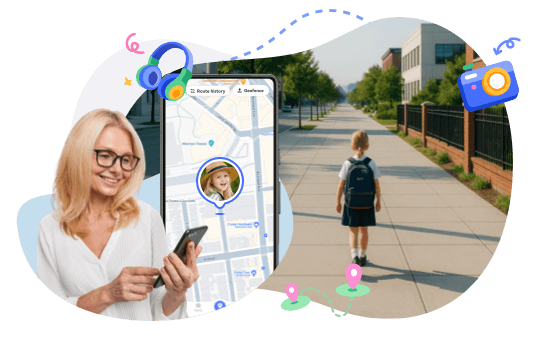
When Phone Calls Fail: How Location Tracking Helps Parents Worry Less
It's 7 PM. You've called your child twice for the past 1 hour—no answer. Your mind races: Are they hurt? Did something happen?
As a parent, unanswered calls can quickly spiral into anxiety, but it doesn't have to be this way. With location tracking, you can open a map, see if their blue dots are where they are expected to be.
The Anxiety of Unanswered Calls: Why Traditional Checks Fall Short
Of course, before the advent of the location tracker, there were traditional ways parents used to verify their child's safety whenever they ignored their call.
But the truth is, some of these traditional methods are not robust enough to provide the timely assurance we parents need. And some of these methods and their pitfalls include:
| Traditional Check | Why It Falls Short |
|---|---|
| Repeated Calls | Barely works |
| Text Messages | Passive waiting, no instant confirmation |
| Contacting People Nearby | Indirect verification, social awkwardness |
Repeated Calls
Parents often adopt this method with the thought that "If I keep calling her, she will pick up." However, this method barely works and even increases parent fear and anxiety, particularly when the child does not eventually answer the call.
Text Messages
When calls fail, parents often turn to messages. Also, it depends on the response to check if kids are safe. That said, you have no choice but to sit and wait.
Moreover, a message marked "delivered" but unread can trigger "being blocked" worry. A message marked "read" with no reply can feel even worse.
Contact Friends or Teachers
Contacting a kid's friend or teacher is good to enhance their safety, especially when the kid is expected to be with them.
However, they may not respond immediately, or only have ambiguous information (e.g., "They were here earlier" or "They have left an hour ago"). After all, it is impossible for them to verify their safety 24/7. Additionally, this approach may embarrass kids afterwards.
How Location Tracking Helps When Calls Go Unanswered
When calls, texts, and check-ins all fall short, location tracking comes in as a game-changer to eliminate anxiety. Then, how does location tracking exactly help when calls go unanswered? Here's it:
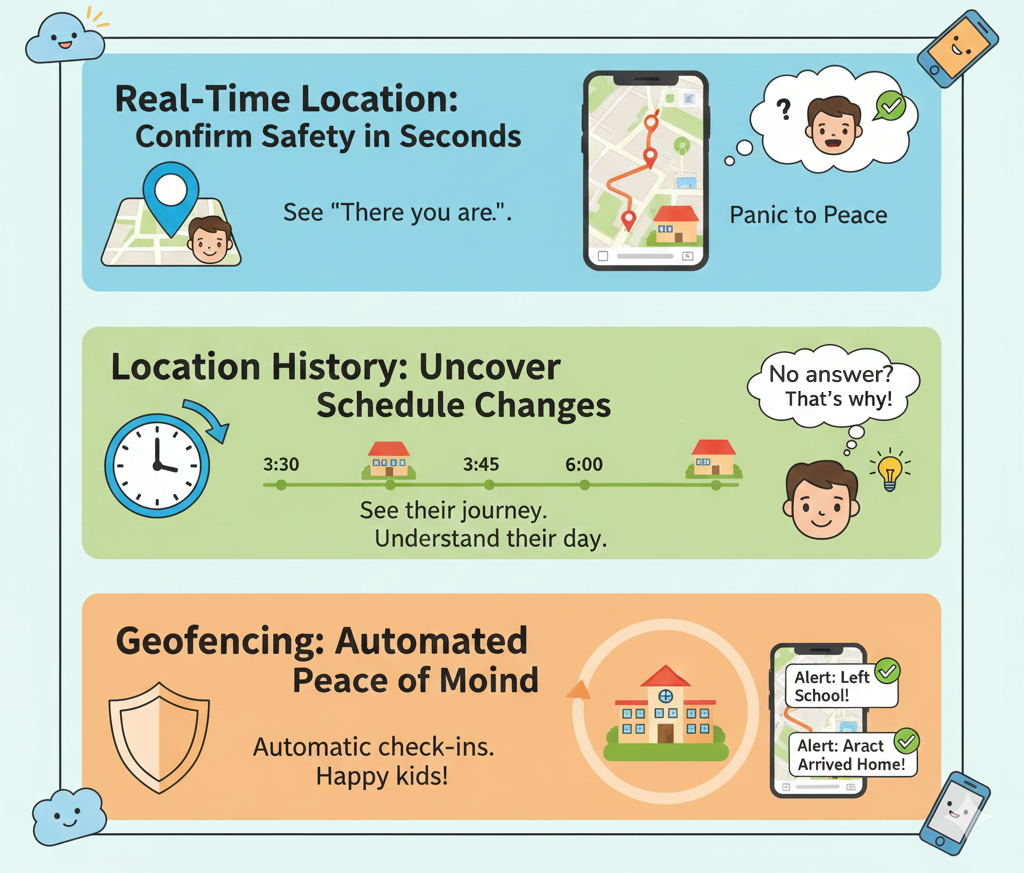
Real Time Location: Confirm Safety in Seconds
When your child doesn't answer and isn't home after school, it's hard not to jump to conclusions. You don't know if they've gone to a friend's house or if they are stuck somewhere.
At that moment, a quick glance at their current location gives you a hint—knowing them still at school, on their usual route home, or at a familiar or suspicious place.
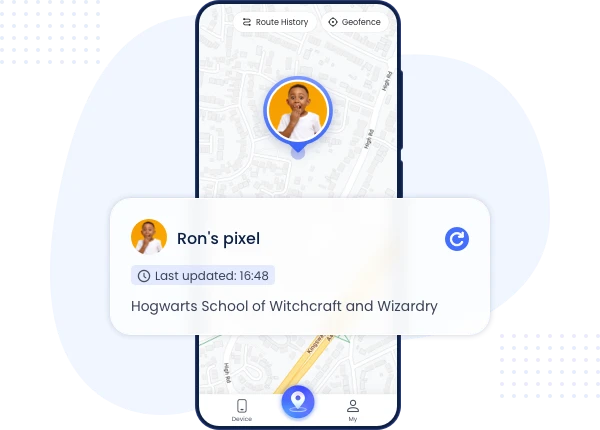
Don't underestimate that blue dot on the map, which is enough to turn panic into peace of mind.
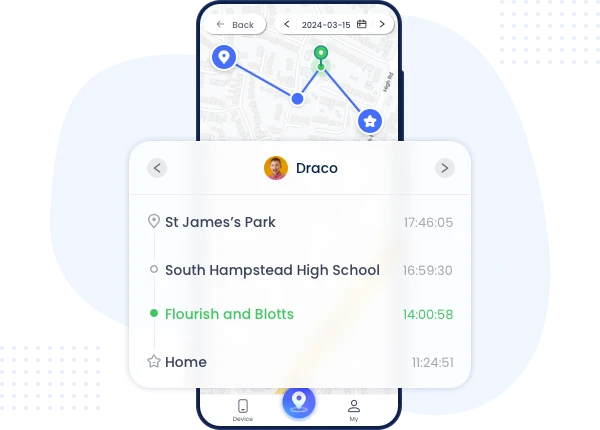
Location History: Uncover Schedule Changes
Sometimes the silence lasts longer, and even when your child finally replies, you're left wondering what happened.
This time, you swipe to their location timeline—it objectively shows they left school at 3:30, arrived at the sports field at 3:45, and stayed until 6:00. "Oh, so that's why they didn't pick up — they were at practice the whole time."
Seeing the full picture gives you clarity and reassurance, and lets you know whether your child's route matches their expected schedule and act immediately if their routines don't match.
Geofencing: Automated Peace of Mind
Ever found yourselves calling and asking the same questions every day: "Did you get to school?" "Are you home yet?" But the truth is, no one abhors constant questioning more than children, especially those seeking independence.
Thankfully, with geofencing, these check-ins happen automatically. After setting virtual boundaries around key locations, you can be notified every time your child leaves for school or returns home.
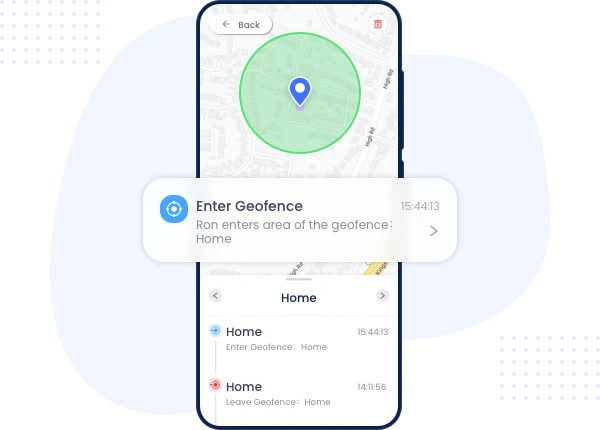
Apply Location Tracking in Daily Routines
Now that you understand how location tracking can replace panic with proof, the next step is to put this solution to work.
And AirDroid Parental Control is designed specifically for these moments—when calls go unanswered, and you need safety confirmation without waiting.
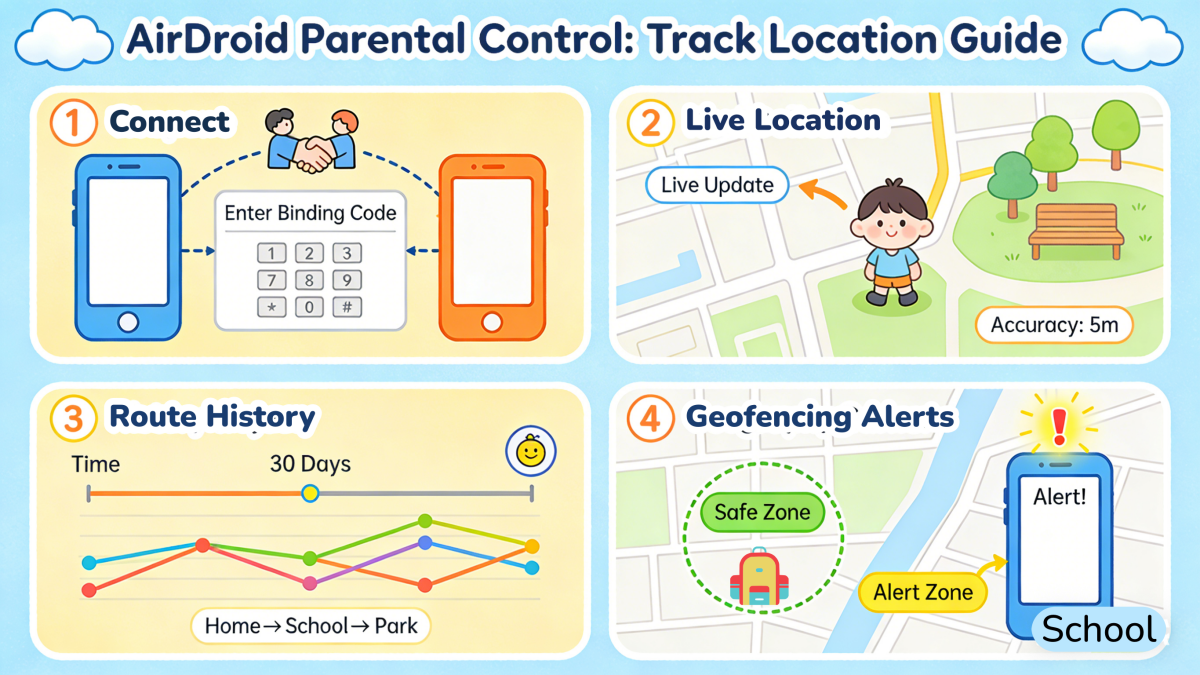


Its real-time location, 30-day route history, geofencing, and remote camera features turn your anxiety into a thing of the past, and give you full reassurance.
To apply it to everyday family life:
Set Up Live Location Sharing
This lets you know where your child is when their calls go unanswered. Even without a reply, this can immediately lower your stress and help you avoid overreacting. Now:
- Step 1. Download AirDroid Parental Control on your phone. You can also utilize its web version.
- Step 2. Follow the instructions to connect your child's device.
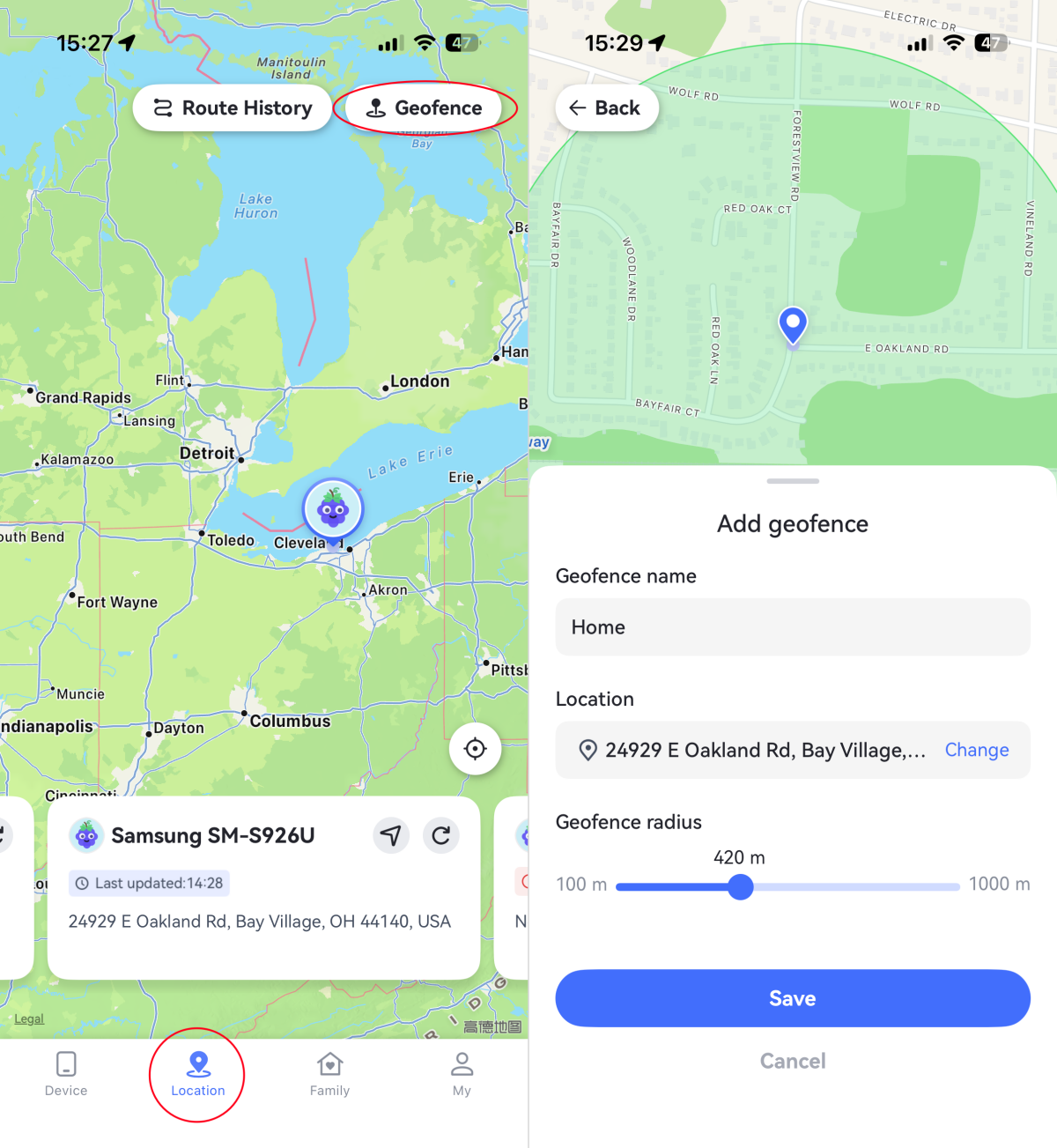
- Step 3. Once done, tap on "Location" at the AirDroid parental dashboard.
- Step 4. After that, the live location of your child will pop up on a map.
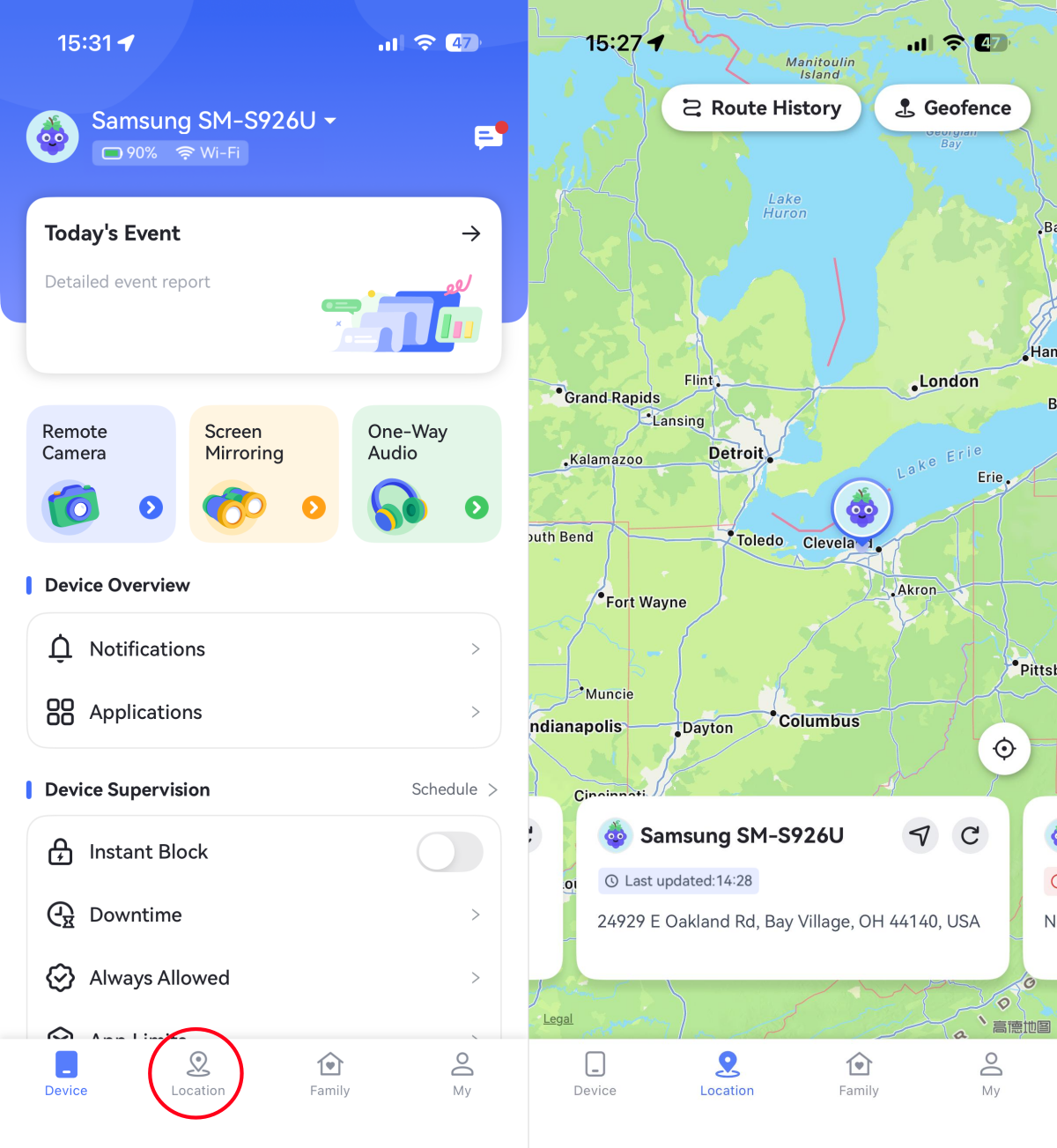
You can even directly navigate there if you need to pick them up.
Review Their Route History
If something feels off, AirDroid's past movement can reveal changes in routine—like leaving school later than usual or stopping somewhere unexpected (like a restricted venue). To use this feature:
- Step 1. Open AirDroid and click on "Location" from the bottom toolbar.
- Step 2. Then, tap "Routine History" at the top.
- Step 3. After that, your child's movement will be displayed depending on the date you choose.
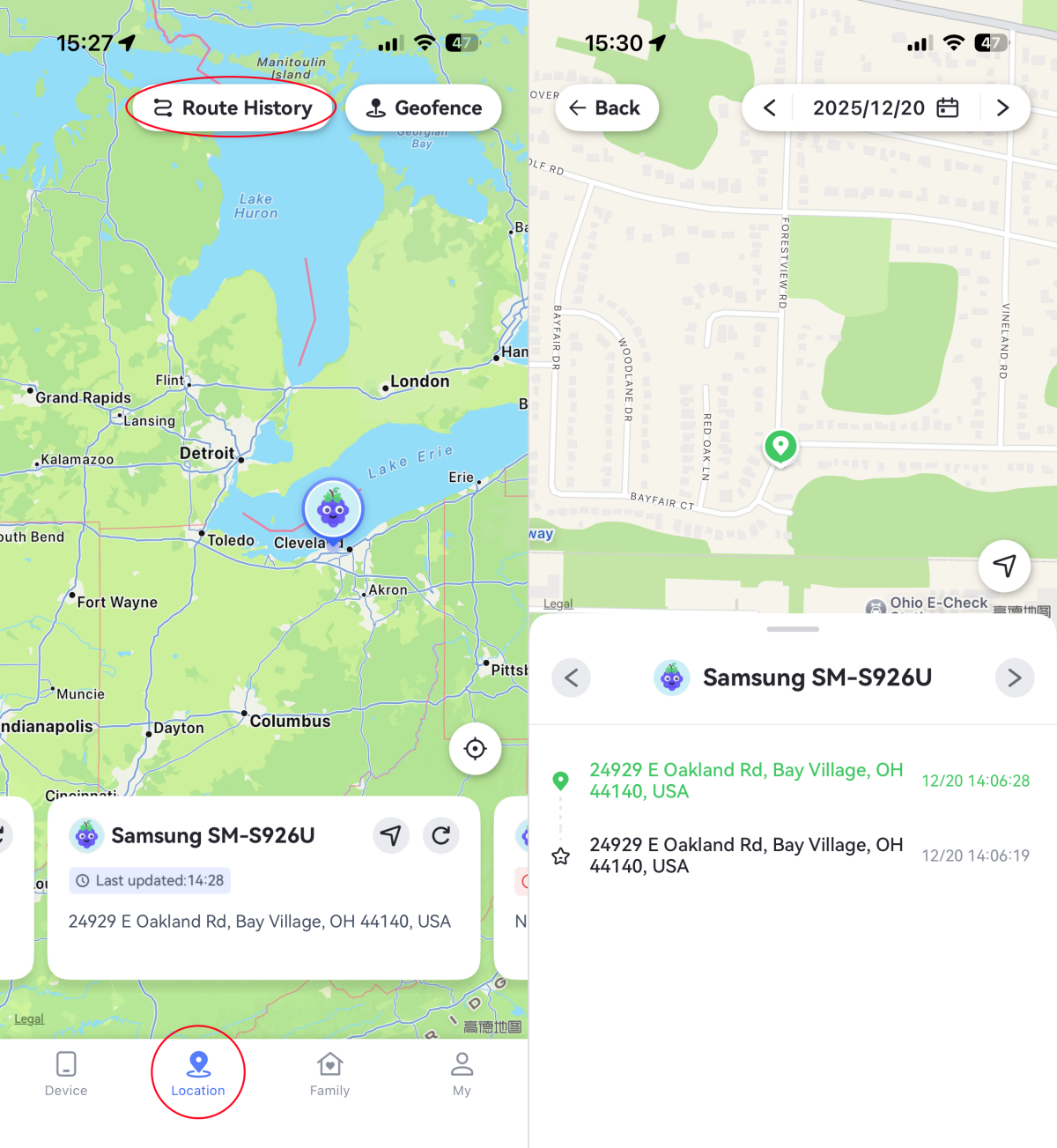
This can also help you see where your child spends time most often and get a better sense of what they're interested in.
Create Your First Geofence
Rather than calling every day to verify your child's movements, you receive alerts when your child enters or leaves familiar places.
- Step 1. On AirDroid, go to the "Location" tab.
- Step 2. Select "Geofence" at the top of the map.
- Step 3. Then, tap on "Add Geofence."
- Step 4. Set up zones for key locations like "School," "Home," or "Tuition Centre."
- Step 5. Then, adjust the geofencing radius to a desirable distance for receiving intelligent alerts.
- Step 6. Tap "Save" to finish the process.
Wrap-up
When a child doesn't answer the phone, the fear parents feel is real. Thankfully, the location tracking solution greatly reduces the uncertainty.
But remember, as a parent, use it only when you want to confirm your kids' safety and avoid watching every move 24/7. In short, safety isn't about checking more often. It's about knowing when you actually need to check—and when you don't.
Other Scenarios Where Location Tracking Helps Most
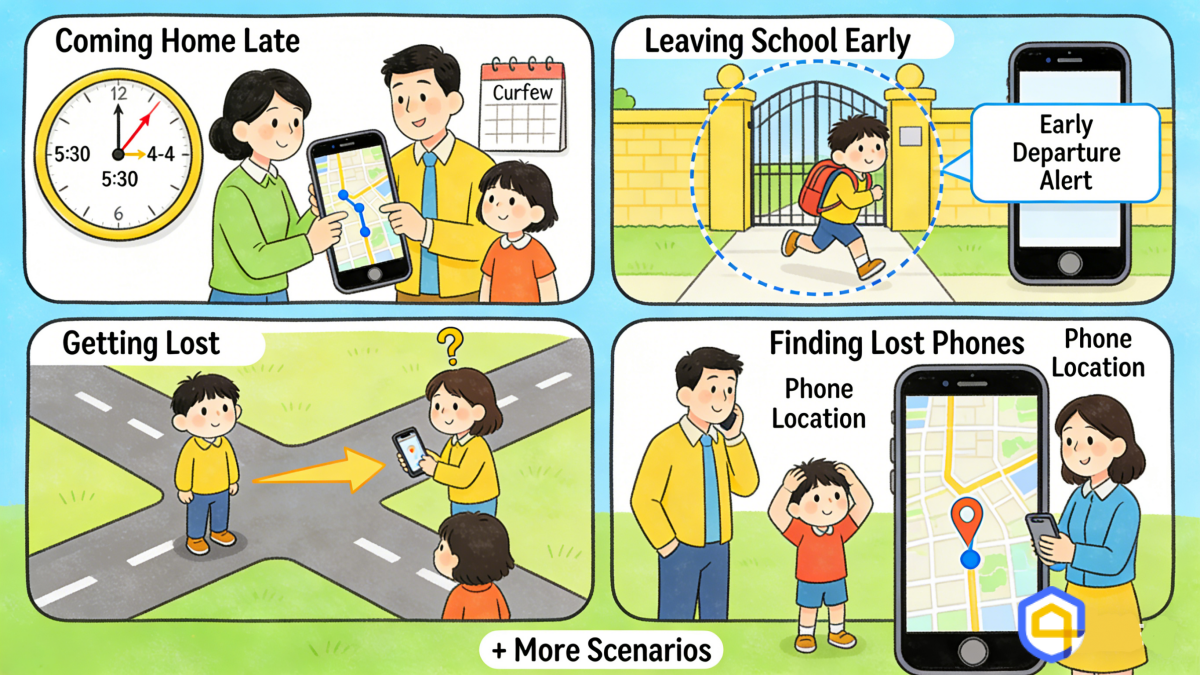
Location tracking isn't only useful when a call goes unanswered. It also saves you hours of unnecessary worry in these everyday scenarios:
Scenario 1: Coming Home Late
When your child usually closes at school by 4pm, but one day doesn't get home on time, this can trigger worry and anxiety. Or haven't they returned home by the curfew today? In this case, location tracking and location history can explain the reasons.
Scenario 2: Getting Lost
If your child can't be found after several hours. You visit their usual routine places, or ask friends or their school teachers about their whereabouts, but no fruitful response; it probably means they're lost. In this case, nothing is better than a location-sharing app to identify their new location.
Scenario 3: Leaving School Early
Some children leave school without taking permission from the appropriate authority. Geofencing alerts can let you know right away, while location history helps you understand what happened afterwards.
Scenario 4: Finding Their Lost Phones
Kids lose things. This happens frequently. When they come home and realize they left their smartphone "somewhere." Location tracking app helps you pinpoint the device with high accuracy.















Leave a Reply.