AirDroid Parental Control
24/7 Kids' Guardian via App & Web
- 👀Live surroundings and location tracking
- 🔞Content Monitoring and App/Web Blocking
- ⚠Instant alerts for online risks and geofences
- ⌛Screen time control and monitor

Qustodio vs Bark: Which Is Right for Your Family?
Keeping children safe online is a growing concern for parents today. With social media, messaging apps, and the internet becoming a big part of kids’ lives, parental control apps are essential.
Two of the most popular apps are Qustodio and Bark. Choosing between them can be tough, especially if you want practical tools that work in real life.
In this guide, we tested both apps and explored their features, strengths, limitations, and real-world usefulness.
- Quick Verdict: Qustodio vs Bark
- Pricing and Plans: Qustodio vs Bark
- Qustodio vs Bark in Real-Life Parenting Situations
- Your Child Doesn't Respond to Calls or Messages
- Screen Time Rules Feel Too Rigid or Too Loose
- Parents May Need More Context Than Alerts
- Unsure About What Your Child Sees Online
- Qustodio vs Bark: Best Alternative
- Which App Is Right for You?
Quick Verdict: Qustodio vs Bark
- Qustodio works best for parents who want comprehensive parental control with strong web filtering, detailed activity reports, and strict screen-time and app limits.
- Bark works best for parents who want social media monitoring, alerts, and unlimited device support. It's a good choice for parents of older kids or teens who need safety alerts without feeling constantly monitored.
Qustodio Pros & Cons
- Easy-to-use interface
- Reliable screen time control
- Strong app and website blocking
- Real-time location tracking
- VPN-resistant web filtering
- Limited social media monitoring
- No custom keyword detection
- Location updates are not instant
- Call and SMS tracking has restrictions
- Customer support via email only
Bark Pros & Cons
- Unlimited devices and child profiles
- Excellent social media and email monitoring
- Web and app management
- Alerts for potential risks
- Screen time schedules
- Tricky installation on iOS
- Cannot manage contacts or call history
- Limited browsing history
- It can only be used in some countries.
Pricing and Plans: Qustodio vs Bark
Pricing and plans also determine the proper parental control app. This is a clear preview of what Qustodio and Bark have to offer, with the free trials and premium features.
Qustodio Pricing
Qustodio offers a free version for basic monitoring and two yearly paid plans:
- Basic Plan: This plan is priced at $54.95/year and covers the first five devices, web filtering, blocked apps, screen time restrictions, and location tracking.
- Complete (Premium) Plan: $ 99.95/year unlimited devices, advanced monitoring, social media tracking, calls, and messages, and AI warnings.
- Free Trial: 30 days, no credit card required.
Bark Pricing
There are two subscription plans with unlimited devices at Bark:
- Bark Jr.: $5.99/month (~$50/year) of screen time schedules, webpage censoring, and check-ins at the location.
- Bark Premium: Social media and message monitoring, push notifications, and app management are added to Bark Premium, which costs $14.99/month (~$100/year).
- Free Trial: 7 days, requires payment info; cancel anytime.
Qustodio vs Bark in Real-Life Parenting Situations
Bark is better for monitoring social media, texts, and online behavior—especially for teens. Qustodio is better for screen time control and basic location tracking for younger kids. However, neither app fits every family perfectly, especially when after-school safety and missed check-ins are the main concern.
Your Child Doesn't Respond to Calls or Messages
You try calling or messaging your child, but there is no response.
Qustodio: You can see your child's real-time location and get alerts if they leave a geofenced area. You can also check their device status and basic activity, but real-time communication control is limited. This helps answer the question, "Where is my child?" but often leaves parents to interpret what the silence means.
Bark: You can only get a location check-in if your child approves. There is no automatic real-time tracking unless they share it. Location data is available, but the platform is primarily designed to surface alerts based on message content and online activity. When communication stops without triggering a content-related alert, parents may still lack clear context.
Parent concern: In this moment, what parents usually need isn't just a location update. You want to know if your child is unavailable briefly or if the situation needs urgent attention. You need signals that help answer a harder question: Is my child simply unavailable, or is something wrong?
Screen Time Rules Feel Too Rigid or Too Loose
Your child spends time browsing the web or using apps, but daily screen rules don't always match real life.
Qustodio: Parents can set strong schedules, time limits, and app restrictions. But changing these rules in the moment can feel inflexible, especially when something unexpected comes up.
Bark: Screen time management is more limited. Parents cannot limit app usage by time or specify when apps are used. Because the platform prioritizes monitoring over active control. This can leave parents with fewer options when balance is needed.
Parent concern: My child just wants an extra 30 minutes to chat with friends on Instagram, but they can't send a request directly. They have to reach out to me, and if I'm in a meeting or busy at that moment. It becomes frustrating for both of us.
Parents May Need More Context Than Alerts
Both apps detect risks and notify parents, but neither always provides a full context.
Qustodio: It can detect risky topics and send alerts, but it is limited to certain apps. Parents can only monitor conversations on popular apps like WhatsApp, Instagram DMs, Snapchat, TikTok, X (Twitter), and LINE. Parents may see short chat snippets when something is flagged, but there is no option to customize keywords. As a result, teen slang or coded language that doesn't match predefined terms may be missed.
Bark: Bark allows you detect more than 30 social media platforms for concerning content. But you can't change the keywords that you want to monitor. Monitors more apps but only alerts on flagged content.
Parent concern: My child receives a notification from an app that isn't actively monitored or flagged. I can't tell whether it's harmless or the start of something I should pay attention to.
Unsure About What Your Child Sees Online
Qustodio: Parents can filter or block inappropriate websites, but parents don't always see everything. Some content sits in a grey area or appears before it's fully recognized as risky, so it can slip through without much warning.
Bark: There's no list of websites your child has visited or searched. You can't view full browsing histories. You can only see the history that includes harmful content. If a given website isn't included on Bark's filtering list and it should have been, you won't know that your child is visiting that website.
Parent concern: My child might be using coded language or new slang that doesn't trigger standard alerts. How do I know what those words mean before a real problem escalates?
Qustodio vs Bark: Best Alternative
Even though Qustodio vs Bark provides good parental controls, other parents require more freedom, real-time visibility, and linkage. This is where AirDroid Parental Control is the best alternative.
Watch and Listen to the Surroundings Around Your Child
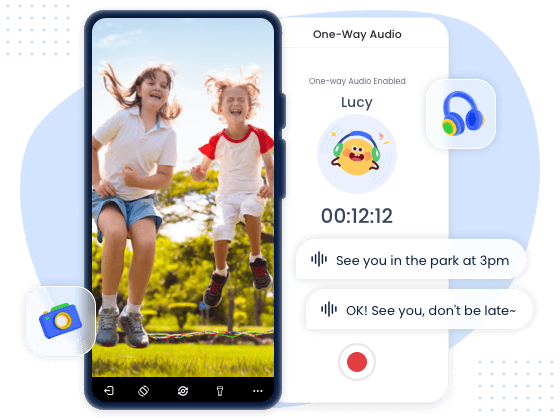
Parents remotely watch and listen to the area around their child's device when needed. It is useful if a parent is unsure about a child's safety or wants to check the environment.
Parents can get a real-time sense of what's happening around their child without relying solely on alerts or messages. For example, if a child doesn't respond to calls or messages, this feature helps parents understand the situation calmly and decide whether action is necessary.
Flexible Screen Time Management
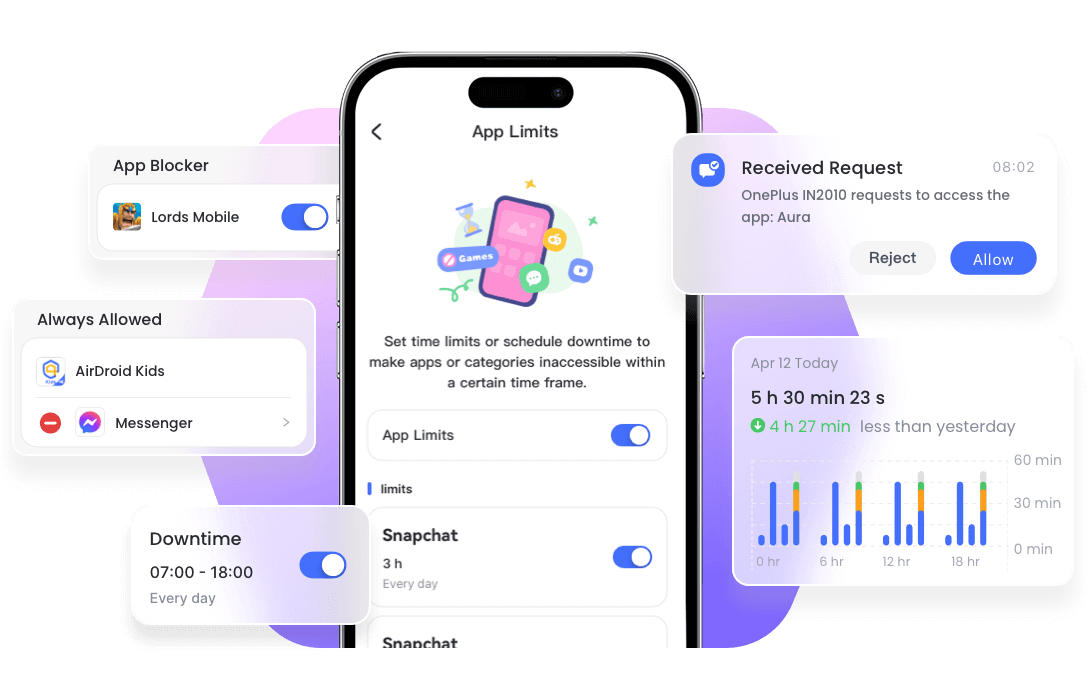
With AirDroid, children can check their screen time directly in the app, and parents can accept or reject the requests, which makes managing screen time easier and makes children more responsible.
Customize Keyword Monitoring
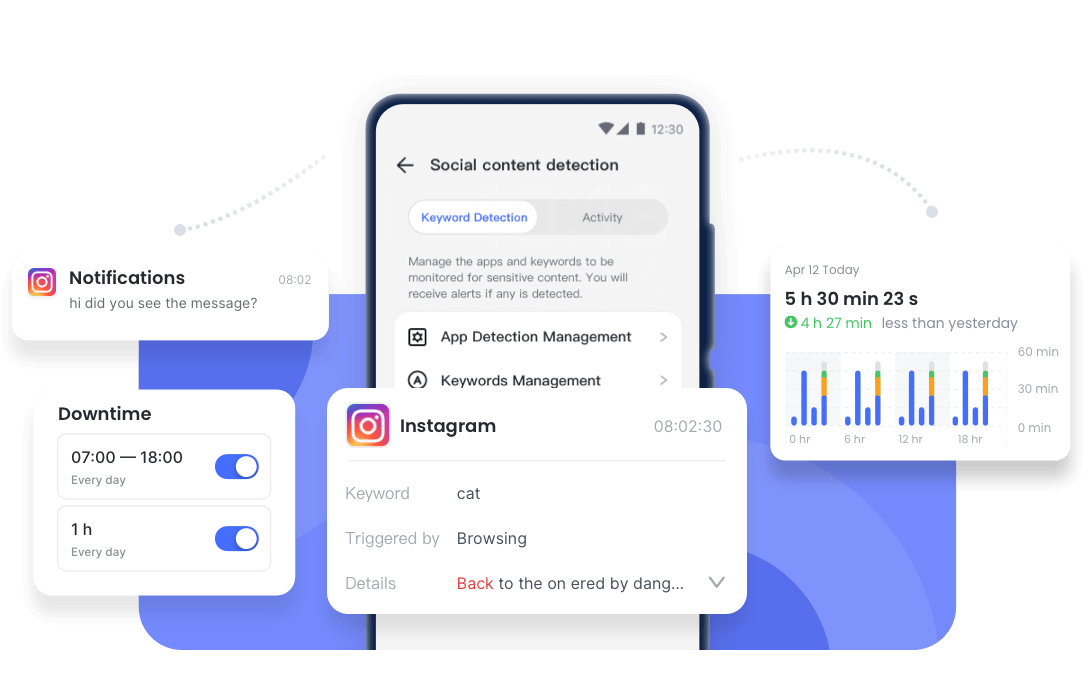
AirDroid keeps track of 14 trending applications, including TikTok, WhatsApp, Instagram, YouTube, Snapchat, and Facebook. Parents can set custom keywords to watch for in their child's messages and notifications. This means parents can track specific words or phrases that are important to them, including teen slang, inside jokes, or new terms that might not be caught by default alerts.
Sync App Notifications
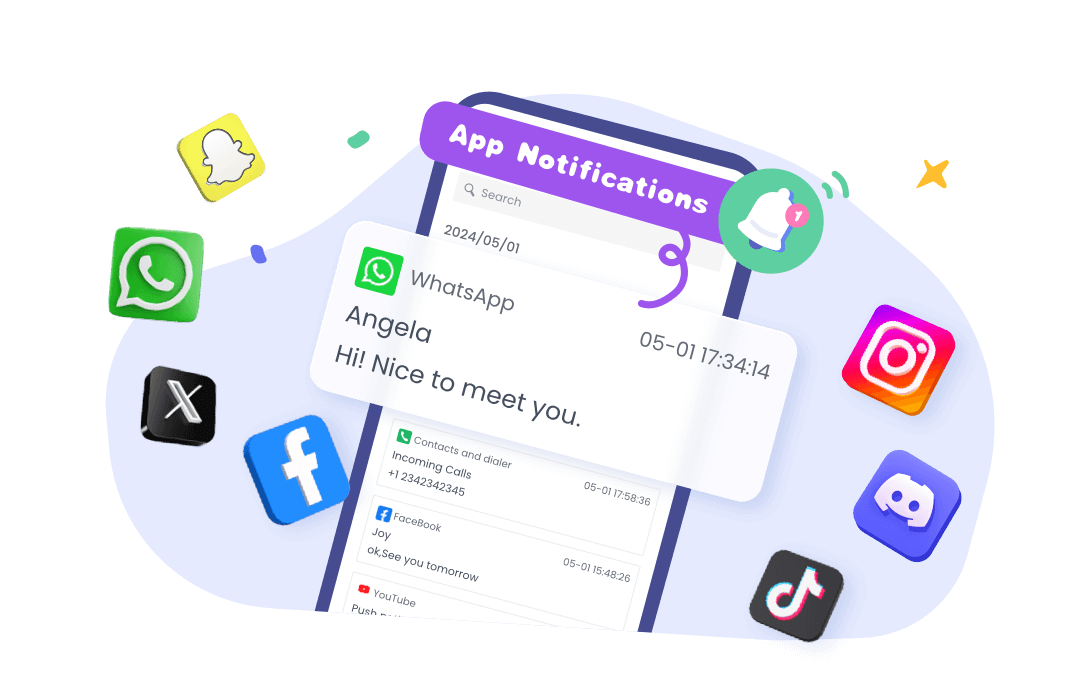
Parents will receive notifications from any app on their child's device in real time. This means that even apps that aren't directly monitored or flagged by other parental control tools can still provide important signals.
With synced notifications, parents can quickly see if something requires attention, such as a new message from an unfamiliar app or an unexpected alert. This gives families more complete visibility without having to check every app individually.
Real-Time Location
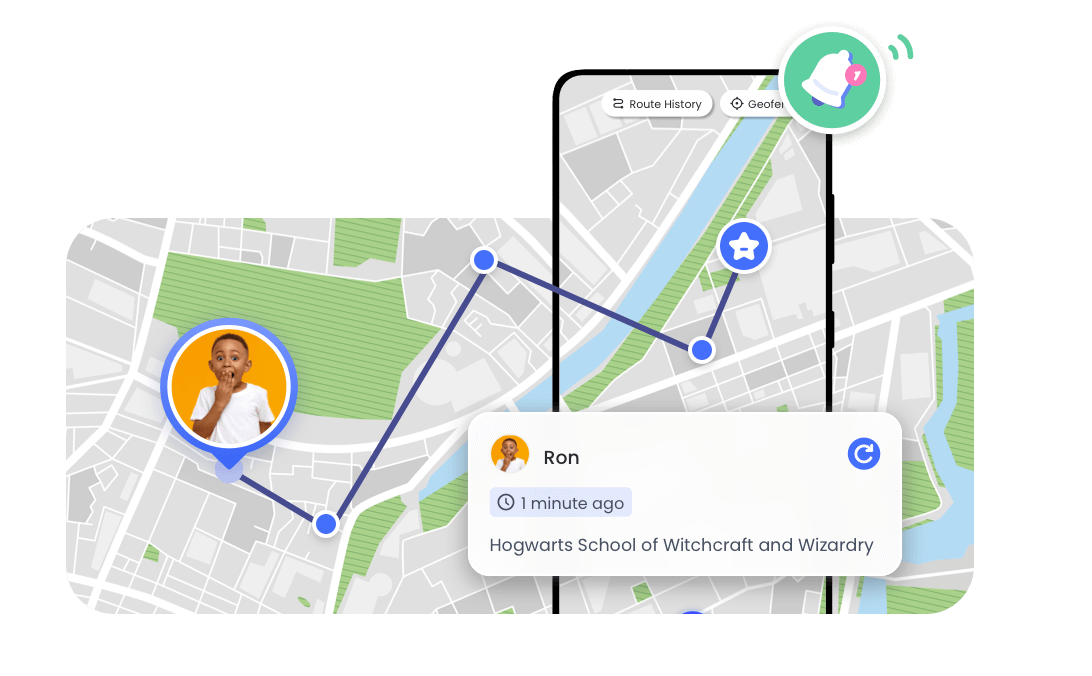
AirDroid allows parents to see their child's exact location in real time. This helps parents stay aware of where their child is throughout the day, whether they are at school, on the way to a friend's house, or somewhere unexpected.
Unlike Qustodio or Bark, which only notify parents when a child crosses a geofence or shares their location, AirDroid gives continuous visibility, so parents can quickly understand unusual patterns or changes in routine. This real-time awareness can provide peace of mind, especially in situations where a child is late, unreachable, or in an unfamiliar place.
Which App Is Right for You?
- Qustodio: Qustodio is great for parents who want strict schedules, app limits, and strong control over screen time. It's ideal if you prefer a rule-based approach that keeps kids' devices structured.
- Bark: Bark is best for parents who want alerts about risky content and social interactions. It's useful if your main concern is monitoring messages and posts across multiple apps for potential dangers, especially if your child is always active on social media.
- AirDroid: AirDroid works well for families who want flexible, real-time awareness and easy communication. It's designed to let parents see locations, notifications, and allow kids to send requests while maintaining independence.
FAQS











Leave a Reply.