AirDroid Parental Control
24/7 Kids' Guardian via App & Web
- 👀Live surroundings and location tracking
- 🔞Content Monitoring and App/Web Blocking
- ⚠Instant alerts for online risks and geofences
- ⌛Screen time control and monitor

Life360 vs. Bark: Location Tracking vs. Online Safety
When it comes to keeping your family safe, Life360 and Bark are household names. However, choosing between Life360 and Bark isn't really about which app is "better," it's about which problem you are more worried about:
TL;DR
- Pick Life360 If:
- You are more worried about where your kids are, if they are driving safely, or if they need emergency help. It focuses on location tracking.
- Pick Bark If:
- Your main worry is social media, cyberbullying, depression, or inappropriate content. It monitors content inside social and email apps.
- 🏆The Better All-in-One: AirDroid
- It combines real-time GPS tracking (like Life360), risky keyword alerts for social media apps, and SMS (like Bark).
- And more, it offers remote camera access to check your child's surroundings and screen mirroring to see exactly what's happening on their device, which Bark and Life360 can't catch.
✍️My Take on Life360 and Bark:
Comparison At a Glance
| Life360 | Bark | |
|---|---|---|
| Main Focus | Real-time GPS & Driving | Content Monitoring & Screen Time |
| Location Tracking |  | |
| Content Monitoring |  | |
| SOS Button | | |
| Free Version | | |
| Starting Pricing | $7.99, $14.99, or $24.99 per month | $5 or $14 per month |
| Compatibility | iOS, Android | iOS, Android, Chromebook, Windows, Mac, Amazon Fire, Game Consoles |
| Effectiveness | ⭐⭐⭐ | ⭐⭐⭐ |
| Ease of Use | ⭐⭐⭐⭐ | ⭐⭐⭐ |
Life360 vs Bark Similarities
While Life360 and Bark serve different purposes, there are some things they both share. Here's what you can expect from both:
- GPS tracking: Both allow parents to see a child's real-time location on a map.
- Location check-ins: Kids can check in at specific places, letting parents quickly confirm their current locations.
- Location history: Can track where a child has been for the past 7 or 30 days.
- Geofencing alerts: With each, parents can set "Zones" (like school or home) and get alerts when a child enters or leaves.
- Driving reports: Both allow parents to know when and how fast they were traveling.
- Cross-platform support: Both work on iOS and Android devices.
My Take on Life360 and Bark
After testing Life360 and Bark, here's my honest take on where each one works best:
1Life360 Is Better for Location Tracking
If you need to see exactly where your child is moving in real-time, Life360 is a clear winner for its accuracy and updates.
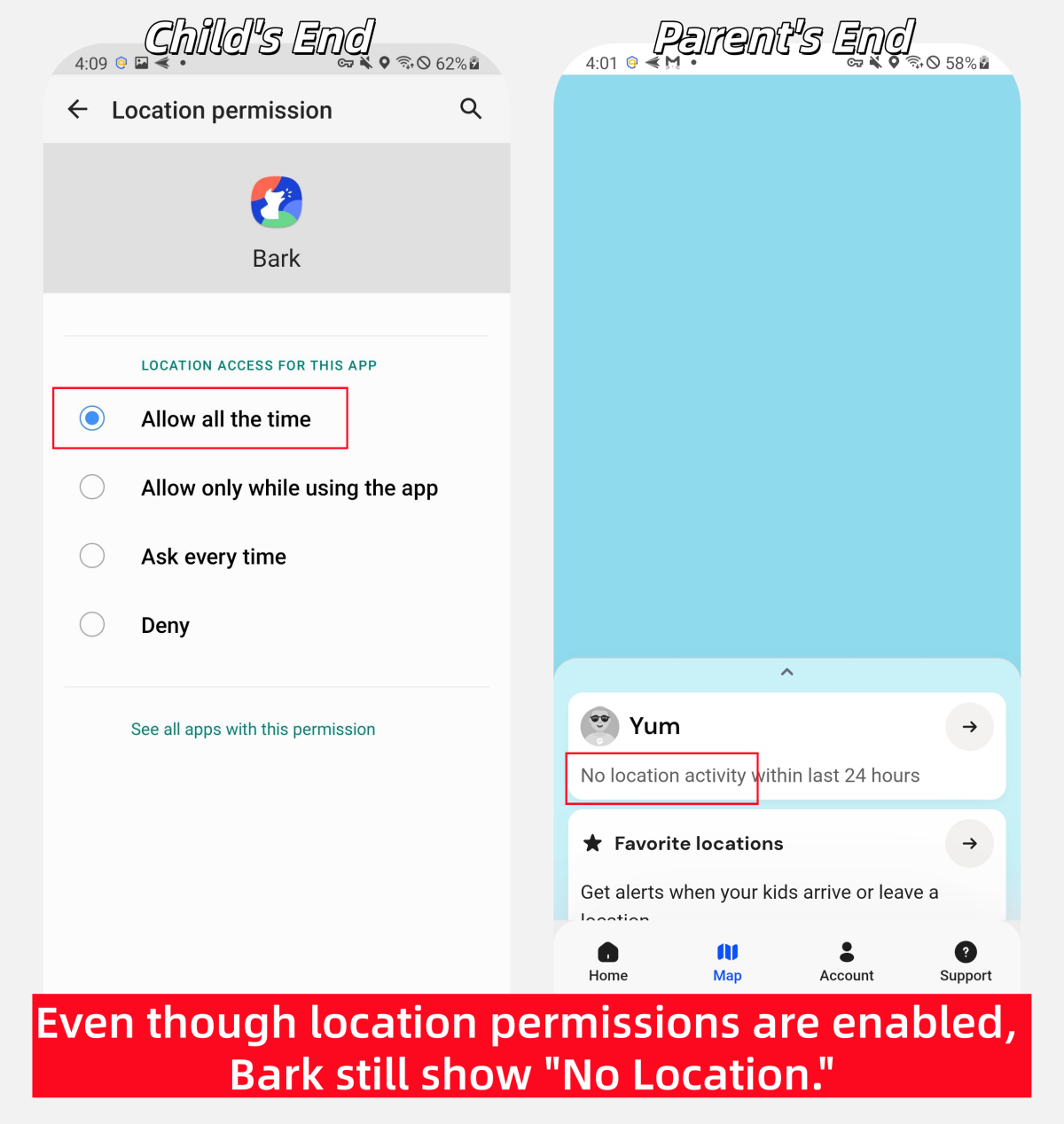
Though Bark also offers location tracking, it hasn't been connecting well, and I often couldn't see my child's location unless they check in on their own.
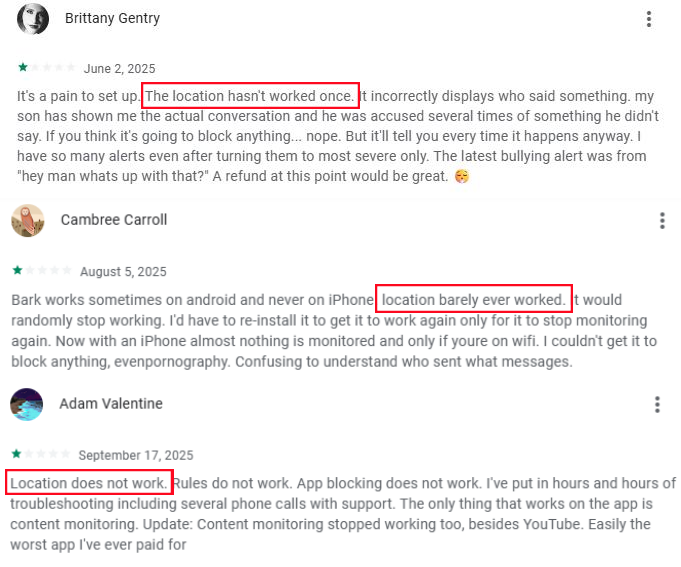
And many parents reported this issue in Play Store reviews.
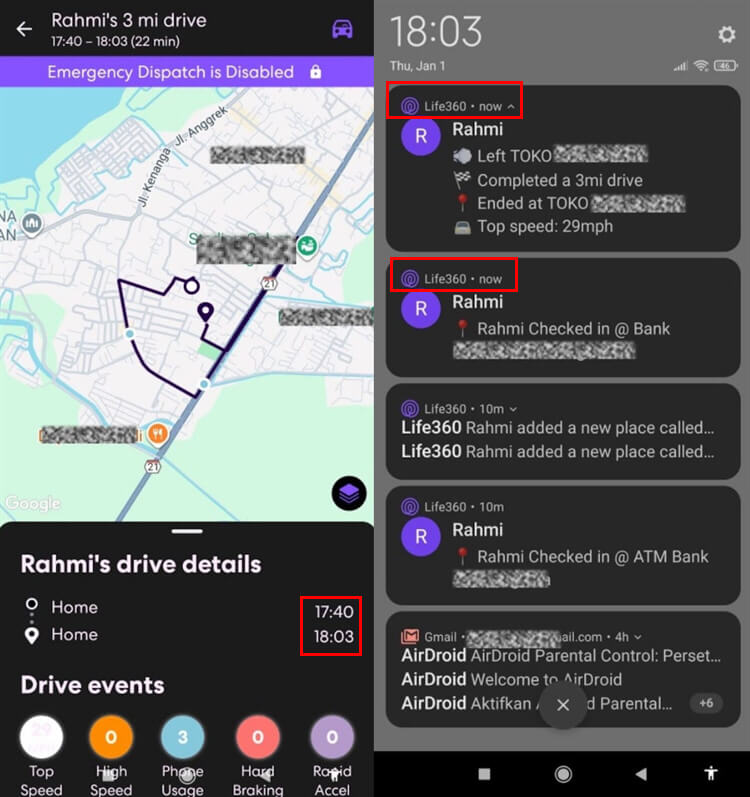
Instead, Life360 uses constant GPS to show me exactly where my child is without delay. However, during testing, we noticed several delays in the geofencing alerts. The notifications often arrived 2 to 20 minutes after my child entered or left home.
Also, Life360 wins for its transparency. In a Life360 "Circle," kids can see their parents' location too. This mutual tracking makes it feel like a family tool for coordination, and as a result, teens are much more likely accept it.
2Bark Offers More Parental Control Features
Since Life360 is purely focused on location and driving safety, it cannot give insights into what your child did on their phone. Bark shines here; beyond location tracking, Bark:
- Connects to 30+ social media platforms and scans emails and messages for online risks, such as bullying, self-harm, adult content, etc.
- Allows you to manage a child's device, including screen time, apps, websites, and Internet access.
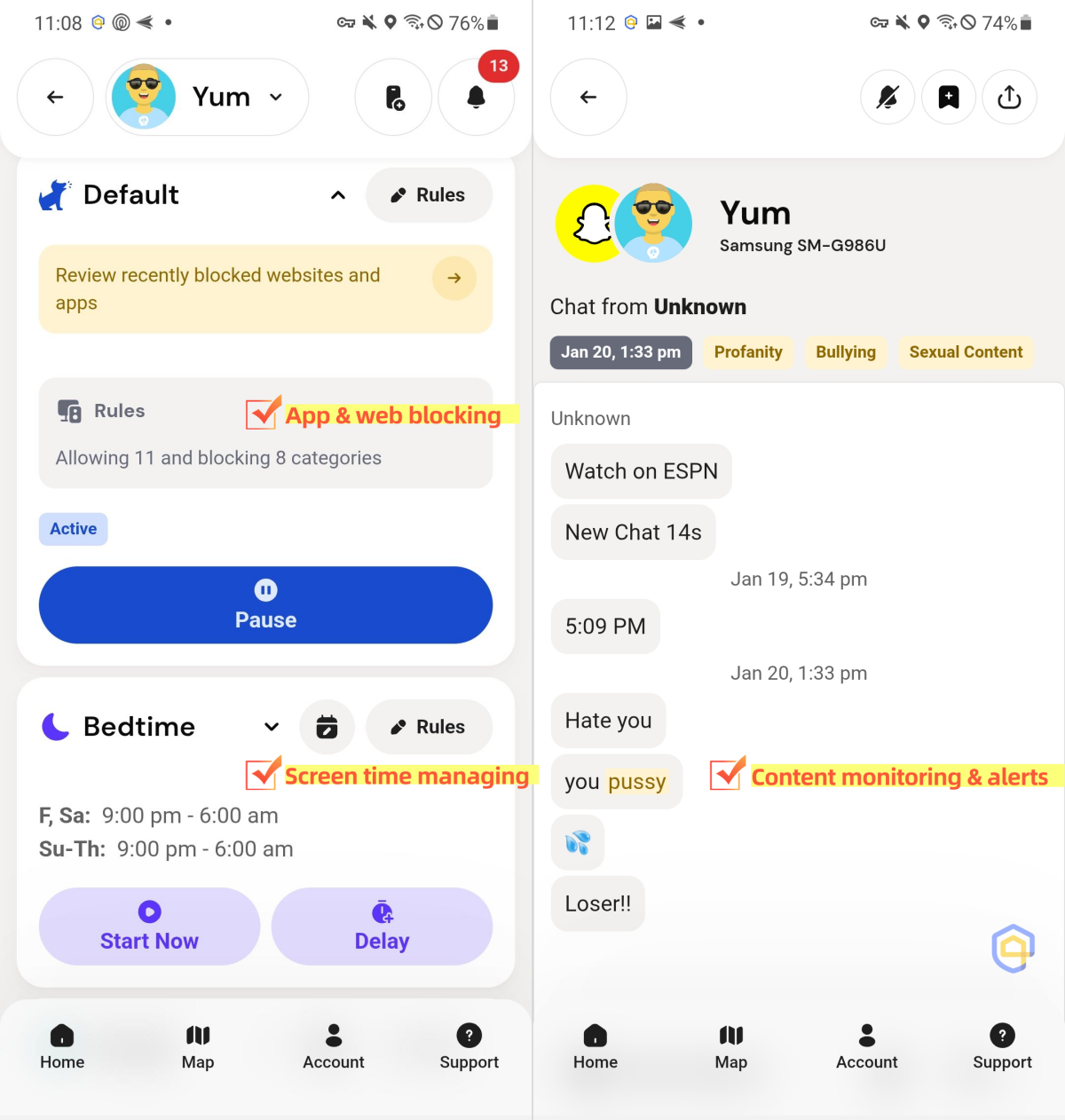
All of these Life360 simply doesn't offer.
3Life360 Gives Peace of Mind If You Have a Teen Driver
This is Life360's "killer feature." Its "Crash Detection" function can automatically call an ambulance (integrate with Emergency Dispatch) if a severe accident is detected, which Bark and many similar apps miss.
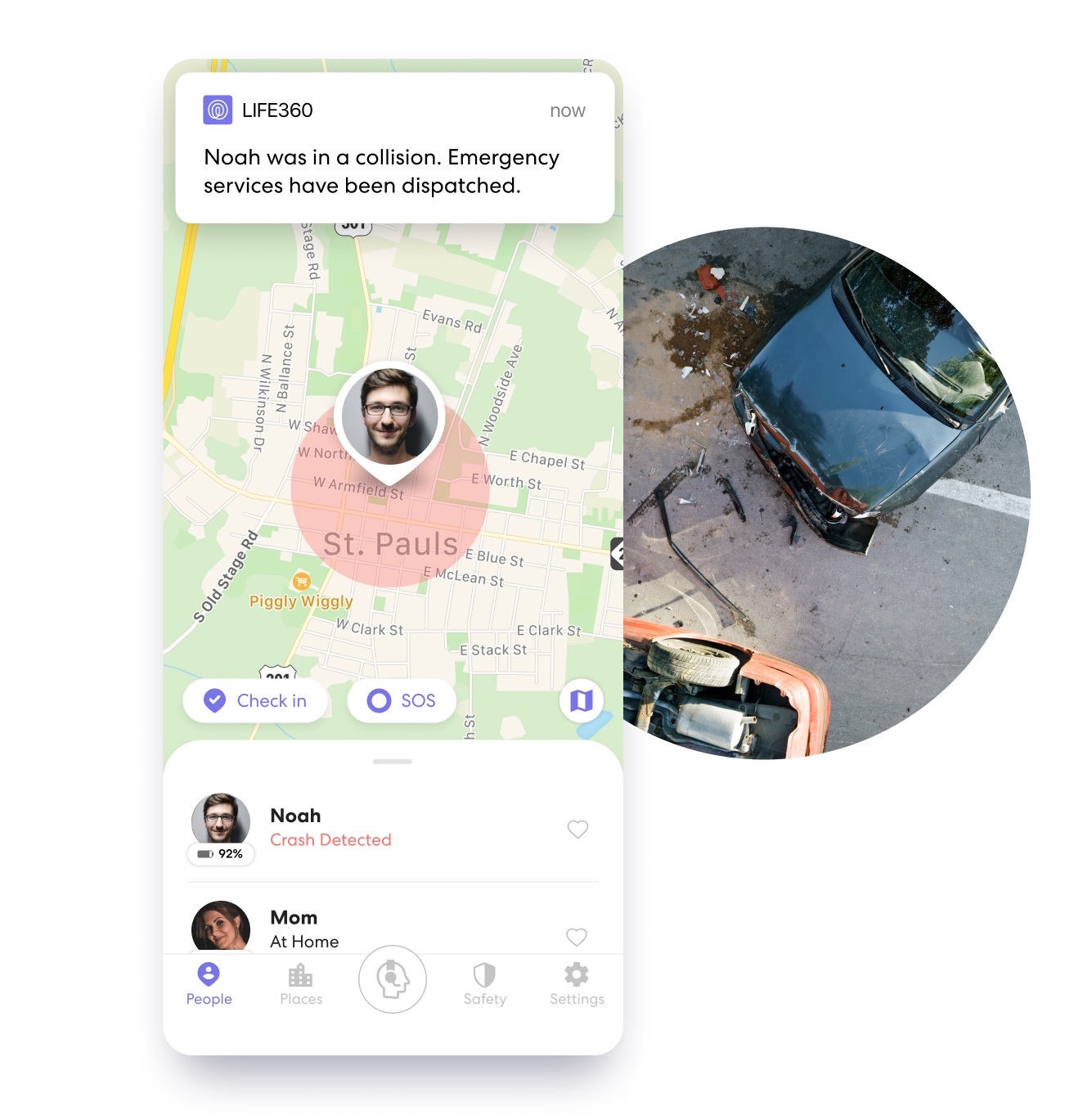
Additionally, Life360 detects speed, hard braking, miles, and phone usage while driving. However, our last testing found inaccuracies in Life360's phone usage detection while driving. It flagged phone use while driving even though the vehicle was fully stopped at that time.
4Life360 Is a More Budget Friendly Option
If you aren't ready to pay for a subscription, Life360 has a usable Free Plan. It includes:
- Basic location sharing
- 2 "Saved Places" for receiving alerts
- 2 days of location history
- Family driving summary
- Crash detection
Conversely, Bark is a premium-only service, starting $5/month (Bark Jr) or $14/month (Bark Premium). While it offers a 7-day free trial, you must enter your credit card information to start.
5Life360 Is Much Easier to Set Up
Life360 is a "download and go" app. You send an invite link, they download the app and join the circle, and location sharing is done in 2 minutes.
Bark can be tricky, especially if your child is using iPhones. Due to Apple's privacy rules and restrictions, Bark often requires you to connect your child's iPhone via a computer and install the Bark desktop app. It's a one-time hurdle, but a hurdle nonetheless.
6Bark Offers a "Privacy-First" Approach
Bark does not show parents every chat the child sends or receives (which can ruin trust). Instead, it only sends parents a snippet or context when it detects a potentially risky activity. This gives parents peace of mind while respecting the child's privacy.
Additionally, the Bark app doesn't reveal exactly which websites the child visited or which apps they used.
What Both Life360 and Bark Can't Do
While both apps are powerful, there are a few important gaps they both have:
❌They Can't Stop Real World Risks: Neither Life360 nor Bark gives you real-time insight into what's happening around your child when they're not nearby. You can only see locations, but you can't verify if they are in a safe environment.
Need to see your child's surroundings for safety?
Tools like AirDroid Parental Control lets you remotely view your child's surroundings and hear ambient sounds. This reduces anxiety when your child doesn't answer the phone or comes home late.
❌They Can't Block Harmful Content Completely: Though Bark monitors social media content, it mainly works through alerts. By the time you're notified, your child may have already viewed the content. That is, there's no way to block it in advance before it reaches your child's phone.
❌They Can't Replace Open Conversation: Apps can tell you where your child is or if they're involved in concerning activities, but they can't tell you why. Imagine if Bark flags a message about depression, starting a conversation and relieving them will be more important.











Leave a Reply.