AirDroid Parental Control
24/7 Kids' Guardian via App & Web
- 👀Live surroundings and location tracking
- 🔞Content Monitoring and App/Web Blocking
- ⚠Instant alerts for online risks and geofences
- ⌛Screen time control and monitor

Is Rec Room Safe for Kids? What Parents Should Know
Have you recently discovered that your child downloaded Rec Room on their Switch, PlayStation, or other devices? Maybe you've never heard of it before, but you still wonder whether Rec Room is safe for kids.
In this review, we'll break down its safety features, real-world risks, and what parents should know before saying yes.
Key Points:
- Rec Room is generally safer than other gaming platforms because it comes with parental controls.
- It has risks like exposure to toxic language, mature themes, predatory behavior, and more.
- Parents can prevent these risks by setting a junior account for kids under 13.
What Is Rec Room?
Being released on Steam in 2016, Rec Room has been attracting users with its VR social gameplay.
In short, Rec Room is a free multiplayer social gaming platform where players can explore and interact in virtual worlds, play mini-games, and create their own experiences.
Features of Rec Room:
- Multiplayer mini-games: Join mini-games created by the developers or other players, such as Paintball, Laser Tag, and Quest adventures.
- Avatar customization: Design cartoon-style avatars at first setup and buy cosmetic items.
- Game creation: Create and publish their own games or virtual rooms using in-app building tools.
- Live voice chat: Real-time voice communication with other players nearby.
- Cross-platform play: A player on an iPhone or a game console can play in the same room as a player wearing a VR headset.
What Is a Junior Account on Rec Room?
In addition to the above features, Rec Room offers a special feature for players under 13, that is, "Junior Account." This measure also makes the Rec Room platform line up with COPPA standards.
When a child uses a Junior Account, some content will be automatically blocked:
- Voice & Text Chat: The microphone is permanently disabled. Plus, they cannot send or receive DMs. This significantly reduces direct communication with strangers.
- Custom Usernames: To prevent sharing personal info, Rec Room will assign a safe, random name for children. They cannot set a custom name later.
- Sensitive Content: They cannot enter public rooms or player-created content tagged with "13+" themes.
- Ignore Bubble: Other players' avatars will fade out if they get too close to your child's avatar. This prevents personal space violations in a virtual field.
- Friendly Fire: In "Quest" games, they cannot hit their teammates.
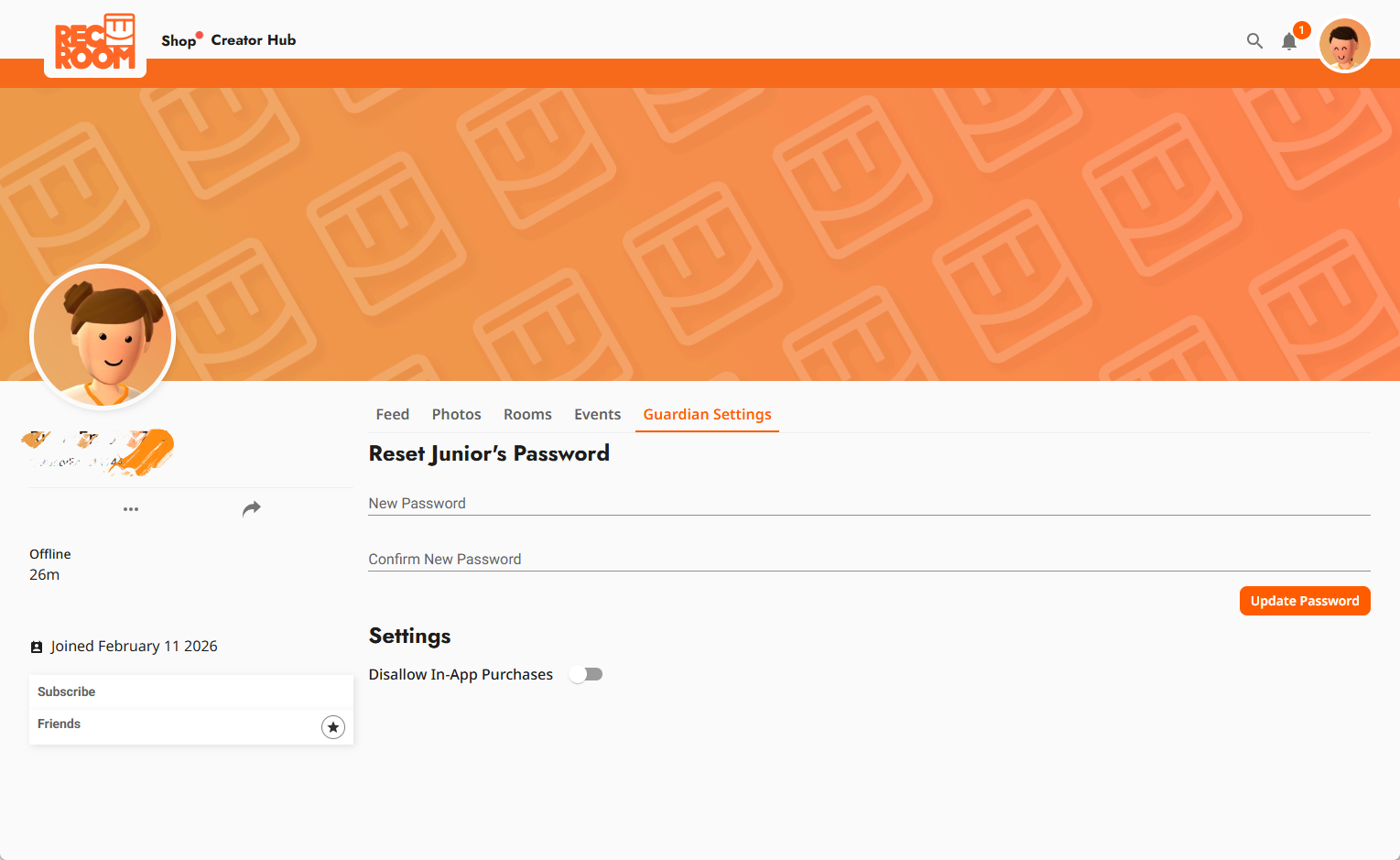
For parents, after linking the child's junior account, they can:
- View kids' online status.
- Disallow in-app purchases for kids.
- Reset their account password remotely.
- See what photos they took in the app.
- Check what rooms or events they created.
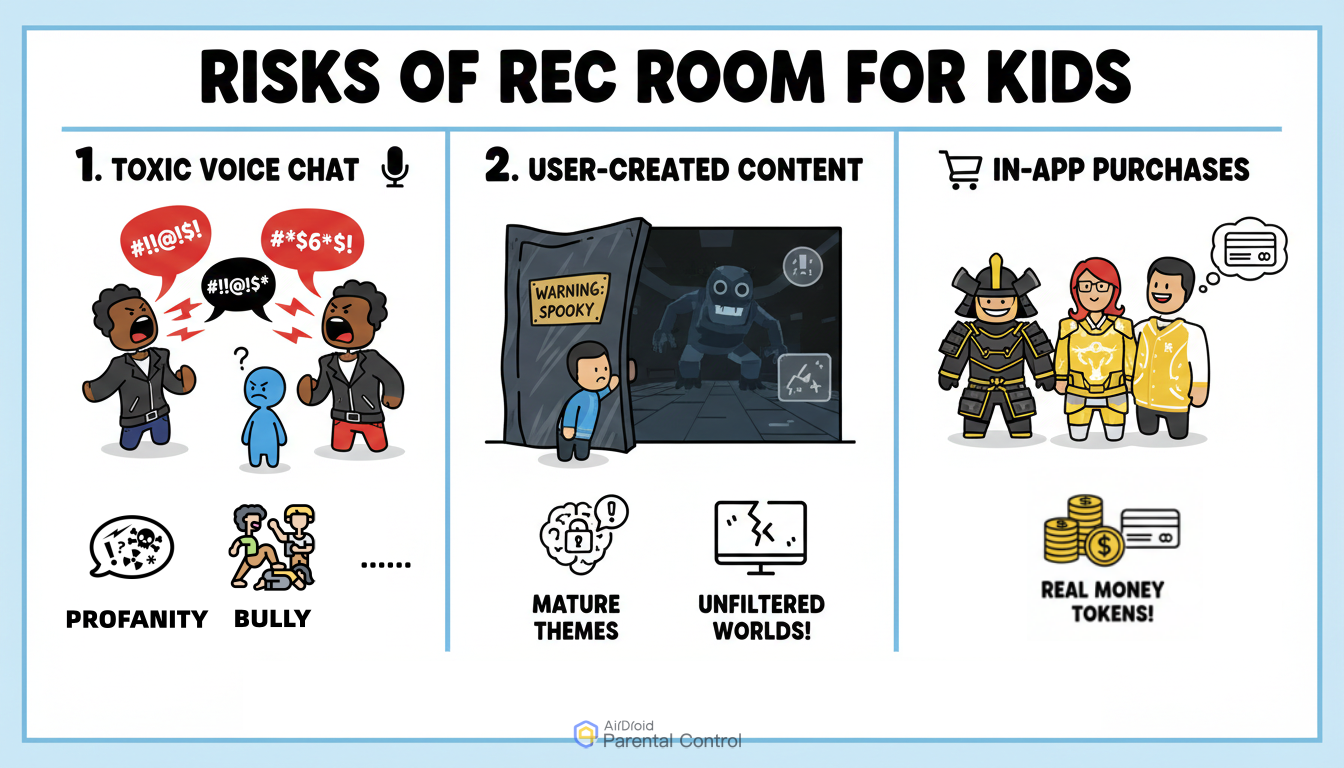
Potential Risks on Rec Room for Kids (Especially 13+)
While the Junior Account provides a strong foundation for safety, no platform is 100% risk-free. Moreover, the junior account restrictions are automatically removed once the player turns 13.
Hence, parents should be aware of these major risks:
Toxic Voice Chat Environment
For non-junior accounts, players can have voice chat and even keep voice always on. Due to this, kids may hear profanity, bullying, or inappropriate adult conversations in public rooms.
Though Rec Room has machine-learning moderators to detect hate, harassment, and other types of nasty speech, they can still slip through the cracks.
For example, many users reported that they heard inappropriate things and even racial and homophobic slurs on Rec Room.
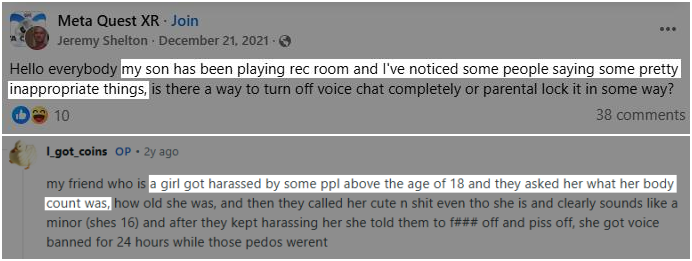
Moreover, one Reddit user even shared that someone did sexual gestures in front of him on Rec Room. Since it focuses on VR, it may make your child feel present and then cause distress.
Comment
by
u/CountryIntellectual from discussion
in
oculus
Inappropriate User-Generated Content
Like Roblox, users can build rooms and games.
While Rec Room moderates, rooms related to spooky, mature, flashing lights, and gore themes can still be created as long as creators use the Warning feature to let others know what kind of content is in this room.

That is, non-junior account owners can come across these inappropriate games.
In-App Purchases
Like other games, Rec Room has an in-game currency called "Tokens."

The tokens can be used to purchase cosmetic items, skins, room decorations, and much more.
And cool skins or outfits from other users or friends can push young users to buy these latest or expensive items to show off or fit in with their groups.
Though tokens can be earned by playing games or selling rooms, the fastest way to get a huge amount of tokens (2,500 to 35,000 tokens) is to pay real-life money for them.
If parents haven't set spending limits, this may lead to unauthorized charges on virtual gaming items.
Tips to Make Rec Room Safer
As we mentioned at the very beginning, Rec Room can be a safe playground if parents stay involved. Now, use these practical tips to build a multi-layered defense for your child.
1Use a junior account if they're under 13
The junior account is the first defense on Rec Room to filter sensitive games and harassment through chats. If your child qualifies by age, this should always be your starting point.
To create a junior account for your child under 13:
- Step 1.Open Rec Room and sign up.
- Step 2.Enter the correct birth date to proceed.
- Step 3.And choose a random username.
- Step 4.Type the parent's email for account linking in their account settings.
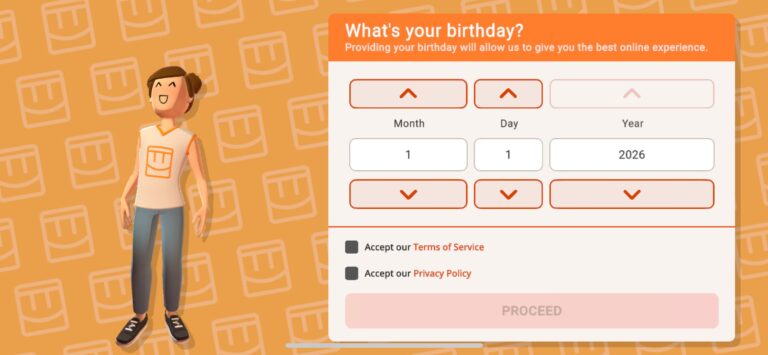
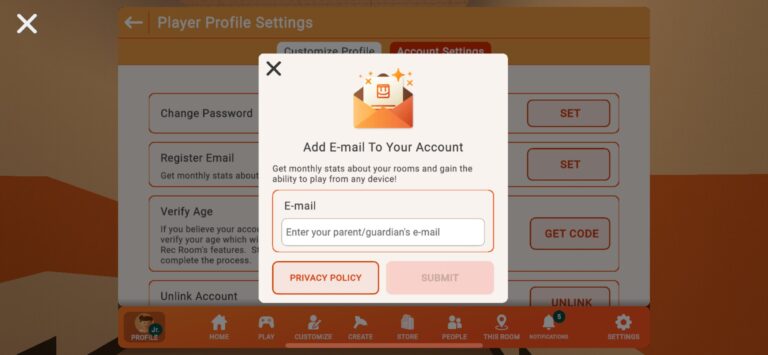
Once done, you can find that there is no chat function on their end. Also, you can remotely manage their account and review their online activities in the Rec Net dashboard.
2Teach them how to block and report
Even with junior accounts, your child might encounter someone who ruins the fun. This time, teach them to protect themselves with built-in "report" and "block" tools.
- To block a player, they just need to open that person's "Profile" and hit the red "Block" button.
- If someone is being hateful or showing inappropriate things, guide your child to use the "Report" button next to their profile.
3Use device-level parental controls
In addition to the above risks, you also have to be aware of excessive gaming time. Since the built-in parental control settings don't cover this, tools like AirDroid Parental Control can help you:
- Know how much time your child spends on Rec Room and set a total time limit.
- Set a "Downtime" schedule so the game automatically locks at bedtime.
- See what game your child is playing via screen mirroring.











Leave a Reply.