AirDroid Parental Control
24/7 Kids' Guardian via App & Web
- 👀Live surroundings and location tracking
- 🔞Content Monitoring and App/Web Blocking
- ⚠Instant alerts for online risks and geofences
- ⌛Screen time control and monitor

Is Messenger Kids Safe? Everything Parents Need to Know About Risks & Protection
In today’s digital era, it is natural for parents whose child uses Messenger Kids to wonder whether the app is safe from the risk of encountering strangers who often target children online. In addition to the fear of strangers, another concern many parents raise is whether Facebook is secretly collecting children’s data.
Generally, this app offers basic protection that is safer than regular Messenger and standard social media platforms. However, you must remain vigilant because limitations and potential risks remain in this closed digital environment that cannot be simply ignored.
This article will provide a thorough security analysis of the app, along with a real risk assessment of the risks your child might face while messaging. Furthermore, we will guide you in applying practical parental control methods while providing strengthened protection solutions for comprehensive child safety.

Quick Verdict: Is Messenger Kids Safe?
The conclusion is clear: this app is generally safe with parental supervision and is safer than ordinary social media platforms—but not 100% risk-free.
To objectively answer whether Messenger Kids is safe for children, you can evaluate its safety level using simple rating dimensions:
These five points should always be your main focus in supervising your child’s communication activities.
What Is Messenger Kids?
What is Messenger Kids?
Messenger Kids is an instant-messaging app—released in 2017—by Meta Platforms, designed as a digital communication alternative specifically for minors.
Considering that many parents naturally ask is Messenger Kids safe, various digital security reviews confirm that this platform prioritizes privacy by not allowing children’s accounts to be searched publicly and requiring a phone number to register.
Core Functions
The core functions of this app facilitate children to exchange messages and make video calls safely through a contact list that must be fully approved by parents. Besides providing age-appropriate interactive features such as educational games and camera filters, this app operates in a closed environment without displaying ads or in-app purchase options.
Safety Features of Messenger Kids
This app provides several main security features to protect your child while communicating online.
1. Parent-approved contacts only
This app gives you full parental control over the friends list, so they can only communicate with contacts you have previously approved. Furthermore, your child’s account profile is fully protected because there is no public search available for unknown users on any platform.
2. No ads or in-app purchases
This platform operates entirely without ads and does not offer in-app purchases. This approach effectively reduces commercial influence that is inappropriate for their age and prevents the possibility of your child making accidental financial transactions.
3. Parental dashboard control
Through a specific control dashboard in your account, parents have access to manage chat history and images sent or received by the child. This dashboard also functions as the main control center that allows you to manage contacts by adding or removing them proactively from a distance.
4. Reporting and blocking features
As an official protection mechanism, your child can easily block or report contacts that make them feel uncomfortable directly within the app. Every time your child performs these blocking or reporting actions, the system will immediately send you a notification for follow-up.
5. Sleep Mode
The sleep mode feature allows you to set a specific schedule when your child cannot access the app at all. This automatic schedule setting is highly objective to help limit your child's screen time, especially during study hours or bedtime.
Real Risks Parents Should Know
Despite having various protections, to fully answer is Messenger Kids safe, there are some real security gaps you need to be aware of when your child uses this app.
1. Kids can still interact with strangers indirectly
The risk of interacting with unknown people can happen through group chat invitations, where your child might be added to a group whose members are outside their contact list. This means your child potentially communicates indirectly with friends of approved friends who have not actually received your approval.
2. Cyberbullying is still possible
A closed chat environment does not guarantee your child is completely free from cyberbullying threats, as these often come from their own circle. According to Internet Matters’ November 2022 tracker survey, children are far more likely to be harassed by people they know—with over one-third of victims targeted by a friend and 22% by a schoolmate—compared to just 13% by a stranger.
Furthermore, children can also switch to other chatting apps to avoid monitoring, so you may need an additional third-party tool to set up Messenger Kids Parental Controls.
3. Screen time addiction
The interactive gamification design can make your child stay and spend too much time in front of their device screens. Fun visual filter interactions risk triggering screen time addiction if their daily usage time is not strictly limited.
4. Privacy and data concerns
As a digital platform, there are always objective concerns about privacy and user data collection policies, considering Meta’s data collection controversy. Although the company states it does not use children’s data to target ads, your child’s activity history and basic information are still collected and stored in their system.
5. Limited monitoring depth for parents
The built-in dashboard of Messenger Kids has limited monitoring depth because it provides no real-time risky behavior alert or daily usage time analysis. To overcome this limitation and get deeper protection, many parents switch to third-party apps such as AirDroid Parental Control.
Messenger Kids Age Requirements — Is It Suitable for Your Child?
When evaluating whether Messenger Kids is safe, it is important for you to understand the recommended age limits before allowing your child to use this communication platform.
Official Age Policy
Meta designed the Messenger Kids app specifically for children under 13 years old. This rule was created so that children who do not meet the age requirement to use a regular Facebook account can still exchange messages safely under your monitoring.
Age-Appropriate Recommendations
For children aged 6–8 years old, using this app requires strong supervision directly from parents while they chat. Meanwhile, for children aged 9–12 years old, this app is usable but with restrictions; you still need to set limits and check their activities routinely.
How to Make Messenger Kids Safer (Practical Guide)
To maintain safety, you need to set privacy permissions properly and immediately enable parental control features. Besides that, make sure you regularly check the contact list to ensure the child only communicates with approved people.
You should also set usage time rules so the child does not spend all their time in front of the screen. As support, always invite the child to communicate the importance of maintaining their online safety while they are on the Internet.
Messenger Kids Limitation
This app has a fundamental weakness: it cannot monitor the child’s device activity in real time. The system also does not support cross-app management, so you cannot supervise the child’s activity when they open other platforms.
Another limitation is the lack of detailed screen time reports or automatic warnings when the system detects dangerous activity. Therefore, parents who want more comprehensive tools to safeguard their children’s safety may need additional control tools.
Better Online Protection for Kids — AirDroid Parental Control
When considering whether Messenger Kids is safe for daily use, many parents realize that the built-in protection of the app is often not fully enough. Therefore, AirDroid Parental Control is here as a very practical additional solution to cover those various digital security gaps.
This app provides a layered protection control system that is very effective in keeping your child safe online and offline. With the help of this Airdroid, you can safeguard the child’s phone activity more broadly without having to check their physical device every time.
How AirDroid Works with Messenger Kids
Here is the specific way AirDroid works to safeguard your child’s communication activity:
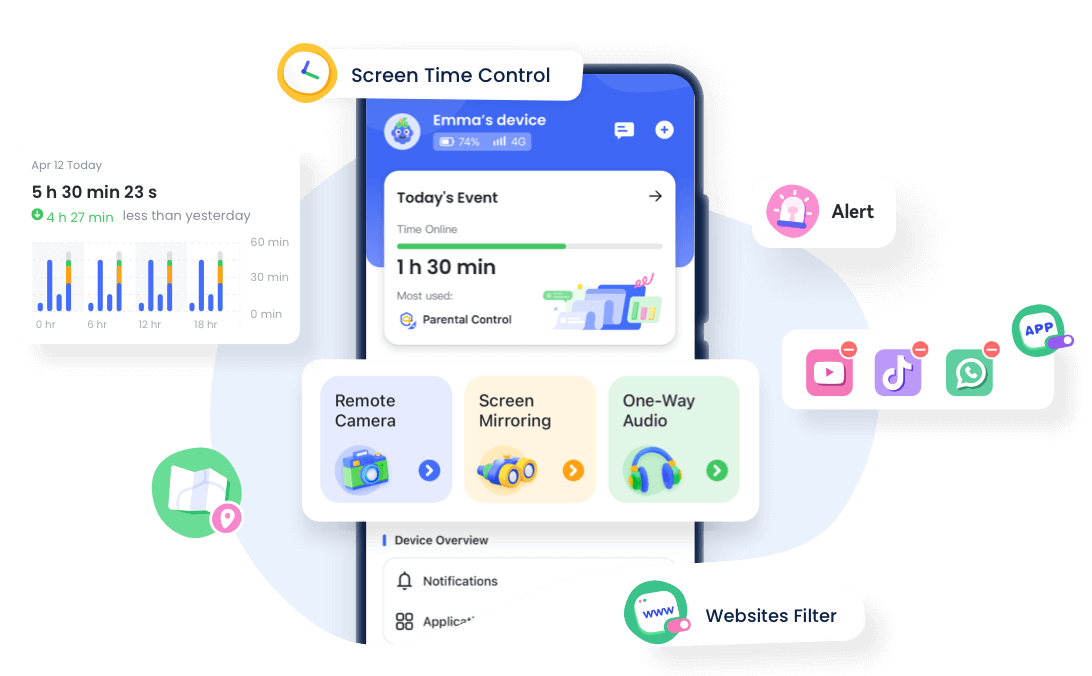
- Real-time Screen Monitoring: This feature allows you to see the child's phone screen display directly to ensure they are not exposed to dangerous chats.
- App Usage Reports: This usage report helps prevent addiction by detecting early signs of addictive phone usage and excessive nighttime use.
- Screen Time Limits: You can set strict daily time limits to help the child establish healthier screen boundaries.
- Notification Sync: You can see all messages and alerts received on the child’s phone instantly to detect the potential of bullying or harassment from strangers in real time.
- Cross-App Protection: This system is able to perform social media monitoring on 14+ social media platforms and automatically sends warnings to you if it detects suspicious interaction behavior.




Final Verdict
In the end, the question of whether Messenger Kids is safe can be answered quite convincingly as long as you always provide proper supervision. This app indeed provides a communication environment that is much more controlled for children compared to ordinary social media.
Even though its protection is already designed well, you still must realize that no single digital platform is completely free from risk. Security gaps, such as the potential of cyberbullying from friends or the threat of device addiction can still happen if the child is left to play without time limits.
Therefore, it is highly recommended to use a third-party parental control app such as Airdroid Parental Control to cover various weaknesses of the built-in control of that app. This additional step will ensure you have greater control to better protect the child’s safety while they are playing on the Internet.















Leave a Reply.