AirDroid Parental Control
All-in-One Tool for Real-World Child Safety
- 📍Real-time location & route history
- 🔍Live surroundings check
- 🔔Geofence alerts on daily routes
- 🆘One-tap SOS with ambient audio
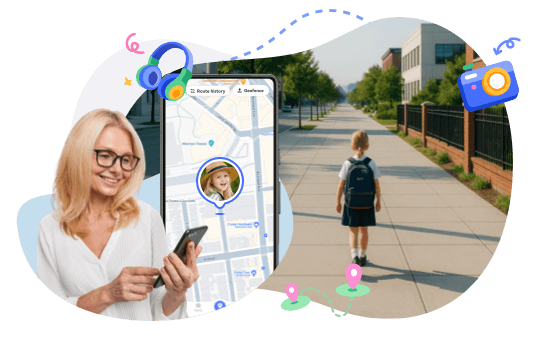
How to Set Up an After-School Check-In Routine for Safety
After school is often when kids have the most freedom and when parents have the most questions. Did they leave school on time? Are they on the right route? Did they get home safely? Is the kid late for school? A clear check-in routine helps remove that uncertainty for both parents and kids. Therefore, it's important to set up an after-school check-in routine that kids can follow every day.
Build an After-School Check-In Routine
What Safety Habits Routine Should Include
A good after-school check-in routine is built around important moments in your child's day. These check-ins don't have to be long or complicated. What's most important is that you do them regularly.
- Checking in When School Ends
- This first check-in tells you your child has left school and is on the way. It's helpful to know their usual route, whether they walk home, take a bus, or go somewhere else. A quick message or an automatic alert lets you know everything is going okay.
- Checking in When They Arrive Home
- This is the most important check-in of the day. It helps you feel calm knowing your child arrived safely. Whether they are at home, a friend's house, or an after-school activity, this final check-in finishes the routine.
- Checking in When Plans Change
- Sometimes plans change. An after-school activity may run late, or your child may go somewhere else. Teach kids to check in when this happens. It helps avoid confusion and worry, and encourages them to think ahead and communicate clearly.

These habits help kids:
- Stay aware of time and location, so kids don't lose track of where they are or how late it's getting.
- Communicate responsibly by checking in, sharing updates, and letting parents know when plans change.
- Build independence step by step, while still keeping safety in mind and knowing support is always there.
Simple Check-in Examples
- "School's out. Heading home now."
- "Just got home."
- "Practice is running late. I'll be home at 5:30."
A quick message to let parents know the school day is over and the child is on the way home.
A short check-in to confirm they arrived safely and don't need to keep texting.
A helpful update when plans change, so parents don't worry or start guessing.
Set Automatic "Arrived Home" Notifications
Why Families Should Set Automatic Alerts
Even with a good tracking routine, sometimes kids will forget it. They easily get distracted, their phone battery might run low, or they may rush off to the next activity and forget to check in with you.
That's why setting up automatic "arrived home" notifications helps you know where your child is without stress.
No Daily Reminders Needed
Automatic alerts make things easier for the parents and kids. Parents don't need to send texts or make calls all the time. And kids don't have to remember to check in every day. When a child arrives at a set location, an alert goes off by itself.
No Pressure on the Child to Remember
Kids can focus on getting home safely instead of worrying about sending a message at the right moment. This is especially helpful for younger kids who are still learning to be responsible.
Peace of Mind Without Interruptions
Parents get notified as soon as their child arrives home or at another safe place. There's no need to interrupt your child or distract them during a busy after-school time.
Automatic notifications are especially useful for:
- Younger kids who are still learning how to be responsible
- Children with after-school activities
- Long, busy, or changing child routehome
How to Set Automatic Arrival Notifications?
AirDroid Parental Control makes setting automatic notifications easier through geofencing and location tracking.
Geofencing allows parents to set virtual boundaries around important places like home, school, or an activity location. When a child enters one of these areas, an automatic alert is sent.
Follow these steps to set automatic arrival notifications:
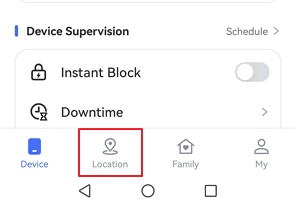
- Step 1. Open AirDroid Parental Control on your device and tap on "Location" at the bottom.
- Step 2. You will see 2 options at the top: Route History and Geofence. Tap the latter one.
- Step 3. Tap on "Add Geofence."
- Step 4. Now, add the geofence name, select the location, and set the radius.
- Step 5. Once you have set everything, tap "Save."
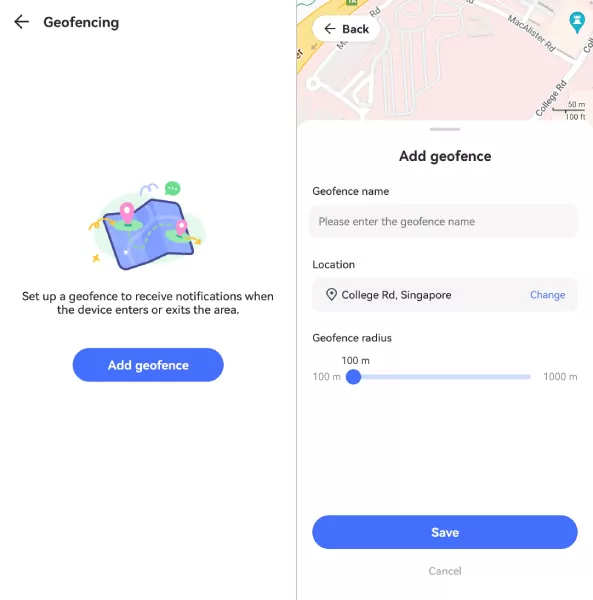
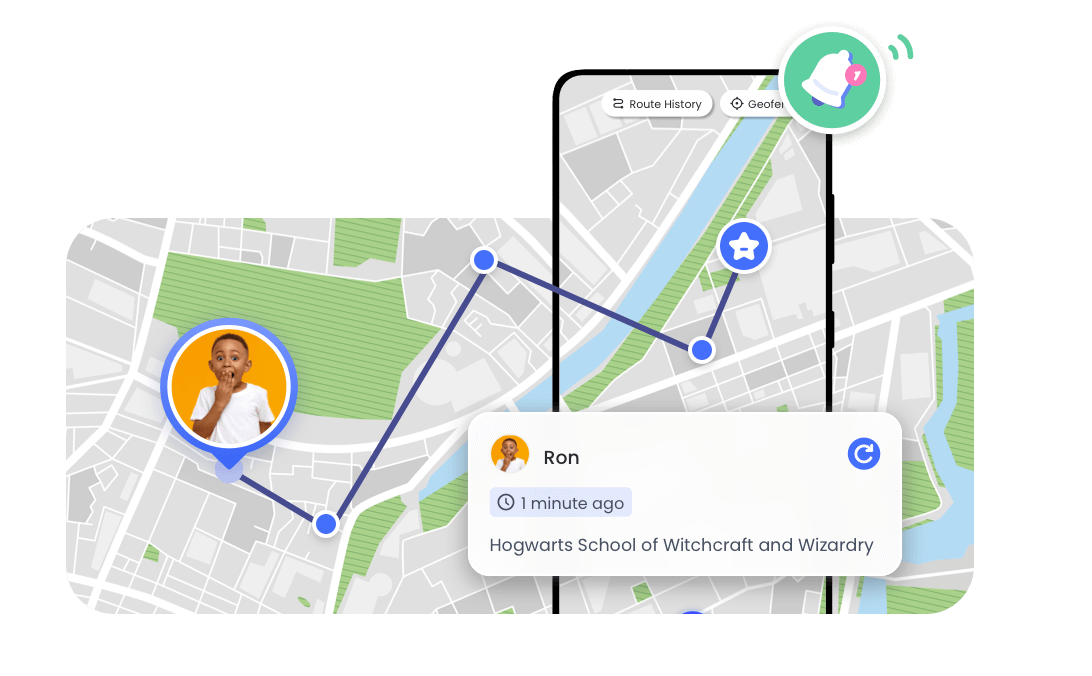
You will now receive automatic notifications whenever your child reaches within the set radius.
Family Communication Templates for Check-Ins
Introducing the Check-in Routine
Clear communication improves check-in routines. When kids understand what to say and when to say it, they are more likely to follow through.
Here are some easy templates to help parents set expectations without being too strict or overwhelming.
When you first introduce the routine, keep the conversation relaxed and positive. The goal is to explain why check-ins matter, not to make kids feel watched.
You can tell them that check-ins after school, or when plans change, help ensure they're safe.
You can also explain how tools like AirDroid support this routine by handling some check-ins automatically, so kids don't have to remember everything themselves.
Explaining Automatic Arrival Notifications
Kids may worry that automatic notifications feel like tracking. A simple explanation can do wonders. Let them know about automatic alerts and that they don't have to send a message every time.
When Your Child is Late
If a child not home on time, staying calm is important. Starting with concern instead of frustration keeps communication open.
If needed, parents can use location tracking to locate their child and understand what's causing the delay before reacting.
When Plans Change
There can always be changed plans, and kids need clear guidance on what to do when that happens.
You can tell them that if their plans change or they're going somewhere else, they can simply send a quick message.
What to Do When a Check-In Is Missed?
- Pause and stay calm
- Check their location first
- Send a simple message
- Call if there's no response
- Follow up later
Conclusion
An after-school check-in routine doesn't have to be complicated to be effective. Simple habits like checking in after school, arriving home, and updating parents when plans change can make a big difference in keeping kids safe and accountable.
AirDroid helps make these routines easier to manage. So, if you want a safer, more reliable way to know where your child is after school, AirDroid Parental Control now and get the peace of mind you deserve!
FAQs about Your Child After-School Safety















Leave a Reply.