AirDroid Parental Control
All-in-One Tool for Real-World Child Safety
- 📍Real-time location & route history
- 🔍Live surroundings check
- 🔔Geofence alerts on daily routes
- 🆘One-tap SOS with ambient audio
Best Kid Tracking Apps for After-School Safety
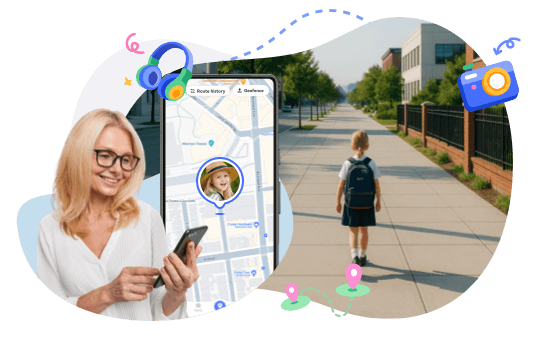
After school can be the most stressful time for parents. Kids are moving between activities, walking home, or hanging out with friends, and it's easy to worry when they don't answer a phone call or text. That's where kid tracking apps come in—they give parents a way to stay informed and ensure safety without hovering constantly.
What Tracking Apps Should Do for After-School Safety
After school is a critical window for child safety. Kids are moving independently, routines can change, and parents may not always get a quick reply. At this stage, tracking apps should do more than simply show a dot on a map. They should help parents understand what's happening and stay calm.
That's why, in our review of the best kid tracking apps for after-school safety, we focused on the important features during the trip from school to home.
A reliable app should show live location and the actual route a child takes after school. This helps parents see whether their child is walking normally, stopping briefly, or taking a different path instead of guessing based on a static location update.
Knowing exactly when your child arrives home is one of the biggest sources of peace of mind. The best apps should send instant notifications when a child leaves school, home, or any trusted location, without delays or missed alerts.
Parents should be able to look back at past after-school routes to understand what's normal. Location history makes it easier to spot unusual changes, longer travel times, or unfamiliar areas.
Sometimes, seeing your child's location on a map isn't enough to know what's going on. That's where a remote camera comes in. Some tracking apps let parents remotely check the phone's camera, giving a quick view of the surroundings. Parents can see and listen to their surroundings. It's not about spying. It's about verifying your child's environment when they can't answer a call or text.
For example, if a child hasn't checked in and you notice they've stopped moving on the map, a quick view can confirm they're safe. Maybe they are waiting at a bus stop or sitting in a quiet cafe.
Sometimes, your child doesn't answer the phone simply because of technical reasons. For example, the battery is dead, location services are off, or the phone lost signal. That's why a good tracking app should include device status checks.
This feature lets parents see battery level, internet connection, and whether location services are active. Instead of panicking when a child doesn't respond, you can quickly tell if it's a real concern or just a phone issue. It helps parents stay calm while figuring out the next step.
Best Kids Tracking Apps for After-School Safety
We review the top apps that help parents keep an eye on their children after school. With the right app, parents can reduce anxiety, respond quickly when something's off, and give kids the freedom to explore safely.
| Features | AirDroid | Find My Kids | Life360 |
|---|---|---|---|
| Real-time Location |  | | |
| Accurate Geofencing Alerts | | | |
| Location History | | | |
| Remote Camera to Check Surroundings | |  |  |
| Battery Status Check | | | |
| Remote Ring | | | |
Why We Pick it
You can see and listen to the surroundings around your child. It's great for keeping track of both the child and their device. If you want to make sure your child is safe without constant calls, AirDroid gives that extra layer of control.
You can play a loud sound directly on your child's phone when they don't answer. Kids get distracted, forget to check in, or leave their phone buried in a backpack. Even if it's on silent, you can also quickly get their attention without frantic calling.
It is best for older kids and teens who are more independent, especially those who drive or take public transportation. With driving safety monitoring, no-show alerts, and detailed location history, Life360 helps parents track behavior as well as location.
1AirDroid Parental Control
Real-Time Location Tracking
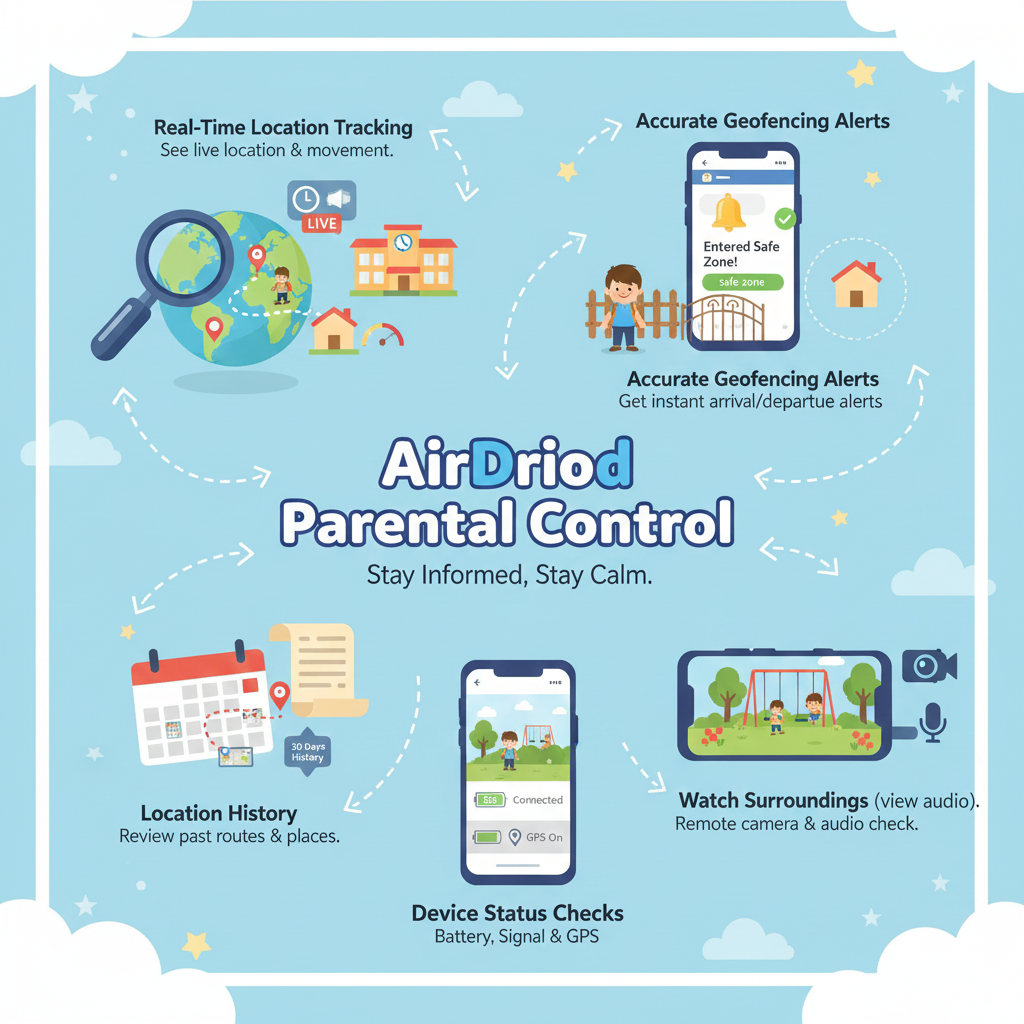
AirDroid allows parents to see their child's live location and movement as they head home after school. Instead of just showing a static pin, it helps you understand whether your child is walking, stopping briefly, or taking a different route. This real-time visibility makes it easier to stay informed without constantly calling or texting.
Accurate Geofencing Alerts
Parents can set clear safe zones around places like school, home, or after-school activities. You'll get instant alerts when your child leaves school or arrives home, so you don't have to keep checking the app. These timely notifications help reduce stress and make daily routines more predictable.
Location History
AirDroid keeps a detailed location and route history. So parents can check where their child has been after school. This makes parents easily know their kids' normal routes, and notice when they change their way home. Location history is especially helpful for calm follow-up conversations, rather than reacting in the moment. You can check 30 days location history of your kids.
Watch Surroundings (view and audio)
When your child doesn't answer a call or message, AirDroid's remote camera can provide extra reassurance. Parents can remotely check the phone's camera to get a quick look at the surroundings and listen to the sound around them. It's another way to confirm your child is safe when calls or texts aren't possible.
Device Status Checks
AirDroid also shows important device status details, such as battery level, internet connection, and whether location services are turned on. This helps parents quickly tell the difference between a real safety concern and a simple phone issue, like a dead battery or lost signal.
2Find My Kids
When it comes to after-school safety, Find My Kids offers several features that help parents stay calm and informed even when kids don't always check in on time.
Location Tracking & History
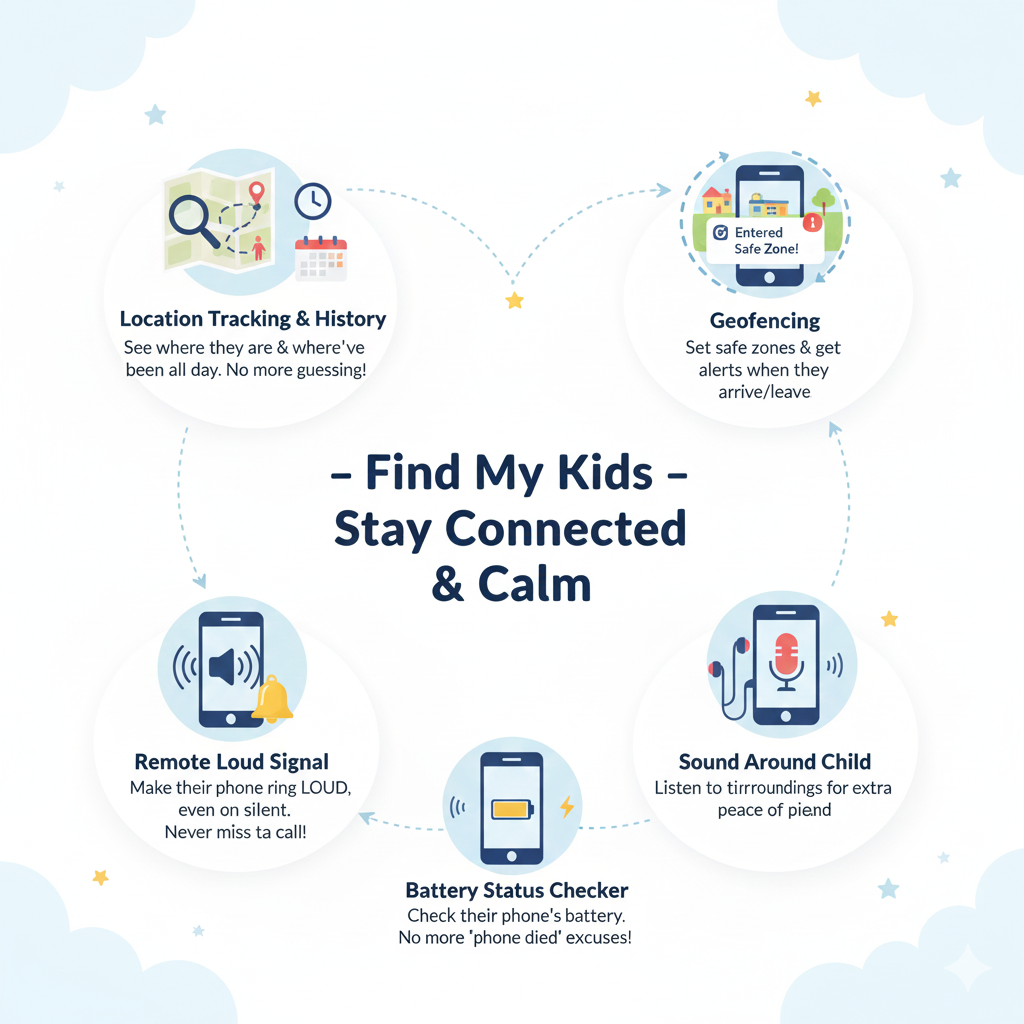
Parents can see where their child is now and where they've been throughout the day. After school, this is especially helpful when plans change, and kids forget to update you. Instead of guessing, you can quickly check their recent locations and routes.
Remote Loud Signal
If your child isn't answering their phone, Loud Signal can be a lifesaver. You can send a loud sound to their phone even if it's on silent. It's easier to get their attention when they've missed a call or left their phone in a backpack.
Sound Around Child (only audio)
It gives parents extra reassurance by allowing them to hear what's happening around their child's phone in real time. This can be especially helpful if you're worried about their surroundings or trying to understand why they're not responding.
Geofencing
Parents can set safe zones like school, home, or an after-school activity location. You'll get alerts when your child enters or leaves these areas, helping you stay informed without hovering.
Battery Status Checker
It helps parents avoid unnecessary panic by showing how much battery is left on their child's phone. After school, kids are often busy, distracted, or moving between activities, and a low battery is one of the most common reasons they stop answering calls or messages. Parents can quickly check whether their child's phone is about to die instead of assuming something is wrong.
3Life 360
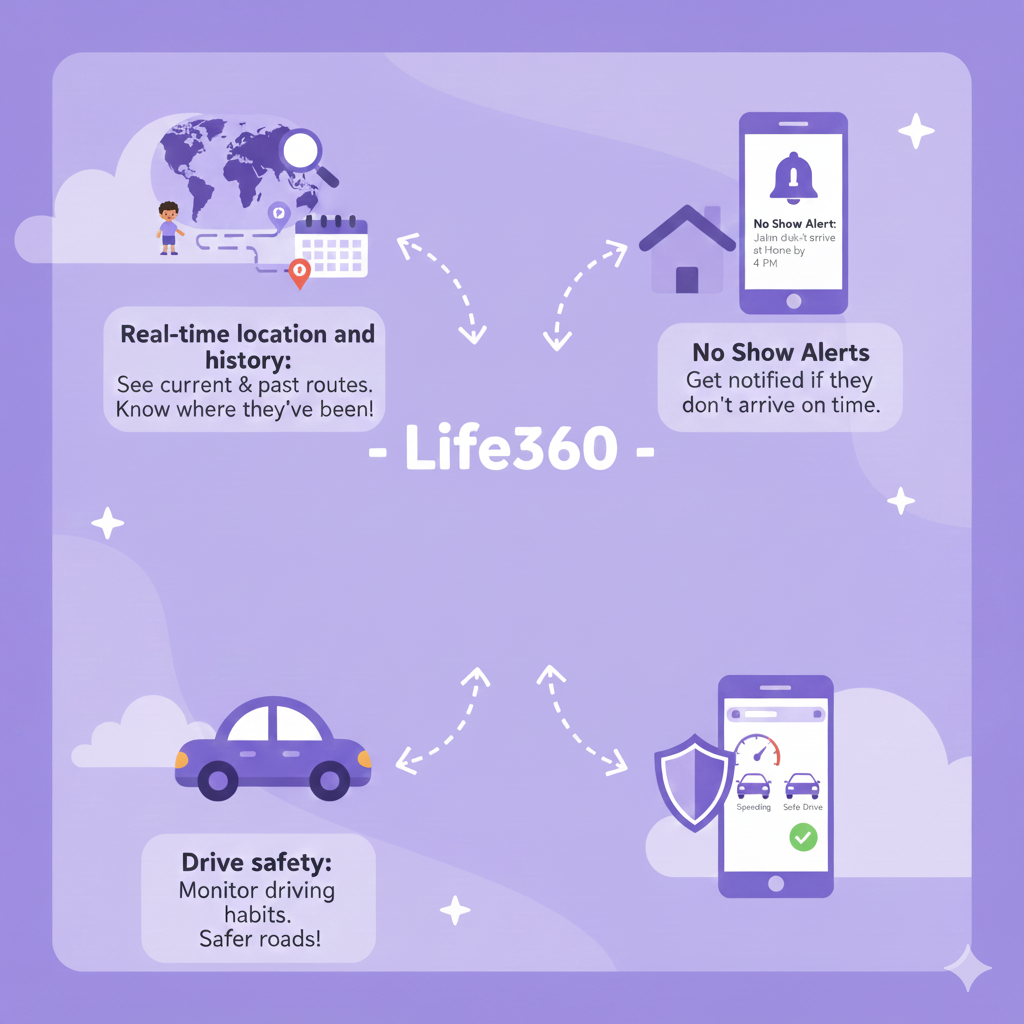
Life360 gives parents a clear picture of where their kids are and how they're getting around, without needing constant check-ins.
Real-time location and history
Parents can see where their child is right now and review where they've been throughout the day. This is especially useful after school, when schedules change, and kids don't always remember to text. Location history helps fill in the gaps and confirms whether your child followed their usual route or made a normal stop along the way.
Drive safety
It monitors teens' driving behavior and alerts parents to risky habits, adding another layer of protection beyond simple location tracking. Instead of guessing whether your child arrived safely, you get actionable insights into both their location and how they got there.
No Show Alerts
It notifies parents when their child doesn't arrive at a set place, like home or an after-school activity, by a certain time. This helps parents act quickly instead of waiting and worrying.
How to Choose the Right App for After-School Safety
Finding the best kid tracking app depends on your family's routine and your child's needs. Here are some important questions to ask:
If your child walks to school, attends after-school activities, or has unsupervised time, you'll want an app that provides reliable real-time tracking and alerts. We recommend AirDroid Parental Control, because it gives accurate location updates and sends notifications when your child enters or leaves a safe zone. You can also see and listen to the surroundings around them.
Some apps notify you if your child leaves a safe zone, drives unsafely, or misses a check-in. Life360 is ideal here, especially for teens, because it offers No Show Alerts and driving safety notifications, helping you respond quickly to unexpected situations.
Younger kids may need hands-on features like loud phone signals and geofencing, while teens may benefit from independent monitoring. AirDroid works best for younger children with its surrounding checker and geofence alerts, whereas Life360 suits older kids who travel on their own.
If you want a straightforward setup and minimal tech hassle, Find My Kids or Life360 are both user-friendly. For families who want more control over the device itself, monitor social content or sending reminders, AirDroid is the better choice.
Basic versions may be free, but premium plans unlock extras like driving safety, location history, or remote device management. AirDroid is great for parents who want device management features, while Life360 is worth the subscription if you want driving safety and No Show Alerts for teens.
By thinking through these questions and matching them to the right app, parents can pick the one that fits their child's age, independence, and daily routine, making after-school safety easier to manage.















Leave a Reply.