AirDroid Parental Control
24/7 Kids' Guardian via App & Web
- 👀Live surroundings and location tracking
- 🔞Content Monitoring and App/Web Blocking
- ⚠Instant alerts for online risks and geofences
- ⌛Screen time control and monitor

2026 Best Parental Control: Bark vs Qustodio vs Net Nanny
In 2026, kids are spending more time online than ever, on social media, messaging apps, YouTube, and games. As a parent, it's not easy to know what's safe or how to set healthy limits. That's why parental control apps are so useful.
Today, we list Bark, Qustodio, and Net Nenny, and make a detailed comparison among them. If you are confused about these three parental app, this guide will give you a comprehensive explanation.
Quick Summary
Hands-on Tested Bark Review in 2026
Human-tested Qustodio Review in 2026
Net Nanny Review 2026: A Hands-On, Reality-Checked Analysis
Bark: Best for Social & Risk Monitoring
Bark's standout feature is the monitoring of texts, social media, and emails with alerts for things like bullying, self-harm, or predators. Bark is best for parents who are mainly concerned about what their kids are seeing and saying online, especially on social media and messaging apps. If your child uses apps like Instagram, Snapchat, TikTok, or chat platforms, Bark can help you monitor things like cyberbullying, self-harm signals, or unsafe conversations without you having to read every message yourself.
Qustodio: Balanced Controls & Family Management
Qustodio offers a well-rounded set of controls, including app blocking, screen time limits, sophisticated web filtering, and location features. It's one of the most comprehensive tools for day-to-day device management. Qustodio is helpful for parents who want one tool that handles time limits, usage monitoring, and safety filtering in one place.
Net Nanny: Strong Web Filtering
Net Nanny works best for parents who are most concerned about internet safety and web filtering. If you mainly want to keep kids away from inappropriate websites and enforce safe browsing habits, Net Nanny's real-time content filtering does that job well. It's especially good for families with younger children who like to browse on computers, tablets, and web browsers.
Which One is Best Real-World Safety?
AirDroid Parental Control: Best for Real-World Safety
In real life, parenting isn't just about blocking websites or setting screen time limits. It's about knowing what's happening with your kids while giving them space to grow. Maybe your teen is texting friends late at night, your kid wants extra screen time for homework or games, or your child takes the bus home, and you want to make sure they got there safely.
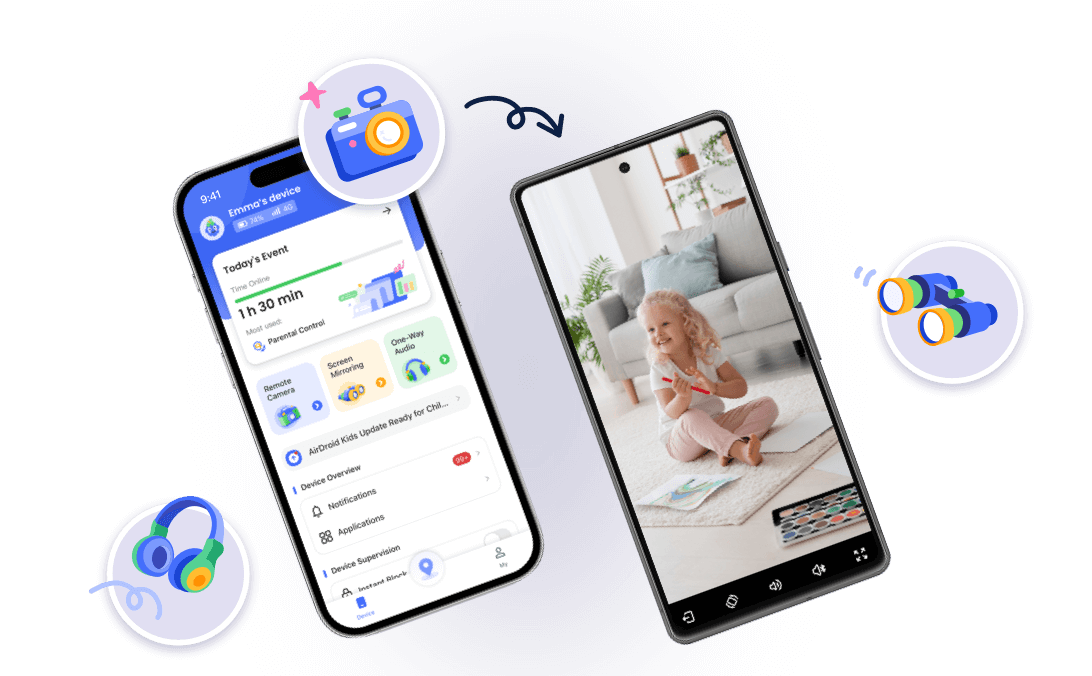
AirDroid Parental Control is built for these everyday situations. It lets parents watch and listen to the surroundings around their child, track popular apps like TikTok, WhatsApp, Instagram, and YouTube, monitor screen time, control app usage, and even see real-time location updates.




Key Features Comparison
Social Monitoring
Bark
Bark's strongest area is social monitoring. It scans texts, emails, and 30+ social platforms for risky content like cyberbullying, self-harm, explicit content, and contact from strangers. Bark uses AI to detect context and signals, then sends smart alerts only when something needs attention. It's designed for behavioral insight rather than raw logs.
Qustodio
Qustodio offers limited social insight. It can show which apps are installed and how long they're used. It can also detect risky topics and send alerts, but only on limited apps. It shows chat snippets but does not allow keyword customization, which may miss teen slang.
Net Nanny
Net Nanny does not provide social media or messaging monitoring. Its monitoring is limited to web browser activity and content filtering, so you won't get alerts about risky chats or social interactions.
Web Filtering
Bark
Bark's web filtering is basic. It can block some categories and help enforce safer browsing, but it's not its core strength. The focus is more on social content monitoring than deep web protection.
Qustodio
Qustodio provides strong web filtering that categorizes and blocks websites by content type (adult, violence, gambling, etc.). It's effective across browsers and devices and includes customizable settings to tailor filters to your child's age.
Net Nanny
Net Nanny excels at web filtering. Its real-time content analysis engine scans pages as they load and blocks inappropriate sites instantly. It also enforces safe search on major search engines and supports category-based blocking that's easy to customize. Parents can custom keyword filters to add an extra layer of precision.
Block Apps
Bark
Bark provides very basic app control. Bark blocks internet access, not apps themselves. You can see what apps are installed, but deeper blocking or restricting specific apps isn't its main focus. App control feels more limited compared to other features.
Qustodio
Qustodio offers good app blocking. Parents can block apps entirely or set rules about when kids can use them. You can see which apps are installed, how long they are used, and block them by age category or device usage goals. You can also choose to block an app completely or set a daily time limit.
Net Nanny
Net Nanny supports app blocking to a degree, but mostly through content categories or browser limits rather than per-app rules on mobile. You can not block every app on iOS, only ones on a predetermined list. App control is not as intuitive or powerful as Qustodio's.
Screen Time Management
Bark
Bark's screen time management is basic. You can't monitor how much time a child spends on an app a day. You can't set daily limits for apps like YouTube, TikTok, Facebook, or Instagram, either.
It allows for simple scheduling and bedtime limits, but lacks the depth and flexibility seen in dedicated screen time tools. Screen time management is not its core feature.
Qustodio
Qustodio shines in screen time management. You can set daily time limits, create custom schedules (e.g., homework hours, bedtime), instantly pause the internet, and tailor rules per device or user. This makes it one of the best tools for managing routines.
Net Nanny
Net Nanny includes screen time rules that let you set daily limits and allowed hours. While functional and helpful, its scheduling and restriction system is less flexible than Qustodio's and doesn't offer advanced, quick internet pause controls.
Location Tracking
Bark
Bark includes basic location check-ins. Parents can view the child's last known location and request check-ins, which can be helpful for everyday safety. But it requires your child to tap check-in, then their location can be shared with you. That means you won't get updates automatically.
Qustodio
Qustodio provides location tracking and geofencing. You can see your child's current location and set safe zones. When kids enter or leave these zones, you receive an alert. This adds convenience for real, day-to-day monitoring.
Net Nanny
Net Nanny offers location history, so parents can show places the child has been. But it does not have geofencing settings. It's more basic in its location feature set.
Customer Support
Bark
Bark generally offers multiple customer support channels, including email, live chat, and chatbots. Many users find the support experience helpful and responsive, especially when contacting support directly for setup or billing issues. But some users note there are frustrating interactions or bot-centric replies before reaching a human.
Qustodio
Qustodio's support is primarily via email. However, there's no built-in live chat or phone support for most users, and response times can sometimes be up to 48 hours or more, especially for non-premium customers. There are still many complaints about slow or unhelpful support replies.
Net Nanny
Net Nanny's support includes email and live chat options. But email support is available during business hours, and live chat doesn't work.
Price Comparison: Bark vs Qustodio vs Net Nanny
Bark
Bark charges monthly, which makes it flexible but a bit more expensive over time. Prices usually range from about $5 to $14 per month, depending on the plan you choose. The good part is that one plan covers unlimited devices, so you don't have to pay extra if you have more kids or devices.
- Bark Jr: $5/month ($49/year)
- Bark Premium: $14/month ($99/year)
Bark provides a 7-day free trial. But there's no refund policy on its official website.
Qustodio
Qustodio starts at around $55 per year for basic use, and goes up to about $100 per year if you want full features and unlimited devices. There's also a free version, which is useful if you just want to test the basics. Qustodio often feels like a better deal if you prefer paying once a year and want solid screen time and app controls without a monthly bill.
- Free plan: basic features, limited to 1 device
- Premium (multi-device): $54.95/year for up to 5 devices
- Complete (unlimited devices): $99.95/year
Qustodio offers a free 3-day trial and a 30-day money-back guarantee on paid plans.
Net Nanny
Net Nanny's price depends on how many devices you want to protect. It starts at $39.99 per year for one device and goes up to $89.99 per year for larger families. This can be a good option if you only need to cover one or two devices and don't want to pay for unlimited access. Net Nanny doesn't usually offer a free plan, but it does have a refund period if it doesn't work out for you.
- 1 Desktop: $39.99/Year
- 5 Devices: $54.99/Year
- 20 Devices: $89.99/Year
Net Nanny offers a 14-day return policy, but no free trial.
Conclusion
At the end of the day, the best parental control app really depends on your child's age, online habits, and what you want to focus on as a parent. If you care most about social media and message safety, Bark's smart alerts can help you spot risky situations without reading every text. If you want balanced daily control, screen time, app limits, web filtering, and activity reports, Qustodio is a solid all-around choice. If your main concern is blocking inappropriate websites and keeping browsing safe, Net Nanny's real-time web filtering is very effective.
But in real-world parenting, life isn't just about rules or monitoring. It's about staying aware, keeping kids safe, and still letting them grow. That's where AirDroid Parental Control shines. So whether you want to focus on online safety, screen habits, or knowing your kids are safe in real life, there's always a tool out there for you.











Leave a Reply.