AirDroid Parental Control
24/7 Kids' Guardian via App & Web
- 👀Live surroundings and location tracking
- 🔞Content Monitoring and App/Web Blocking
- ⚠Instant alerts for online risks and geofences
- ⌛Screen time control and monitor

Bark Review in 2026 (Hands-on Tested)
Parents want to keep their children safe online, but not every parental control app gives strong protection. This review explains how Bark works, what it does well, and where it fails. Bark focuses on alert-based monitoring and sends warnings after risky activity appears.
This review examines Bark's core features, daily usage experience, and common limitations parents encounter. By the end of this review, you will understand whether Bark meets modern family needs or leaves important safety gaps.
This review was tested in January 2026, is not sponsored, and all insights shared below are based on real, hands-on testing.
Bark Features Summary
Bark presents itself as a monitoring-first parental control app. Instead of giving parents full access, it scans texts, photos, and social media activity for potential risks and sends alerts when something seems risky. The idea is to encourage open dialogue rather than strict control, helping families focus on communication and healthy boundaries. Although this sounds reasonable, in real life it can be frustrating for parents who want clear answers and more straightforward control when issues come up.
Bark Overall Verdict & Final Score
The overall score of Bark in this review will be ⭐⭐⭐⭐(4/5)
Having tried the app on Android and iOS, Bark is suitable in cases when parents do not need full control because they are satisfied with alerts.
The application is dedicated to tracking messages, emails, and social sites in terms of dangerous behavior. It provides warnings when it detects potential problems such as bullying, threats, or adult material. Bark also provides live location tracking, route history, geofencing, an SOS button, and sound alerts.
The downside is that Bark has limited customization, which means you can only turn all alerts on or off and cannot set specific keywords. Social media monitoring is limited to certain apps, and TikTok monitoring is only available on Android.
Final Verdict:
Bark suits parents who want alerts and trust-based monitoring. Parents who want strict control may need another app.
Features Score Summary
| Feature | Score |
|---|---|
| Social Media and Text Messages Monitoring | 8.5/10 |
| Web & App Filtering | 6/10 |
| Screen Time Controls | 5.5/10 |
| Location Tracking | 6/10 |
| Bypass Protection | 5/10 |
Who Bark Is Good For & Who Should Find Alternatives
Bark is suitable for:
- Parents who prioritize communication over control
- Families focused on alerts only
- Parents who prefer limited access
Bark is not suitable for:
- Parents of younger children who want full control
- Families needing real-time monitoring
- Parents who want a strong app blocking
- iOS users expecting full features
General Settings and Platform Availability
Bark works on:
- iOS
- Android
- Chromebook
- Amazon Fire
However, the parent apps and mobile alerts only work in:
- ✅United States
- ✅Australia
- ✅Guam
- ✅South Africa
Free trial
7 days (card required)
Price
$14/month or $99/year
Number of Devices
Unlimited devices
Customer Support
A 24-hour AI assistant within the app. Real humans 8:30 am–10 pm ET, every day.
Money-Back Guarantee
No refund information on their official website.
How We Test Bark
To make this Bark review as real and useful as possible, we tested it the way a normal parent would. We set Bark up with a parent account and connected two phones commonly used by families today, an Android phone and an iPhone, which are both running recent versions of their operating systems.
We used Bark day to day to monitor text messages, photos, emails, and supported social media platforms, paying close attention to how alerts were triggered and how clear those alerts were. This hands-on testing helped us understand how Bark works in real-life situations, how much context parents actually get, and whether its communication-first approach truly supports healthy conversations rather than full-on control.
Hands-On Review of Bark Features
Bark includes many standard parental control features, but most of them feel limited when compared to stronger competitors. During testing, Bark detected risks but struggled with control, bypass prevention, and real-time access.
What Bark Does Well
Social Media and Text Messages Monitoring
Bark only detects harmful content, not everything your child does. If you want to give your child plenty of personal space, Bark is a great choice. It scans documents, emails, images, videos, and more than 30 social networks. It scans through the material in case of problems such as bullying, self-harm, violence, drugs, and adult content. This is the best aspect of the app. Bark is applauded because of its capability to recognize dangerous language and even slang.
It also provides the link your child visited. You can click it and go through the page or videos that your child browsed.
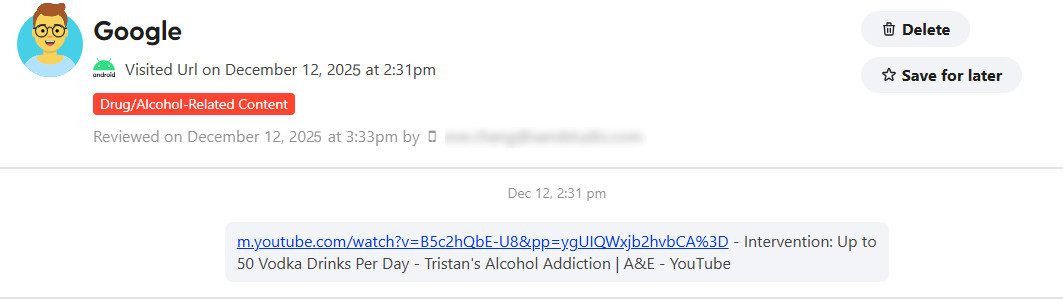
It can also monitor text messages and iMessages, including pictures, audio, or video attached to them. You can't see a comprehensive list of all your kids' texts and pictures, but if Bark finds a potential issue in a text, you will receive alerts via email, text message, or in-app, along with a snippet of the conversation.
But if you're worried they might be exposed to harmful content and want full control of their device, you might need an alternative.
Alert System Accuracy
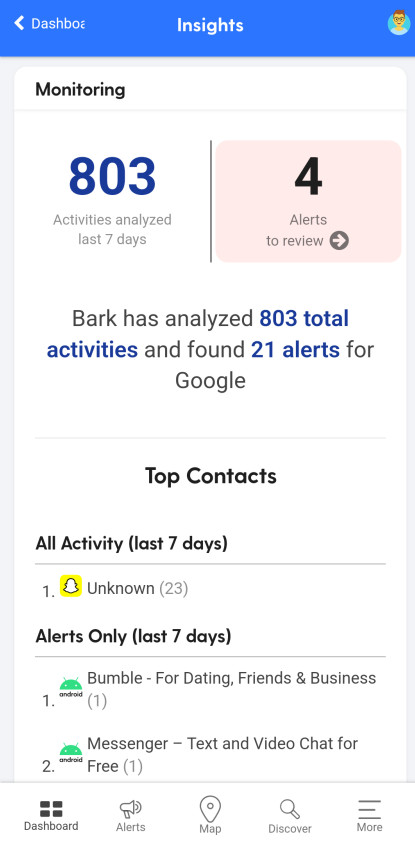
Bark sends alerts when it detects potential issues. Alerts include short context snippets, which help parents understand the situation without reading full chats.
However, Bark only shows content after a problem appears.
Setting up
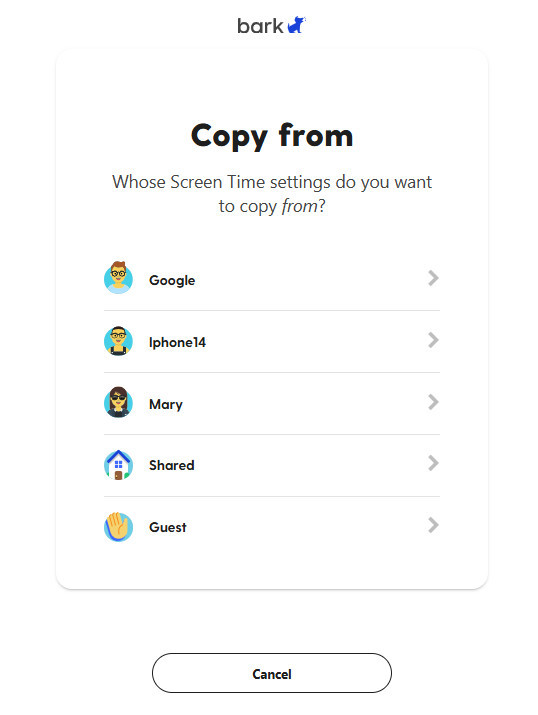
If you've set up for one child, you can copy it to another child. It's more convenient for a family who has many children. In the Bark app, there are also articles and links directly to YouTube if you have trouble setting them up.
Bark Limitations Parents Should Know
No Full Conversation Access
Bark does not let parents read full chats or see the complete message history. Parents only get to view content that triggers an alert, which means you won't see everything your child is saying or sharing.
While this approach is meant to protect your child's privacy, it can also limit your awareness of potential issues and make it harder to take early action when something starts to go wrong. For parents who prefer to stay fully informed quickly, Bark is limited.
Weak Screen Time Controls
Bark doesn't allow you to monitor how much time a child spends on an app a day, or to see what time of day an app was used. You can't set daily limits for apps like YouTube, TikTok, Facebook, or Instagram, either. For example, you can't just give 30 minutes to one app. It's all or nothing. Bark only allows parents to schedule when apps are available during the day, rather than controlling usage in detail.
While this works for giving kids general boundaries, it can be frustrating if you want precise control over screen time or limits for individual apps. For parents who want to manage time app by app, Bark's approach may feel too hands-off.
Inconsistent iOS Monitoring
On iPhones and iPads, Bark will only scan texts, photos, and videos when the device is connected to the same WiFi network as a desktop application. This means that if your child is out and about using mobile data or a different WiFi, Bark won't capture any new activity in real time. In practice, this limitation makes monitoring less reliable, as you could miss important alerts until the device reconnects.
What Bark Doesn't Work Well at All
Easy to Bypass
During testing, Bark failed to detect activity when using the Brave browser. Bark did not send alerts when the browser was installed. This makes bypassing Bark simple for tech-aware kids.
If your child changes the passwords of monitored social media, like ig... You can't track the harmful content on them anymore. It needs you to set up monitoring on your kid's device again.
Web & App Filtering
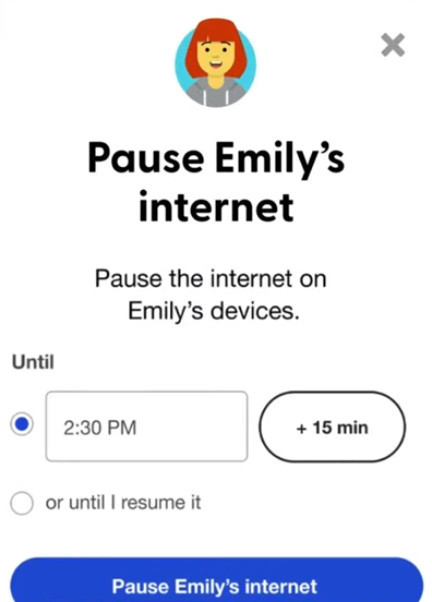
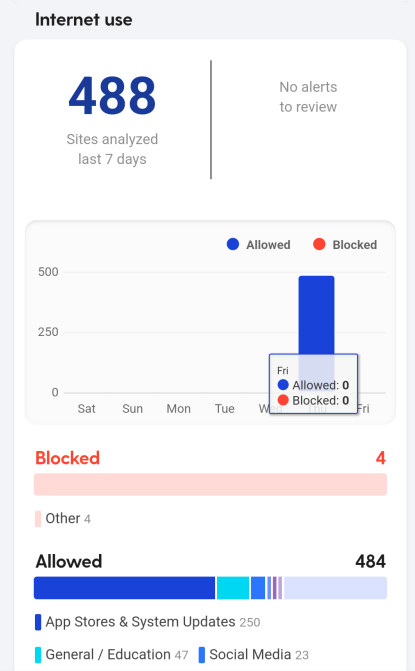
Bark blocks internet access, not apps themselves. Offline apps like games, camera apps, or video players still work unless you add them to your daily routine. If a child's device is offline, they can still use any installed apps, although you have already blocked internet access completely.
No Real-time Location Tracking
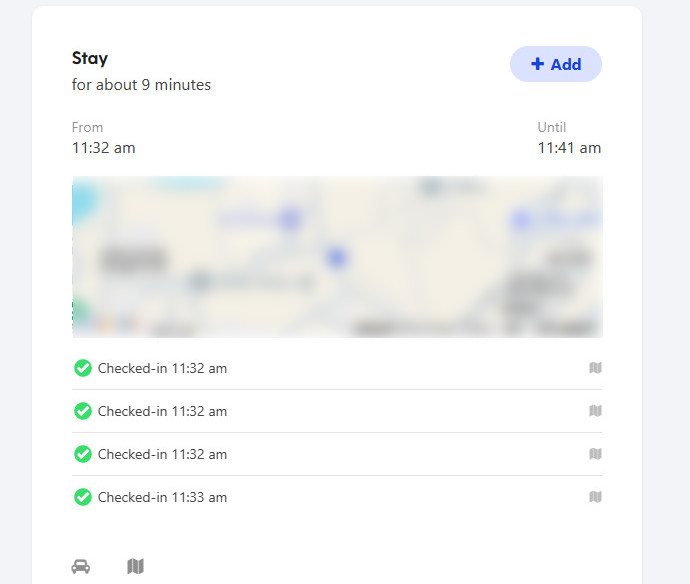
If you want to know your child's location, Bark will send a location check-in request to their device. The child must tap the request for their location to be shared with you, so you won't get updates automatically. While this method encourages responsibility and lets kids maintain some independence, it also means you can't track them in real time. For parents who need continuous, real-time location updates for safety or peace of mind, this check-in system may feel unreliable and leave gaps in monitoring.
False Alerts and Over-Sensitivity
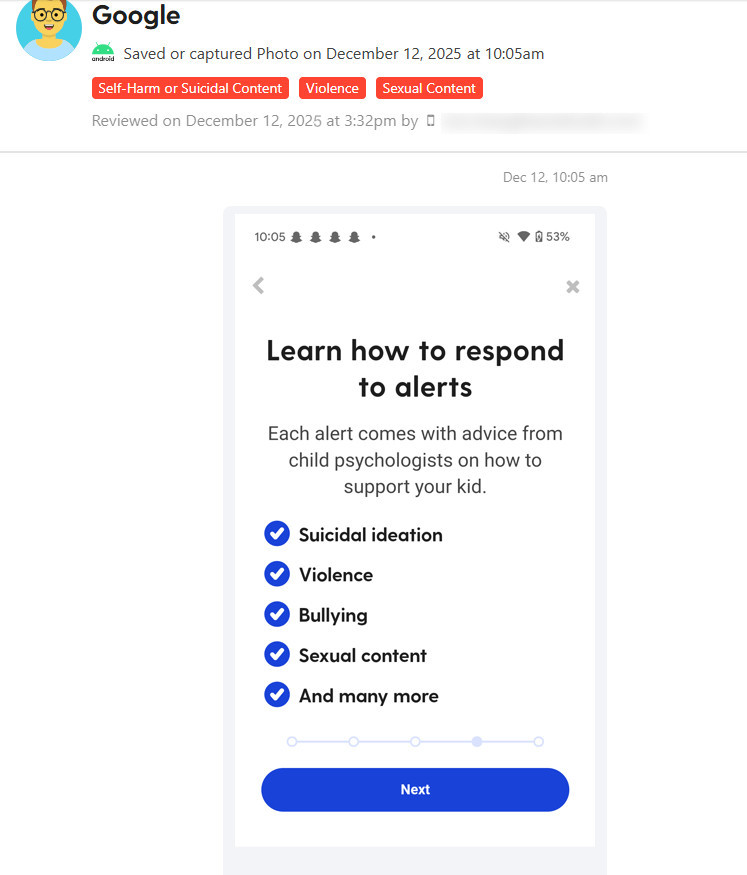
At high sensitivity settings, Bark can send too many alerts. During testing, even ads mentioning alcohol or gambling triggered notifications. This can quickly lead to alert fatigue, where parents start ignoring warnings because there are just too many of them. Over time, this reduces trust in the system and makes it harder to know which alerts are truly important. For parents who want precise, reliable notifications without constant noise, Bark's alert system can feel overwhelming.
Bark Pricing & Plans: Is Bark Worth the Cost?
Bark markets itself as affordable, but its lower price reflects limited control rather than high value. Parents pay for monitoring, not prevention.
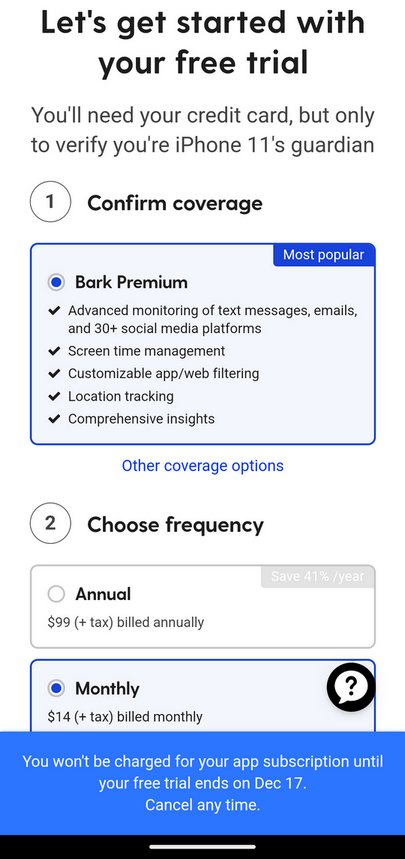
Bark Pricing Overview
- Bark Jr: $5.00 / month or $49/year
- Bark Premium: $14.00 / month, or $99/year
- Free trial: 7 days
- Money-back guarantee: ❌None. Bark doesn't mention it on its official website.
All plans support unlimited devices, but features vary widely.
Bark Jr Plan – Too Limited for Real Safety
Bark Jr includes:
- Web filtering
- Screen schedules
- Location tracking
It does not include content monitoring. This plan offers minimal protection and feels incomplete.
Bark Premium
Bark Premium includes content monitoring, app filtering, and alerts. However, parents still cannot:
- Set app time limits
- View live screens
- Block offline apps
Best Alternative to Bark
While Bark focuses on alerts and protecting children's privacy, many parents find its limitations frustrating in practice. It doesn't let you see full chats or message history, can't track real-time location, and offers only basic screen time and app blocking tools.
For parents who want full control, precise app limits, continuous location tracking, or detailed activity logs, Bark may feel too hands-off. These gaps often lead parents to explore alternative parental control apps that provide more direct management and consistent oversight.
Detailed Comparison: AirDroid Parental Control vs Bark
- Detailed Comparison




- Google Play Store Rating4.7
3.6
- Pricing$5.00 / month(billed annually)$14/month
- Monitor Calls & MessagesRead More


 AirDroid can monitor all incoming calls, and view all SMS your child received.Bark does not provide call history monitoring, and it alerts parents only if it detects something inappropriate in texts.
 - Screen Time
- Block Websites & Apps
- Remote Camera


- Live Location
- Screen Monitoring
- Family Chat
Why AirDroid is the Best Alternative
AirDroid enables parents to monitor the activity in real-time, control screen habits without any issues, and respond promptly in emergencies. It is a more preferable option for everyday use and safety on the Internet as it not only warns parents but also aims at prevention.
Check Real-Time Location & Surroundings
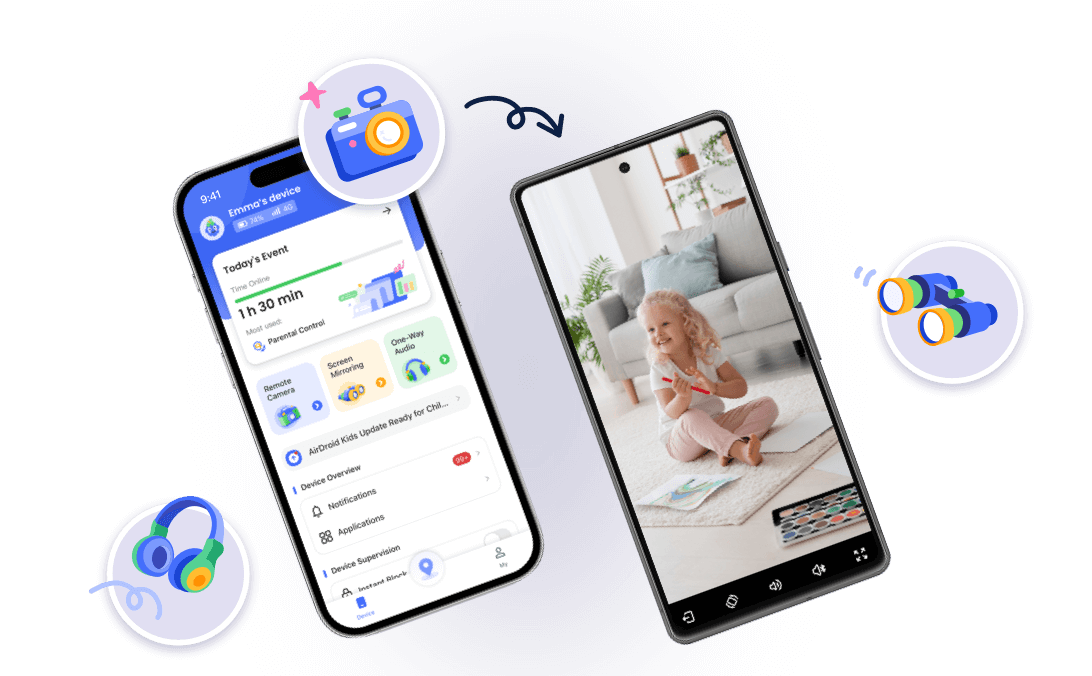
You can check your child's live location instantly, so you don't have to worry about where they are. You can also watch and listen to the surroundings around your child to ensure their safety. This gives you a lot more peace of mind than just waiting for them to check in.
Stronger App & Website Blocking
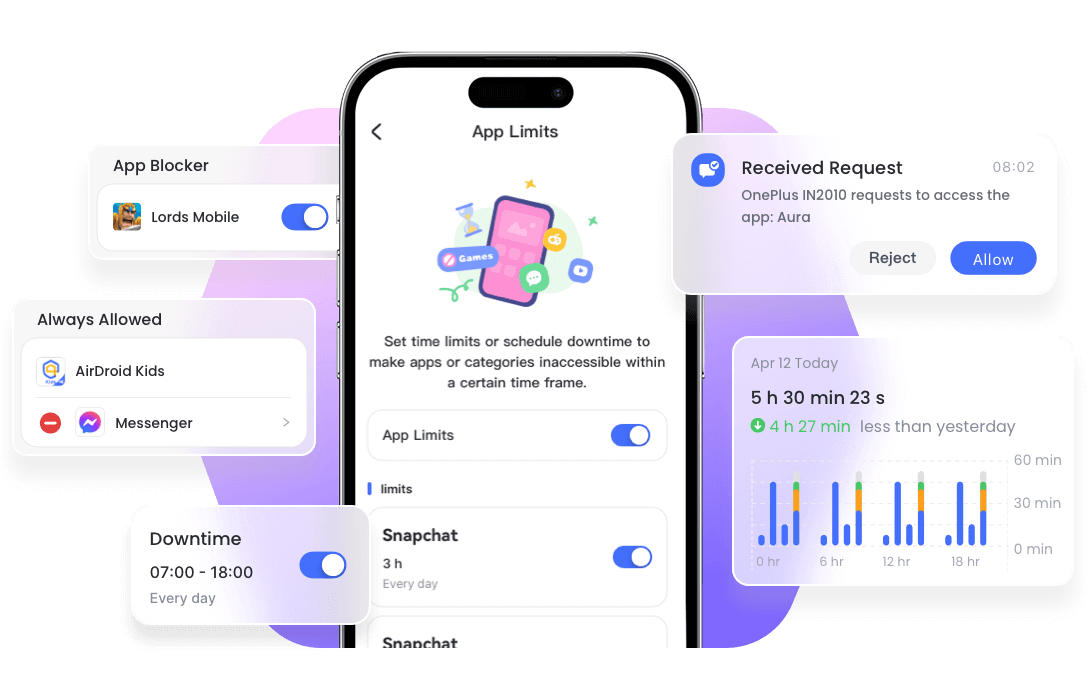
AirDroid blocks apps whether the device is online or offline. Unlike Bark, kids can't get around the restrictions by opening offline games or built-in system apps. This means you have real control over what they can and can't use, no matter where they are or whether they have internet access. It makes setting limits on screen time or app usage much more reliable and stress-free for parents.
Advanced App & Keyword Monitoring
AirDroid keeps an eye on popular apps like TikTok, WhatsApp, Instagram, YouTube, Facebook, Snapchat, and more. On top of that, parents can add their own custom keywords to catch risky searches, slang, or anything that might be concerning before it becomes a bigger issue. This way, you get a clear picture of your child's online activity and can step in early if something seems off.
Flexible Screen Time Controls
Kids can request extra screen time right from the app, and parents can easily approve or deny those requests. This keeps you in control but also encourages kids to think about how they use their devices and make better choices. It's a more cooperative way to manage screen time instead of just imposing strict limits all the time.
Clear and Detailed Activity Visibility
AirDroid gives you a full picture of your child's activity instead of just sending alerts. You can see how they're using apps, spot behavior patterns, and catch potential risks early. This way, parents have a much clearer understanding of what's going on, instead of only hearing about problems after they happen.




Final Verdict: Is Bark Worth Using in 2026?
This detailed Bark review shows that Bark works better as an alert system than a true parental control app. It detects risks but often reacts too late. Weak app blocking, limited screen time tools, easy bypass methods, and poor iOS support make it unsuitable for many families. If you want alerts only, Bark may work. If you want real protection, visibility, and control, AirDroid is the better choice. Based on real testing and multiple Bark app reviews, Bark falls behind modern parental control needs.
FAQs About Bark















Leave a Reply.