AirDroid Business vs Intune: AI Device Management
AirDroid Business and Microsoft Intune solve different AI device-management problems. AirDroid Business uses AI to find and fix issues on Android business devices, while Microsoft Copilot in Intune helps IT teams investigate Windows endpoints, policies, compliance, and security data.
The better choice depends on your devices and the work your IT team needs to complete. AirDroid Business fits fleets of kiosks, point-of-sale terminals, digital signs, and other dedicated Android devices. Intune fits Windows-focused setups that rely on Microsoft Entra, Defender, Windows 365, and Microsoft policy tools.
This article compares AI tools rather than every MDM feature. It covers the data each AI can use, the actions it can start, the controls around those actions, and the work required to fix an issue.
- Part 1 : Why Use AI in Mobile Device Management?
- Part 2 : What Is the Main Difference Between AirDroid Business AI and Microsoft Copilot in Intune?
- Part 3 : What Device Data Can AirDroid Business AI and Intune Copilot Query and Analyze?
- Part 4 : Can AI in AirDroid Business or Intune Take Remote Actions and Remediate Device Issues?
- Part 5 : Is AI-Powered Device Management Safe?
- Part 6 : Conclusion: Which Offers Better AI-Powered Device Management?
1Why Use AI in Mobile Device Management?
AI helps MDM teams find affected devices, understand the issue, and start the right response with fewer manual steps.
Traditional MDM already lets IT teams enroll, set up, secure, monitor, and remotely manage devices. However, an admin may still need to move between dashboards, filters, device records, scripts, and tickets to fix one problem.
Consider a retail team that needs to find every store tablet that has been offline for more than 30 minutes or still runs an old POS app. Without AI, an admin filters the fleet, compares device and app data, selects the affected devices, chooses an action, and checks the result.
With AI, the admin can describe the problem in everyday language. The system can find the matching devices, explain what it found, and start an allowed action. It can then check the devices again and send open cases to the right person.
MDM still supplies the data and sends the commands. AI reduces the manual work between finding a problem and confirming that it is fixed. This creates three useful questions for comparison: what data can the AI understand, what actions can it start, and how are those actions controlled?
2What Is the Main Difference Between AirDroid Business AI and Microsoft Copilot in Intune?
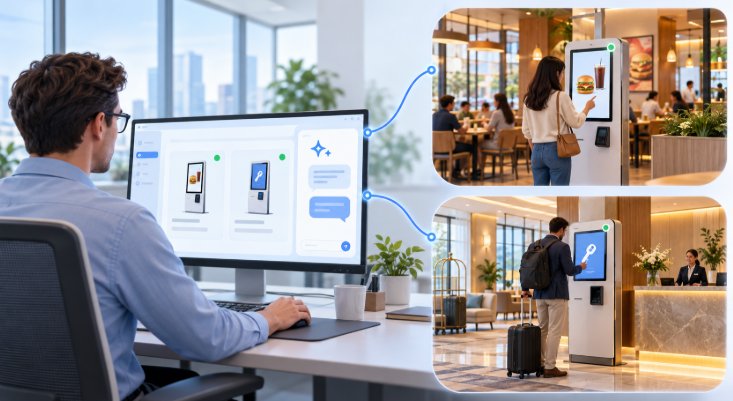
AirDroid Business AI connects Android device findings with remote actions and SOP workflows. Microsoft Copilot in Intune mainly helps admins query data, understand a problem, and choose a next step within the Microsoft system.
AirDroid Business: Natural-Language Requests Connected to Device Operations
AirDroid Business lets admins describe a device problem in natural language and use the result in a device workflow.
For example, an admin could ask:
AirDroid Business can apply those conditions, return the matching devices, and connect them to supported actions. Depending on the device and its control settings, the next step can include:
- Relaunching an app.
- Clearing an app's cache.
- Rebooting selected devices.
- Moving devices to a troubleshooting group.
- Applying or checking Kiosk settings.
- Sending a notification or creating a service ticket.
- Pausing for an admin's approval.
- Checking the device again after the action.
AirDroid Business builds these AI steps on its existing Android controls. Its Workflow feature already connects supported alerts and geofence events with automatic actions. SOP workflows can add approvals, follow-up checks, messages, and handoffs.
The available command still depends on the device model, enrollment mode, Android version, product plan, and device permissions. Understanding a request does not give the platform access that the device has not granted.
Explore AI-Powered Device Management with AirDroid Business
See how AirDroid Business can help your team turn device signals into automated workflows, guided remediation, and more efficient Android operations. Tell us about your device management goals, and our team will review your needs and follow up with the right next steps.
Microsoft Copilot in Intune: Endpoint Analysis and Guidance
Microsoft Copilot in Intune helps admins explore Intune data, review policies, and troubleshoot managed endpoints.
It can help an admin:
- Summarize a managed device.
- Review hardware, enrollment, apps, and policy assignments.
- Explain why a device is noncompliant.
- Compare a working device with one that has a problem.
- Explain supported errors and policy settings.
- Explore Intune data with natural-language requests.
- Generate a Kusto Query Language query for Device Query.
- Review Windows 365 Cloud PC data.
Copilot works within the admin's Intune permissions. Roles and scope tags limit which devices, apps, policies, and other Intune objects the admin can view or manage.

Which Capabilities Are Actually AI-Powered?
The AI layer interprets a request, creates a query, explains the result, or selects an allowed response. The device-management platform still reads the data and sends the command to the device.
In AirDroid Business, AI can connect a natural-language request with supported device actions and SOP steps. In Intune, Copilot usually helps the admin find the cause. Intune remote actions, Device Query, Remote Help, scripts, Remediations, or another Microsoft service then perform the task.
Keeping these roles clear prevents a native MDM action from being mislabeled as an AI feature.
3What Device Data Can AirDroid Business AI and Intune Copilot Query and Analyze?
Both platforms can analyze core device-management data. AirDroid Business focuses on the operating state of Android business devices, while Intune adds deeper Windows technical data and context from Windows 365 and Microsoft security services.
AirDroid Business: Data About Android Device Operations
AirDroid Business is designed for Android devices that perform a business task. Common examples include POS terminals, self-service kiosks, digital signs, warehouse handhelds, logistics terminals, and shared tablets.
For these fleets, admins often care more about whether a device can complete its assigned task than which employee uses it. They may ask:
- Which devices have been offline for more than 30 minutes?
- Which devices have low battery or storage?
- Which devices run the wrong app version?
- Which devices have an abnormal Kiosk state?
- Which devices lack a required permission?
- Which stores have devices that cannot complete their assigned task?
AirDroid Business AI can combine these conditions in one request and use the result in an action or SOP. This gives the IT team a business view of the fleet. A tablet may be online and compliant but still fail to process an order because the POS app stopped or Kiosk Mode is inactive.
Microsoft Copilot in Intune: Windows Data and Microsoft Service Connections
Intune works with device, app, user, policy, compliance, and support data. Its clearest data advantage is access to detailed Windows data and links to other Microsoft services.
Depending on the feature, license, platform, and assigned permissions, Microsoft's AI-related Intune tools can work with:
- Device hardware and enrollment details.
- Primary users and group relationships.
- Apps and assignments.
- Device settings and compliance policies.
- Reasons for noncompliance.
- Update, patch, and error data.
- Windows data such as processes, registry entries, and certificates.
- Windows 365 Cloud PC data.
- Data from connected Microsoft security services.
These features come from several Microsoft tools. Intune Explorer matches natural-language requests with supported query views. It can summarize the results and help an admin place returned users or devices into groups for later assignments.
Intune Device Query retrieves device details from supported devices. Copilot can help write the Kusto Query Language query, but Device Query remains a separate Intune feature with its own platform, enrollment, permission, and license rules.
Windows 365 and Microsoft security services add more context when they are connected. They should still be described as connected Microsoft data, not as data created by Intune AI.
How Do the Data Strengths Differ?
AirDroid Business is better aligned with day-to-day questions about distributed Android devices. Intune is better aligned with questions that need detailed Windows data plus identity, policy, compliance, or Microsoft security data.
For example:
This question may require app status, connectivity, Kiosk status, device health, and store-readiness rules. AirDroid Business can combine those signals around the job the tablet must perform.
This question requires device, user, assignment, policy, and compliance data. Copilot in Intune can bring that data together for the admin.
The useful choice depends on the questions your IT team asks and what must happen after the result appears.

4Can AI in AirDroid Business or Intune Take Remote Actions and Remediate Device Issues?
AirDroid Business AI can start supported Android actions and follow the result through an SOP workflow. Copilot in Intune mainly helps find the cause and choose a response. Intune remote actions, scripts, Remediations, or Remote Help perform the fix.
AirDroid Business Remote Operations
AirDroid Business AI can connect device findings with actions such as rebooting a device, managing an app, applying settings, changing a group, or starting remote support. SOP workflows can add approval, messages, retries, recovery checks, and handoffs.
The platform sends the actual command. Device model, enrollment method, Android version, OEM support, permissions, and product plan determine which commands are available. High-impact actions can pause for an admin before the workflow continues.
Microsoft Intune Remote Operations
Copilot in Intune helps the admin understand the issue and choose a response. The repair can then use:
- Intune remote device actions.
- App or policy assignments.
- PowerShell scripts or Intune Remediations.
- Microsoft Defender.
- Microsoft Remote Help.
- Microsoft Graph or another automation service.
This split gives Microsoft setups many ways to respond, especially on Windows. It can also require more scripts, licenses, and connected services to move from an alert to a confirmed fix.
Can AI Restore a Critical App When It Stops Running on a Store Device?
Yes. AirDroid Business AI can check an Android device, start a supported repair, and use an SOP to confirm that the app is working again.
When an alert finds an app or Kiosk problem, the AI can review the device's online status, app version, Kiosk state, and permissions. It can then relaunch the app, clear its cache, or reboot the device. The SOP can pause for approval, check the device again, and notify support staff if the problem remains.
Copilot in Intune can review app, device, policy, compliance, and error data. The repair usually uses an Intune action, script, Remediation, or Remote Help session. This approach fits Windows apps that rely on PowerShell, policy, or Defender data.
Can AI Check Whether All Store Devices Are Ready Before Opening?
Yes. AirDroid Business AI can combine device, app, network, and Kiosk signals to show which stores need attention before opening.
A scheduled SOP can check whether required devices are online, correctly configured, and able to run their business apps. It can mark each store as ready or not ready, notify regional staff about exceptions, and start follow-up work.
Intune can return many of the individual device, app, update, and compliance signals. The company normally needs to define its own store-readiness rules and connect the results to another workflow. AirDroid Business requires fewer steps when Android device readiness affects daily store work.
Can AI Identify and Remediate Security or Compliance Risks on Managed Devices?
Yes, but each product fits a different setup. Intune is stronger for Windows security and compliance. AirDroid Business is stronger for risks that can stop Android business devices from working.
Copilot in Intune can explain policy settings, find reasons for noncompliance, compare devices, and add context from Microsoft Entra or Defender. Intune policies, remote actions, scripts, or Remediations then apply the fix.
AirDroid Business AI can find Kiosk, Policy, Daemon, permission, and other device exceptions. It can then start an allowed device action and use an SOP for approval, repair, a follow-up check, messages, and handoffs.
5Is AI-Powered Device Management Safe?
AI-powered device management can be safe when permissions, device scope, approval rules, recovery checks, and audit records limit what the system can do. AirDroid Business and Intune apply these controls in different ways.
Can AI Make Changes Without Admin Approval?
AirDroid Business uses SOP conditions, permissions, and approval steps to control AI-started actions. Low-risk actions can run automatically when the workflow allows them. A higher-risk action can pause so an admin can review the device, the AI's findings, and the proposed response.
In Intune, RBAC and scope tags limit what an admin can see and manage. Copilot works within those permissions. Intune also provides approval controls for supported admin changes, while the platform or connected tools carry out the action.
What Happens If an AI-Triggered Fix Fails?
The workflow should check the device again instead of assuming that a sent command solved the problem.
AirDroid Business can retry an allowed action, notify support staff, create a ticket, or send the case to another person. The recovery rule can check a technical result, such as whether the device is online, or a business result, such as whether a POS terminal can process orders again.
Intune can also check repair results. A script, Remediation, report, automation flow, or service desk process may handle the follow-up.
Can Admins Track AI-Triggered Actions?
Yes. AirDroid Business SOP records can show what started the workflow, which devices were affected, who approved an action, what the system ran, and whether the device recovered.
Intune uses Microsoft Entra identities, RBAC, scope tags, data permissions, and audit logs to control and record administrative work. These controls are especially useful when many IT teams manage different groups of users, devices, apps, and policies.
AirDroid Business gives the IT team a clear record of how a device incident moved from detection to repair. Intune provides broader access and policy controls across the Microsoft system.
6Conclusion: Which Offers Better AI-Powered Device Management?
Choose AirDroid Business if your main challenge is keeping distributed Android business devices working. Choose Microsoft Intune if you need AI help across Windows endpoints, identity, policy, compliance, and Microsoft security services. A company with both device setups may use each platform where it fits best.
Before choosing, test each approach against three incidents from your own setup:
- A business app failure.
- A fleet-readiness check.
- A policy or compliance issue.
Compare how many tools, scripts, approvals, and manual handoffs each approach needs before the result is confirmed. This test will show which AI approach fits the work your IT team performs every day.











Leave a Reply.