

AirDroid Cast
- Local & Remote Screen Casting(Your Game or Whole Screen)
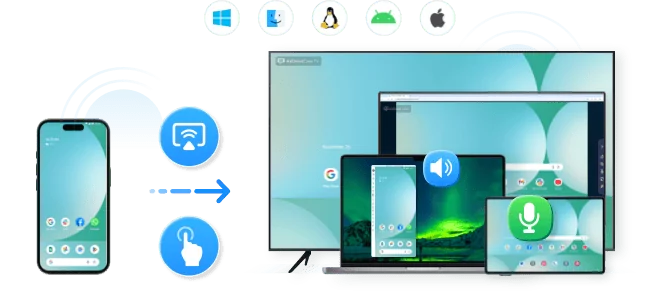
- Android,iOS,Windows,Mac,TV Screen Mirroring
- Wireless & USB Connection
- Total Control Android & iOS beyond Your Finger
- Mirror Multiple Screen to PC simultaneously
If you’re searching for how to play Slime Rancher on PC, the short answer is yes—but how you do it matters more than most players realize. With multiple official stores, subscription services, cloud gaming platforms, and even risky third-party markets, choosing the wrong option can lead to poor performance, lost save files, or even account bans.
In this guide, you’ll learn the best and safest ways to play Slime Rancher on a Windows PC, whether you’re interested in the original game or Slime Rancher 2. We’ll compare official platforms, explain hardware requirements, uncover hidden risks, and help you choose a solution that fits your budget and PC setup.
PC versions of Slime Rancher are available across multiple storefronts, each offering distinct advantages regarding Digital Rights Management (DRM), social features, and ownership security. Choosing the right digital home for your slimes is the first step.
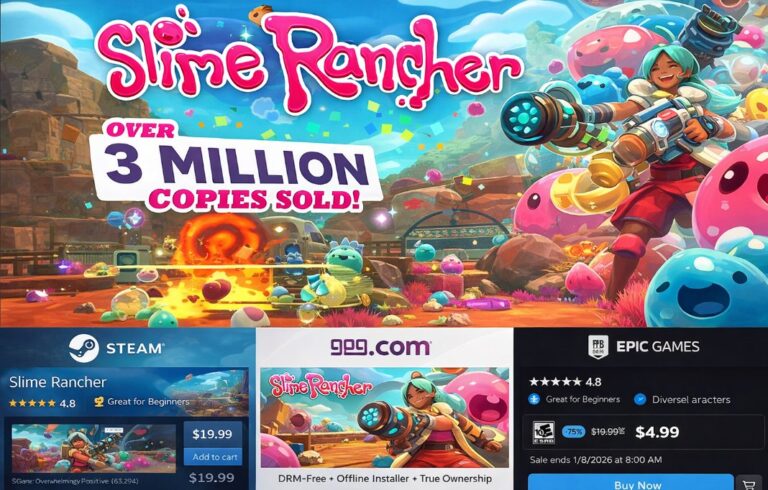
Steam remains the most popular choice for the vast majority of players. If you want to play Slime Rancher on PC with the best community integration, Steam is the leader. It offers Steam Cloud saves (essential for playing across multiple devices), a comprehensive achievement system, and "Family Sharing," which allows you to share your library with household members. Security here is rated extremely high due to robust 2FA (Two-Factor Authentication).
GOG.com is the champion of consumer rights. If you prioritize owning your game, GOG is your best bet. Their version is completely DRM-free, meaning you can download an offline installer. Even if GOG shuts down tomorrow, you can still install and play Slime Rancher on PC using your backup files. This platform is ideal for preservationists.
The Epic Games Store is known for aggressive pricing. While their social features are slimmer than Steam's, they frequently offer coupons and discounts. If your goal is to grab the game at the lowest official price point, keep an eye on Epic during holiday sales.
| Platform | Core Advantage | Security Rating | DRM Status |
|---|---|---|---|
| Steam | Community Hub, Cloud Saves, Family Share | Very High | Standard DRM |
| GOG | 100% DRM-Free, Offline Installers | Very High | None |
| Epic Games | Frequent Discounts, Freebie Events | High | Standard DRM |
👉 If stability and safety are your priorities, official stores are always the recommended starting point.
Accessing Slime Rancher doesn't always require a full purchase. For players on a budget or those with older hardware, subscription services and cloud gaming have historically been viable options, though the landscape has recently changed.
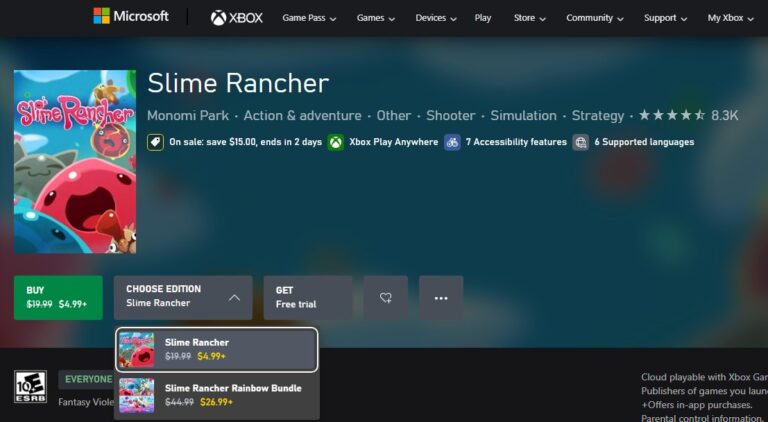
Game Pass for PC users need to be aware of recent library shifts. According to data from January 2026, the landscape for subscribers has shifted. Slime Rancher 2 left the Game Pass library in September 2024, and the first game is not currently on the permanent roster.
If you rely solely on Game Pass, you currently cannot play Slime Rancher on PC. You must purchase a digital copy to regain access. Always check the "Leaving Soon" tab on the Xbox app to avoid losing access to your ranch mid-game.
Cloud gaming services like GeForce NOW or Boosteroid are lifesavers if you lack a powerful graphics card. These services allow you to stream the game from a high-end server directly to your browser or desktop app. You still need to own the game on Steam or Epic, but the heavy lifting is done remotely. This effectively solves the "hardware insufficient" error many laptop users face.
System requirements for Slime Rancher vary drastically depending on whether you are playing the original 2017 hit or the 2022 sequel. Users often assume that because the art style is "cute," the game is easy to run. This is a misconception, especially for Slime Rancher 2.
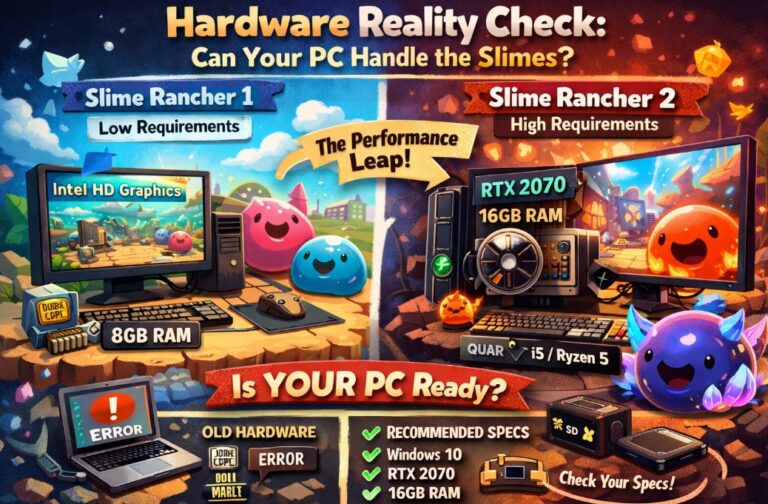
Slime Rancher 2 utilizes advanced lighting and physics engines that demand significantly more power. While the first game could run comfortably on integrated graphics, the sequel pushes systems harder.
Key Hardware Differences:
Recommended Specs for Slime Rancher 2:
Pro Tip: Before buying, press Win + R, type dxdiag, and hit Enter. Compare your "Display" tab details against the requirements above. If your VRAM is under 2GB, stick to the first game or use Cloud Gaming.
Share your gameplay on a big TV screen is great and enjoyable. AirDroid Cast can help you cast the screen from PC/phone to TV, and you can watch together. Take a Look!
PC gaming nuances can introduce friction that console players rarely face. When you decide to play Slime Rancher on PC, you must be aware of file management and compatibility issues that aren't immediately obvious on the store page.
Transferring save files is a major headache for users switching platforms. Many players assume that if they play on Game Pass (Microsoft Store) and later buy the game on Steam, their ranch will be there. It will not.
AppData/LocalLow/MonomiPark, rename the .sav files to match the destination platform's naming convention, and move them. This is technically complex and risks data loss if not backed up. Installing mods for Slime Rancher can extend gameplay, but it is not natively supported via the Steam Workshop.
Buying games cheaper via VPN (Virtual Private Network) to access other regions' pricing is a violation of Steam's Subscriber Agreement. While it might be tempting to save a few dollars, the risk is a permanent account ban. The cost of losing your entire game library far outweighs the savings on a single title.
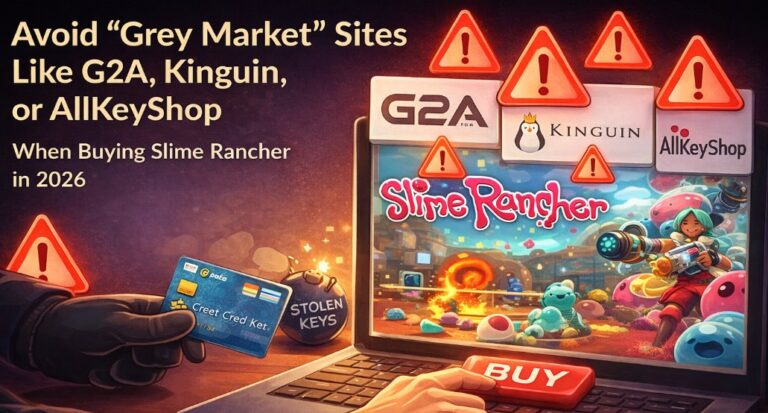
Safe purchasing practices are critical in 2026. When looking for deals to play Slime Rancher on PC, you will encounter "Grey Market" sites like G2A, Kinguin, or AllKeyShop.
Buying a 'Steam Account' instead of a key is a common scam. You might see a listing for $2.00, but you aren't buying the game; you are buying login credentials for a shared account. The seller can change the password or recover the account via support at any time, leaving you with nothing. This is strictly against platform terms of service.
Cheap CD Keys are often purchased by scammers using stolen credit cards. When the credit card owner issues a chargeback, the publisher (Monomi Park) gets hit with a fee, and they will deactivate (revoke) the stolen key. You could log in one day to find the game simply removed from your library.
To play Slime Rancher on PC securely and economically, we recommend the "Steam + Wishlist" strategy. Add the game to your Steam Wishlist. The game, along with the "Rainbow Bundle" (which includes both games), frequently goes on sale with discounts up to 50-60%.
Playing Slime Rancher on PC is a delightful journey, provided you navigate the technical and commercial landscape correctly. Whether you choose the community-rich environment of Steam, the DRM-free freedom of GOG, or the cloud-powered flexibility of GeForce NOW, the key is to prioritize security and system compatibility over questionable discounts.






Leave a Reply.