

AirDroid Cast
- Local & Remote Screen Casting(Your Game or Whole Screen)
- Android,iOS,Windows,Mac,TV Screen Mirroring
- Wireless & USB Connection
- Total Control Android & iOS beyond Your Finger
- Mirror Multiple Screen to PC simultaneously
When people search for screen mirror TV to TV, they’re usually looking for more than a simple casting method. Instead of mirroring a phone or PC, the real need is to display the same content across multiple TVs, either in different rooms or within the same space—smoothly, securely, and with minimal delay.
This guide walks you through how TV-to-TV mirroring works, why people need it, and which solutions offer the best performance for home and commercial environments.
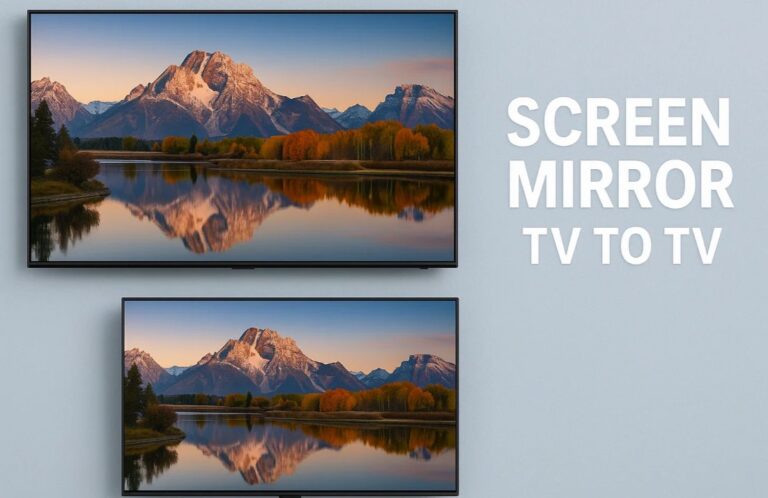
For most users, the purpose of mirroring one TV to another is rooted in practical, real-world scenarios. This demand spans across three major environments: commercial, collaborative, and home entertainment.
Commercial spaces: Bars, gyms, restaurants, airports, and campuses need multiple TVs showing the same content (sports, menus, alerts) with perfect synchronization, long-distance reach, and high reliability.
Collaboration environments: Businesses mirror a main source to multiple displays so teams can view dashboards or diagnostics simultaneously, requiring stable, wired distribution.
Home entertainment: Multi-room viewing, local multiplayer gaming, or synchronized home theaters benefit from TV-to-TV mirroring, where even small delays can impact the experience.
HDMI splitters and matrix switches are among the most stable and easy-to-use solutions for distributing video from one TV’s source to multiple TVs. They duplicate an HDMI signal from a device such as a cable box, PC, or media player and send it to multiple screens at the same time.
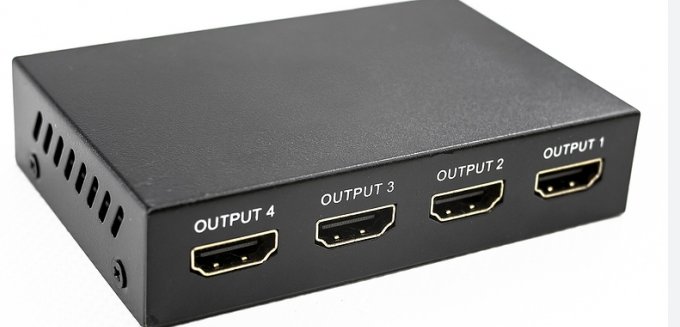
Compared to wireless casting, this wired method provides lossless, zero-delay mirroring and exceptional reliability, making it popular for retail menus, conference rooms, sports bars, and multi-display home setups.
Before exploring the pros and cons, remember: HDMI is all about simplicity and stability, but does require physical cabling.
HDMI splitters and matrix switches are best suited for scenarios where stability and visual precision are top priorities:
same-room multi-display setups
homes with short cable runs
small restaurants or offices
HDBaseT is a professional-grade technology that extends HDMI over CAT5e/CAT6 Ethernet cables up to 100 meters while keeping the video uncompressed and zero-latency.

Source from:BZBGEAR
This “5Play” technology transmits:
HDBaseT is essentially the long-distance, high-performance version of HDMI—ideal for installations where image quality and instantaneous responsiveness matter more than convenience.
If your priority is performance rather than convenience, HDBaseT is the clear winner.
AV over IP converts HDMI signals into compressed IP streams and distributes them across an Ethernet network. Unlike HDBaseT, which focuses on zero-latency, AV over IP prioritizes flexibility and scalability.
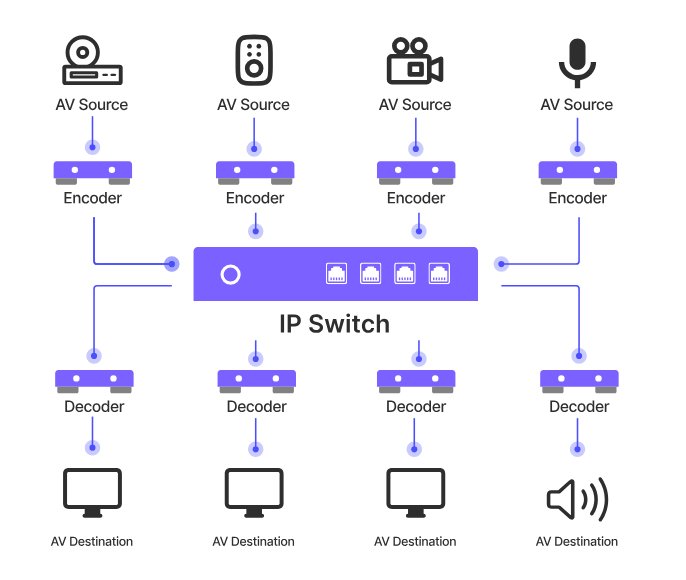
Source from:BZBGEAR
This is how hotels, malls, casinos, campuses, and airports mirror video across hundreds of screens.
Campuses and universities
Malls, retail chains, and showrooms
Stadiums and arenas
Hospitals and large office buildings
Digital signage networks
Facilities needing remote control & automation
When setting up TV-to-TV mirroring, latency and security are often overlooked but crucial for a smooth experience.
1. Latency:
Passive viewing (movies): ~50ms delay is acceptable.
Interactive scenarios (gaming, KVM control, live sports): even small delays matter.
Wireless: higher latency due to network fluctuations.
AV over IP: low latency, depends on compression.
HDBaseT: zero latency (uncompressed).
For gaming or real-time control, rely on wired or specialized uncompressed solutions, not standard Wi-Fi mirroring.
2. Security & Data Isolation:
Prevent unauthorized access to video feeds (content security).
Ensure media stays within specific regions for compliance (regional isolation).
Modern cloud-managed platforms help segregate data safely and prevent leaks.
3.Hidden Risks:
HDCP Compliance: Every device in the chain must support HDCP to avoid black screens on streaming services. Avoid illegal “HDCP strippers.”
Connection Stability: Network-based solutions need “Keep-Alive” or heartbeat signals to prevent disconnections in complex networks. Without this, streams can drop after a few hours.
Easy to Play Games/Cast Screen from your PC to TV
Mastering the art of screen mirror tv to tv setups requires balancing convenience against performance. If you need a quick way to show vacation photos, consumer wireless tech is fine. But for a lag-free gaming experience or a reliable commercial display, you must look toward HDBaseT or robust AV over IP solutions that prioritize uncompressed data and security.






Leave a Reply.