If you’ve spent countless hours managing the lives of your vault dwellers on a small screen, it might be time to upgrade your game. In this post, we’ll guide you through the process of playing Fallout Shelter on PC—whether you prefer the native version, an emulator, or a new cross-platform option. Ready to let your vault shine on the big screen? Let’s dive in.
Method 1: Steam & Microsoft Store
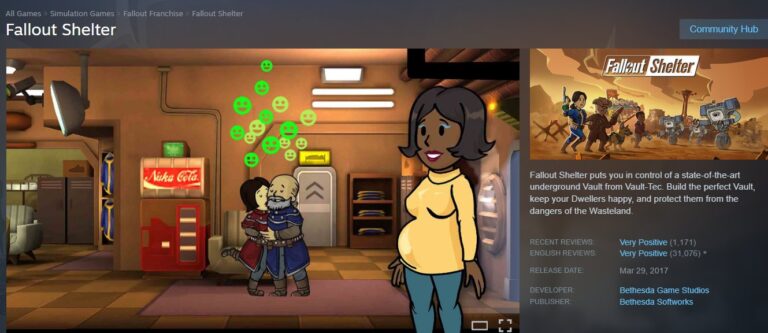
Play Fallout Shelter on PC natively is now the superior choice for most gamers. For a long time, the PC version was considered an "abandoned island," missing out on key updates. However, the game-changing v2.0 update released in December 2025 has synchronized the PC version with mobile, bringing the "Seasons" system and the highly requested Fallout TV series content to desktop.
Why Choose the Steam App?
The Steam and Microsoft Store versions offer the highest stability. Because these are official ports, you don't need to worry about virtualization layers slowing down your computer. The game is optimized for x64 architecture, ensuring smooth framerates even when your vault spans 200 dwellers.
- Steam Version: Best for achievement hunters and those who love the Steam Community overlay. It now includes the "Search in the Dark" and "Fight for Power" questlines.
- Microsoft Store Version: Ideal for the Xbox ecosystem. It supports "Xbox Play Anywhere," meaning your progress syncs effortlessly between your PC and Xbox console.
⚠️ Important Considerations for Steam Apps
While this method is robust, keep these points in mind:
- Hardware Requirements: Unlike the mobile version, the native PC app requires a 64-bit Windows 10/11 operating system. Ensure your graphics card supports DirectX 11.
- Update Lag: Occasionally, patches may arrive on Steam a few hours or days after the mobile version. This can temporarily break cross-platform save compatibility.
- Disk Space: The high-resolution assets in the PC version take up significantly more space than the mobile app. Ensure you have at least 2GB of free space.
Method 2: Google Play Games for PC
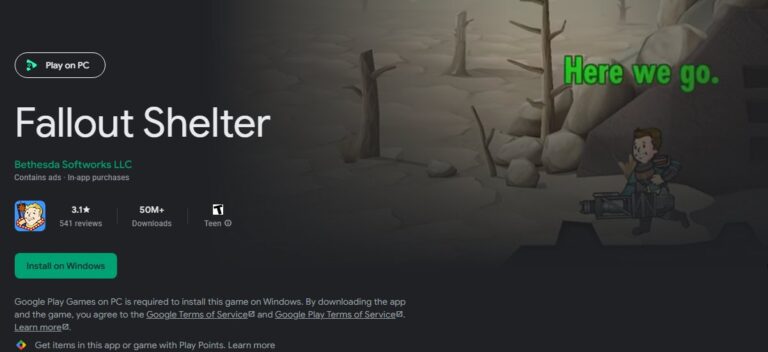
Fallout Shelter on PC can also be enjoyed through Google's official desktop platform. If you have been playing on an Android phone for years and dread the idea of manually moving files, "Google Play Games for PC" is your savior. This platform uses the Hyper-V virtualization technology to run the actual Android app on your Windows machine.
The standout feature here is the ecosystem integration. You simply log in with your Google account, and your vault is there. There is no file digging or USB cables required. As noted in recent technical reports, the game automatically uploads your progress to the cloud whenever you return to the main menu. This means you can play on your commute, sit down at your PC, and instantly pick up where you left off.
⚠️ Important Considerations for Google Play Games
- Virtualization Tech: You must enable VT-x (Intel) or AMD-V in your computer's BIOS. If you aren't comfortable tweaking BIOS settings, this might be a hurdle.
- Beta Status: Although stable, the platform is technically still in active development. Some users report occasional input latency compared to the native Steam version.
- Google Account Dependency: This method is strictly for Android users. iOS users cannot use this bridge to sync their progress.
Share Your Fallout Shelter Gameplay with Friends & Family on Big TV Screen
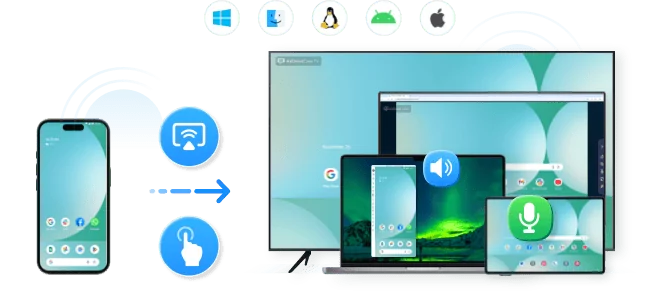
Share your gameplay on a big TV screen is great and enjoyable. AirDroid Cast can help you cast the screen from PC/phone to TV, and you can watch together. Take a Look!
Try It Free
Method 3: The Emulator Route (BlueStacks & LDPlayer)
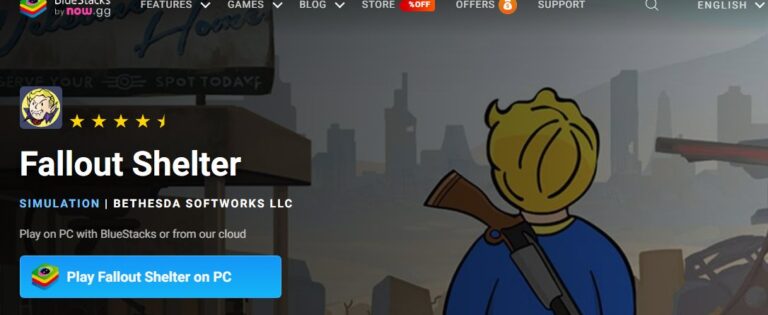
Playing Fallout Shelter on PC via third-party emulators was once the only way to get the latest updates. While less critical now thanks to the official v2.0 PC update, emulators like BlueStacks and LDPlayer still hold a niche for "power users" who want to manipulate the game mechanics.
Emulators simulate a tablet environment on your desktop. Tools like BlueStacks offer "Keymapping," allowing you to bind specific screen taps to keyboard keys. This is incredibly useful for speeding up resource collection or managing combat during questing.
- BlueStacks: Known for its robust "Eco Mode" and security. It wraps the game in a secure container, ensuring safe execution.
- LDPlayer: A lighter alternative that is friendlier to older computers with weaker RAM or CPUs.
⚠️ Important Considerations for Emulators
- Resource Heavy: Emulators are resource hogs. They run an entire Android OS on top of Windows. Expect high RAM usage.
- Adware & Privacy: Unlike the ad-free Steam version, the free versions of emulators often serve ads on their launcher.
- Security Risk: Always download the emulator from the official site. Never download pre-patched "Fallout Shelter APKs" from third-party forums, as these are primary vectors for malware.
The Critical Guide to Save Migration
Transferring Fallout Shelter saves to PC is the most technical aspect of the transition. If you choose the Steam or Microsoft Store route but want to keep your mobile progress, you must manually move your save files.
Locating Your Vaults
The file you are looking for is typically named Vault1.sav, Vault2.sav, etc.
- From Android: Connect your phone via USB. Navigate to:
Android > data > com.bethsoft.falloutshelter > files (Note: On Android 13+, you may need a special file manager app to access this folder). - To Steam PC: Paste the file into:
C:\Users\[YourName]\AppData\Local\FalloutShelter (Press Win+R and type %localappdata% to find this quickly). - To Microsoft Store: This is trickier. The path is buried deep in:
%LocalAppData%\Packages\BethesdaSoftworks.FalloutShelter...\SystemAppData\wgs The filenames here are long alphanumeric strings (hashes), making identification difficult without a decryption tool.
The "Version Trap"
Warning: A critical error many players make involves version mismatch. The game’s data structure evolves with every update.
- Scenario: You play on a mobile version updated to 2.0.2. You try to move that save to a PC version that is still on 1.13.
- Result: Immediate Crash. The old PC version cannot understand the new item IDs (like the Fallout TV show characters).
- Solution: Always ensure your PC game is fully updated via Steam or the Microsoft Store before pasting in your mobile save file.
AirDroid Cast
- Local & Remote Screen Casting(Your Game or Whole Screen)
- Android,iOS,Windows,Mac,TV Screen Mirroring
- Wireless & USB Connection
- Total Control Android & iOS beyond Your Finger
- Mirror Multiple Screen to PC simultaneously
FAQs about Fallout Shelter on PC
Q1: Do I need to use an emulator to play Fallout Shelter on PC in 2026?
A: No, not anymore. The official PC versions on Steam and the Microsoft Store are now fully up-to-date and the recommended way for most players. Emulators remain an option for specific advanced features.
Q2: Is playing Fallout Shelter on PC with an emulator safe?
A: It can be, but you must be cautious. Only download emulators like BlueStacks or LDPlayer from their official websites. Never download game APK files from unofficial sources, as they are common carriers of malware. Official emulators from reputable companies are generally safe.
Q3: Is Fallout Shelter free to play on PC?
Yes, Fallout Shelter is free-to-play on all PC platforms, including Steam, Microsoft Store, and Google Play Games. Optional in-game purchases (Lunchboxes) exist but are not required to progress.
Q4: Why does my game crash after I moved my save file from mobile?
This is likely a version mismatch. Check if your mobile app has a newer version number than your PC installation. You may need to wait for the PC version to update to match your mobile version's patch level.
Q5: Does the PC version support controllers?
The native PC versions are designed primarily for mouse and keyboard usage. While some generic controller mapping is possible through Steam Input, the game is best experienced with a mouse.
Conclusion
Deciding to play Fallout Shelter on PC is a fantastic way to revitalize your interest in this classic simulation game. For most players, the Steam version (post-2025 update) offers the best balance of performance, safety, and content. If you are a die-hard Android user who hates file management, Google Play Games is a solid runner-up.
Whichever method you choose, the Wasteland is unforgiving, but your management tools don't have to be. Get your Overseer desk ready, migrate those saves carefully, and prepare to face the apocalypse in high definition.








Leave a Reply.