

If you're a PC gamer who’s been captivated by the emotional storytelling of The Last of Us through the hit HBO series or simply heard about its legendary status, you might be wondering: can you experience Joel and Ellie’s journey on your computer? The answer is a resounding yes.
The iconic franchise has made its way to PC, offering both seasoned fans and newcomers a chance to play. However, navigating the best way to play The Last of Us on PC involves understanding two distinct games, their technical demands, and your available options. This guide will break down everything you need to know to start your survival journey.
The State of The Last of Us on PC: Two Critical Chapters

Currently, there are two main entries available or coming soon for PC gamers, and it's essential to distinguish between them.
The Last of Us™ Part I: This is the ground-up remake of the original 2013 game, rebuilt with modern visuals and gameplay enhancements. The PC version is available right now on platforms like Steam and the Epic Games Store. It includes the full main story and the Left Behind story expansion.
The Last of Us™ Part II Remastered: This is the enhanced version of the acclaimed sequel. The big news is that its PC port was released on April 3, 2025. This means you can play the game immediately.
Both games deliver the complete, award-winning narratives that have defined a generation. Playing Part I first is highly recommended to fully appreciate the characters and story, but each game stands as a powerful, isolated tale.
Part 1: How to Play The Last of Us Part I on PC
If you want to know how to play The Last of Us Part I on PC, the process is straightforward, though the hardware demands are steep. As a complete remake of the original game built for the PS5 engine, this title is readily available on major digital storefronts.
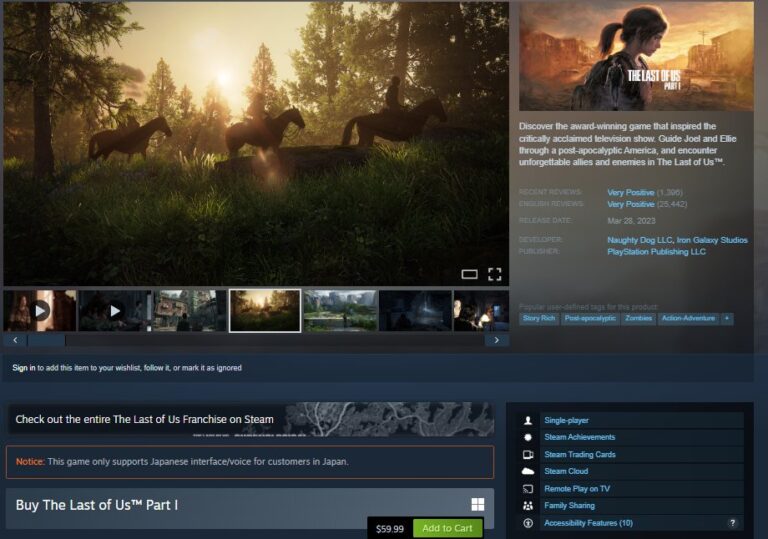
Step 1: Choose Your Platform and Purchase
You can purchase the game digitally through two primary ecosystem providers:
Steam: generally preferred for its robust controller support, community workshops, and shader pre-caching features.
Epic Games Store: A viable alternative, often offering competitive sales.
Once purchased, the installation will require approximately 100 GB of free space.
Step 2: The Critical Hardware Check (The "Optimization Tax")
Before you click "Install," you must address the "optimization tax." Learning how to play The Last of Us Part I on PC smoothly requires acknowledging that this game is heavy on system resources.
Storage: You must install this game on a Solid State Drive (SSD). Installing on a mechanical Hard Drive (HDD) will result in stuttering and asset loading failures.
Memory: 16 GB of RAM is the absolute floor.
Graphics: To hit 1080p at 60fps, you need a card equivalent to an NVIDIA RTX 3060 or AMD RX 6600 XT.
Pro Tip: Even with recommended hardware, enable DLSS (for NVIDIA) or FSR (for AMD) in the display settings immediately. These upscaling technologies are essential for maintaining a stable framerate.
Part 2: How to Play The Last of Us Part II on PC (Available Now)
The Last of Us Part II is now officially playable on PC. Sony has released The Last of Us™ Part II Remastered for Windows, and it became available on April 3, 2025, allowing PC players to finally experience the complete sequel without using Remote Play or a console.
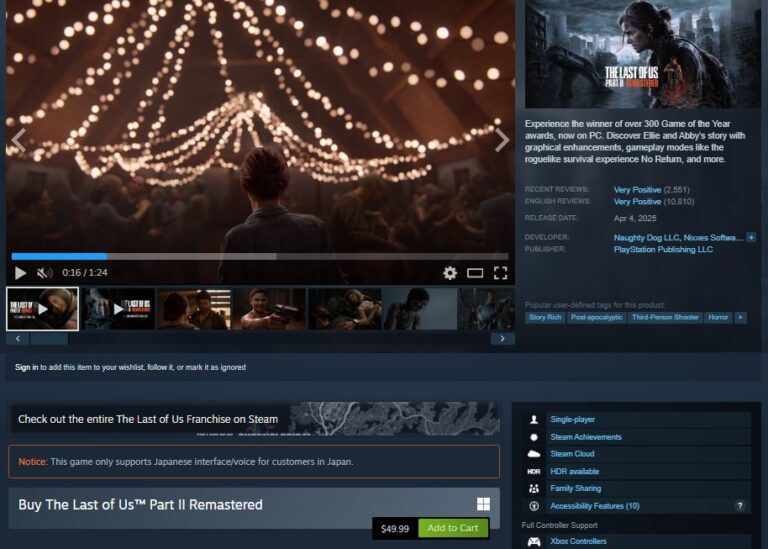
Step 1: Purchase and Access
The Last of Us™ Part II Remastered is available for purchase right now on Steam. Unlike the original console-only version, the Remastered edition has been optimized for Windows, offering native PC installation, modern graphics options, and full controller and keyboard & mouse support.
Step 2: Conquering the 150 GB Storage Hurdle
The most significant barrier to entry for the sequel is its massive footprint.
The Requirement: You need to clear at least 150 GB of SSD space.
The Warning: Do not underestimate this. If you are running low on space, do not try to squeeze it onto a slow external drive. The game relies on high-speed asset streaming to render the dense vegetation of Seattle seamlessly. If you don't have the space, you may need to uninstall Part I or upgrade to a larger NVMe M.2 drive before purchasing.
Step 3: Optimization for "Remastered" Visuals
Learning how to play The Last of Us Part II on PC effectively means managing your expectations regarding performance.
VRAM Usage: The enhanced textures in the Remastered version are VRAM-hungry. If you are using an 8GB graphics card, stick to "High" or "Medium" textures to prevent stuttering.
CPU Load: The physics calculations (ropes, glass, water) and AI logic in Part II are more complex than in Part I. Ensure your background apps are closed to give your CPU breathing room.
Step 4: The Controller Experience
While mouse and keyboard are fully supported, the PC version allows you to plug in a PlayStation DualSense controller (via wired USB). This is the intended way to play, offering:
Haptic Feedback: Feel the distinct rumble of riding a horse versus driving a boat.
Adaptive Triggers: Feel the resistance of the trigger when Ellie draws her bow.
Share Your Perfect Gameplay with Friends & Family
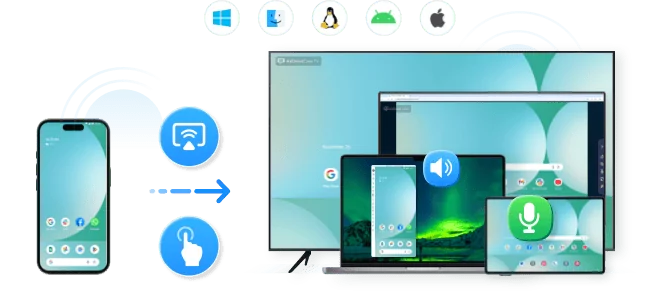
Share your Last of US gameplay on a big TV screen is great and enjoyable.AirDroid Cast can help you cast the screen from PC to TV, and can also remotely watch together. Take a Look!
Frequently Asked Questions (FAQ)
Conclusion
The answer to "can you play The Last of Us on PC" is now a definitive Yes for the entire series.
Part I allows you to relive the classic journey, provided you navigate the "optimization tax" with upscaling tools.
Part II Remastered (released April 3, 2025) offers the continuation of the story and deep survival mechanics, but demands a massive 150 GB SSD commitment.
Whether you are sneaking through clicker-infested Boston or navigating the flooded streets of Seattle, the PC platform now offers the ultimate high-fidelity way to experience these masterpieces.






Leave a Reply.