

AirDroid Cast
- Local & Remote Screen Casting(Your Game or Whole Screen)
- Android,iOS,Windows,Mac,TV Screen Mirroring
- Wireless & USB Connection
- Total Control Android & iOS beyond Your Finger
- Mirror Multiple Screen to PC simultaneously
Are you ready to leave the small screen behind and burn rubber on a massive monitor? If you want to play Asphalt 9 on PC, you are making a brilliant choice. The transition from mobile to desktop unlocks stunning visual fidelity, precise controller support, and high frame rates that simply aren't possible on a phone.
However, with the recent update to Asphalt Legends Unite, the landscape has changed. Should you download it from Steam? Stick to the Microsoft Store? Or use an Android emulator? In this comprehensive guide, we will break down every method to play Asphalt 9 on PC, ensuring you pick the version that fits your gaming style and hardware.
When you decide to play Asphalt 9 on PC, the native application (x86-64 architecture) is almost always your best bet. Gameloft has optimized the game for Windows, offering three distinct gateways: the Microsoft Store, Steam, and the Epic Games Store. While the core game is the same, the experience varies wildly.
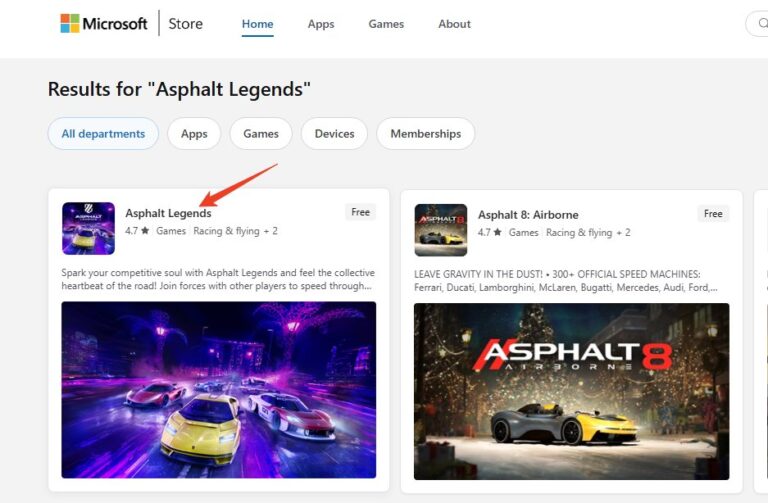
Choosing the Microsoft Store version of Asphalt 9 integrates the game deeply into your Windows ecosystem. Its standout feature is the preservation of the mobile advertising reward system. You can watch ads to refuel, get bonus cards, and earn daily tokens—a major perk for free-to-play users.

For most players, the Steam version of Asphalt 9 represents the gold standard. It’s renowned for its stability, fast updates, and robust file integrity checks that can repair broken installations.
If you value a seamless, stable, and socially-connected PC gaming experience for Asphalt 9, Steam is the top recommendation.
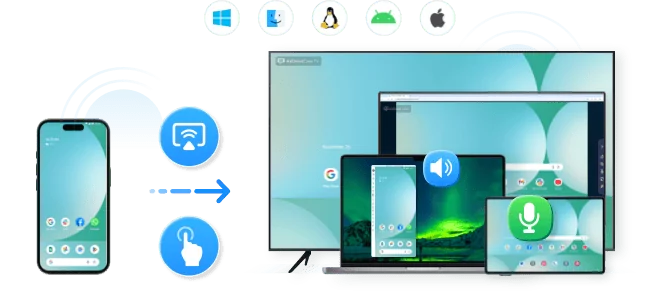
Share your gameplay on a big TV screen is great and enjoyable. AirDroid Cast can help you cast the screen from PC/phone to TV for free, and you can watch together. Take a Look!

The Epic Games Store version is technically on par with Steam in terms of performance but lacks the ad-reward system. Its main appeal lies in occasional exclusive cosmetic bundles offered through the Epic store. If you already use Epic’s platform or catch a good promotional bundle, this is a perfectly fine way to download Asphalt 9 for PC.
Quick Comparison of Native PC Versions:
| Feature | Microsoft Store | Steam | Epic Games Store |
|---|---|---|---|
| Ad Reward System | ✅ Yes | ❌ No | ❌ No |
| Stability & Updates | Variable | ✅ Excellent | ✅ Very Good |
| Controller Support | XInput Only | ✅ Extensive | ✅ Extensive |
| Platform Features | Basic | Achievements, Community | Occasional Exclusive Bundles |
For some users, the native PC version isn't an option. Perhaps your graphics card doesn't support DirectX 12, or you want to keep your Google Play balance active. In these cases, using an emulator to play Asphalt 9 on PC is a viable workaround.

Not all emulators are created equal when handling high-fidelity racing games.
Before you download an emulator, understand the technical cost. Emulators must translate ARM (mobile) instructions to x86 (PC) instructions in real-time. This creates overhead.
Pro Tip: If you use an emulator, ensure VT-x (Virtualization Technology) is enabled in your computer's BIOS. Without it, the game will be unplayable.
Since the rebranding to Asphalt Legends Unite, the system requirements to play Asphalt 9 on PC have jumped significantly. The game engine has been upgraded, leaving some older office laptops behind.
| Component | Minimum Requirement (Unite) | Impact of Low Specs |
|---|---|---|
| OS | Windows 10 (1903+) | Older builds may crash on launch. |
| RAM | 8 GB | 4GB laptops will struggle heavily with stuttering. |
| DirectX | Version 12 (Shader Model 6.0) | Critical: Older integrated graphics (pre-2018) may not launch the game at all. |
| Storage | 10 GB+ SSD recommended | HDDs will result in slow track loading and texture popping. |
If your PC does not meet the DirectX 12 requirement, the Native Steam version will not launch. In this specific scenario, using an Emulator (which runs on OpenGL or Vulkan) might be your only way to play.
Deciding how to play Asphalt 9 on PC is the easy part. The hard part is ensuring you don't lose years of progress.
This is the most dangerous aspect of cross-platform play. When you first launch the game on PC and log in with your Gameloft ID, you might see a conflict message showing two save files:
Do not rush this step. Countless users have accidentally clicked "Keep Local Save," effectively overwriting their veteran account with a Level 0 newbie profile. Once this sync happens, it is nearly impossible to reverse, and Gameloft customer support can take weeks to respond. Always choose the Remote/Cloud save.
Avoid any download labeled "Asphalt 9 PC Unlimited Tokens" or "Mod APK for PC."
Choosing how to play Asphalt 9 on PC boils down to your priorities. Embrace the power of your PC and enjoy Asphalt 9: Legends as it was meant to be experienced—fast, fluid, and on the big screen. Race smart and stay safe!






Leave a Reply.