
- Deep integration with Zebra StageNow for rapid deployment
- Enhance IT operations with advanced remote access solution
- Real-time monitoring of device status with immediate alerts for potential issues
- Boost operational productivity, streamline daily tasks
How IT Admins Remote Control and Manage Zebra Devices?
What is Zebra Remote Control?
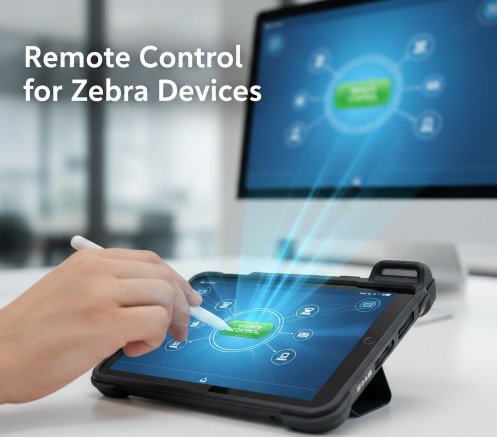
Zebra remote control is the capability to access, manage, and troubleshoot Zebra devices from a central dashboard. This includes mobile computers, barcode scanners, and industrial tablets. It allows IT administrators to perform tasks like software updates, configuration changes, and technical support without physically handling the device.
- 1 : Why Remote Control for Zebra Devices is Essential for Business?
- 2 : How Zebra Remote Control Works: The Core Technologies?
- 3 : Comparing Top Solutions for Remotely Managing Zebra Devices
- 4 : How to Set Up Zebra Remote Control with AirDroid Business
- 5 : Choosing the Right Zebra Management Solution for Your Needs
1Why Remote Control for Zebra Devices is Essential for Business?
Implementing a remote control solution for your Zebra device fleet is critical for modern operations. It directly impacts productivity, security, and operational expenses.
Reduce Device Downtime and Operational Costs
When a device like the Zebra TC26 used by a delivery driver fails, work stops. Remote control allows IT teams to diagnose and fix software issues in minutes, not hours. This immediate response minimizes operational downtime and eliminates the cost associated with shipping devices for repair.
Improve IT Support Efficiency
IT teams can manage hundreds or thousands of devices spread across multiple locations from a single console. This centralized approach allows a small team to support a large fleet effectively. It eliminates travel time and allows technicians to resolve more issues per day.
Enhance Security and Compliance
Remote management ensures all devices consistently run the latest security patches and corporate policies. Administrators can remotely lock or wipe a lost or stolen device to protect sensitive company data. This capability is essential for maintaining security compliance.
2How Zebra Remote Control Works: The Core Technologies?
Effective remote control relies on a combination of Zebra's native tools and powerful management platforms. Understanding these components helps you choose the right solution.
Zebra's Native Tools: StageNow and OEMConfig
Zebra provides two powerful native tools for device setup. StageNow allows administrators to create configuration profiles that can be applied to a device by scanning a barcode. OEMConfig uses a standardized framework within an MDM to expose Zebra-specific settings for configuration.
The Role of Mobile Device Management (MDM) Platforms
Mobile Device Management (MDM) platforms are the command center for your device fleet. These systems use tools like StageNow and OEMConfig to deploy settings, applications, and security policies to all your enrolled Zebra devices at once. An MDM is what makes managing devices at scale possible.
Key Technical Permissions for Remote Access
To achieve full remote control, specific services on the Zebra device must be enabled. These often include an event injection service to simulate taps and keystrokes, and a remote display service to view the device's screen. A capable MDM solution handles the activation of these services during enrollment.
3Comparing Top Solutions for Remotely Managing Zebra Devices
1Solution 1: AirDroid Business
Pros
AirDroid Business excels in deployment speed through its deep integration with Zebra StageNow. A single barcode scan automates enrollment and app installation, reducing setup time from an hour to under five minutes. It offers non-rooted, unattended remote control with a unique Black Screen Mode for private maintenance. Starting at just $12 per device, per year.
Cons
The solution does not currently support Zebra OEMConfig, focusing instead on its StageNow integration for setup.
2Solution 2: Soti MobiControl
Pros
Soti provides deep system-level control, allowing advanced customization through scripting. It also offers a robust on-premise deployment option for businesses with strict data locality requirements.
Cons
The platform's interface and operational logic are considered outdated and complex. Simple tasks often require technical scripting, creating a high barrier to entry.
3Solution 3: SureMDM (42Gears)
Pros
SureMDM is a versatile management platform that supports a wide range of devices beyond mobile computers, including VR headsets and IoT terminals.
Cons
Its remote control capabilities on older devices can be limited. The integration with Zebra StageNow is not as deep, preventing a true zero-touch deployment experience.
4How to Set Up Zebra Remote Control with AirDroid Business
- 1. Generate a StageNow Configuration Profile: In the AirDroid Business dashboard, create an enrollment profile and generate a StageNow barcode containing all Wi-Fi and application settings.
- 2. Enroll Devices with a Single Barcode Scan: An employee on-site powers on a new Zebra device and scans the barcode. The device automatically configures itself.
- 3. Access, Manage, and Control Your Zebra Fleet: The device is now online. You can immediately use remote control, apply Kiosk Mode policies, or monitor its status.
For a more comprehensive walkthrough, please refer to this step-by-step guide.
5Choosing the Right Zebra Management Solution for Your Needs
Your choice of MDM depends on your priorities. If your organization requires deep scripting, Soti may be a fit. If you manage highly diverse IoT device types, SureMDM is a contender. However, for businesses that prioritize rapid deployment, operational efficiency, and stable, easy-to-use remote support for their Zebra fleet, AirDroid Business presents the most streamlined solution.
FAQs
Can I remote control a Zebra device without an MDM?

While basic remote viewing is possible with some consumer tools, true remote control for management and security at scale requires an MDM solution. An MDM automates the setup and permission granting necessary for robust control.
Is Zebra remote control secure?
Yes. Professional MDM solutions use encrypted communication channels (like TLS) for all data transmitted between the device and the admin console. They also provide features like remote wipe to protect data on lost devices.
Which Zebra devices support remote control?
Most Zebra mobile computers and tablets running Android are compatible. This includes high-performance models like the Zebra TC26 mobile computer and the Zebra ET40 enterprise tablet. Compatibility with specific features may vary by device model and Android version.


Try MDM Solution
Manage devices from a unified console

Leave a Reply.