MDM Cyber Security: Protecting Your Business in the Digital Age
- Part 1 : What is MDM in Cyber Security?
- Part 2 : How MDM Enhances Enterprise Cybersecurity Defenses?
- Part 3 : MDM and Compliance: Meeting Regulatory Requirements
- Part 4 : AirDroid Business: Your Comprehensive MDM Cybersecurity Solution
- Part 5 : Challenges and Considerations in MDM Cybersecurity Implementation
1 What is MDM (Mobile Device Management) in Cyber Security?
MDM, i.e., Mobile Device Management, helps organizations manage and protect mobile devices like smartphones, tablets, and laptops. Particularly in the context of cybersecurity, it enforces security policies, such as encryption, remote wiping, and access control on both company and personal devices used for work. It ensures secure use of mobile tools while safeguarding sensitive business data, making it a key part of protecting digital assets.
1 What is MDM?
MDM, short for Mobile Device Management, is a software-based solution designed to manage, monitor, and secure mobile devices used by employees within an organization, such as smartphones, tablets, and laptops. Its primary goal is to enforce security measures and corporate policies across all enrolled devices.
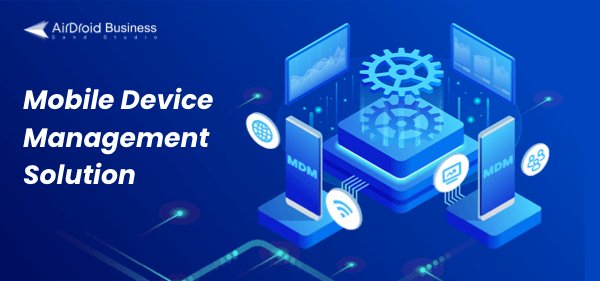
2 Why is MDM so important in cybersecurity?
Let’s now have a look at why an MDM solution is imperative for an organization and what benefits it offers.
Protecting Sensitive Data and Preventing Data Breaches
- Remote Wipe and Data Encryption: One of the most critical features of MDM is the ability to remotely wipe or restore factory settings on a device if it is lost or stolen, thereby preventing sensitive corporate data from falling into the wrong hands. It can also enforce data encryption on the device, ensuring that all information stored on or accessed through the device is protected.
- Containerization: MDM solutions use containerization technology to separate business applications and data from personal apps and the device’s operating system, creating a "sandbox" on the device. This protects work-related data from malicious content and websites. It is especially beneficial for organizations implementing Bring Your Own Device (BYOD) or Corporate-Owned, Personally Enabled (COPE) strategies.
Reducing Mobile Device Security Risks
- Device Surge and BYOD Trend: With the rise of employees using personal devices for work purposes (BYOD) and the growth of remote work, enterprises face increased risks of data loss and malicious intrusions. MDM offers a solution that allows IT administrators to effectively manage and secure these devices.
- Centralized Control and Visibility: MDM provides centralized control over all devices that access the corporate network and sensitive information. This centralized view makes it easier for the IT department to monitor usage, detect abnormal activities, and manage device settings.
Enforcing Security Policies and Ensuring Compliance
- Policy Enforcement: MDM allows organizations to establish and enforce security policies across all devices, such as requiring strong passwords, and automatically locking devices after inactivity. It can also restrict certain device functions, like disabling network sharing.
- Regulatory Compliance: MDM helps organizations meet strict industry regulatory requirements such as GDPR, HIPAA, and PCI-DSS. By enforcing necessary security policies and providing detailed reporting and audit trails, MDM enables companies to demonstrate compliance during audits.
Enabling Secure Remote Work and Improving Productivity
- Secure Connectivity: MDM solutions provide tools for managing Virtual Private Networks (VPNs), secure Wi-Fi configurations, and encrypted communications, allowing employees to securely connect to company resources from any location.
- Enhancing Employee Productivity: By offering secure access to company-approved applications and data, MDM enables mobile employees to work more efficiently, allowing them to work from anywhere without compromising security.
Improving IT Efficiency and Reducing Operational Costs
- Automated Management: MDM automates tedious mobile management tasks such as device configuration, application deployment, policy enforcement, and software installation. This reduces manual workload, freeing up valuable IT resources to focus on higher-priority strategic initiatives.
- Reducing Risk and Cost: By preventing security incidents, reducing downtime, and simplifying device management, MDM significantly lowers productivity losses and the financial impact of potential data breaches.
2 How MDM Enhances Enterprise Cybersecurity Defenses?
1 Core Security Features and Advantages
MDM solutions offer a comprehensive set of features designed to enhance an organization's cybersecurity posture by providing granular control and proactive protection for all mobile endpoints. These features work together to minimize vulnerabilities and reduce risk.
Policy Enforcement & Compliance Monitoring
- MDM enables IT administrators to establish and enforce strict security policies on all managed devices. This includes requiring strong passwords, enforcing device encryption, and automatically locking devices after a period of inactivity.
- MDM can restrict specific device functions, such as disabling network sharing or allowing access only to approved applications and websites.
Remote Wipe & Data Encryption
- One of the most critical features of MDM is the ability to remotely wipe or restore factory settings on lost or stolen devices. This serves as the last line of defense to prevent sensitive corporate data from falling into unauthorized hands.
- MDM solutions can enforce data encryption on devices. This is essential for protecting sensitive data from leaks, especially in industries like healthcare, where MDM protects patient data through enforced encryption and remote wipe functions to comply with regulations such as HIPAA.
Application & Content Management
- MDM provides granular control over the applications installed on devices. IT teams can whitelist approved applications, block unauthorized or potentially harmful apps (blacklist), and remotely deploy, update, or remove apps from a centralized dashboard.
- Many MDM solutions use containerization to separate business applications and data from personal apps and the device’s operating system. This “sandbox” approach is highly beneficial for BYOD and COPE strategies.
Centralized Updates & System Management
- Keeping device operating systems and applications up to date is critical for patching vulnerabilities and defending against cyberattacks. MDM simplifies and streamlines this process by allowing IT personnel to remotely distribute and update apps and OS versions across a large number of devices.
Remote Monitoring & Control
- MDM provides IT administrators with comprehensive visibility and control over enrolled devices. This includes real-time monitoring of device activity, location tracking, and the ability to perform various remote actions such as locking the screen, troubleshooting, or providing remote support to end users.
Network Access Control
- MDM can enforce strict network access control policies to ensure that only authorized devices with proper security configurations can connect to critical enterprise systems. This includes restricting access to unsecured public Wi-Fi networks and managing secure VPN connections.
IAM (Identity and Access Management)
- MDM supports robust IAM features such as Single Sign-On (SSO), Multi-Factor Authentication (MFA), and Role-Based Access Control (RBAC). These features ensure that only authorized users can access specific data and applications based on their roles, thereby minimizing the risk of unauthorized access.
Automated Administration
- MDM automates many tedious administrative tasks, including device configuration, application deployment, and policy enforcement. This automation reduces the IT workload, frees up valuable IT resources to focus on higher-priority strategic initiatives.
2 Combating Mobile Threats: MDM in Practice
MDM's Direct Threat Mitigation and Collaborative Security Approach
MDM plays a critical role in directly combating widespread mobile threats and serves as the frontline defense for enterprise data.
- Malware & Phishing Attacks: MDM significantly reduces the attack surface by enforcing strict application management policies that allow only approved and secure apps to be installed. It can also implement web filtering to block access to malicious websites and links, thereby preventing malware infections and mitigating phishing attacks.
- Data Leakage & Unauthorized Access: The remote wipe feature is crucial in cases of lost or stolen devices, serving as the final line of defense against data leakage. The containerization feature also helps prevent data leakage by isolating corporate data within a secure “sandbox,” protecting it from personal applications and malicious content.
MDM Cyber Security in Different Industries
- MDM Cyber Security in Healthcare: MDM plays a vital role in the healthcare sector by ensuring patient data security and streamlining workflows. Hospitals use MDM to manage devices used by doctors and nurses, allowing them to securely access EHR, treatment histories, and insurance information, while maintaining strict compliance with regulations such as HIPAA.
- MDM Cyber Security in Retail: Retailers rely on MDM solutions to ensure consistency across sales channels and deliver a seamless shopping experience to customers. MDM can manage real-time inventory data, synchronize product availability, pricing, and promotions across physical stores and e-commerce platforms.
- MDM Cyber Security in Remote Work Teams: For distributed work teams, MDM ensures that employees can securely access up-to-date project files, customer data, and collaboration tools. For example, MDM can enforce security policies such as requiring the use of a VPN when employees work from public Wi-Fi networks.
- MDM Cyber Security in Education: MDM solutions are transforming how educational institutions manage devices and data. Schools and universities can use MDM to securely access course materials, manage student devices, and even monitor attendance.
3 MDM and Compliance: Meeting Regulatory Requirements
1 Navigating Regulations: GDPR, HIPAA, and PCI-DSS
Global data privacy and security regulations are becoming increasingly strict, requiring organizations to adopt strong measures to protect sensitive information. Below is how MDM aligns with several major industry regulations:
HIPAA (Health Insurance Portability and Accountability Act):
HIPAA is a U.S. law specific to the healthcare industry, aimed at protecting the confidentiality, integrity, and availability of Protected Health Information (PHI), such as medical records and treatment details. Violating HIPAA can result in hefty fines ranging from $127 to $250,000 per violation. HIPAA requires that patient data stored on mobile devices must be encrypted.
PCI DSS (Payment Card Industry Data Security Standard):
PCI DSS is not a government regulation but a financial industry standard enforced by the PCI Security Standards Council, formed by major credit card brands. It is designed to protect cardholder data. Non-compliance can lead to fines ranging from $5,000 to $100,000 per month. The standard requires businesses to ensure network security, encrypt data in transit, avoid storing sensitive data, install firewalls and antivirus software.
GDPR (General Data Protection Regulation):
GDPR applies to all EU member states and governs data collection and processing, including non-EU countries in the European Economic Area (EEA). It has strict rules around data encryption, GDPR mandates a “privacy by design” approach and requires breach notifications within 72 hours of discovery.
Data encryption and remote wipe are repeatedly emphasized across these regulations, showing that they are universal baseline requirements for mobile data security regardless of industry. Although the type of protected data varies (PHI vs. cardholder data vs. personal data), the mechanisms for protecting that data on mobile devices align closely with core MDM functions. This indicates the presence of a common "mobile data security playbook," making MDM not just a best security practice, but a compliance necessity.
2 How MDM Facilitates Compliance
MDM Solutions Directly Support Enterprise Compliance Efforts Through Their Core Functions:
- Enforcement of Compliance Policies: MDM allows IT administrators to enforce security policies aligned with industry regulations such as GDPR, HIPAA, and PCI-DSS.
- Detailed Reporting and Audit Trails: MDM provides detailed reporting and audit trail capabilities, enabling organizations to demonstrate compliance during audits. Centralized device monitoring and logging offer critical visibility for audit processes.
- Simplified Policy Implementation: Pre-configured policy templates in MDM solutions help organizations meet key regulatory requirements.
- Ensuring Data Encryption: MDM can enforce continuous activation of data encryption on devices, which is essential for compliance with regulations like HIPAA.
- Support for Device Enrollment and Monitoring: Device enrollment and usage monitoring are important steps in protecting patient data, and MDM offers strong support in this area.
- Secure Offboarding Processes: When employees leave or change roles, MDM allows administrators to remotely perform offboarding tasks, including immediately revoking device access to corporate resources, modifying device configurations, and performing selective or full data wipes to remove sensitive enterprise data, effectively eliminating insider threats.
MDM’s role in compliance goes beyond simple policy enforcement; it provides auditable tracking and centralized visibility, which is increasingly important not just for achieving compliance, but for proving it. MDM’s ability to generate comprehensive reports and audit logs transforms compliance from a passive, checklist-driven task into a proactive, verifiable process. This reduces the burden of manual verification. Therefore, a robust MDM solution should prioritize comprehensive logging and reporting features to truly empower enterprises on their compliance journey.
4 MDM and Major Compliance Regulations Comparison Table
| Regulation | Primary Focus/Purpose | Applicable Industry/Scope | Key MDM-Relevant Requirements | Consequences of Non-Compliance |
|---|---|---|---|---|
| HIPAA | Protect the confidentiality, integrity, and availability of patients’ Protected Health Information (PHI). | Healthcare industry (USA) | Encryption of PHI on devices; remote wipe of lost/stolen devices; access control (RBAC); audit trail; user training. | Heavy fines ($127–$250,000 per violation); legal actions; reputational damage. |
| PCI DSS | Protect cardholder data during transactions. | Financial services industry (Global) | Encrypted data transmission; secure networks (firewalls); strong passwords; access control; regular security checks; no sensitive data stored on devices. | High monthly fines ($5,000–$100,000/month); increased fraud; business disruption; reputational damage. |
| GDPR | Protect personal data of individuals within the EU/EEA. | Any organization handling EU/EEA residents' data (Global) | Data privacy; encryption; breach notification (within 72 hours); data tracking; user consent. | Heavy fines (up to €20 million or 4% of global revenue); legal actions; reputational damage. |
4 AirDroid Business: Your Comprehensive MDM Cybersecurity Solution
1 Security Policy Configuration
AirDroid Business allows organizations to configure Wi-Fi and APN settings in bulk, restrict device functions (such as disabling network sharing), and permit access only to approved applications and websites. This ensures that all devices consistently operate within a secure network environment and comply with the company’s security policies.
2 Powerful Remote Protection
In response to the risk of lost or stolen devices, AirDroid Business offers powerful remote protection features, including remote wipe or factory reset and screen locking to prevent data leakage. In addition, it provides real-time location tracking and geo-fencing capabilities, allowing administrators to receive alerts when a device leaves a designated secure area.
3 Automated Updates and Workflows
Managing system and application updates across a large number of devices can be a daunting task. AirDroid Business simplifies and streamlines this process by allowing IT personnel to remotely distribute and update apps and operating systems. To ensure device stability, updates can be tested and rolled out in phases. Furthermore, it supports the creation of “Workflows to address abnormal issues,” where preset actions can be automatically executed when specific alerts are triggered.
4 Remote Monitoring and Control
Through the AirDroid Business admin console, IT teams can monitor the activity of enterprise devices and perform specific actions on unattended devices to maintain workflow. The remote control feature also enables you to provide remote support to end users, no matter where they are located.
5 Alerts and Reports
You can create alerts to detect various metrics on Android enterprise devices, such as data usage limits, battery level, charging status, device online/offline status, low storage space, external device connection alerts, and kiosk mode on/off alerts. Device usage reports can also help administrators track normal usage patterns.
5 Challenges and Considerations in MDM Cybersecurity Implementation
Limitations of MDM: Not a Standalone Security Solution
MDM primarily focuses on device management and policy enforcement (such as passwords, encryption, app control, and remote wipe). It is designed to configure devices in a way that reduces the risk of exploitation. Therefore, to achieve comprehensive mobile security, MDM must work in conjunction with specialized mobile security applications, Endpoint Detection and Response (EDR), or Mobile Threat Defense (MTD) solutions. These complementary tools provide real-time prevention and protection against network-based threats, spam, and phishing attacks.
Balancing Security, Privacy, and Employee Acceptance
MDM’s monitoring of device activity and location may raise employee privacy concerns, especially in BYOD environments. If employees perceive MDM as too intrusive, it may lead to resistance or the rise of “shadow IT”. Successful MDM implementation requires transparent communication, clearly emphasizing that MDM is focused on securing corporate data. Ongoing user education, such as identifying phishing emails, and promptly reporting lost or stolen devices, is also key to improving employee acceptance.
Operational and Technical Challenges
The effectiveness of MDM relies on continuous network connectivity between devices and the server. For organizations with a large and diverse fleet of devices, initial MDM deployment and ongoing management can be complex. In addition, MDM must seamlessly integrate with existing IT systems (such as IAM), which may pose technical challenges. Developing and continuously maintaining a refined MDM strategy that meets both security requirements and business operations is also an ongoing challenge.
Mobile Devices Management for Android Devices
AirDroid Business provides an all-in-one MDM and remote control solution that helps your IT teams remotely provision, monitor,control, and secure unattended or attended Android devices. This datasheet gives you an overview of the benefits, core features, and pricing plans to fast track your research.
FAQs



Leave a Reply.