Offline Android Device Recovery: How Automated Alerts Help IT Teams Respond Faster
- Part 1: Why Offline Android Devices Are an Operations Problem
- Part 2: Can You Automatically Restart an Offline Android Device?
- Part 3: From Manual Checks to Automated Alert Workflows
- Part 4: What Offline Device Response Looks Like Across Industries
- Part 5: How AirDroid Business Supports Offline Device Response
- Part 6: Best Practices for Building Reliable Offline Device Workflows
- Part 7: Conclusion: Faster Recovery Starts With Better Response Design
- FAQs
When an Android device goes offline, the first question many IT teams ask is simple: can we restart it remotely?
The honest answer is: sometimes, but not always. If a device is fully offline and cannot receive commands, a remote reboot command usually cannot reach it immediately. But that does not mean IT teams are powerless.
For distributed Android fleets, the bigger opportunity is not just remote reboot. It is building a faster, more reliable offline device response process: detect the issue early, notify the right team, record the event, escalate when needed, and perform remote remediation when the device becomes reachable again.
That is where automated alerts and workflows can make a meaningful difference.
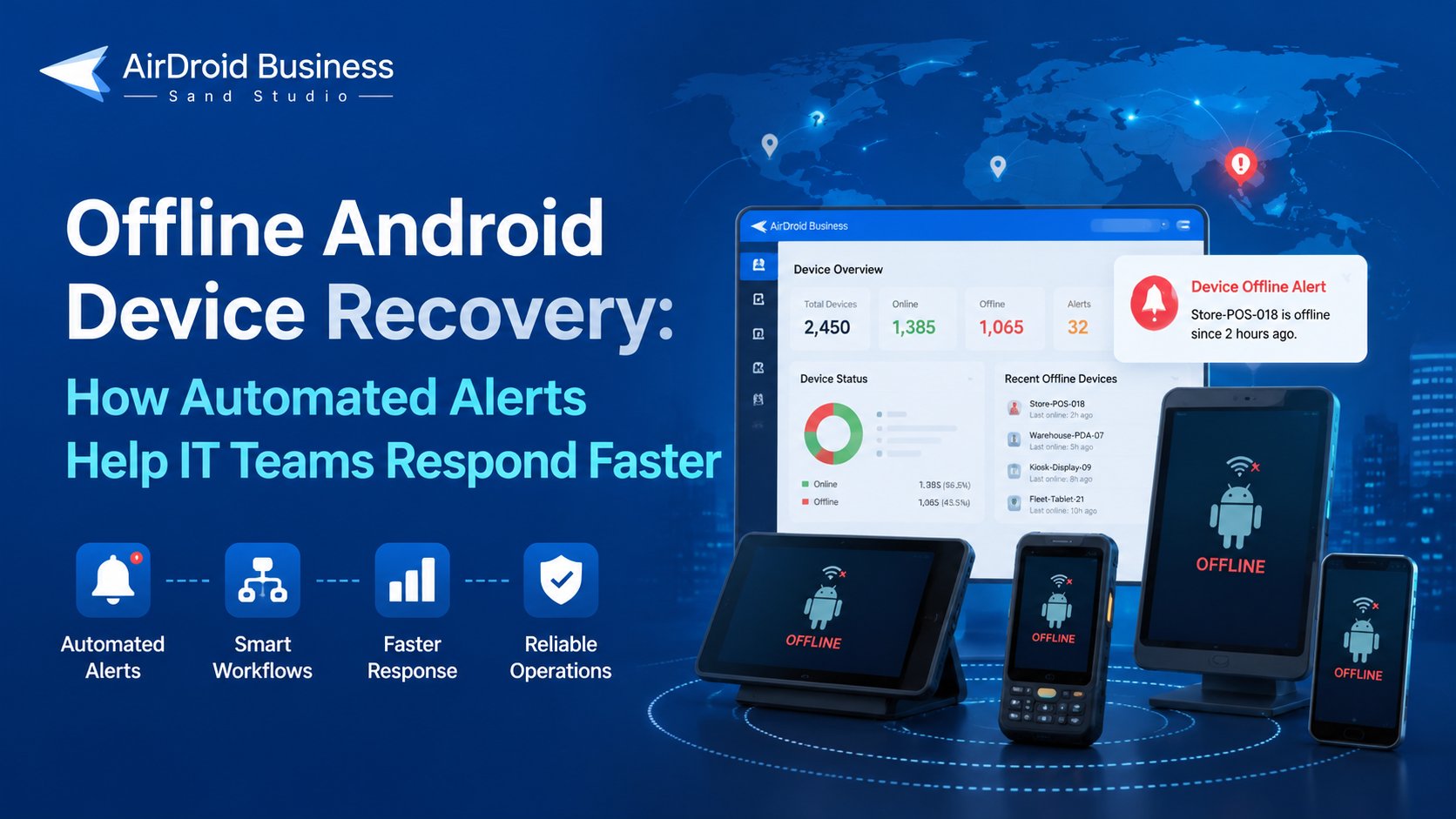
Key takeaway
A fully offline Android device usually cannot receive a remote reboot command until it reconnects. Automated alerts and workflows help IT teams detect the issue earlier, notify the right owner, document the incident, and take remote remediation steps once the device is reachable again.
Part 1: Why Offline Android Devices Are an Operations Problem
Offline Android devices are not just an IT visibility issue. In many businesses, they are part of daily operations.
Android devices often run point-of-sale systems, self-service kiosks, warehouse scanning apps, fleet management tools, patient-facing applications, digital signage players, and other frontline workflows. When one of these devices goes offline, IT loses more than a remote connection. The team may lose visibility into:
- Whether the device is still at the expected location
- Whether the business app is running
- When the device was last online
- Whether the device has low battery, weak network, or storage issues
- Who owns the next step of follow-up
For example, if a retail POS tablet goes offline during business hours, the issue may affect payment, order processing, or store service. If a digital signage device goes offline, the screen may stop displaying content before anyone at headquarters notices. If a fleet tablet stops reporting, dispatch teams may lose visibility into driver activity or delivery progress.
The operational problem is not only that the device is disconnected. It is that the team may not know quickly enough which device is affected, which business process is at risk, and who should respond.
AirDroid Business - Automate Device Alert Responses with AirDroid Business
AirDroid Business helps IT teams monitor device conditions, configure alerts, and create workflow-based responses. From device reports and notifications to remote operations, teams can handle common issues more efficiently across distributed devices.
Part 2: Can You Automatically Restart an Offline Android Device?
This is the key technical boundary to understand.
A fully offline Android device usually cannot receive a remote reboot command. Remote reboot depends on the device being online or reachable through the device management channel. If the device has lost power, has no network connection, or cannot communicate with the management platform, the reboot command cannot be delivered immediately.
That means “automatically restarting offline devices” should not be treated as a guaranteed recovery method.
A better way to think about the problem is:
- Automated alerts help IT detect offline devices earlier.
- Workflows help route the issue to the right response path.
- Remote remediation can be performed when the device is still reachable or becomes reachable again.
- High-impact actions should remain controlled by permissions, confirmation, and audit trails.
In practice, automation helps reduce the time between device failure and IT response. It does not magically restore every disconnected endpoint.
Part 3: From Manual Checks to Automated Alert Workflows
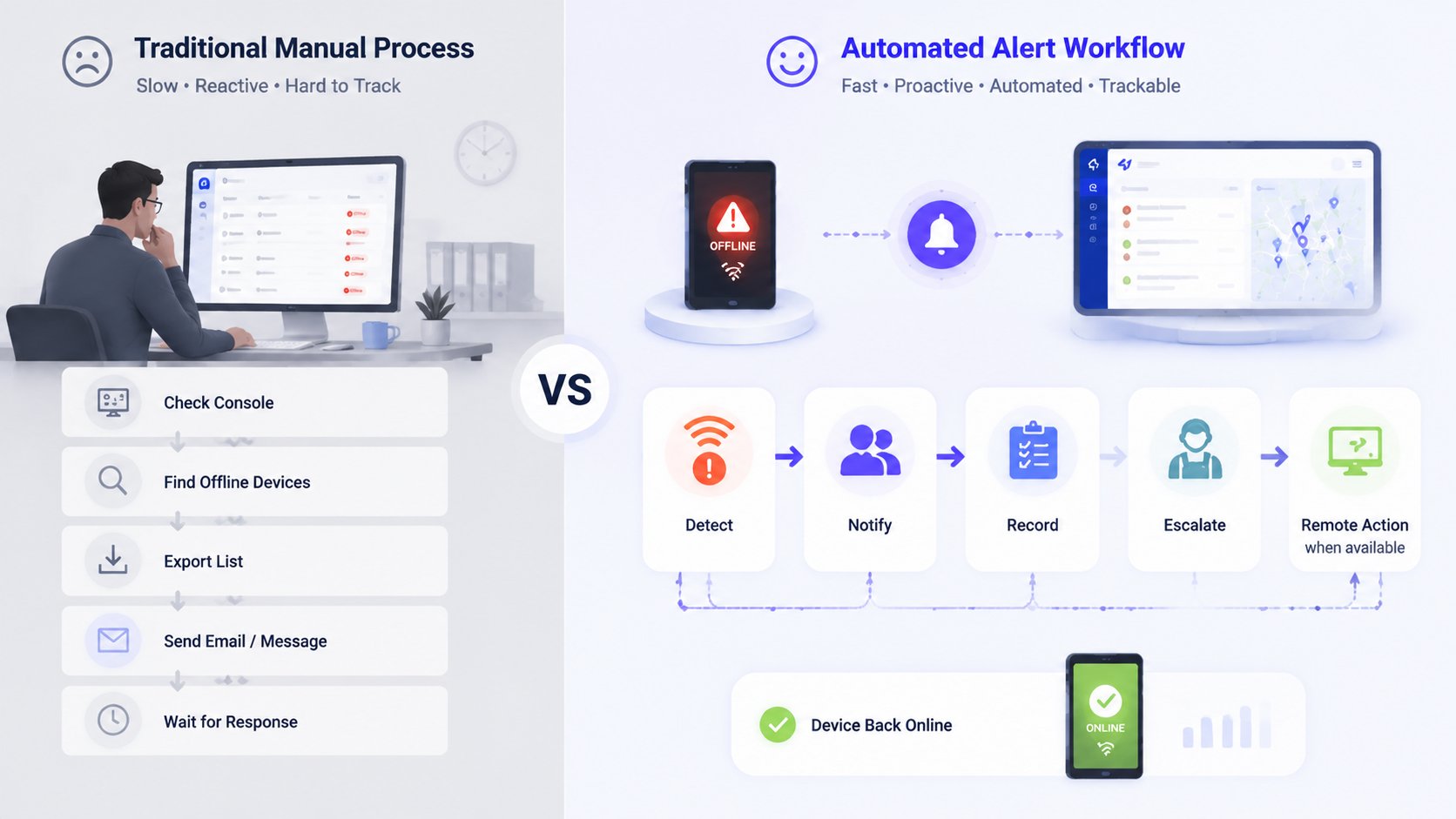
Many IT teams still handle offline devices through manual checks.
An admin logs into the device management console, filters for offline devices, reviews last online time, exports a list, emails a site manager, waits for feedback, and then decides whether remote support is possible. For a small number of devices, this process may be manageable.
But it does not scale well.
Why Manual Offline Device Checks Do Not Scale
Manual offline device monitoring becomes difficult when devices are distributed across stores, vehicles, warehouses, campuses, clinics, customer sites, or regional operations. The larger the fleet, the more likely teams are to face delays, missed devices, and inconsistent follow-up.
Common problems include:
- IT only finds out after a store employee, driver, nurse, or customer reports the issue.
- Offline device lists are exported manually and become outdated quickly.
- Different teams handle similar issues in different ways.
- There is no consistent record of who was notified or what action was taken.
- Repeatedly offline devices are handled as one-off incidents instead of recurring problems.
For MSPs and IT service providers, this problem grows even faster. Managing offline devices across multiple customer environments without standardized workflows can increase support workload and make service quality harder to track.
From Automated Alerts to Response Workflows
Automated alerts solve the first part of the problem: detection.
Instead of waiting for someone to check a device list, IT can configure an Android device offline alert based on online/offline status or other device health conditions. Once the alert is triggered, the next question is what happens after that.
That is where workflow automation becomes important.
A practical offline device response workflow may include:
- 1. Detect the offline status
- 2. Identify the device group, owner, location, and last online time
- 3. Notify the right team or site owner
- 4. Record or export the affected device list
- 5. Escalate if the device remains offline
- 6. Perform remote remediation when the device becomes reachable
The workflow does not need to treat every device the same way. A POS tablet offline during store hours may require urgent escalation. A kiosk device in a public location may need a fast operations notification. A test device in a lab may only need to be included in a daily report.
The value of automation is not removing IT judgment. It is reducing repetitive checks, standardizing follow-up, and helping teams act faster when device downtime matters.
Part 4: What Offline Device Response Looks Like Across Industries
Retail POS and Store Tablets
Retail teams often rely on Android POS tablets, barcode scanners, self-ordering devices, and store tablets to keep transactions and customer service moving. When one of these devices goes offline, the impact can be immediate: payment issues, order delays, inventory sync problems, or staff unable to use a required app.
An offline alert helps headquarters IT detect the issue before store staff escalate it through a manual support channel. A workflow can then notify the store manager or regional IT owner, include device details such as store group and last online time, and create a record for follow-up.
If the device comes back online, IT can continue with remote troubleshooting, such as remote control, remote reboot, or opening the business app back to the foreground.
Fleet and Logistics Devices
In logistics and fleet operations, Android tablets, driver phones, and warehouse PDAs often carry task, route, delivery, scan, or signature workflows. If a device goes offline, dispatch and operations teams may lose visibility into driver status, delivery progress, or warehouse activity.
The cause may be weak network coverage, low battery, device misuse, app failure, or hardware issues. A workflow can route the alert based on fleet group, warehouse location, region, or device owner. It can also record the last online time and notify the person responsible for follow-up.
If the device is fully offline, IT may not be able to reboot it immediately. But the team can still document the event, notify the right owner, and prepare a remote remediation step once the device is reachable again.
Kiosk and Digital Signage Devices
Kiosk and digital signage devices are often unattended. A screen may go offline, lose network connection, exit Kiosk mode, or stop running the expected app without anyone on site reporting it immediately.
For these environments, offline alerts, Kiosk status alerts, and app running status alerts can help teams detect issues earlier. A workflow can notify the operations team, generate an affected device list, or assign a site check.
When the device becomes reachable, IT can use remote view or remote control to inspect the screen, open the required app to the foreground, or perform a controlled reboot if needed.
Part 5: How AirDroid Business Supports Offline Device Response
AirDroid Business supports offline device response through device monitoring, alerts, workflow automation, and remote support capabilities. The goal is not to promise automatic recovery for every offline device. It is to help IT teams detect issues earlier, standardize follow-up, and take controlled action when devices are reachable.
Device Monitoring
AirDroid Business helps IT teams monitor Android device status across distributed fleets. Admins can view online/offline status, last online time, battery level, network status, storage, app status, Kiosk status, and other device health indicators from the management console.
This gives teams the operational visibility needed to understand which devices need attention and how urgent the issue may be.
Alerts
IT teams can configure alerts for device conditions such as online/offline status, low battery, storage issues, app running status, Kiosk status, data usage, battery temperature, and Biz Daemon permission status.
For offline device monitoring, an online/offline alert can act as the starting point of a response process. Instead of waiting for manual checks, the alert helps notify the team when a device meets a configured condition.
Workflow Automation
When an alert is triggered, AirDroid Business can support follow-up actions such as sending notifications, switching configuration files, moving devices to groups, opening an app to the foreground, clearing app data and cache, or rebooting a device where applicable.
Some actions are simple and low-risk. Others can affect device availability, local data, or business operations. Actions such as rebooting a device or clearing app data should be handled with the right device status, permissions, and confirmation process.
AI Workflow
AirDroid Business alerts can also trigger AI workflows for more flexible follow-up, such as summarizing an event, recording alert details, generating reports, or routing information to configured workflow destinations.
For example, an offline device alert can be used to trigger a workflow that records the affected device information, prepares a report, or notifies the responsible team through a configured process. External system actions depend on the customer’s workflow setup and available integrations.
Remote Support
When a device is online or becomes reachable again, IT can continue troubleshooting with AirDroid Business remote support tools. Depending on the situation, teams can use Remote Control, Observation Mode, Remote Camera, Remote Reboot, Open App to Foreground, or app cache cleanup to investigate and resolve issues.
This is where offline device response becomes practical: alerts and workflows reduce the delay before IT acts, while remote tools help complete remediation when the device can receive commands.
AirDroid Business - Simplify Device Management with Smarter Workflows
AirDroid Business combines device monitoring, automation workflows, and AI-assisted capabilities to help IT teams understand device status, find relevant information faster, and manage recurring operational tasks with greater efficiency.
Part 6: Best Practices for Building Reliable Offline Device Workflows
A reliable offline device workflow should reflect how devices are used in the real world. Not every offline device has the same business impact, and not every response should be automated in the same way.
A few best practices can help:
Set different thresholds by device role
A POS device offline during business hours should not be treated the same as a test device offline overnight. Define alert conditions based on device type, business hours, and operational importance.
Use device groups to route response
Device grouping makes offline alerts easier to act on. Group devices by store, fleet, warehouse, region, customer, or business function so workflows can notify the right owner.
Connect alerts to workflows, not only emails
Email alerts are useful, but they are often not enough. Workflows can help record the event, prepare reports, notify the right team, and support escalation when the device remains offline.
Keep high-impact actions controlled
Remote reboot, clearing app data and cache, powering off, unenrolling, or resetting a device can affect business operations. These actions should be protected by permissions, confirmation, and audit records.
Review recurring offline devices
If the same device repeatedly goes offline, the issue may be network quality, battery health, device misuse, app instability, or hardware failure. Use reports and logs to identify patterns instead of treating every offline event as a new incident.
Track follow-up actions
Offline device recovery is easier to manage when teams can see what happened, who was notified, and what action was taken. Reports, activity logs, and workflow records help turn device incidents into operational data.
Part 7: Conclusion: Faster Recovery Starts With Better Response Design
Offline Android device recovery is not the same as automatically restarting every offline device. A fully offline device usually cannot receive a remote reboot command until it becomes reachable again.
The more scalable approach is to design a better response process: detect offline devices earlier, trigger a workflow, notify the right people, record the event, escalate when needed, and perform remote remediation when the device is online.
AirDroid Business helps IT teams move from manual offline device checks toward alert-triggered, workflow-based device operations. For teams managing POS tablets, fleet devices, warehouse PDAs, kiosks, digital signage screens, or other Android endpoints, that can mean less time spent on repetitive checks and faster response when device downtime matters.
AirDroid Business - Manage Distributed Devices with Centralized Monitoring and Automation
AirDroid Business enables organizations to monitor Android devices, set alert rules, manage device groups, and support operational workflows for POS terminals, kiosks, digital signage, and frontline devices.
FAQs:











Leave a Reply.