Windows Remote Access Security: Risks, Models, and Best Practices
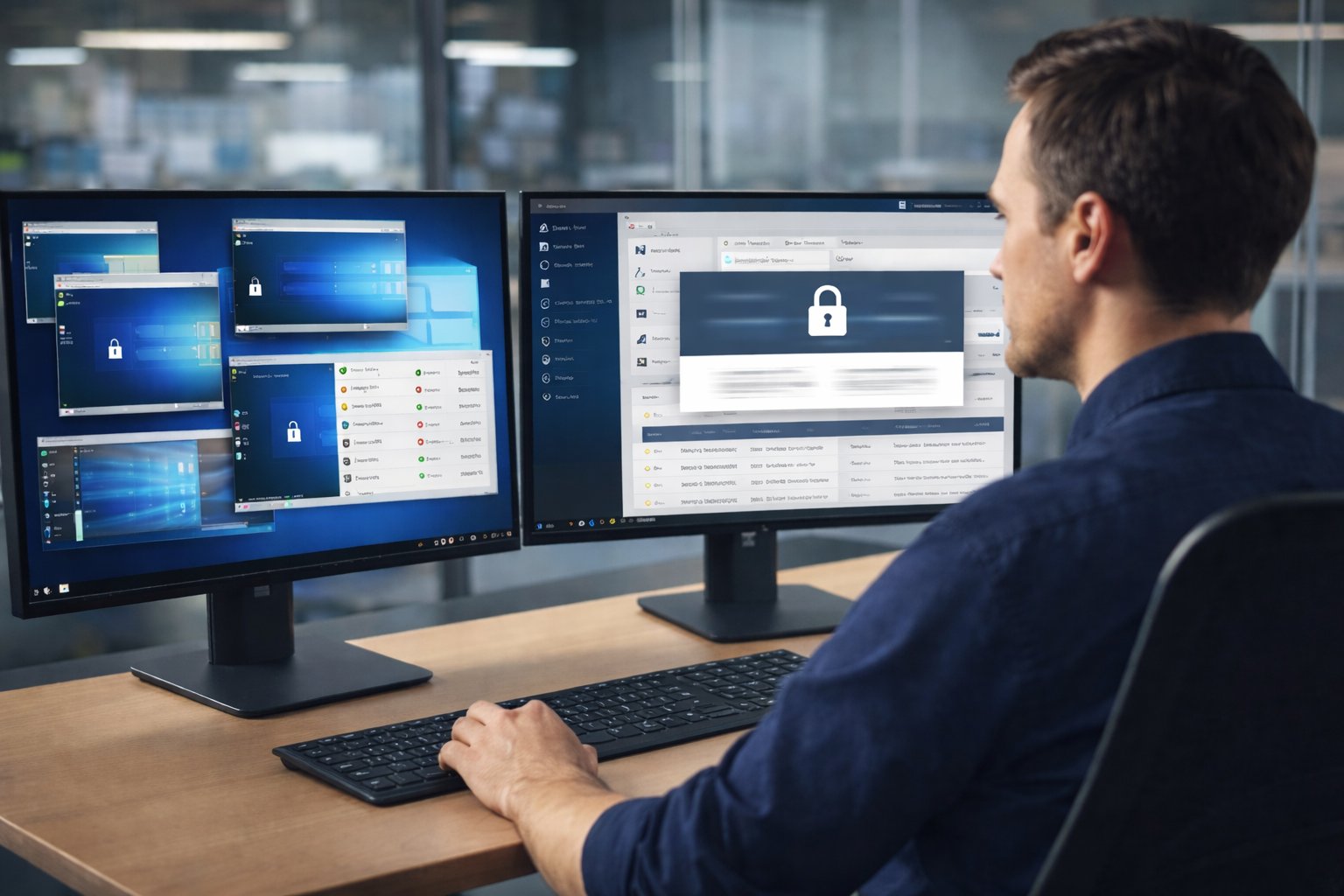
- Windows remote access is now a permanent part of enterprise IT operations. From office desktops to POS systems and industrial PCs, remote connections are often the fastest way to maintain systems and support users. At the same time, they have become one of the most common entry points in security incidents. Securing Windows remote access today is less about enabling connectivity and more about controlling identity, permissions, and visibility at scale.
Part 1 : What Secure Remote Access Means for Windows
Secure remote access for Windows means every remote session is identity-verified, permission-scoped, encrypted, and auditable. Access should be granted only to the right user, on an approved device, for a defined purpose and duration.
In modern enterprise environments, identity has effectively replaced the network as the security perimeter. Whether a user connects from an office, home, or branch location matters less than who they are, how they authenticate, and whether their device meets security requirements. This identity-first approach is now central to secure remote access for Windows systems.
Part 2 : Where Security Risks Usually Appear
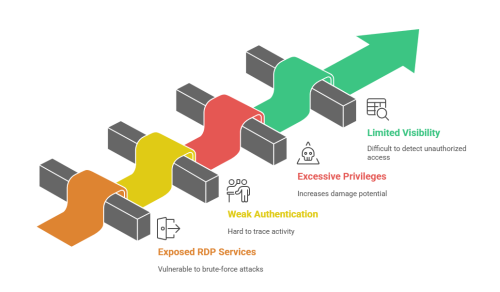
Windows remote access is essential for many organizations, but it can expose critical security risks. These risks often stem from misconfigurations, weak controls, and the challenges of managing remote access across various locations. Here's a breakdown of the most common security issues organizations face.
1 Exposed RDP Services
Publicly accessible RDP services are a major risk for many enterprises. Even with strong passwords, exposed RDP endpoints are vulnerable to brute-force attacks. Organizations often leave RDP exposed temporarily, which increases the risk of unauthorized access.
To mitigate this risk, organizations should restrict RDP access to trusted networks, use VPNs, and implement robust monitoring.
2 Weak Authentication and Shared Accounts
Weak authentication is a significant concern when shared accounts and long-lived access tokens are used. These create a challenge in tracing activity, making it easier for attackers to compromise systems without detection.
Multi-factor authentication (MFA) and a zero-trust model should be applied to all remote access systems to ensure proper authentication and reduce security gaps.
3 Excessive Privileges
Granting excessive privileges to remote users is a common mistake. Admin-level access for non-administrative users increases the damage potential in case of compromised credentials or human error.
To reduce risks, adopt the principle of least privilege by only providing users with the access they need for their roles.
4 Limited Visibility and Auditing
Without session logging and active monitoring, organizations struggle to track remote access activity. This lack of visibility makes it difficult to detect unauthorized access or resolve security incidents in time.
Organizations should enable comprehensive logging and monitoring to ensure real-time visibility into remote access activities.
Part 3 : How Organizations Secure Windows Access Today
In practice, most organizations secure Windows remote access using one of three broad models.
Some rely on hardening built-in Remote Desktop access. Others place remote sessions behind VPN connections. More recently, identity-based and zero trust remote access models have gained adoption in distributed environments.
Each approach reflects different assumptions about trust, usability, and operational scale, which is why their security characteristics differ in meaningful ways.
| Security Dimension | RDP with Hardening | VPN-Based Access | Zero Trust Remote Access |
|---|---|---|---|
| Internet Exposure | Medium: ports hidden but still reachable | Low: access gated by VPN tunnel | None: no inbound exposure |
| Authentication | Directory-based, MFA optional | VPN credentials plus MFA | Identity-first, MFA enforced |
| User Experience Impact | Medium: setup and session limits | High: full tunnel affects traffic | Low: access scoped per session |
| Least Privilege Support | Limited: OS-level controls | Limited: network-wide access | Native: policy-driven access |
| Audit and Logging | Basic: OS and event logs | Network-level visibility | Session-level activity logs |
| Best Fit Scenarios | Internal IT, stable environments | Legacy or flat networks | Distributed enterprises |
Security models that significantly slow down access or add operational friction are often worked around over time. Effective remote access security must protect systems without interrupting how IT teams and end users actually work.
Part 4 : A Practical Checklist for Securing Remote Access
How to secure remote access for Windows in enterprise environments:
- ✅ 1. Enforce multi-factor authentication across all remote access entry points
✅ 2. Disable public-facing RDP and use gateways or software-defined access models
✅ 3. Apply the principle of least privilege to all remote users
✅ 4. Patch Windows operating systems and related services consistently
✅ 5. Enable continuous session logging and alerting
This checklist represents baseline controls rather than a specific implementation.
Part 5 : Frequently Asked Questions About Windows Remote Access Security
1. Is Windows Remote Desktop secure for business use?
RDP can be used securely when properly hardened, monitored, and restricted. Problems often arise when it is exposed publicly or used without strong authentication and auditing.
2. Do I need a VPN for secure remote access on Windows?
VPNs can reduce exposure but also introduce operational complexity. Many organizations now evaluate identity-based or zero-trust models as alternatives.
3. What is zero trust remote access for Windows?
Zero trust remote access verifies identity and device posture before every session and avoids exposing internal systems directly to the internet.
4. How does secure remote access help with compliance?
Strong authentication, least-privilege access, and session logging support auditability and help organizations meet regulatory requirements.
Part 6 : Conclusion
Secure remote access for Windows is not defined by a single tool or configuration. It reflects how identity, permissions, monitoring, and operational practices work together. Organizations that treat remote access as a security system rather than a feature are better positioned to protect data, support users, and scale operations safely.










Leave a Reply.