Remote Debugging Samsung Devices Unattended Access & Screen Control
In today’s highly digitized enterprise operating environment, the stable operation of mobile endpoint devices has become a core pillar supporting business continuity. From self-service kiosks in the retail industry, to in-vehicle tablets used in logistics and transportation, and mobile monitoring devices in healthcare institutions, the deployment scale and usage complexity of Android devices have reached unprecedented levels.
However, as device deployments expand and become geographically dispersed, the challenge of “distance” has emerged as a primary driver of enterprise IT operations and maintenance costs.
This article aims to deeply explore the challenges enterprises face when remotely troubleshooting Samsung devices, with a focus on the technical implementation of unattended access, the in-depth application logic of screen control, and the critical value of the Samsung Knox hardware-level security platform within this ecosystem.
Through an analysis of the deep integration between AirDroid Business and Samsung Knox, this report explains how technological synergy can significantly reduce mean time to repair (MTTR) and eliminate the high operational costs caused by the limitations of traditional remote access tools.
- 1 : The "Distance" Problem: Why On-Site Support is Killing Your Efficiency
- 2 : Unattended Access: How to Control Devices Without User Intervention
- 3 : Why Samsung Knox Makes Remote Debugging More Secure
- 4 : AirDroid Business: The Ultimate Debugging Toolkit for Samsung
- 5 : Core Functional Applications and MTTR Optimization Statistical Analysis
- 6 : Best Practice Strategies for Remote Troubleshooting of Samsung Devices
The "Distance" Problem: Why On-Site Support is Killing Your Efficiency
For enterprises managing thousands of remote terminals, “distance” is not merely a geographical concept, but a direct source of economic loss. When a logistics tablet deployed at a highway service area crashes, or a self-checkout terminal located in a remote store goes to a black screen, the response speed of IT personnel directly determines the length of business downtime.
The High Cost of Physical Travel and Downtime
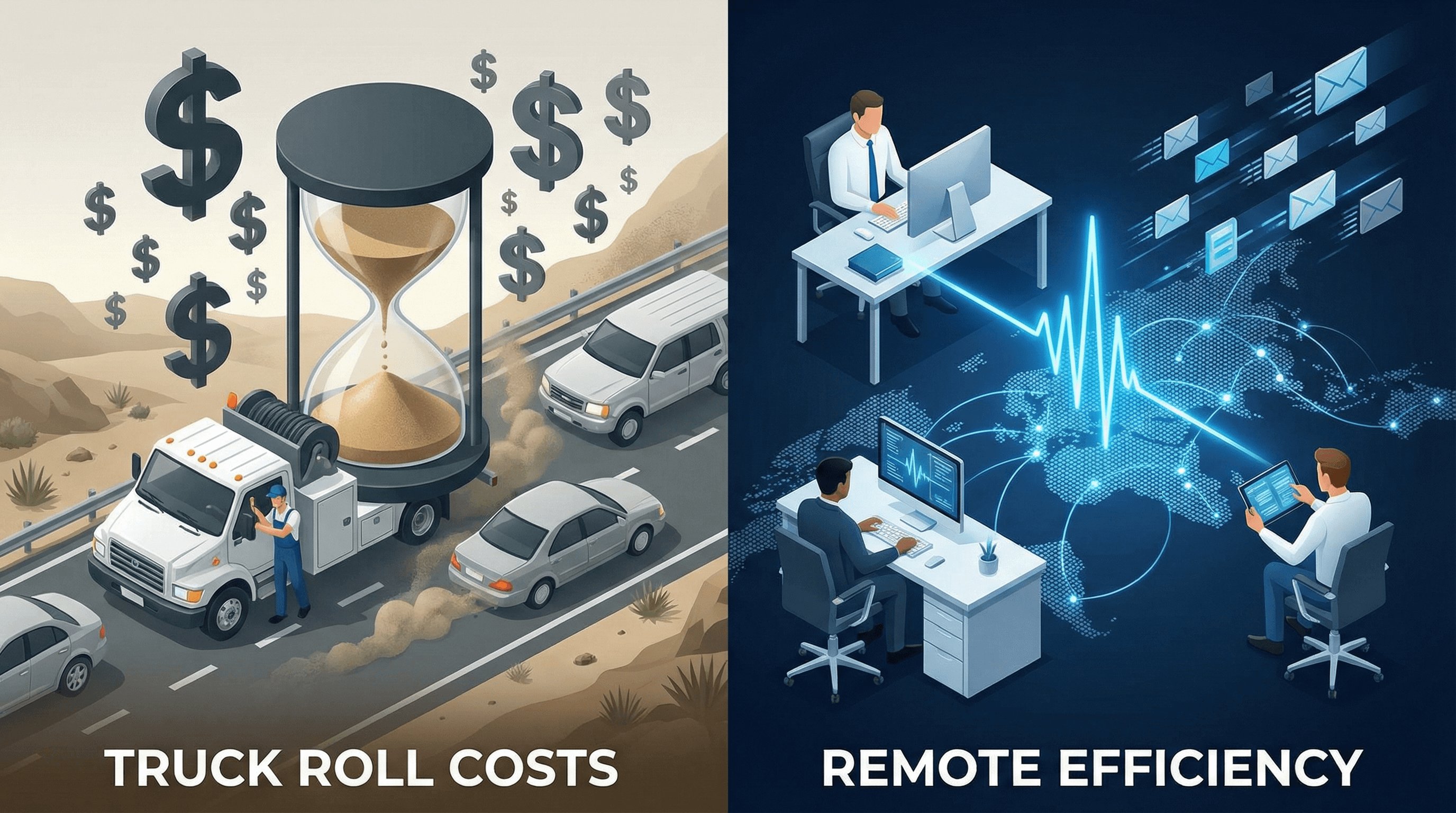
In Field Service Management (FSM), a “truck roll” is widely recognized as one of the most expensive operations and maintenance activities. A truck roll refers to the necessity of dispatching technicians—along with tools and spare parts—to a physical site to resolve issues that cannot be fixed remotely.
According to industry statistics from 2024 and 2025, the average cost of a single truck roll ranges from USD 150 to more than USD 1,000, depending on the industry and geographic density. This cost model not only includes the base wages of technicians, but also covers a range of complex direct and indirect expenses.
Cost Component | 2024–2025 Estimated Benchmark | Influencing Factors |
|---|---|---|
| Technician Base Hourly Wage | $30.00 – $35.00 | Skill level and overtime costs |
| Vehicle Operating Cost (CPM) | $2.26 – $2.27 | Fuel fluctuations, insurance, and vehicle depreciation |
| Dispatch & Administrative Overhead | $25.00 / per job | Call center operations and logistics coordination |
| Opportunity Cost | $150.00 / per job | Lost potential service revenue |
| Economic Loss from Downtime | $300,000+ / per hour | Business interruption during critical sales periods |
Especially in the logistics industry, the marginal cost of operating Class 8 trucks has reached a new high of USD 2.26 per mile. If technicians are dispatched to a device site hundreds of miles away solely due to a software-level configuration error or an application crash, the return on investment will decline catastrophically.
AirDroid Business - Stop Paying for Truck Rolls You Don’t Need
A lot of “on-site” device issues aren’t really on-site problems. With
AirDroid Business, you can remotely troubleshoot Samsung devices from a single console, even when nobody is there to help. Fix crashes, misconfigurations, and black screens faster, without sending a technician.
Why Standard Remote Tools Fail on Android
Although there is a large number of remote desktop tools on the market, the vast majority of standard solutions face serious limitations when dealing with enterprise-grade Android scenarios, which often prevents them from serving as reliable productivity tools in real-world operations.
First, Android’s native security sandbox mechanism strictly limits third-party applications from obtaining system-level control. Traditional remote support tools typically rely on an “attended access” model, meaning that whenever IT initiates a connection request, a user on the device side must manually tap an on-screen “Allow” or “Accept” button.
This mechanism completely fails in the following typical enterprise scenarios:
- Unattended terminals: Digital signage mounted high on shopping-mall walls, outdoor advertising displays, or self-service payment kiosks at gas stations have no on-site personnel available to tap “Confirm.”
- Non-technical staff: Logistics truck drivers or warehouse workers may face language barriers or technophobia when operating devices, making it difficult for them to cooperate with IT staff in completing complex authorization workflows.
- Permission instability: To save power and improve performance, Android automatically freezes or kills tasks that run in the background for extended periods. After running in the background for some time, standard remote tools are often reclaimed by the system kernel or terminated entirely, making them unreachable when urgent troubleshooting is required.
In addition, most conventional tools can only provide “screen sharing,” meaning they allow viewing the screen without enabling reverse control. For complex troubleshooting tasks—such as modifying system settings, clearing the cache of specific applications, or restarting stalled hardware modules—simple view-only sharing is far from sufficient for operational needs.
Unattended Access: How to Control Devices Without User Intervention
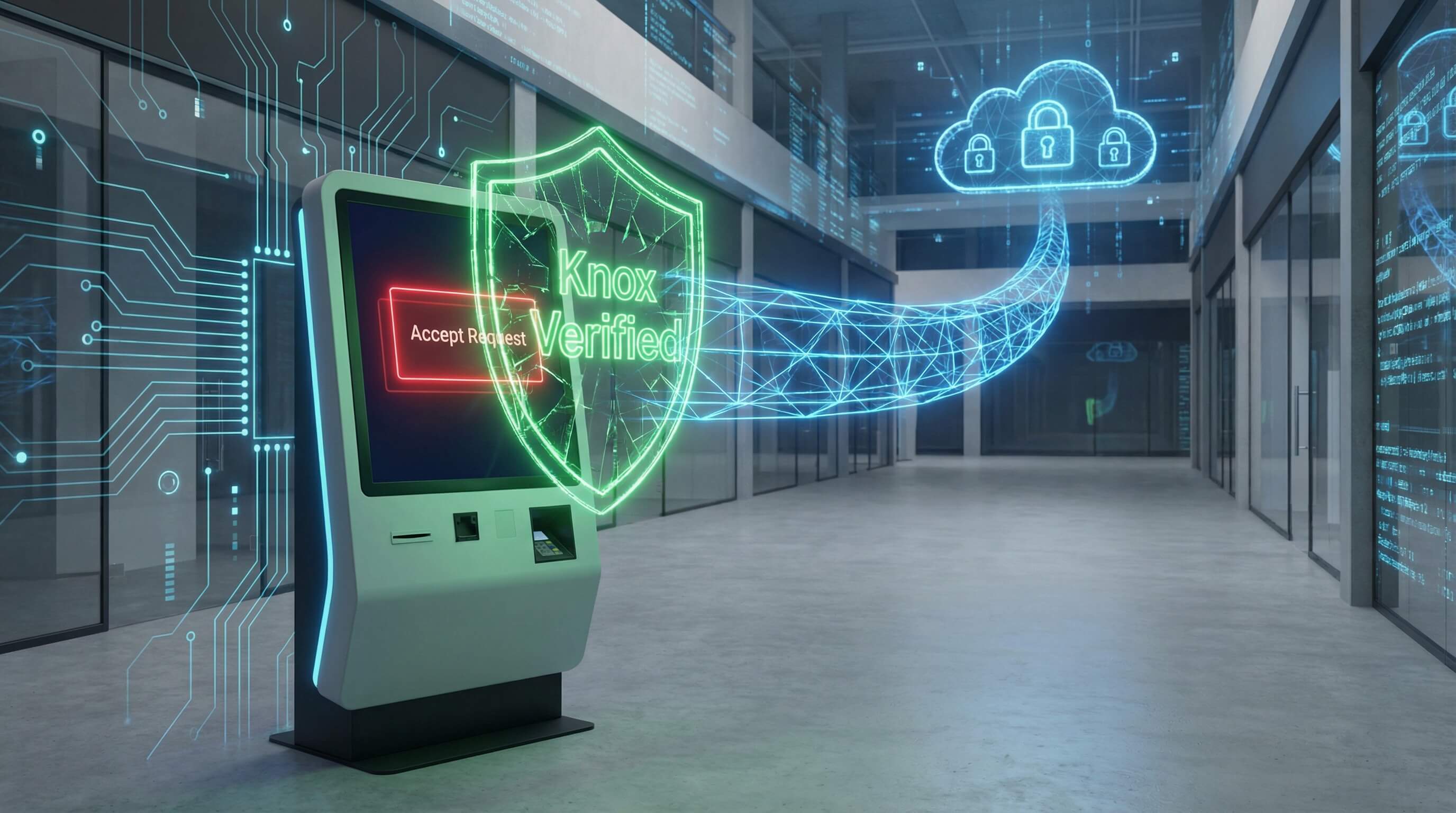
“Unattended Access” marks a critical turning point for Enterprise Mobility Management (EMM), shifting it from reactive response to proactive maintenance. It empowers IT teams to directly access device systems at any time and from any location, without requiring any cooperation from on-site personnel.
Bypassing the "User Confirmation" Roadblock
In traditional remote desktop protocols, security and convenience are often at odds. To protect user privacy, the Android system enforces explicit user authorization for screen sharing. However, in a managed commercial environment, the IT department, as the legitimate owner of the devices, requires a compliant and efficient way to overcome these barriers.
The deep integration between AirDroid Business and Samsung devices leverages the system-level signed permissions provided by the Knox management framework. By designating the AirDroid client as the Device Owner (DO) or granting specific authorizations through the Knox Service Plugin (KSP), IT administrators can preconfigure “silent authorization” within device policies.
This means that when IT initiates a troubleshooting session, the device system automatically recognizes the request as coming from an authenticated management platform, thereby bypassing pop-up prompts and directly establishing a secure, high-privilege control tunnel. This capability is critical for hardware deployed in public areas or hard-to-reach locations, as it ensures an uninterrupted and fully reliable operations and maintenance pathway.
AirDroid Business - Remote Into Samsung Devices Without Waiting for “Accept”
Pre-approve access through policy, and you won’t need to chase someone on-site to tap a prompt. With Knox-enabled workflows, AirDroid Business can start remote sessions on unattended devices so you can view and control the screen, transfer files, and resolve issues right away.
"Regret Medicine": Instant Response to Reduce MTTR
In IT Service Management, MTTR (Mean Time to Repair) is a core metric for measuring operational maturity. The composition of MTTR can be broken down into the following formula:
MTTR = MTTD (Mean Time to Detect) + MTTA (Mean Time to Acknowledge) + MTTR (Mean Time to Repair) + MTTV (Mean Time to Verification)
Remote troubleshooting tools are often jokingly referred to by IT operations teams as “regret medicine.” This nickname stems from a simple reality: when newly released software patches trigger large-scale crashes in the field, or when configuration errors cause business interruptions, having instant, unattended access is often the only way to mitigate losses.
MTTR Optimization Stage | Challenges with Traditional Methods | Advantages of Remote Access |
|---|---|---|
| Incident Detection (MTTD) | Reliance on user complaints or periodic inspections | Automated alerts and real-time status monitoring |
| Incident Response (MTTA) | Dispatching technicians to the site (takes hours or days) | Second-level response with direct IT access |
| Fault Repair (MTTRfix) | Limited by on-site tools and environment | Full troubleshooting toolkit (file transfer, log extraction) |
| Result Verification (MTTV) | Unable to confirm business recovery in real time | Real-time view monitoring and multi-dimensional metric validation |
By introducing unattended access, enterprises can reduce response times from hours or even days to just seconds. Statistical data shows that combining AI-driven observability platforms with automated remote control can reduce MTTR by 40% to 60%.
Why Samsung Knox Makes Remote Debugging More Secure
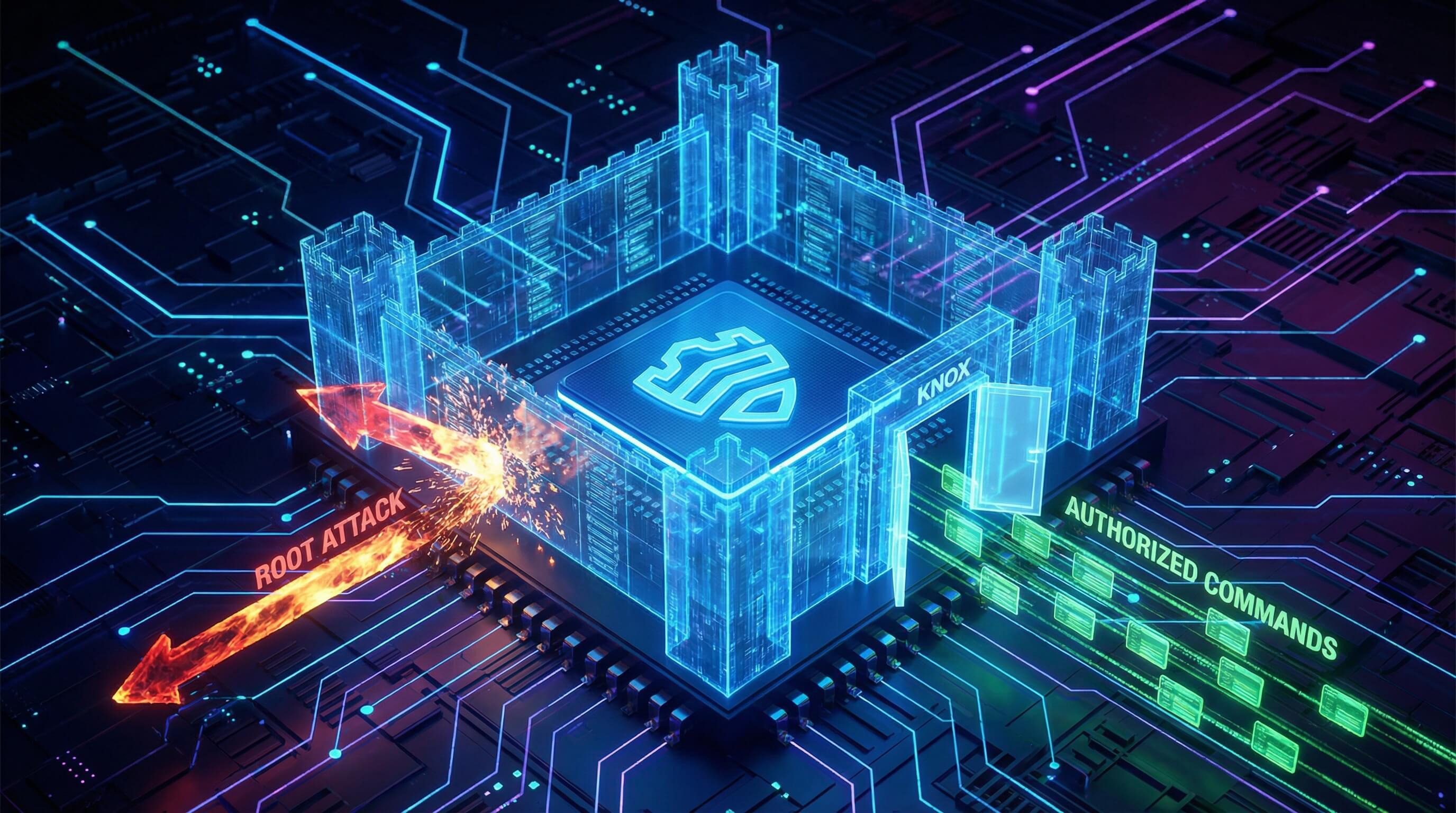
When it comes to high-privilege operations involving remote control, enterprises’ greatest concern is the risk of “backdoors” or misuse of permissions. The involvement of the Samsung Knox platform provides a hardware-based Root of Trust for this remote connection chain, establishing a defense-grade security barrier.
The "Permission Stability" Dilemma
In the Android ecosystem, traditional remote control software often faces the frustrating situation where permissions are revoked or background processes are killed by system policies. This occurs because conventional apps run in user space and are subject to the system’s battery optimization and permission reclamation mechanisms.
Samsung Knox, as a system-level service, provides a “green channel” for remote control applications. By integrating the Knox SDK, the management components of AirDroid Business gain the status of protected processes.
The core advantages of this stability include:
- Uninstall Protection: End users (or unauthorized visitors) cannot remove the management plugin via standard settings, ensuring the persistence of the control chain.
- Silent Background Operation: Even when the device enters deep sleep or system resources are constrained, Knox-protected management processes receive higher scheduling priority, preventing the embarrassing scenario where IT cannot access a device during a failure.
- Deterministic Policy Application: Traditional Android Enterprise policies can take hours to sync and apply, whereas instructions delivered via the Knox Service Plugin (KSP) can execute in milliseconds, enabling truly real-time operations and maintenance.
Enterprise-Grade Security Validation
Remote connections authorized through Samsung Knox are far more secure than ordinary third-party software or even root-level privilege escalation solutions. Rooting permanently damages the device’s Knox warranty counter (Bit set to 1, irreversible), making protected data—such as financial credentials or work containers—untrusted by hardware.
In contrast, AirDroid Business + Samsung Knox is an officially supported, compliant solution. Its security architecture follows the Principle of Least Privilege, allowing administrators to precisely assign permissions based on specific needs.
Security Dimension | Risks of Traditional Root Approach | Advantages of Knox-Authorized Solution |
|---|---|---|
| Hardware Warranty | Immediately voided, irreversible | Officially authorized, full warranty retained |
| Permission Scope | Full access, susceptible to malware exploitation | Fine-grained control (e.g., screen viewing only or file transfer only) |
| Data Encryption | Relies on application layer, vulnerable to memory capture | TrustZone hardware isolation, kernel-level anti-tamper protection |
| Authentication | No standard, easily brute-forced | Integrated RBAC (Role-Based Access Control) with two-factor authentication |
Additionally, Knox’s Remote Attestation feature can report the device’s health status to the AirDroid management backend in real time. If kernel tampering or signs of rooting are detected, administrators can automatically trigger a lock process, preventing secondary data breaches during remote troubleshooting.
AirDroid Business: The Ultimate Debugging Toolkit for Samsung
As an official Samsung partner, AirDroid Business has developed a dedicated Knox Service Plugin (KSP) for Samsung devices, designed to overcome Android’s native system limitations and enable full, authoritative control over endpoint devices.
The Knox Add-on: Full Control Without Rooting
The AirDroid Knox Service Plugin (KSP) is a purpose-built, lightweight component that, once installed on target Samsung devices, immediately unlocks access to Knox-exclusive API interfaces.
What is the AirDroid Knox Add-on?
This is not an ordinary extension, but a management agent signed with Samsung system-level privileges and capable of deeply invoking underlying hardware control capabilities.
Once activated, it effectively acts as the IT administrator’s “virtual hands” on the device. Through this plugin, administrators can perform high-fidelity screen click simulation, multi-touch swipe gestures, and precise control of physical or soft keys such as the Home, volume, and power buttons.
Why "No Root" Matters
In the past, to obtain this level of low-level control, IT teams had to rely on methods such as flashing firmware or unlocking the bootloader to gain root access. However, rooting triggers a series of severe ripple effects:
- Security collapse: Once rooted, a device can no longer pass integrity checks required by banking, government, or high-security enterprise applications (Play Integrity / SafetyNet).
- Loss of OTA updates: For security reasons, Samsung disables firmware updates on rooted devices, leaving them exposed to known vulnerabilities.
- Legal and regulatory compliance risks: Many industry regulations (such as GDPR or HIPAA) explicitly prohibit the use of root access on devices handling sensitive data, with violations potentially resulting in substantial fines.
The combination of AirDroid Business and Samsung Knox resolves this conflict perfectly. While fully preserving system integrity and official warranty coverage, it delivers operational depth equivalent to—if not greater than—root-level access.
Black Screen Mode: Maintenance Without Disruption
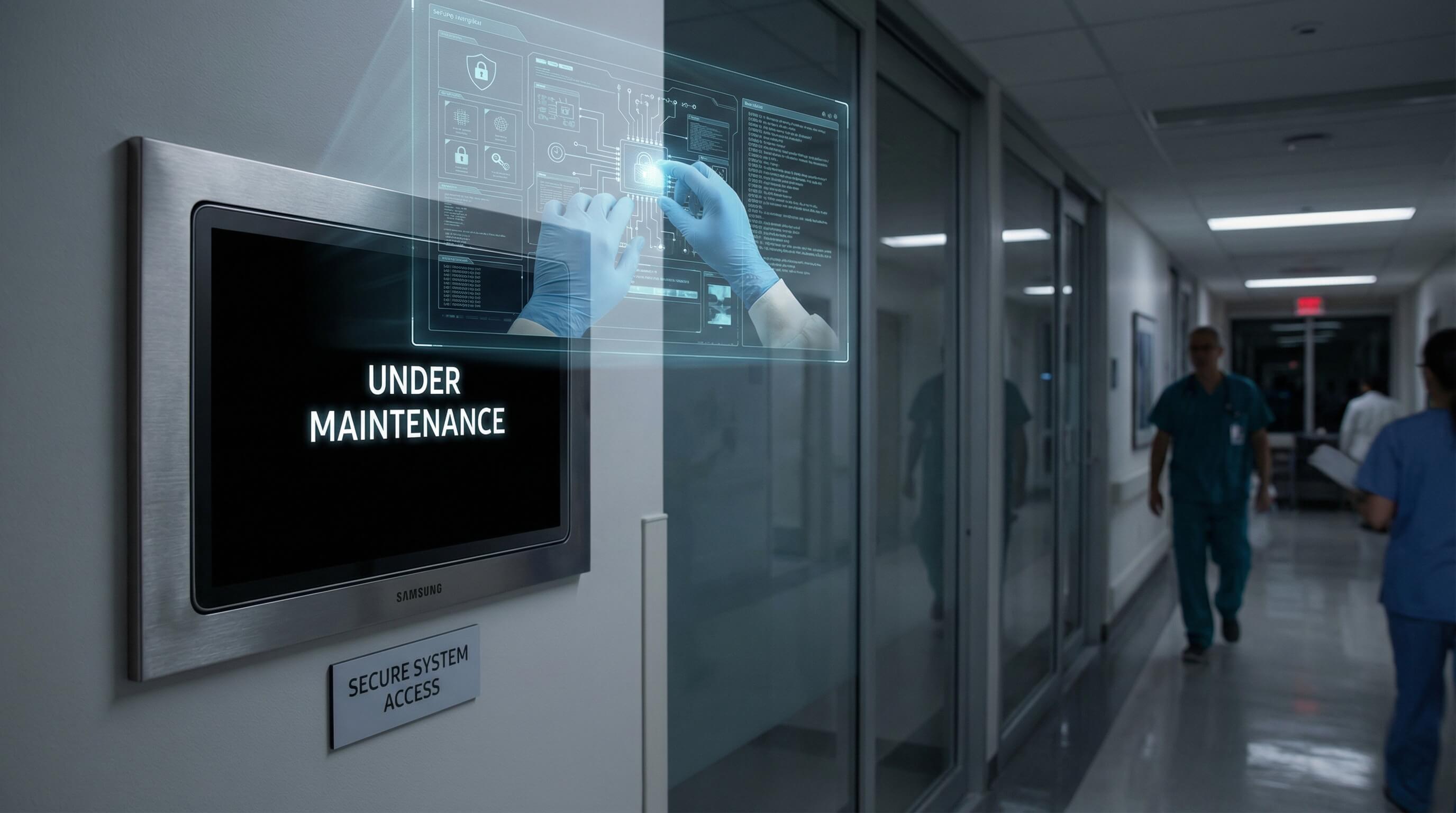
During remote operations, privacy leakage and external interference are two major concerns for IT teams. AirDroid Business’s patented technology—Black Screen Mode—provides an innovative solution to address these pain points.
Protecting Privacy and Preventing Interference
When IT personnel remotely access a retail store’s POS system or a hospital’s mobile terminal to perform sensitive configuration and troubleshooting tasks—such as entering server passwords or reviewing business logs—keeping the screen visible can allow queued customers or unauthorized staff on-site to inadvertently glimpse confidential data.
The technical logic behind Black Screen Mode is as follows:
- Visual obfuscation: Once an administrator enables this mode, the physical screen of the target Samsung device immediately turns black or displays a customized message such as “Under Maintenance.” This not only eliminates bystanders’ curiosity but also prevents negative on-site user experiences caused by screen flickering or rapid menu changes during IT operations.
- Input lock: In Black Screen Mode, all touchscreen input and physical button functions on the device are completely disabled. This effectively prevents on-site personnel from interfering with the troubleshooting process through curious taps or accidental input, which could otherwise disrupt workflows or even cause system crashes.
This “invisible maintenance” capability significantly enhances the psychological sense of security during remote operations, enabling IT departments to confidently perform backend tasks during peak hours without causing any disruption to front-end business operations.
True Debugging: Beyond Just Screen Sharing
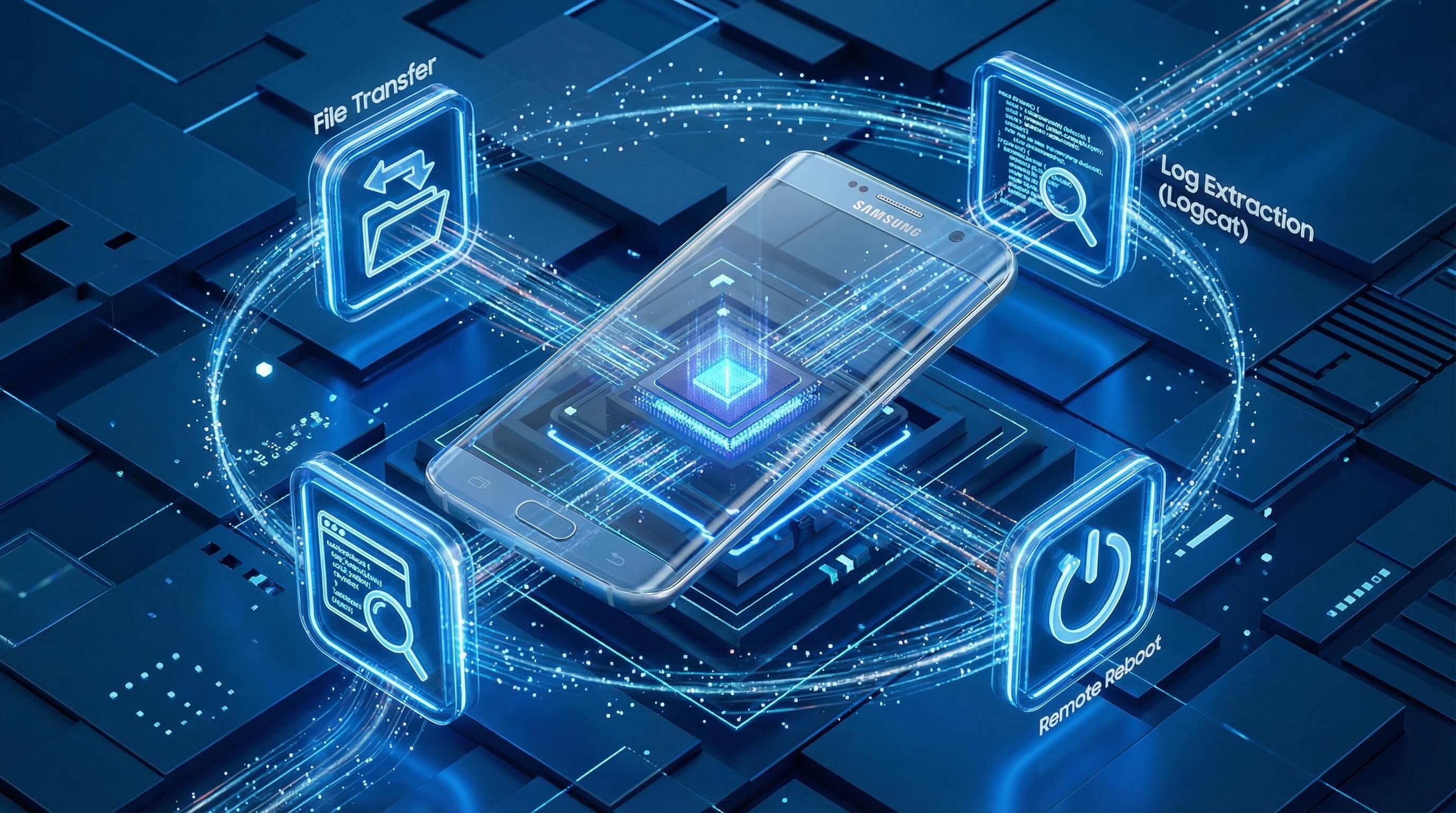
Efficient troubleshooting is not just about “seeing the screen”; it requires deep, non-intrusive operational capabilities. AirDroid Business has tailored a multi-dimensional troubleshooting toolkit specifically for Samsung devices.
AirDroid Business - Troubleshoot Like You’re On-Site, Without Going On-Site
When you’re entering credentials or digging through logs, the last thing you want is a visible screen and accidental taps from someone nearby. Use Black Screen Mode to protect what you’re doing, pull logs in seconds, push fixes silently, and reboot devices remotely when things freeze. It’s a smoother workflow, and it brings MTTR down fast.
Two-Way File Transfer & Log Extraction
In many cases, on-screen feedback alone is insufficient to identify the root cause. IT personnel need to analyze crash logs (Logcat) or system dump files (Dumpstate).
- Log extraction: AirDroid allows IT staff to extract various log ZIP packages within seconds directly via remote terminal commands or the file manager, from paths such as
/sdcard/Android/data/com.sand.airdroidbiz/ or Samsung system directories like /log. This approach eliminates the inefficient back-and-forth of asking on-site staff to send logs via messaging apps or email. - Bi-directional transfer: Once the issue is identified as a configuration error or one that requires a hotfix, administrators can use drag-and-drop file transfer to silently push modified config.xml files or patched APKs to specific device directories and run them directly.
Remote Restart & Hardware Control
For devices that are completely frozen or experiencing severe lag, any software-level action may become ineffective. In such cases, AirDroid Business allows IT teams to issue hardware-level reboot commands.
Leveraging underlying Knox protocols, this reboot is not a simple system warm restart, but can simulate a physical power cycle (cold boot). When a device becomes entirely unresponsive, this capability serves as the last line of defense for restoring business availability, effectively eliminating the travel costs associated with dispatching technicians for manual, on-site forced reboots.
Core Functional Applications and MTTR Optimization Statistical Analysis
To more intuitively demonstrate the real-world impact of the AirDroid Business + Samsung Knox integration, it is essential to analyze its effect on enterprise IT operations metrics from a data perspective.
Operational Scenario | Remediation Method | Statistical Impact (2024–2025 Data) | Business Value |
|---|---|---|---|
| Application Crash | Remote black screen troubleshooting + log extraction | MTTRfix reduced by 75% | Compresses hours of downtime to under 15 minutes |
| Bulk Configuration Updates | KME automated deployment + AMS push | Deployment error rate reduced by 45% | Ensures 100% of devices meet security and compliance standards |
| Hardware Freeze | Remote hardware-level reboot command | Avoids 14% of unnecessary truck rolls | Saves tens of thousands of dollars in travel costs annually for medium-sized fleets |
| Lost Device Recovery | Geofencing alerts + remote lock | Device asset recovery rate increased by 30% | Effectively prevents compliance penalties caused by hardware loss |
From the analysis above, it is evident that this deep technical integration is not merely a stack of features, but a mathematical optimization of the entire operational workflow—from prevention and detection to repair and verification—resulting in a step-change improvement in enterprise efficiency.
Best Practice Strategies for Remote Troubleshooting of Samsung Devices
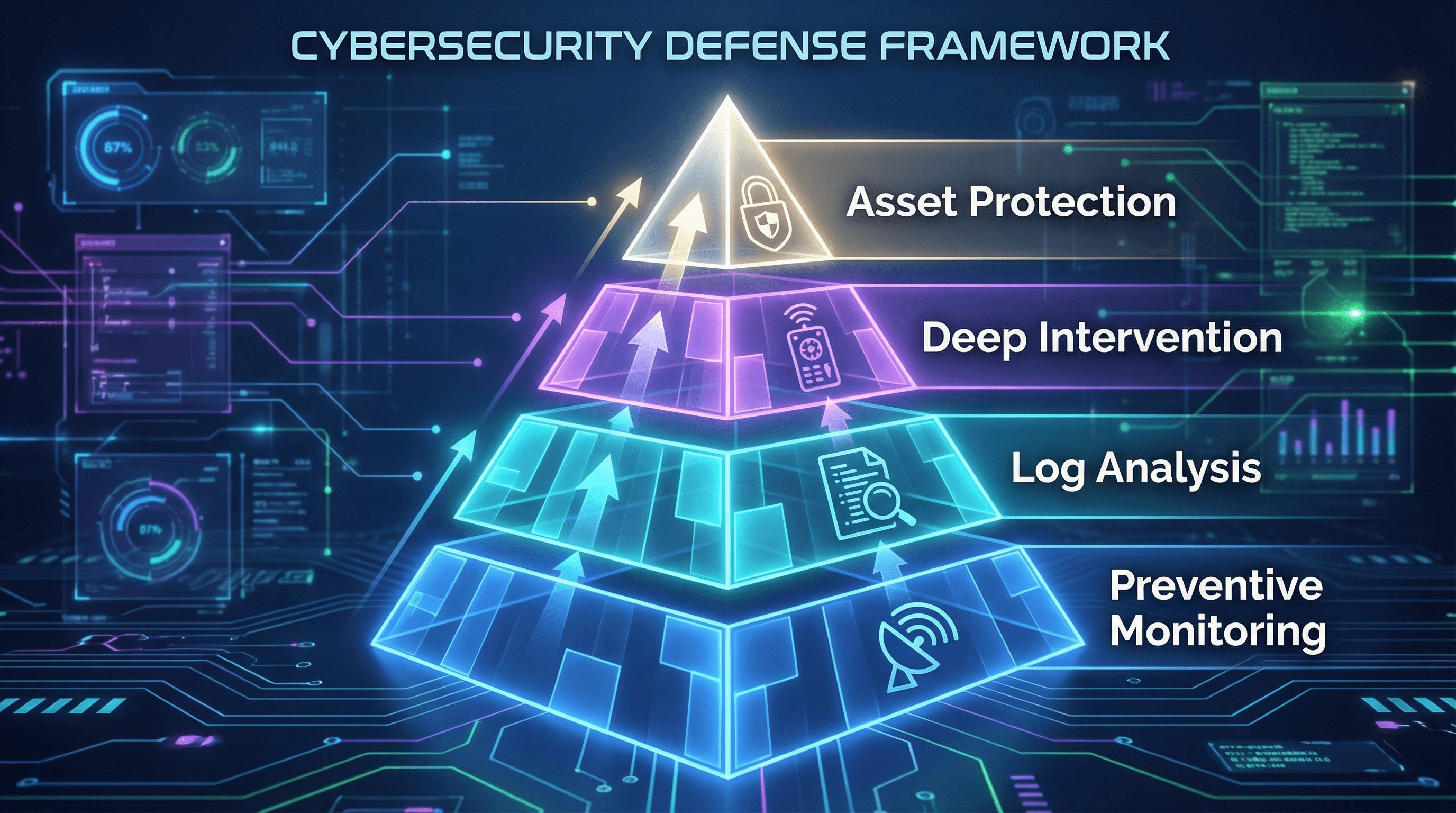
To maximize the synergistic benefits of AirDroid Business and Samsung Knox, enterprise IT departments should establish a tiered risk response system:
Level 1: Preventive Monitoring & Automated Alerts
Use AirDroid’s Alerts & Workflows to set up real-time monitoring for high CPU load, abnormal battery temperature, or network disconnections. Many issues show early warning signs in backend metrics before impacting front-end business operations.
Level 2: Non-Intrusive Investigation & Log Analysis
Upon receiving an alert, administrators should first attempt non-intrusive measures. They can observe screens via the AirDroid console’s view mode or extract logs silently to collect first-hand data without interrupting ongoing business processes.
Level 3: Controlled Deep Intervention
If the issue requires in-depth troubleshooting, enable Black Screen Mode to gain privileged access. This step is central to repair and may include modifying registry entries, pushing patch overrides, or reconfiguring application parameters.
Level 4: Forced Asset Protection & Hardware Recovery
In extreme cases, such as confirmed device theft or hardware-level deadlocks, use Knox-provided forced reboot or remote wipe commands. Using Factory Reset Protection (FRP) bypass techniques, administrators can even reinitialize a recovered lost device, restoring it to a fully managed, factory-state configuration.
Conclusion: Build a Borderless IT Infrastructure
In summary, the technological evolution of remote troubleshooting for Samsung devices has entered the 2025 new era of deep hardware integration. Traditional general-purpose remote desktop software is rapidly becoming obsolete in professional IT operations, as it cannot overcome Android’s increasingly strict security permissions and process management mechanisms.
Samsung Knox provides enterprises with an unshakable hardware-backed security foundation, while AirDroid Business builds on this foundation a feature-rich, intuitive “operating-room-grade” IT operations toolkit. The true value of this integration lies not only in addressing the technical question of “how to connect”, but also in solving the business challenge of “how to repair securely, reliably, and cost-effectively.”
For enterprises seeking to improve IT operational efficiency, reduce truck roll costs, and safeguard data privacy, adopting a Samsung Knox–deeply integrated AirDroid Business solution is no longer optional—it has become a necessary strategy for maintaining core competitiveness in the digital era. By relentlessly optimizing MTTR metrics and drastically cutting truck roll expenses, organizations can achieve more resilient and stable business growth even in volatile economic environments.



Leave a Reply.